crwdns2933423:0crwdne2933423:0
crwdns2947577:0crwdnd2947577:0crwdne2947577:0

HP Pavilion 15-e043cl Hard Drive Replacement

crwdns2942213:0crwdne2942213:0

    1. HP Pavilion 15-e043cl Hard Drive Replacement, Battery: crwdns2935265:01crwdnd2935265:01crwdnd2935265:02crwdne2935265:0 HP Pavilion 15-e043cl Hard Drive Replacement, Battery: crwdns2935265:01crwdnd2935265:02crwdnd2935265:02crwdne2935265:0
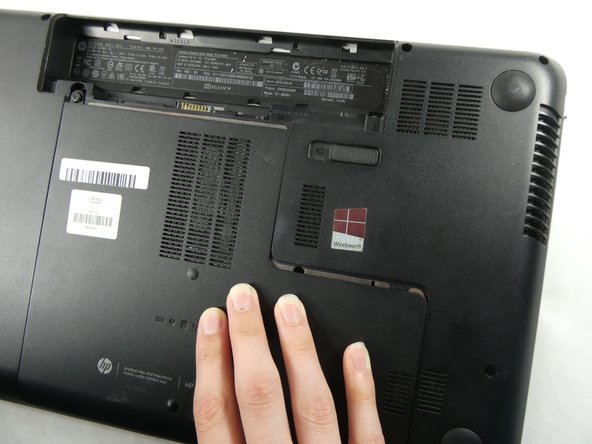
      • Flip the device over.

      • Slide the battery switch on the right half of the laptop.

      • Make sure the device is powered off, and that it is not connected to any power sources.

      crwdns2952109:0crwdne2952109:0

      crwdns2917038:0crwdne2917038:0

    2. HP Pavilion 15-e043cl Hard Drive Replacement: crwdns2935265:02crwdnd2935265:01crwdnd2935265:02crwdne2935265:0 HP Pavilion 15-e043cl Hard Drive Replacement: crwdns2935265:02crwdnd2935265:02crwdnd2935265:02crwdne2935265:0
      • Lift the battery up and out of the device by the inward-facing edge.

      crwdns2952109:0crwdne2952109:0

      crwdns2917038:0crwdne2917038:0

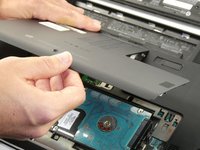
    1. HP Pavilion 15-e043cl Hard Drive Replacement, Maintenance Panel: crwdns2935265:03crwdnd2935265:01crwdnd2935265:03crwdne2935265:0 HP Pavilion 15-e043cl Hard Drive Replacement, Maintenance Panel: crwdns2935265:03crwdnd2935265:02crwdnd2935265:03crwdne2935265:0 HP Pavilion 15-e043cl Hard Drive Replacement, Maintenance Panel: crwdns2935265:03crwdnd2935265:03crwdnd2935265:03crwdne2935265:0
      • Unscrew the single Phillips #0 captive screw that was previously hidden by the battery.

      • The screw can not, and should not, be fully removed.

      • Slide the maintenance panel away from the battery compartment to release it.

      crwdns2952109:0crwdne2952109:0

      crwdns2917038:0crwdne2917038:0

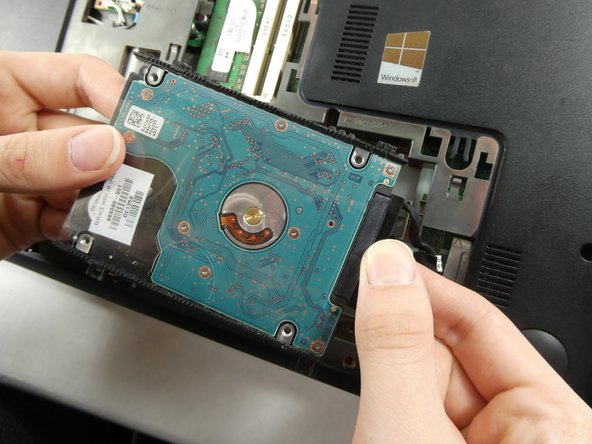
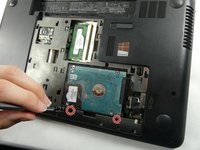
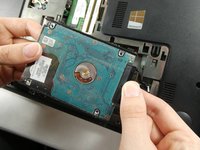
    1. HP Pavilion 15-e043cl Hard Drive Replacement, Hard Drive: crwdns2935265:04crwdnd2935265:01crwdnd2935265:02crwdne2935265:0 HP Pavilion 15-e043cl Hard Drive Replacement, Hard Drive: crwdns2935265:04crwdnd2935265:02crwdnd2935265:02crwdne2935265:0
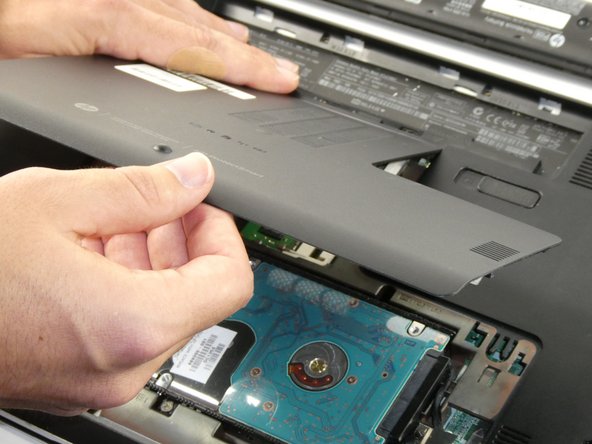
      • Unscrew the two black Phillips #0 screws securing the hard drive.

      • Lift the hard drive a few centimeters out of the laptop, with care not to damage the cable.

      • Unplug the hard drive from the laptop.

      crwdns2952109:0crwdne2952109:0

      crwdns2917038:0crwdne2917038:0

crwdns2915888:0crwdne2915888:0

To reassemble your device, follow these instructions in reverse order.

crwdns2935221:0crwdne2935221:0

Cace Letendre

crwdns2935283:010/25/22crwdne2935283:0

528 crwdns2915208:0crwdne2915208:0

crwdns2935297:06crwdne2935297:0

crwdns2935287:0crwdne2935287:0

UMass Dartmouth, Team 4-5, Sinclaire Fall 2022 crwdns2935289:0UMass Dartmouth, Team 4-5, Sinclaire Fall 2022crwdne2935289:0

UMASSD-SINCLAIRE-F22S4G5

crwdns2931471:05crwdne2931471:0

crwdns2935297:047crwdne2935297:0

crwdns2947412:00crwdne2947412:0

crwdns2917038:0crwdne2917038:0

crwdns2936625:0crwdne2936625:0:

crwdns2936751:024crwdne2936751:0 3

crwdns2936753:07crwdne2936753:0 10

crwdns2936753:030crwdne2936753:0 34

crwdns2942667:0crwdne2942667:0 506