crwdns2933423:0crwdne2933423:0
crwdns2947577:0crwdnd2947577:0crwdne2947577:0

HP Mini 311 Keyboard Replacement

crwdns2942213:0crwdne2942213:0

    1. HP Mini 311 Keyboard Replacement, Battery: crwdns2935265:01crwdnd2935265:01crwdnd2935265:03crwdne2935265:0 HP Mini 311 Keyboard Replacement, Battery: crwdns2935265:01crwdnd2935265:02crwdnd2935265:03crwdne2935265:0 HP Mini 311 Keyboard Replacement, Battery: crwdns2935265:01crwdnd2935265:03crwdnd2935265:03crwdne2935265:0
      • Lay the laptop on a flat surface, bottom side up and slide the two battery release latches toward the outside of the case.

      crwdns2952109:0crwdne2952109:0

      crwdns2917038:0crwdne2917038:0

    2. HP Mini 311 Keyboard Replacement: crwdns2935265:02crwdnd2935265:01crwdnd2935265:02crwdne2935265:0 HP Mini 311 Keyboard Replacement: crwdns2935265:02crwdnd2935265:02crwdnd2935265:02crwdne2935265:0
      • Slide the battery away from the device to remove.

      crwdns2952109:0crwdne2952109:0

      crwdns2917038:0crwdne2917038:0

    1. HP Mini 311 Keyboard Replacement, Memory Shield: crwdns2935265:03crwdnd2935265:01crwdnd2935265:01crwdne2935265:0
      • With the device still in a bottom side up position, proceed to unscrew the two 4.8mm Phillips 00 screws from the memory shield.

      • The screws will remain in the shied.

      crwdns2952109:0crwdne2952109:0

      crwdns2917038:0crwdne2917038:0

    2. HP Mini 311 Keyboard Replacement: crwdns2935265:04crwdnd2935265:01crwdnd2935265:02crwdne2935265:0 HP Mini 311 Keyboard Replacement: crwdns2935265:04crwdnd2935265:02crwdnd2935265:02crwdne2935265:0
      • Lift the memory shield up and remove from the laptop.

      crwdns2952109:0crwdne2952109:0

      crwdns2917038:0crwdne2917038:0

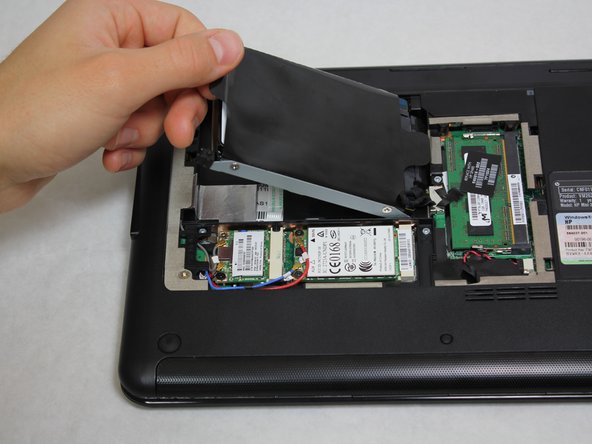
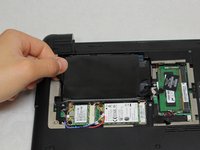
    1. HP Mini 311 Keyboard Replacement, Hard Drive: crwdns2935265:05crwdnd2935265:01crwdnd2935265:03crwdne2935265:0 HP Mini 311 Keyboard Replacement, Hard Drive: crwdns2935265:05crwdnd2935265:02crwdnd2935265:03crwdne2935265:0 HP Mini 311 Keyboard Replacement, Hard Drive: crwdns2935265:05crwdnd2935265:03crwdnd2935265:03crwdne2935265:0
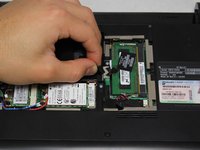
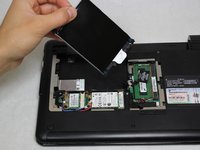
      • Grab the left black, plastic tab and carefully pull upward.

      • Be sure to pull carefully. Pulling too forcefully may damage the tab.

      crwdns2952109:0crwdne2952109:0

      crwdns2917038:0crwdne2917038:0

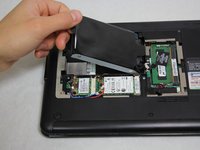
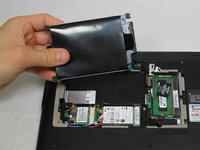
    2. HP Mini 311 Keyboard Replacement: crwdns2935265:06crwdnd2935265:01crwdnd2935265:03crwdne2935265:0 HP Mini 311 Keyboard Replacement: crwdns2935265:06crwdnd2935265:02crwdnd2935265:03crwdne2935265:0 HP Mini 311 Keyboard Replacement: crwdns2935265:06crwdnd2935265:03crwdnd2935265:03crwdne2935265:0
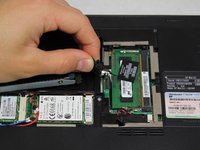
      • Grab a hold of the wire connecting the hard drive and the device.

      • Pull upward, perpendicular to the surface of the laptop, releasing the connector tethering the hard drive to the motherboard.

      crwdns2952109:0crwdne2952109:0

      crwdns2917038:0crwdne2917038:0

    1. HP Mini 311 Keyboard Replacement, Keyboard: crwdns2935265:07crwdnd2935265:01crwdnd2935265:01crwdne2935265:0
      • Unscrew the four Phillip 00 5.6 mm screws located around the wireless card and RAM.

      crwdns2952109:0crwdne2952109:0

      crwdns2917038:0crwdne2917038:0

    2. HP Mini 311 Keyboard Replacement: crwdns2935265:08crwdnd2935265:01crwdnd2935265:01crwdne2935265:0
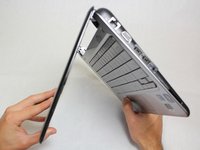
      • Open the laptop so that the screen and front of the keyboard are both facing the ground.

      • Push on the opening on the back side of the device until the keyboard partially pops out.

      • This opening is located where the original hard drive was set.

      crwdns2952109:0crwdne2952109:0

      crwdns2917038:0crwdne2917038:0

    3. HP Mini 311 Keyboard Replacement: crwdns2935265:09crwdnd2935265:01crwdnd2935265:03crwdne2935265:0 HP Mini 311 Keyboard Replacement: crwdns2935265:09crwdnd2935265:02crwdnd2935265:03crwdne2935265:0 HP Mini 311 Keyboard Replacement: crwdns2935265:09crwdnd2935265:03crwdnd2935265:03crwdne2935265:0
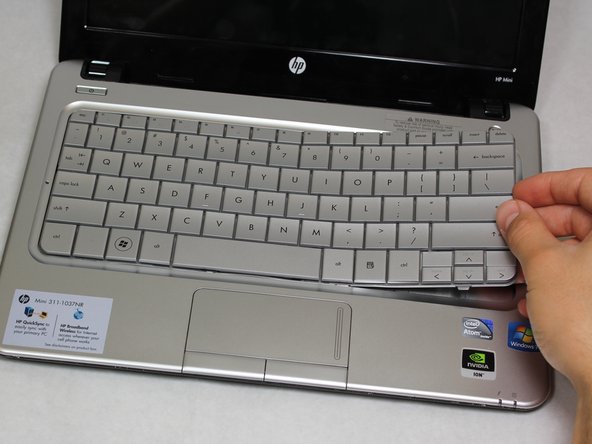
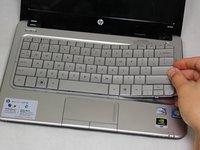
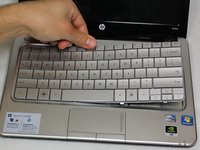
      • Flip the device around and orient it so that the screen and keyboard are facing you.

      • Starting at the right side, work your way towards the left end and remove the keyboard by unhinging the latches attaching it to the base of the device.

      • The right side of the keyboard should be unattached.

      • Be gentle and patient. You don't want to pull the entire keyboard at once, but rather pull by sections.

      crwdns2952109:0crwdne2952109:0

      crwdns2917038:0crwdne2917038:0

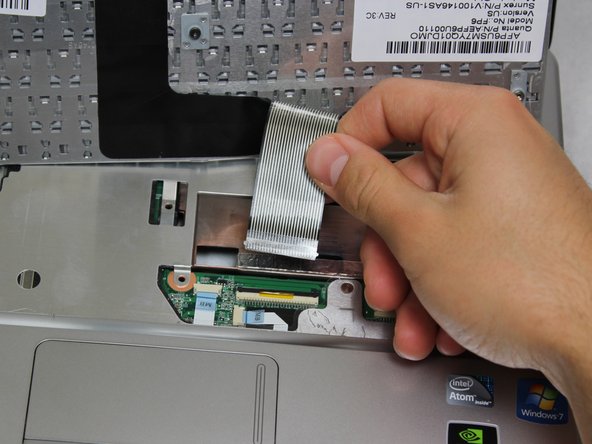
    4. HP Mini 311 Keyboard Replacement: crwdns2935265:010crwdnd2935265:01crwdnd2935265:03crwdne2935265:0 HP Mini 311 Keyboard Replacement: crwdns2935265:010crwdnd2935265:02crwdnd2935265:03crwdne2935265:0 HP Mini 311 Keyboard Replacement: crwdns2935265:010crwdnd2935265:03crwdnd2935265:03crwdne2935265:0
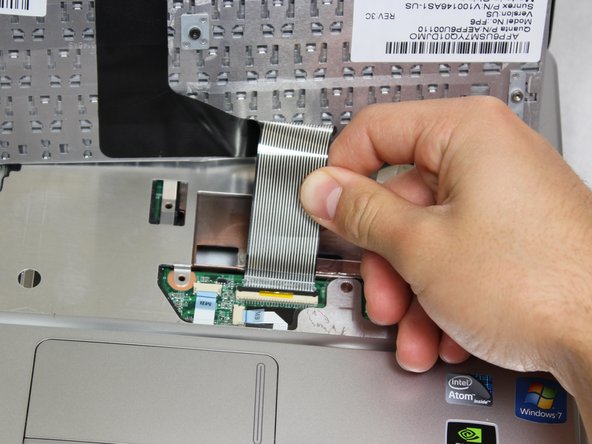
      • Carefully pull the ribbon cable connecting the keyboard and the laptop to remove from the device.

      crwdns2952109:0crwdne2952109:0

      crwdns2917038:0crwdne2917038:0

crwdns2915888:0crwdne2915888:0

To reassemble your device, follow these instructions in reverse order.

crwdns2935221:0crwdne2935221:0

crwdns2935229:04crwdne2935229:0

Christian Santoyo

crwdns2935283:001/31/13crwdne2935283:0

495 crwdns2915208:0crwdne2915208:0

crwdns2935297:06crwdne2935297:0

crwdns2935287:0crwdne2935287:0

Cal Poly, Team 20-4, Maness Winter 2013 crwdns2935289:0Cal Poly, Team 20-4, Maness Winter 2013crwdne2935289:0

CPSU-MANESS-W13S20G4

crwdns2931471:04crwdne2931471:0

crwdns2935297:067crwdne2935297:0

crwdns2947412:00crwdne2947412:0

crwdns2917038:0crwdne2917038:0

crwdns2936625:0crwdne2936625:0:

crwdns2936751:024crwdne2936751:0 0

crwdns2936753:07crwdne2936753:0 12

crwdns2936753:030crwdne2936753:0 29

crwdns2942667:0crwdne2942667:0 3,039