crwdns2933423:0crwdne2933423:0
crwdns2947577:0crwdnd2947577:0crwdne2947577:0

HP Mini 110-3735dx Screen Replacement

crwdns2942213:0crwdne2942213:0

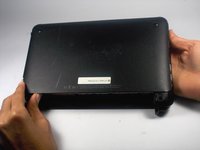
    1. HP Mini 110-3735dx Screen Replacement, Battery: crwdns2935265:01crwdnd2935265:01crwdnd2935265:03crwdne2935265:0 HP Mini 110-3735dx Screen Replacement, Battery: crwdns2935265:01crwdnd2935265:02crwdnd2935265:03crwdne2935265:0 HP Mini 110-3735dx Screen Replacement, Battery: crwdns2935265:01crwdnd2935265:03crwdnd2935265:03crwdne2935265:0
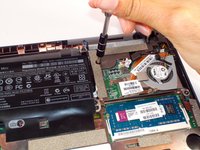
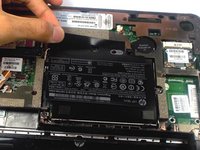
      • With the bottom of the HP Mini facing up, slide both switches inward towards each other.

      crwdns2952109:0crwdne2952109:0

      crwdns2917038:0crwdne2917038:0

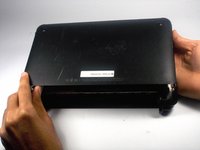
    2. HP Mini 110-3735dx Screen Replacement: crwdns2935265:02crwdnd2935265:01crwdnd2935265:02crwdne2935265:0 HP Mini 110-3735dx Screen Replacement: crwdns2935265:02crwdnd2935265:02crwdnd2935265:02crwdne2935265:0
      • With the left switch still pushed inward, pull the battery towards you to remove it from the computer.

      crwdns2952109:0crwdne2952109:0

      crwdns2917038:0crwdne2917038:0

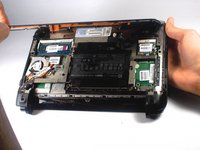
    1. HP Mini 110-3735dx Screen Replacement, Backcover: crwdns2935265:03crwdnd2935265:01crwdnd2935265:03crwdne2935265:0 HP Mini 110-3735dx Screen Replacement, Backcover: crwdns2935265:03crwdnd2935265:02crwdnd2935265:03crwdne2935265:0 HP Mini 110-3735dx Screen Replacement, Backcover: crwdns2935265:03crwdnd2935265:03crwdnd2935265:03crwdne2935265:0
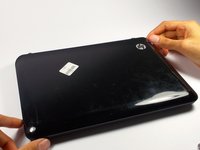
      • Pull upward from under the back cover via the missing battery area.

      • Best to start from one of the corners.

      crwdns2952109:0crwdne2952109:0

      crwdns2917038:0crwdne2917038:0

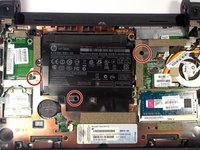
    1. HP Mini 110-3735dx Screen Replacement, Keyboard: crwdns2935265:04crwdnd2935265:01crwdnd2935265:02crwdne2935265:0 HP Mini 110-3735dx Screen Replacement, Keyboard: crwdns2935265:04crwdnd2935265:02crwdnd2935265:02crwdne2935265:0
      • Remove the three 4.0 mm screws with the keyboard indicator next to them using a Phillips #1 screw driver.

      crwdns2952109:0crwdne2952109:0

      crwdns2917038:0crwdne2917038:0

    2. HP Mini 110-3735dx Screen Replacement: crwdns2935265:05crwdnd2935265:01crwdnd2935265:02crwdne2935265:0 HP Mini 110-3735dx Screen Replacement: crwdns2935265:05crwdnd2935265:02crwdnd2935265:02crwdne2935265:0
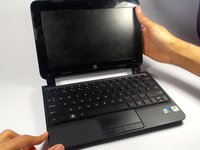
      • Flip the laptop over, and open it up.

      • Don't worry! No pieces will fall out.

      crwdns2952109:0crwdne2952109:0

      crwdns2917038:0crwdne2917038:0

    3. HP Mini 110-3735dx Screen Replacement: crwdns2935265:06crwdnd2935265:01crwdnd2935265:02crwdne2935265:0 HP Mini 110-3735dx Screen Replacement: crwdns2935265:06crwdnd2935265:02crwdnd2935265:02crwdne2935265:0
      • With the keyboard facing you, pull the black bezel upward until its loose.

      • You should hear three clicks.

      crwdns2952109:0crwdne2952109:0

      crwdns2917038:0crwdne2917038:0

    4. HP Mini 110-3735dx Screen Replacement: crwdns2935265:07crwdnd2935265:01crwdnd2935265:02crwdne2935265:0 HP Mini 110-3735dx Screen Replacement: crwdns2935265:07crwdnd2935265:02crwdnd2935265:02crwdne2935265:0
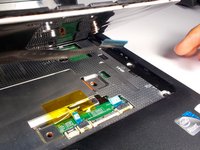
      • Move and hold the bezel slightly towards the screen while lifting the keyboard from the top.

      crwdns2952109:0crwdne2952109:0

      crwdns2917038:0crwdne2917038:0

    5. HP Mini 110-3735dx Screen Replacement: crwdns2935265:08crwdnd2935265:01crwdnd2935265:01crwdne2935265:0
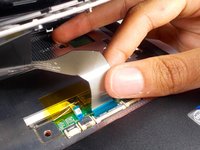
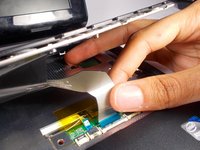
      • Pull up the keyboard from the bottom corners exposing the keyboard cable.

      crwdns2952109:0crwdne2952109:0

      crwdns2917038:0crwdne2917038:0

    6. HP Mini 110-3735dx Screen Replacement: crwdns2935265:09crwdnd2935265:01crwdnd2935265:02crwdne2935265:0 HP Mini 110-3735dx Screen Replacement: crwdns2935265:09crwdnd2935265:02crwdnd2935265:02crwdne2935265:0
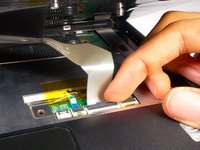
      • Lift the black holder connected to the keyboard cable until it points up.

      crwdns2952109:0crwdne2952109:0

      crwdns2917038:0crwdne2917038:0

    7. HP Mini 110-3735dx Screen Replacement: crwdns2935265:010crwdnd2935265:01crwdnd2935265:02crwdne2935265:0 HP Mini 110-3735dx Screen Replacement: crwdns2935265:010crwdnd2935265:02crwdnd2935265:02crwdne2935265:0
      • Gently pull the keyboard cable from the socket.

      crwdns2952109:0crwdne2952109:0

      crwdns2917038:0crwdne2917038:0

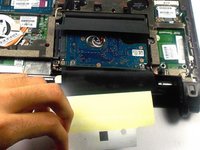
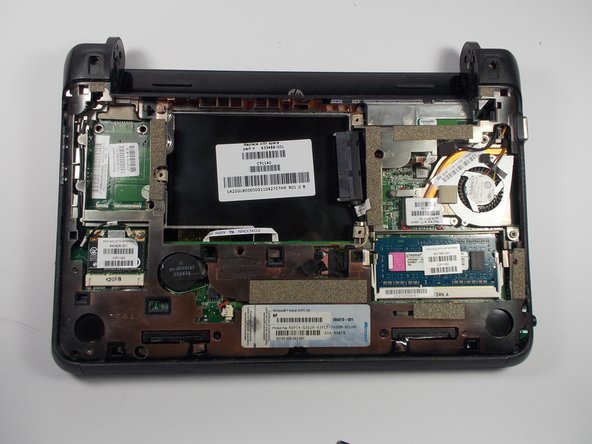
    1. HP Mini 110-3735dx Screen Replacement, Hard Drive Cage: crwdns2935265:011crwdnd2935265:01crwdnd2935265:01crwdne2935265:0
      • Remove the three 5.0 mm screws holding the hard drive cage in place using a Phillips #1 screw driver.

      crwdns2952109:0crwdne2952109:0

      crwdns2917038:0crwdne2917038:0

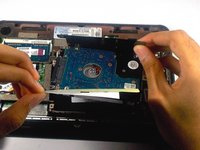
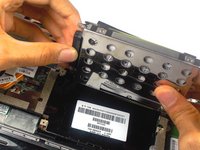
    2. HP Mini 110-3735dx Screen Replacement: crwdns2935265:012crwdnd2935265:01crwdnd2935265:03crwdne2935265:0 HP Mini 110-3735dx Screen Replacement: crwdns2935265:012crwdnd2935265:02crwdnd2935265:03crwdne2935265:0 HP Mini 110-3735dx Screen Replacement: crwdns2935265:012crwdnd2935265:03crwdnd2935265:03crwdne2935265:0
      • Lift the hard drive cage by pulling the tape upward.

      • Start by pulling the tape from the side with the keyboard symbol.

      crwdns2952109:0crwdne2952109:0

      crwdns2917038:0crwdne2917038:0

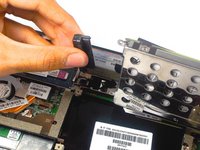
    3. HP Mini 110-3735dx Screen Replacement: crwdns2935265:013crwdnd2935265:01crwdnd2935265:02crwdne2935265:0 HP Mini 110-3735dx Screen Replacement: crwdns2935265:013crwdnd2935265:02crwdnd2935265:02crwdne2935265:0
      • Unplug the cable connecting to the hard drive.

      crwdns2952109:0crwdne2952109:0

      crwdns2917038:0crwdne2917038:0

    1. HP Mini 110-3735dx Screen Replacement, Screen: crwdns2935265:014crwdnd2935265:01crwdnd2935265:02crwdne2935265:0 HP Mini 110-3735dx Screen Replacement, Screen: crwdns2935265:014crwdnd2935265:02crwdnd2935265:02crwdne2935265:0
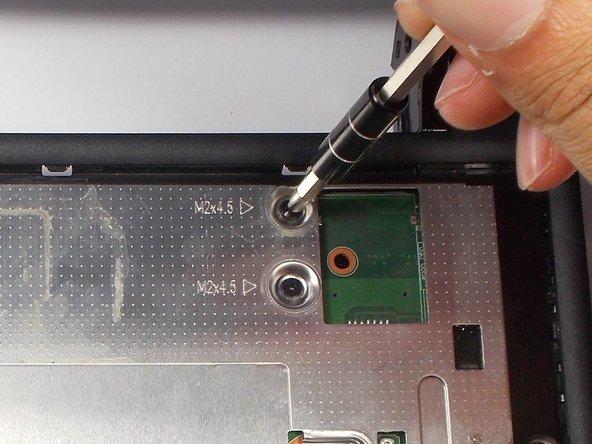
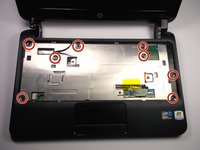
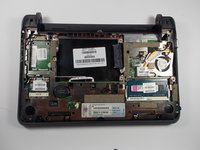
      • Remove the 8 5.0 mm screws under the keyboard using a Phillips #1 screw driver.

      crwdns2952109:0crwdne2952109:0

      crwdns2917038:0crwdne2917038:0

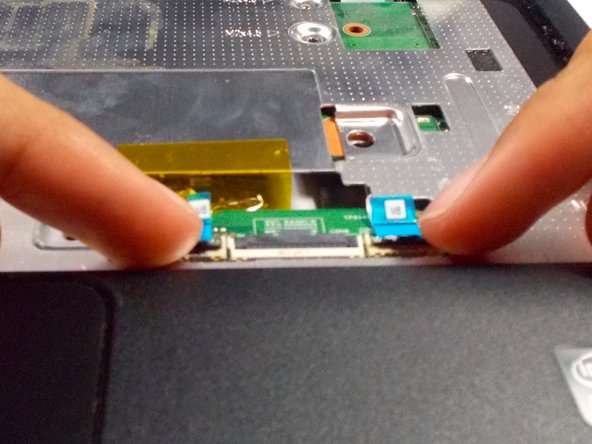
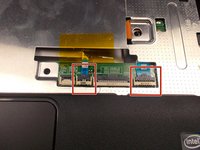
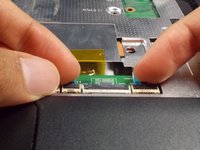
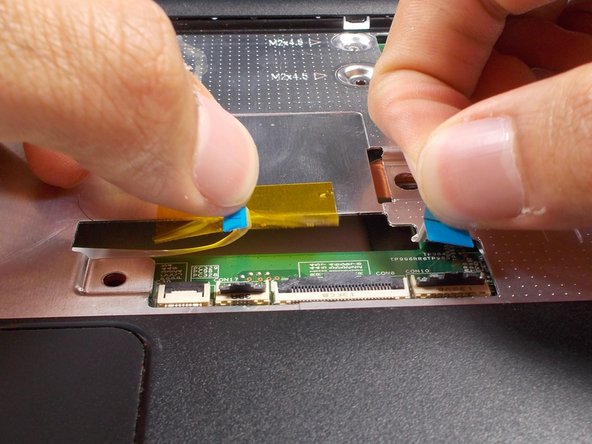
    2. HP Mini 110-3735dx Screen Replacement: crwdns2935265:015crwdnd2935265:01crwdnd2935265:03crwdne2935265:0 HP Mini 110-3735dx Screen Replacement: crwdns2935265:015crwdnd2935265:02crwdnd2935265:03crwdne2935265:0 HP Mini 110-3735dx Screen Replacement: crwdns2935265:015crwdnd2935265:03crwdnd2935265:03crwdne2935265:0
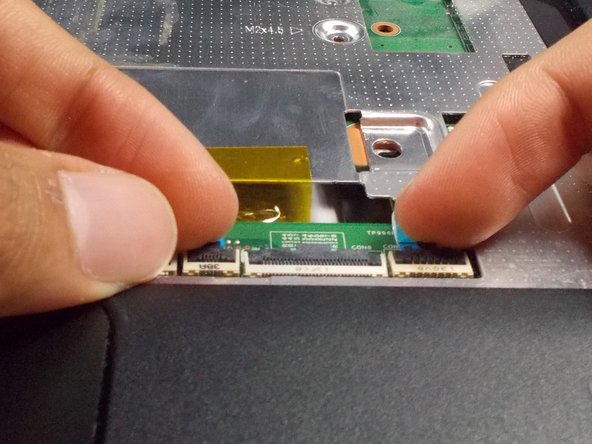
      • Lift the two black holders upward located next to the socket for the keyboard close to the tracked pad.

      crwdns2952109:0crwdne2952109:0

      crwdns2917038:0crwdne2917038:0

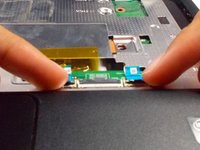
    3. HP Mini 110-3735dx Screen Replacement: crwdns2935265:016crwdnd2935265:01crwdnd2935265:02crwdne2935265:0 HP Mini 110-3735dx Screen Replacement: crwdns2935265:016crwdnd2935265:02crwdnd2935265:02crwdne2935265:0
      • Remove the two connectors for the motherboard from their sockets.

      crwdns2952109:0crwdne2952109:0

      crwdns2917038:0crwdne2917038:0

    4. HP Mini 110-3735dx Screen Replacement: crwdns2935265:017crwdnd2935265:01crwdnd2935265:02crwdne2935265:0 HP Mini 110-3735dx Screen Replacement: crwdns2935265:017crwdnd2935265:02crwdnd2935265:02crwdne2935265:0
      • Close the laptop by bringing the screen down.

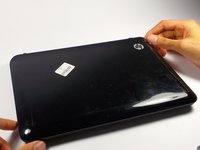
      • Flip the laptop over to the other side.

      crwdns2952109:0crwdne2952109:0

      crwdns2917038:0crwdne2917038:0

    5. HP Mini 110-3735dx Screen Replacement: crwdns2935265:018crwdnd2935265:01crwdnd2935265:02crwdne2935265:0 HP Mini 110-3735dx Screen Replacement: crwdns2935265:018crwdnd2935265:02crwdnd2935265:02crwdne2935265:0
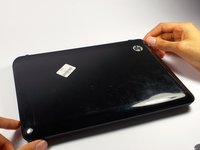
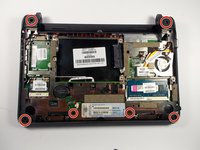
      • Remove the 6 5.0 mm screws holding the back plate together using a Phillips #1 screw driver.

      crwdns2952109:0crwdne2952109:0

      crwdns2917038:0crwdne2917038:0

    6. HP Mini 110-3735dx Screen Replacement: crwdns2935265:019crwdnd2935265:01crwdnd2935265:02crwdne2935265:0 HP Mini 110-3735dx Screen Replacement: crwdns2935265:019crwdnd2935265:02crwdnd2935265:02crwdne2935265:0
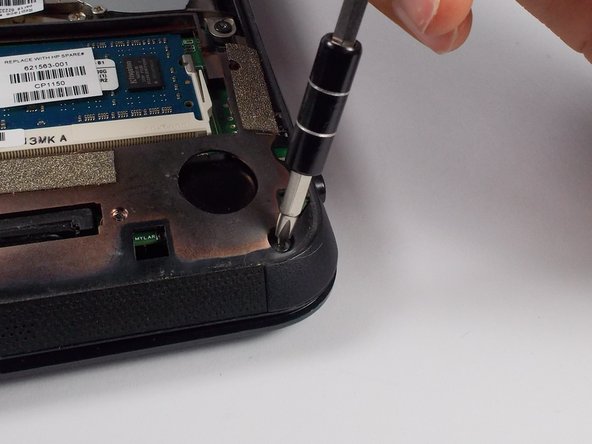
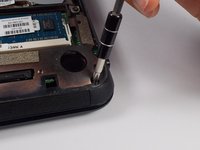
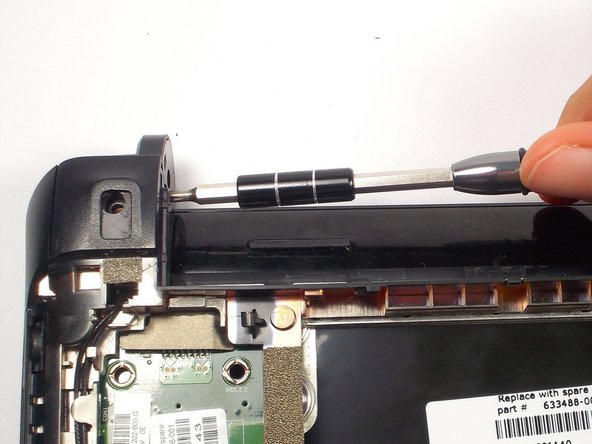
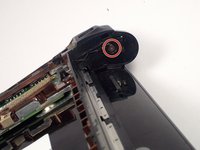
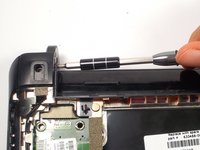
      • Remove the 2 3.0 mm screw head holding the plastic piece in place using a Phillips #1 screw driver.

      • Located on the left and right side where the battery was removed.

      crwdns2952109:0crwdne2952109:0

      crwdns2917038:0crwdne2917038:0

    7. HP Mini 110-3735dx Screen Replacement: crwdns2935265:020crwdnd2935265:01crwdnd2935265:03crwdne2935265:0 HP Mini 110-3735dx Screen Replacement: crwdns2935265:020crwdnd2935265:02crwdnd2935265:03crwdne2935265:0 HP Mini 110-3735dx Screen Replacement: crwdns2935265:020crwdnd2935265:03crwdnd2935265:03crwdne2935265:0
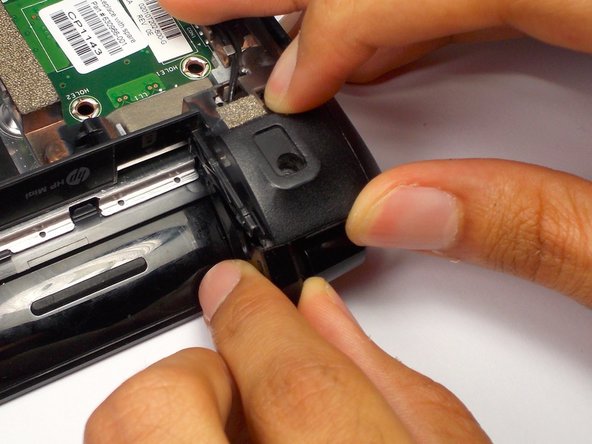
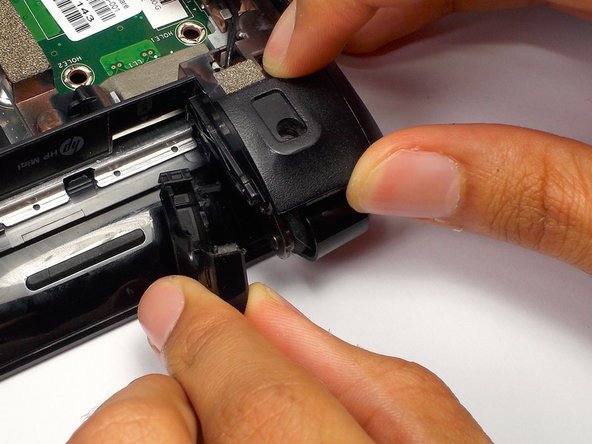
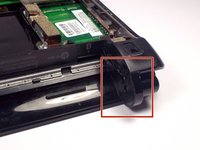
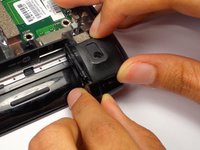
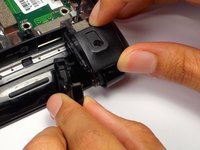
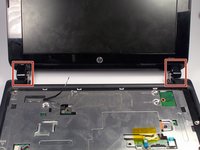
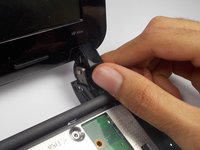
      • Pull the black plastic pieces that the screws was holding inward.

      • The pieces are located on the left and right corners connecting the bottom and top of the HP Mini.

      crwdns2952109:0crwdne2952109:0

      crwdns2917038:0crwdne2917038:0

    8. HP Mini 110-3735dx Screen Replacement: crwdns2935265:021crwdnd2935265:01crwdnd2935265:02crwdne2935265:0 HP Mini 110-3735dx Screen Replacement: crwdns2935265:021crwdnd2935265:02crwdnd2935265:02crwdne2935265:0
      • Flip the laptop back over.

      • Open it by lifting the screeen.

      crwdns2952109:0crwdne2952109:0

      crwdns2917038:0crwdne2917038:0

    9. HP Mini 110-3735dx Screen Replacement: crwdns2935265:022crwdnd2935265:01crwdnd2935265:03crwdne2935265:0 HP Mini 110-3735dx Screen Replacement: crwdns2935265:022crwdnd2935265:02crwdnd2935265:03crwdne2935265:0 HP Mini 110-3735dx Screen Replacement: crwdns2935265:022crwdnd2935265:03crwdnd2935265:03crwdne2935265:0
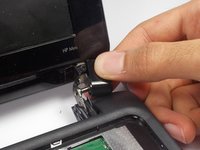
      • Right next to the previous plastic piece, remove the other two plastic pieces.

      • This may be difficult to come off. Tilt the screen back and forth to help loosen the piece.

      crwdns2952109:0crwdne2952109:0

      crwdns2917038:0crwdne2917038:0

    10. HP Mini 110-3735dx Screen Replacement: crwdns2935265:023crwdnd2935265:01crwdnd2935265:01crwdne2935265:0
      • Using the plastic prying tool, pry the front plate of the bottom part of your HP Mini.

      • Start along the speaker grill near the touch pad, and move along the sides.

      crwdns2952109:0crwdne2952109:0

      crwdns2917038:0crwdne2917038:0

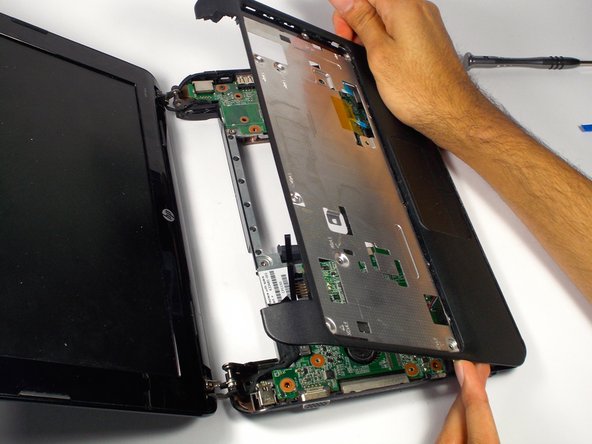
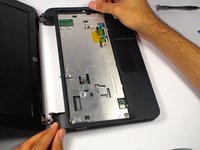
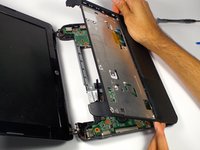
    11. HP Mini 110-3735dx Screen Replacement: crwdns2935265:024crwdnd2935265:01crwdnd2935265:02crwdne2935265:0 HP Mini 110-3735dx Screen Replacement: crwdns2935265:024crwdnd2935265:02crwdnd2935265:02crwdne2935265:0
      • Lift up the front plate where the keyboard was.

      crwdns2952109:0crwdne2952109:0

      crwdns2917038:0crwdne2917038:0

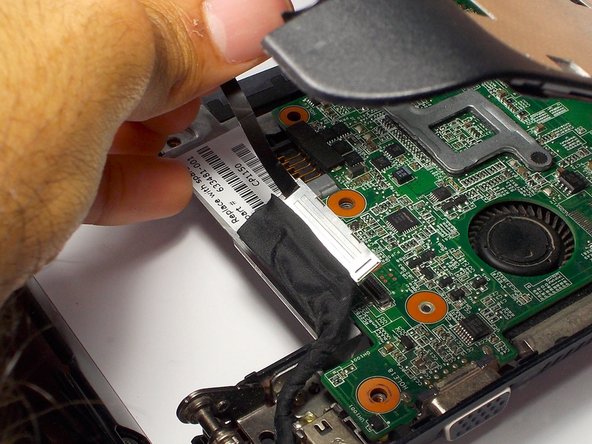
    12. HP Mini 110-3735dx Screen Replacement: crwdns2935265:025crwdnd2935265:01crwdnd2935265:03crwdne2935265:0 HP Mini 110-3735dx Screen Replacement: crwdns2935265:025crwdnd2935265:02crwdnd2935265:03crwdne2935265:0 HP Mini 110-3735dx Screen Replacement: crwdns2935265:025crwdnd2935265:03crwdnd2935265:03crwdne2935265:0
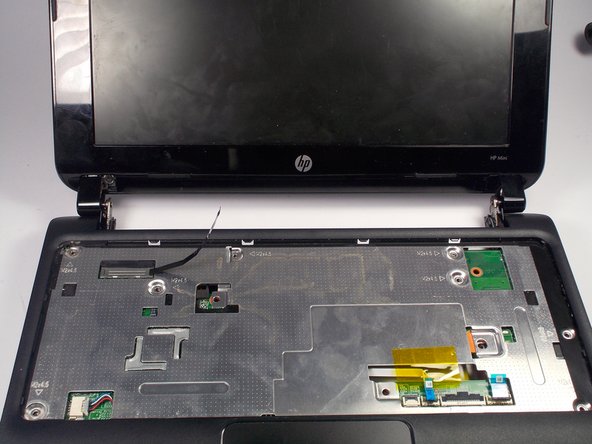
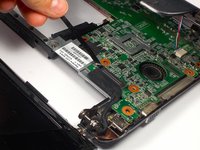
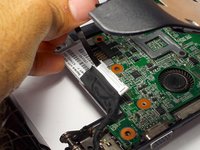
      • Remove the display cable from the motherboard located on the top left corner under where the keyboard was by pulling on the black tab.

      • Move the cable.

      crwdns2952109:0crwdne2952109:0

      crwdns2917038:0crwdne2917038:0

    13. HP Mini 110-3735dx Screen Replacement: crwdns2935265:026crwdnd2935265:01crwdnd2935265:03crwdne2935265:0 HP Mini 110-3735dx Screen Replacement: crwdns2935265:026crwdnd2935265:02crwdnd2935265:03crwdne2935265:0 HP Mini 110-3735dx Screen Replacement: crwdns2935265:026crwdnd2935265:03crwdnd2935265:03crwdne2935265:0
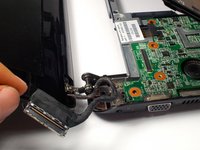
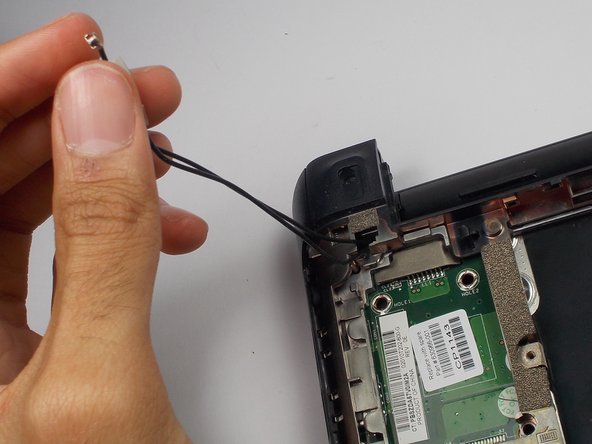
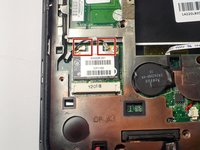
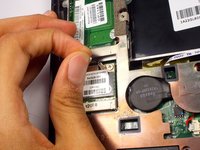
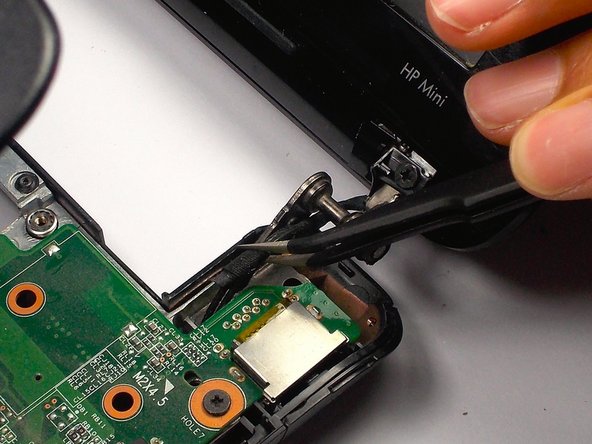
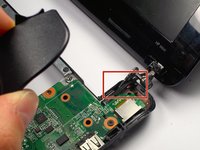
      • Remove the webcam cables from the motherboard.

      • Located on the back side of the laptop in the bottom left corner.

      crwdns2952109:0crwdne2952109:0

      crwdns2917038:0crwdne2917038:0

    14. HP Mini 110-3735dx Screen Replacement: crwdns2935265:027crwdnd2935265:01crwdnd2935265:01crwdne2935265:0
      • Flip over the computer, and open the laptop.

      • Lift up the front plate on the top right corner.

      crwdns2952109:0crwdne2952109:0

      crwdns2917038:0crwdne2917038:0

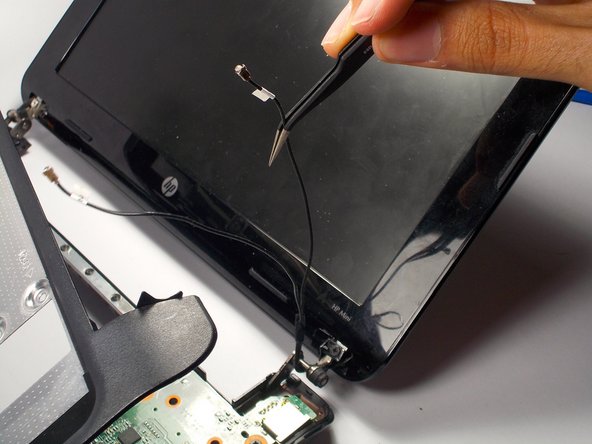
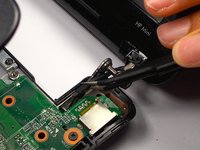
    15. HP Mini 110-3735dx Screen Replacement: crwdns2935265:028crwdnd2935265:01crwdnd2935265:03crwdne2935265:0 HP Mini 110-3735dx Screen Replacement: crwdns2935265:028crwdnd2935265:02crwdnd2935265:03crwdne2935265:0 HP Mini 110-3735dx Screen Replacement: crwdns2935265:028crwdnd2935265:03crwdnd2935265:03crwdne2935265:0
      crwdns2935267:0crwdne2935267:0
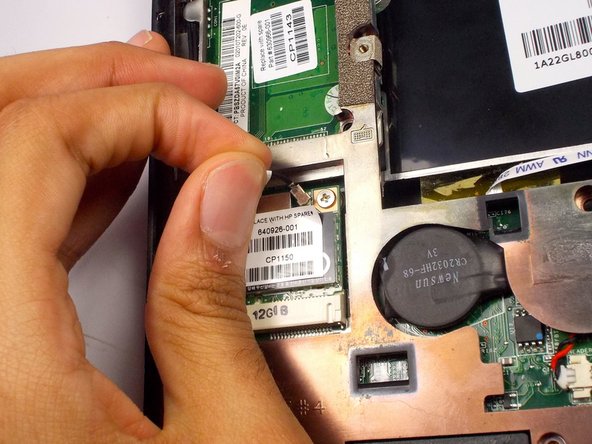
      Tweezers
      $4.99
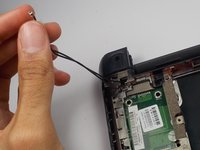
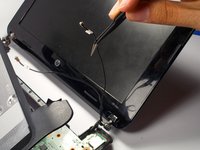
      • Pull the cables for the web cam out using tweezers.

      crwdns2952109:0crwdne2952109:0

      crwdns2917038:0crwdne2917038:0

    16. HP Mini 110-3735dx Screen Replacement: crwdns2935265:029crwdnd2935265:01crwdnd2935265:02crwdne2935265:0 HP Mini 110-3735dx Screen Replacement: crwdns2935265:029crwdnd2935265:02crwdnd2935265:02crwdne2935265:0
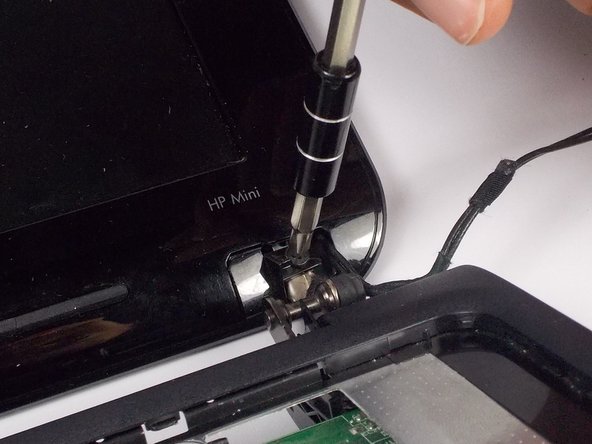
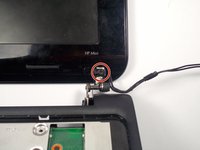
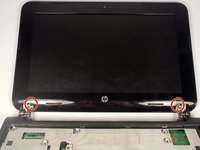
      • Remove the 2 3.0 mm screws on both sides of the bottom of the display using a Phillips #1 screwdriver.

      crwdns2952109:0crwdne2952109:0

      crwdns2917038:0crwdne2917038:0

    17. HP Mini 110-3735dx Screen Replacement: crwdns2935265:030crwdnd2935265:01crwdnd2935265:02crwdne2935265:0 HP Mini 110-3735dx Screen Replacement: crwdns2935265:030crwdnd2935265:02crwdnd2935265:02crwdne2935265:0
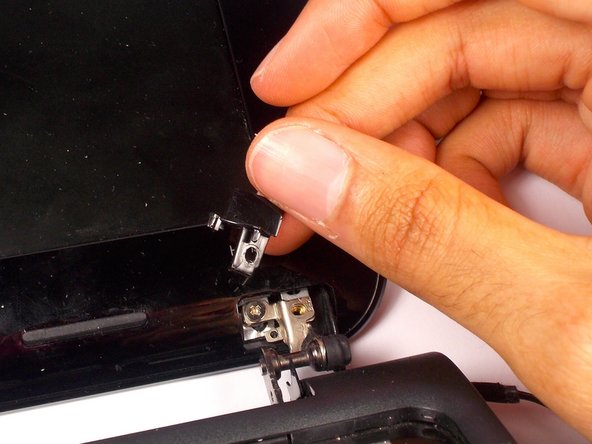
      • Remove the black plastic piece that the screw was holding on both sides.

      • This will reveal another screw.

      crwdns2952109:0crwdne2952109:0

      crwdns2917038:0crwdne2917038:0

    18. HP Mini 110-3735dx Screen Replacement: crwdns2935265:031crwdnd2935265:01crwdnd2935265:02crwdne2935265:0 HP Mini 110-3735dx Screen Replacement: crwdns2935265:031crwdnd2935265:02crwdnd2935265:02crwdne2935265:0
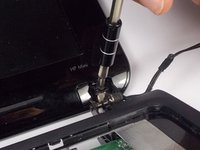
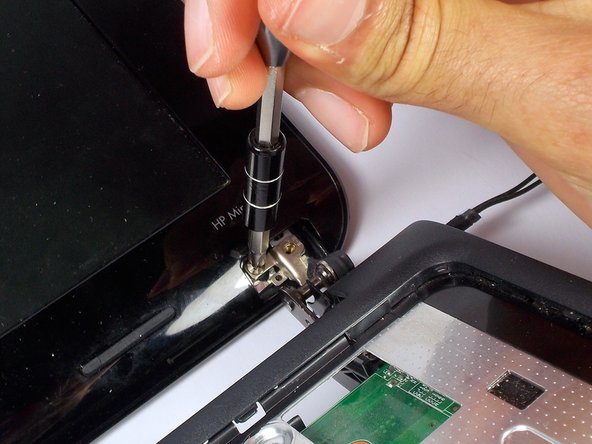
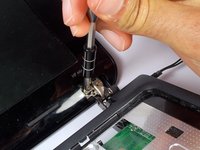
      • Remove the 2 3.0 mm screws on both sides using a Phillips #1 screw driver.

      • When removing, keep hold of the screen to make sure it doesn't fall.

      crwdns2952109:0crwdne2952109:0

      crwdns2917038:0crwdne2917038:0

    19. HP Mini 110-3735dx Screen Replacement: crwdns2935265:032crwdnd2935265:01crwdnd2935265:01crwdne2935265:0
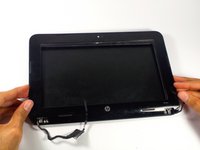
      • Pry the front plate using the plastic opening tool by pushing along the border of the front and back plate.

      • Make sure to pry from the sides, top and bottom as the corners will come undone themselves.

      crwdns2952109:0crwdne2952109:0

      crwdns2917038:0crwdne2917038:0

    20. HP Mini 110-3735dx Screen Replacement: crwdns2935265:033crwdnd2935265:01crwdnd2935265:03crwdne2935265:0 HP Mini 110-3735dx Screen Replacement: crwdns2935265:033crwdnd2935265:02crwdnd2935265:03crwdne2935265:0 HP Mini 110-3735dx Screen Replacement: crwdns2935265:033crwdnd2935265:03crwdnd2935265:03crwdne2935265:0
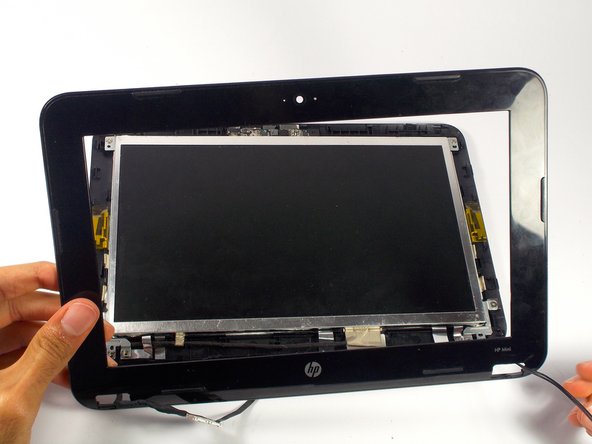
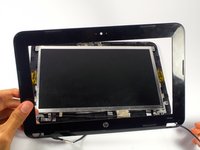
      • Remove the front plate.

      • Pull the cables through the holes.

      crwdns2952109:0crwdne2952109:0

      crwdns2917038:0crwdne2917038:0

    21. HP Mini 110-3735dx Screen Replacement: crwdns2935265:034crwdnd2935265:01crwdnd2935265:02crwdne2935265:0 HP Mini 110-3735dx Screen Replacement: crwdns2935265:034crwdnd2935265:02crwdnd2935265:02crwdne2935265:0
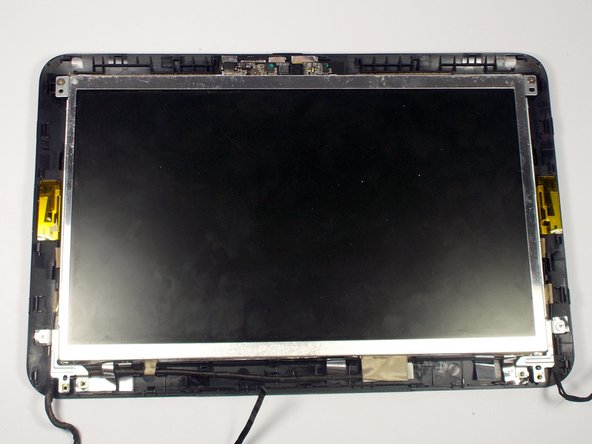
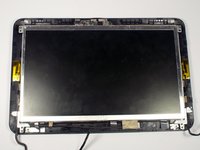
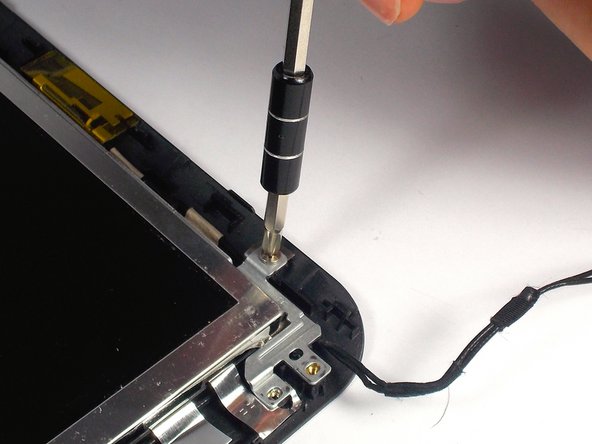
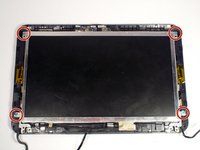
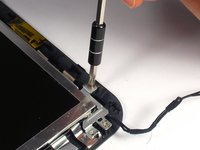
      • Remove the 4 4.0 mm screws holding the screen in place using a Phillips #1 screw driver.

      crwdns2952109:0crwdne2952109:0

      crwdns2917038:0crwdne2917038:0

    22. HP Mini 110-3735dx Screen Replacement: crwdns2935265:035crwdnd2935265:01crwdnd2935265:02crwdne2935265:0 HP Mini 110-3735dx Screen Replacement: crwdns2935265:035crwdnd2935265:02crwdnd2935265:02crwdne2935265:0
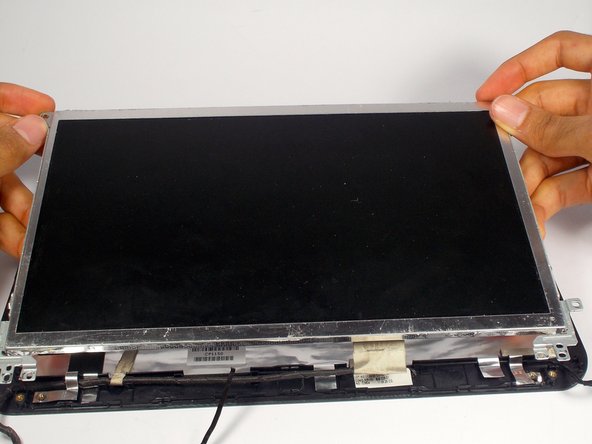
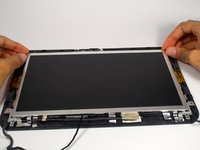
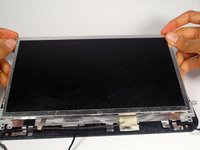
      • Lift the screen up.

      crwdns2952109:0crwdne2952109:0

      crwdns2917038:0crwdne2917038:0

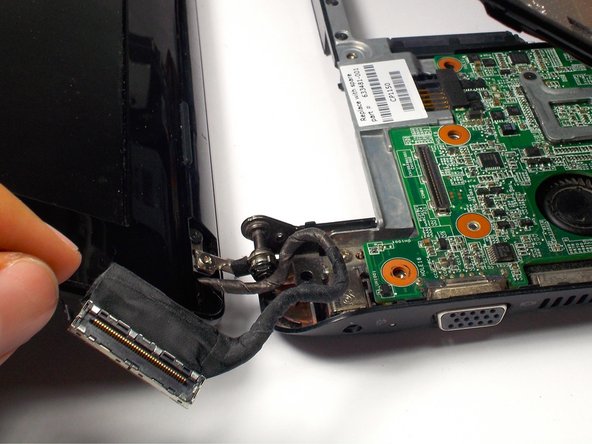
    23. HP Mini 110-3735dx Screen Replacement: crwdns2935265:036crwdnd2935265:01crwdnd2935265:02crwdne2935265:0 HP Mini 110-3735dx Screen Replacement: crwdns2935265:036crwdnd2935265:02crwdnd2935265:02crwdne2935265:0
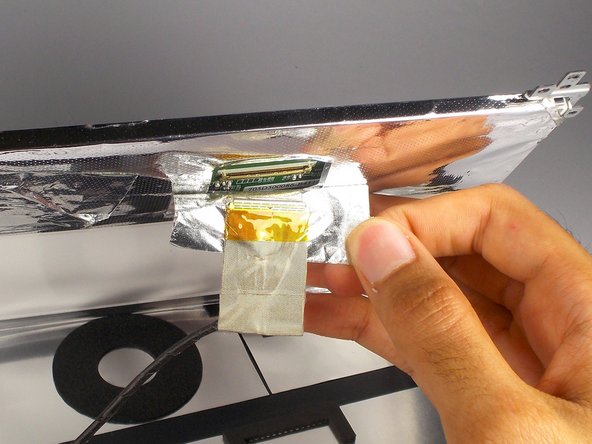
      • Under the screen, peel off the tape near the cable completely, so you can see the socket for the cable.

      crwdns2952109:0crwdne2952109:0

      crwdns2917038:0crwdne2917038:0

crwdns2915888:0crwdne2915888:0

To reassemble your device, follow these instructions in reverse order.

crwdns2935221:0crwdne2935221:0

Tyrone Williams

crwdns2935283:003/10/16crwdne2935283:0

923 crwdns2915208:0crwdne2915208:0

crwdns2935297:07crwdne2935297:0

crwdns2935287:0crwdne2935287:0

UMass Dartmouth, Team 4-1, Catania Spring 2016 crwdns2935289:0UMass Dartmouth, Team 4-1, Catania Spring 2016crwdne2935289:0

UMASSD-CATANIA-S16S4G1

crwdns2931471:04crwdne2931471:0

crwdns2935297:082crwdne2935297:0

crwdns2947410:01crwdne2947410:0

Tengo una pregunta en pantalla habrá alguna otra que sea compatible con esta hp sin ser el mismo modelo?

Icela Ross - crwdns2934203:0crwdne2934203:0 crwdns2950251:0crwdne2950251:0

crwdns2917038:0crwdne2917038:0

crwdns2936625:0crwdne2936625:0:

crwdns2936751:024crwdne2936751:0 9

crwdns2936753:07crwdne2936753:0 26

crwdns2936753:030crwdne2936753:0 50

crwdns2942667:0crwdne2942667:0 1,248