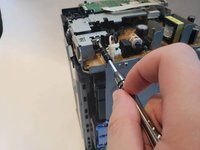
crwdns2933423:0crwdne2933423:0
crwdns2947577:0crwdnd2947577:0crwdne2947577:0

HP LaserJet P1102w Power Plug Replacement

crwdns2869540:0crwdne2869540:0: 2,5 тыс.

crwdns2959988:0crwdne2959988:0

crwdns2959990:0crwdne2959990:0
1
crwdns2959992:0crwdne2959992:0
28
crwdns2959994:0crwdne2959994:0
102
crwdns2959996:0crwdne2959996:0
2 452
crwdns2955950:0crwdne2955950:0: 3

crwdns2960004:03crwdne2960004:0.

crwdns2959984:0crwdne2959984:0: 4

crwdns2959974:04crwdne2959974:0

crwdns2959986:0crwdne2959986:0: 0

crwdns2959958:0crwdne2959958:0

crwdns2955944:0crwdne2955944:0: 15 - 20 crwdns2931279:0crwdne2931279:0
crwdns2955970:0crwdne2955970:0: crwdns2937801:0crwdne2937801:0
HP LaserJet P1102w Power Plug Replacement

crwdns2915892:0crwdne2915892:0

crwdns2959928:0crwdne2959928:0 ↓

These steps will show how to replace the power plug from the printer. This guide may be used if the prongs of the plug are broken or if a new power supply is needed all together.

crwdns2959930:0crwdne2959930:0

crwdns2943215:0crwdne2943215:0

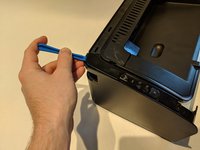
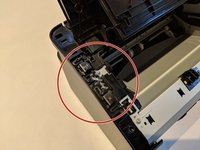
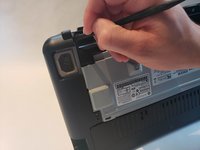
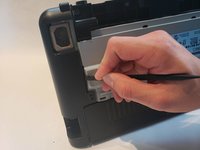
    1. HP LaserJet P1102w Power Plug Replacement, Left Side Panel: crwdns2935265:01crwdnd2935265:01crwdnd2935265:03crwdne2935265:0 HP LaserJet P1102w Power Plug Replacement, Left Side Panel: crwdns2935265:01crwdnd2935265:02crwdnd2935265:03crwdne2935265:0 HP LaserJet P1102w Power Plug Replacement, Left Side Panel: crwdns2935265:01crwdnd2935265:03crwdnd2935265:03crwdne2935265:0
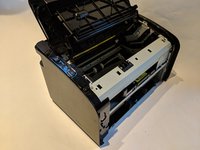
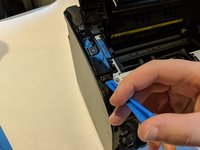
      • Flip printer on it's back. Using the plastic spudger, pry off front panel. There will be two main points to focus as shown.

      • Pry carefully to not break any plastic.

      crwdns2952109:0crwdne2952109:0

      crwdns2917038:0crwdne2917038:0

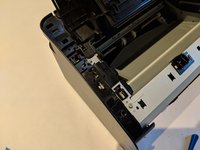
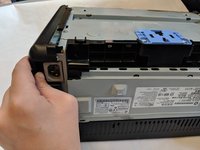
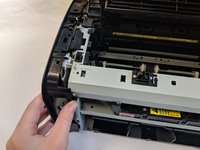
    2. HP LaserJet P1102w Power Plug Replacement: crwdns2935265:02crwdnd2935265:01crwdnd2935265:02crwdne2935265:0 HP LaserJet P1102w Power Plug Replacement: crwdns2935265:02crwdnd2935265:02crwdnd2935265:02crwdne2935265:0
      • Now that the pry points are free lift up the front panel.

      crwdns2952109:0crwdne2952109:0

      crwdns2917038:0crwdne2917038:0

    3. HP LaserJet P1102w Power Plug Replacement: crwdns2935265:03crwdnd2935265:01crwdnd2935265:02crwdne2935265:0 HP LaserJet P1102w Power Plug Replacement: crwdns2935265:03crwdnd2935265:02crwdnd2935265:02crwdne2935265:0
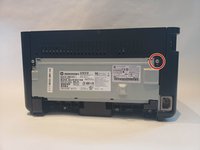
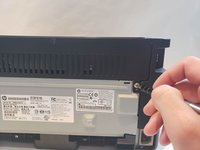
      • Unscrew the #1 Phillips screw 6mm on the back of the printer.

      crwdns2952109:0crwdne2952109:0

      crwdns2917038:0crwdne2917038:0

    4. HP LaserJet P1102w Power Plug Replacement: crwdns2935265:04crwdnd2935265:01crwdnd2935265:03crwdne2935265:0 HP LaserJet P1102w Power Plug Replacement: crwdns2935265:04crwdnd2935265:02crwdnd2935265:03crwdne2935265:0 HP LaserJet P1102w Power Plug Replacement: crwdns2935265:04crwdnd2935265:03crwdnd2935265:03crwdne2935265:0
      • Using the plastic spudger, remove the button housing from the top left of printer.

      • Pry carefully to not break any plastic.

      crwdns2952109:0crwdne2952109:0

      crwdns2917038:0crwdne2917038:0

    5. HP LaserJet P1102w Power Plug Replacement: crwdns2935265:05crwdnd2935265:01crwdnd2935265:02crwdne2935265:0 HP LaserJet P1102w Power Plug Replacement: crwdns2935265:05crwdnd2935265:02crwdnd2935265:02crwdne2935265:0
      • Once the housing is removed, remove the three buttons.

      crwdns2952109:0crwdne2952109:0

      crwdns2917038:0crwdne2917038:0

    6. HP LaserJet P1102w Power Plug Replacement: crwdns2935265:06crwdnd2935265:01crwdnd2935265:03crwdne2935265:0 HP LaserJet P1102w Power Plug Replacement: crwdns2935265:06crwdnd2935265:02crwdnd2935265:03crwdne2935265:0 HP LaserJet P1102w Power Plug Replacement: crwdns2935265:06crwdnd2935265:03crwdnd2935265:03crwdne2935265:0
      • Use the plastic spudger to remove the side panel. There are three main prying points as shown.

      • Pry carefully to not break any plastic.

      crwdns2952109:0crwdne2952109:0

      crwdns2917038:0crwdne2917038:0

    7. HP LaserJet P1102w Power Plug Replacement: crwdns2935265:07crwdnd2935265:01crwdnd2935265:02crwdne2935265:0 HP LaserJet P1102w Power Plug Replacement: crwdns2935265:07crwdnd2935265:02crwdnd2935265:02crwdne2935265:0
      • With all pry points free, remove the side panel.

      crwdns2952109:0crwdne2952109:0

      crwdns2917038:0crwdne2917038:0

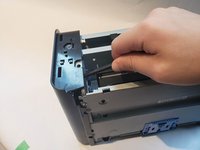
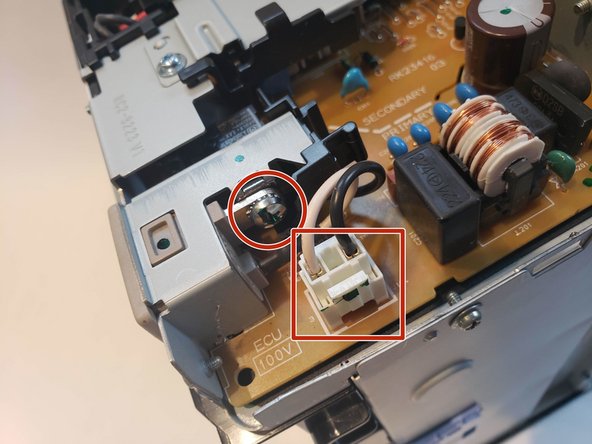
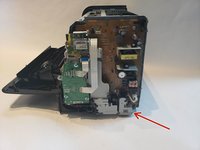
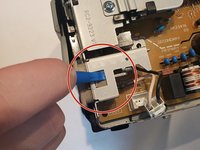
    1. HP LaserJet P1102w Power Plug Replacement, Power Plug: crwdns2935265:08crwdnd2935265:01crwdnd2935265:02crwdne2935265:0 HP LaserJet P1102w Power Plug Replacement, Power Plug: crwdns2935265:08crwdnd2935265:02crwdnd2935265:02crwdne2935265:0
      • The power plug will be held together with one Phillips screw 7mm and wire connection.

      crwdns2952109:0crwdne2952109:0

      crwdns2917038:0crwdne2917038:0

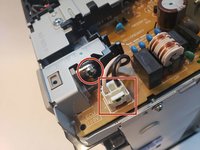
    2. HP LaserJet P1102w Power Plug Replacement: crwdns2935265:09crwdnd2935265:01crwdnd2935265:02crwdne2935265:0 HP LaserJet P1102w Power Plug Replacement: crwdns2935265:09crwdnd2935265:02crwdnd2935265:02crwdne2935265:0
      • Unplug wire connector and unscrew the Phillips 7mm screw with #1 Phillips screw driver.

      crwdns2952109:0crwdne2952109:0

      crwdns2917038:0crwdne2917038:0

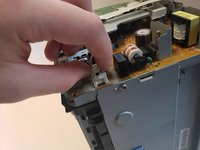
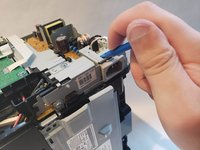
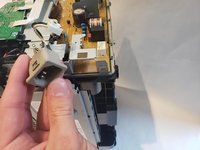
    3. HP LaserJet P1102w Power Plug Replacement: crwdns2935265:010crwdnd2935265:01crwdnd2935265:03crwdne2935265:0 HP LaserJet P1102w Power Plug Replacement: crwdns2935265:010crwdnd2935265:02crwdnd2935265:03crwdne2935265:0 HP LaserJet P1102w Power Plug Replacement: crwdns2935265:010crwdnd2935265:03crwdnd2935265:03crwdne2935265:0
      • Apply pressure using spudger on top of the power plug to release it from metal housing. While doing that pull the power plug out.

      crwdns2952109:0crwdne2952109:0

      crwdns2917038:0crwdne2917038:0

crwdns2915888:0crwdne2915888:0

To reassemble your device, follow these instructions in reverse order.

crwdns2935221:0crwdne2935221:0

crwdns2935229:04crwdne2935229:0

Myles Nofsinger

crwdns2935283:010/04/18crwdne2935283:0

283 crwdns2915208:0crwdne2915208:0

crwdns2935295:0crwdne2935295:0

crwdns2935287:0crwdne2935287:0

UW Stout, Team S6-G4, Ogden Fall 2018 crwdns2935289:0UW Stout, Team S6-G4, Ogden Fall 2018crwdne2935289:0

UWSTOUT-OGDEN-F18S6G4

crwdns2931471:04crwdne2931471:0

crwdns2935297:060crwdne2935297:0

crwdns2947412:00crwdne2947412:0

crwdns2917038:0crwdne2917038:0

crwdns2936625:0crwdne2936625:0:

crwdns2936751:024crwdne2936751:0 1

crwdns2936753:07crwdne2936753:0 28

crwdns2936753:030crwdne2936753:0 102

crwdns2959996:0crwdne2959996:0 2,452