crwdns2933423:0crwdne2933423:0
crwdns2947577:0crwdnd2947577:0crwdne2947577:0

HP Deskjet D1660 Power Button Replacement

crwdns2869540:0crwdne2869540:0: 1572

crwdns2959988:0crwdne2959988:0

crwdns2959990:0crwdne2959990:0
2
crwdns2959992:0crwdne2959992:0
25
crwdns2959994:0crwdne2959994:0
117
crwdns2959996:0crwdne2959996:0
1.572
crwdns2955950:0crwdne2955950:0: 0

crwdns2959998:0crwdne2959998:0

crwdns2960000:0crwdne2960000:0
crwdns2959984:0crwdne2959984:0: 1

crwdns2959972:01crwdne2959972:0

crwdns2959986:0crwdne2959986:0: 1

crwdns2959980:01crwdne2959980:0

crwdns2955944:0crwdne2955944:0: 20 - 30 crwdns2931279:0crwdne2931279:0
crwdns2955970:0crwdne2955970:0: crwdns2937799:0crwdne2937799:0
HP Deskjet D1660 Power Button Replacement

crwdns2915892:0crwdne2915892:0

crwdns2959928:0crwdne2959928:0 ↓

Does the printer button not work or stay on when you are trying to turn the printer off? Use this guide to replace the malfunctioning button. This will ensure that you have a working printer that will actually print.

crwdns2959930:0crwdne2959930:0

crwdns2943215:0crwdne2943215:0

    1. HP Deskjet D1660 Power Button Replacement, Top Cover: crwdns2935265:01crwdnd2935265:01crwdnd2935265:01crwdne2935265:0
      • Remove the back two 14.0 mm Torx #10 screws.

      crwdns2952109:0crwdne2952109:0

      crwdns2917038:0crwdne2917038:0

    2. HP Deskjet D1660 Power Button Replacement: crwdns2935265:02crwdnd2935265:01crwdnd2935265:01crwdne2935265:0
      • Lay the printer on its back.

      • Grab the paper tray by its right side and pull it to the left and up.

      crwdns2952109:0crwdne2952109:0

      crwdns2917038:0crwdne2917038:0

    3. HP Deskjet D1660 Power Button Replacement: crwdns2935265:03crwdnd2935265:01crwdnd2935265:01crwdne2935265:0
      • Open the frontal access panel by lifting it from the top.

      • Similar to the paper tray, grab it from the right side and pull it to the left and up.

      crwdns2952109:0crwdne2952109:0

      crwdns2917038:0crwdne2917038:0

    4. HP Deskjet D1660 Power Button Replacement: crwdns2935265:04crwdnd2935265:01crwdnd2935265:03crwdne2935265:0 HP Deskjet D1660 Power Button Replacement: crwdns2935265:04crwdnd2935265:02crwdnd2935265:03crwdne2935265:0 HP Deskjet D1660 Power Button Replacement: crwdns2935265:04crwdnd2935265:03crwdnd2935265:03crwdne2935265:0
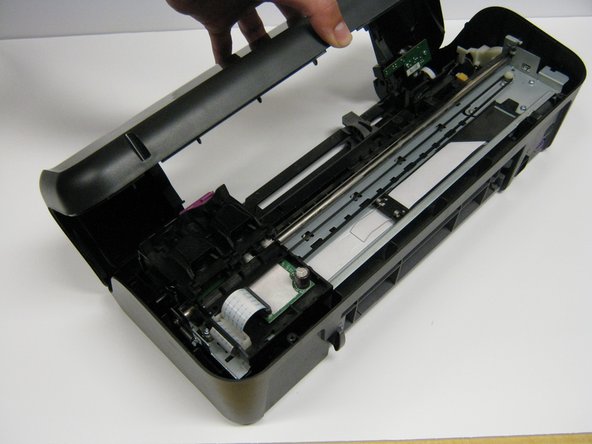
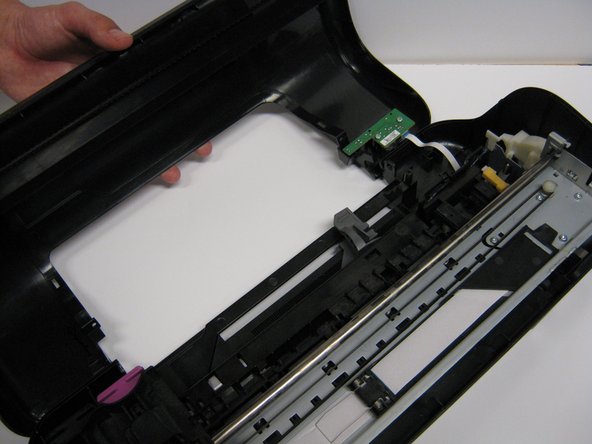
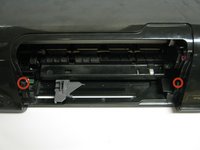
      • Take out the two frontal 14.0 mm Torx #10 screws.

      • Carefully lift the frontal cover.

      • Don't lift it up aggressively. A strip will be attached to it.

      crwdns2952109:0crwdne2952109:0

      crwdns2917038:0crwdne2917038:0

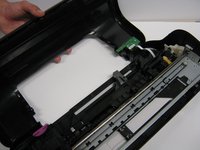
    1. HP Deskjet D1660 Power Button Replacement, Power Button: crwdns2935265:05crwdnd2935265:01crwdnd2935265:01crwdne2935265:0
      • Remove the strip that connects the printer to the front cover.

      crwdns2952109:0crwdne2952109:0

      crwdns2917038:0crwdne2917038:0

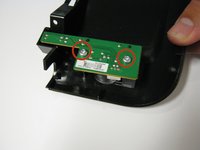
    2. HP Deskjet D1660 Power Button Replacement: crwdns2935265:06crwdnd2935265:01crwdnd2935265:02crwdne2935265:0 HP Deskjet D1660 Power Button Replacement: crwdns2935265:06crwdnd2935265:02crwdnd2935265:02crwdne2935265:0
      • Remove the two 13.0 mm Torx #10 screws.

      • Carefully lift it up. The button will be located under it.

      crwdns2952109:0crwdne2952109:0

      crwdns2917038:0crwdne2917038:0

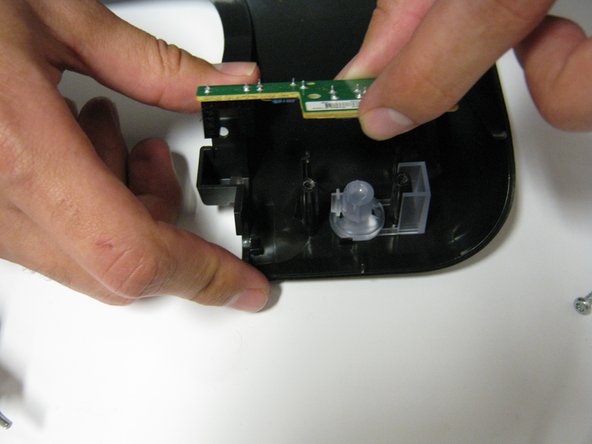
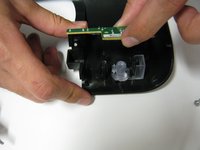
    3. HP Deskjet D1660 Power Button Replacement: crwdns2935265:07crwdnd2935265:01crwdnd2935265:01crwdne2935265:0
      • Lift up the power button.

      crwdns2952109:0crwdne2952109:0

      crwdns2917038:0crwdne2917038:0

crwdns2915888:0crwdne2915888:0

To reassemble your device, follow these instructions in reverse order.

crwdns2935221:0crwdne2935221:0

crwdns2935227:0crwdne2935227:0

Justin Taiki Fukada

crwdns2935283:001/25/14crwdne2935283:0

912 crwdns2915208:0crwdne2915208:0

crwdns2935297:07crwdne2935297:0

crwdns2935287:0crwdne2935287:0

Cal Poly, Team 1-41, Maness Winter 2014 crwdns2935289:0Cal Poly, Team 1-41, Maness Winter 2014crwdne2935289:0

CPSU-MANESS-W14S1G41

crwdns2931471:04crwdne2931471:0

crwdns2935297:084crwdne2935297:0

crwdns2947412:00crwdne2947412:0

crwdns2917038:0crwdne2917038:0

crwdns2936625:0crwdne2936625:0:

crwdns2936751:024crwdne2936751:0 2

crwdns2936753:07crwdne2936753:0 25

crwdns2936753:030crwdne2936753:0 117

crwdns2959996:0crwdne2959996:0 1,572