
Google Pixel C Screen Replacement

crwdns2959932:0crwdnd2959932:0Deborah Iwakiricrwdnd2959932:0crwdnd2959932:0crwdne2959932:0
crwdns2959936:0Mud 7, 2024crwdne2959936:0
crwdns2869540:0crwdne2869540:0: 2万
crwdns2959988:0crwdne2959988:0
- crwdns2959990:0crwdne2959990:0
- 2
- crwdns2959992:0crwdne2959992:0
- 16
- crwdns2959994:0crwdne2959994:0
- 133
- crwdns2959996:0crwdne2959996:0
- 20,087
crwdns2955950:0crwdne2955950:0: 32
crwdns2960004:04crwdne2960004:0, crwdns2960008:028crwdne2960008:0
crwdns2960000:0crwdne2960000:0crwdns2959984:0crwdne2959984:0: 9 10
crwdns2959974:09crwdne2959974:0
crwdns2959970:010crwdne2959970:0
crwdns2959986:0crwdne2959986:0: 4 5
crwdns2959982:04crwdne2959982:0
crwdns2959978:05crwdne2959978:0
crwdns2862591:0crwdne2862591:0
crwdns2862592:0crwdne2862592:0
crwdns2959930:0crwdne2959930:0
crwdns2943215:0crwdne2943215:0


crwdns2915892:0crwdne2915892:0
crwdns2959928:0crwdne2959928:0 ↓This guide will outline how to replace a cracked, shattered, or faulty screen on a Google Pixel C.
-
-
-
Use a heat gun to melt the adhesive that holds the screen to the device
-
Move the heat gun around the edge of the screen for approximately 1 minute, or until the screen can be lifted off in the next step.
 crwdns2952109:0crwdne2952109:0
-
-
-
Use a suction cup to assist in lifting the screen while prying around its edges with a plastic spudger.
-
If necessary use a metal spudger to pry the screen up, taking care not to scratch the device.
-
-
-
-
Detach the cables for the camera by lifting the small flap using the tip of your fingernail or a spudger. Gently pull the ribbon cable out.
-
-
crwdns2935267:0crwdne2935267:0Tweezers$4.99
-
Follow the same removal procedure to detach the wide gold cable.
-
-


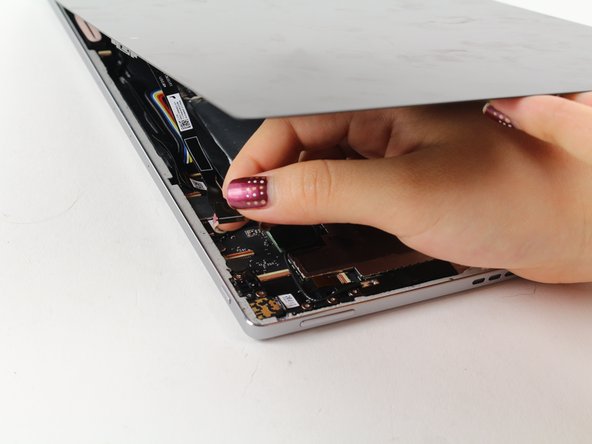
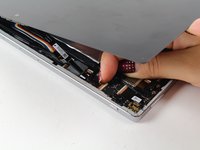
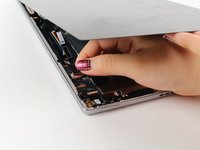


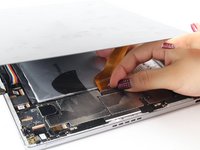
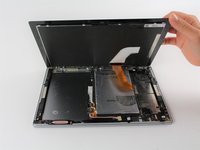
To reassemble your device, follow these instructions in reverse order.
crwdns2935221:0crwdne2935221:0
crwdns2935229:09crwdne2935229:0

crwdns2935287:0crwdne2935287:0

Cal Poly, Team S21-G4, Livingston Spring 2017 crwdns2935289:0Cal Poly, Team S21-G4, Livingston Spring 2017crwdne2935289:0
CPSU-LIVINGSTON-S17S21G4
crwdns2931471:04crwdne2931471:0
crwdns2935297:060crwdne2935297:0
crwdns2947412:028crwdne2947412:0
Where can a replacement screen be located?
Ronnie Williams - crwdns2934203:0crwdne2934203:0 crwdns2950251:0crwdne2950251:0
Where can i buy a spare screen for this tablet?
Luigi Abbinante - crwdns2934203:0crwdne2934203:0 crwdns2950251:0crwdne2950251:0
Yes, I have to buy the screen too, but where??
Кирилл Кнышев - crwdns2934203:0crwdne2934203:0 crwdns2950251:0crwdne2950251:0
All very nice but unfortunately useless without knowing where to get the parts :(
Lorenzo Braschi - crwdns2934203:0crwdne2934203:0 crwdns2950251:0crwdne2950251:0
Ciao Lorenzo, sei poi riuscito a trovare il ricambio?
Luigi Abbinante - crwdns2934203:0crwdne2934203:0 crwdns2950251:0crwdne2950251:0
