crwdns2933423:0crwdne2933423:0
crwdns2947577:0crwdnd2947577:0crwdne2947577:0

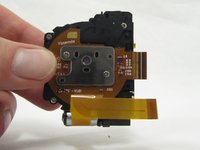
General Electric Create Jason Wu Lens Replacement

crwdns2942213:0crwdne2942213:0

  1. General Electric Create Jason Wu Lens Replacement, General Electric Create Jason Wu Casing Disassembly: crwdns2935265:01crwdnd2935265:01crwdnd2935265:03crwdne2935265:0 General Electric Create Jason Wu Lens Replacement, General Electric Create Jason Wu Casing Disassembly: crwdns2935265:01crwdnd2935265:02crwdnd2935265:03crwdne2935265:0 General Electric Create Jason Wu Lens Replacement, General Electric Create Jason Wu Casing Disassembly: crwdns2935265:01crwdnd2935265:03crwdnd2935265:03crwdne2935265:0
    • Begin by removing the 5 screws (located: 2 screws on either side and 1 screw on the bottom) using the PH000 head in the Precision Phillips Screwdriver.

    • These screws were missing in our example. These screws should have been small Phillips PH000 screws 1.5mm in length.

    • These screws are very small. To keep from losing any pieces, place all small metals on a magnetic project mat.

    crwdns2952109:0crwdne2952109:0
  2. General Electric Create Jason Wu Lens Replacement: crwdns2935265:02crwdnd2935265:01crwdnd2935265:02crwdne2935265:0 General Electric Create Jason Wu Lens Replacement: crwdns2935265:02crwdnd2935265:02crwdnd2935265:02crwdne2935265:0
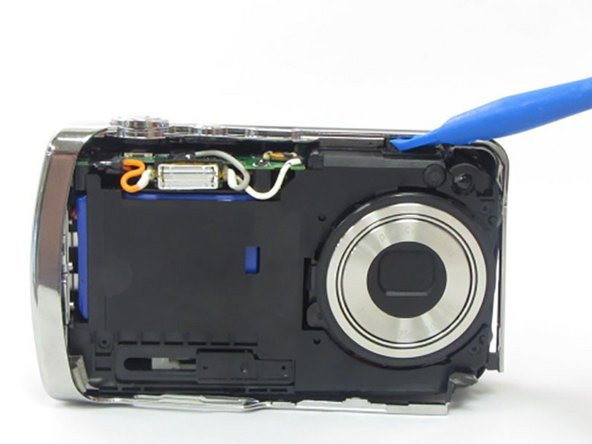
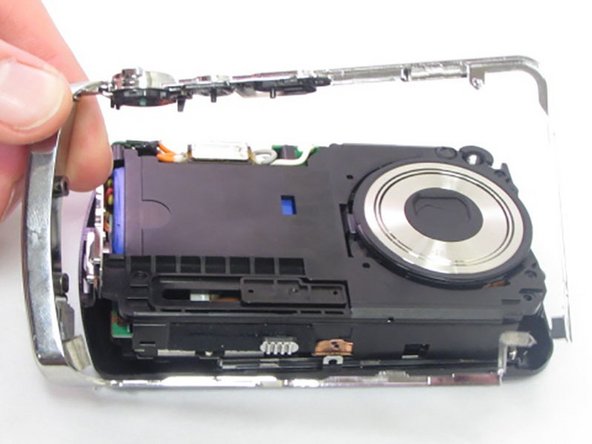
    • After the screws are removed, pull the front casing up and away from the camera.

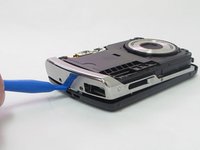
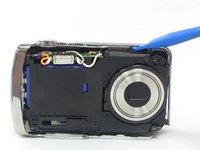
    • If the casing is difficult to remove, use a plastic opening tool to gently pry up on the front as shown.

    crwdns2952109:0crwdne2952109:0
  3. General Electric Create Jason Wu Lens Replacement: crwdns2935265:03crwdnd2935265:01crwdnd2935265:03crwdne2935265:0 General Electric Create Jason Wu Lens Replacement: crwdns2935265:03crwdnd2935265:02crwdnd2935265:03crwdne2935265:0 General Electric Create Jason Wu Lens Replacement: crwdns2935265:03crwdnd2935265:03crwdnd2935265:03crwdne2935265:0
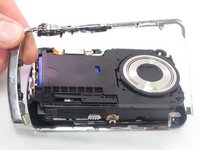
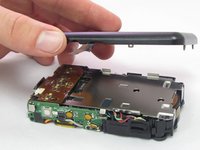
    • Using your hands or an opening tool, pry off the silver frame, taking special care at the top of the camera where the buttons are as it is a little harder to pry off.

    • If the back casing is loose from the camera body, it may be easier to perform step 4 first, then accomplish this step. Proceed as your unit allows.

    crwdns2952109:0crwdne2952109:0
  4. General Electric Create Jason Wu Lens Replacement: crwdns2935265:04crwdnd2935265:01crwdnd2935265:03crwdne2935265:0 General Electric Create Jason Wu Lens Replacement: crwdns2935265:04crwdnd2935265:02crwdnd2935265:03crwdne2935265:0 General Electric Create Jason Wu Lens Replacement: crwdns2935265:04crwdnd2935265:03crwdnd2935265:03crwdne2935265:0
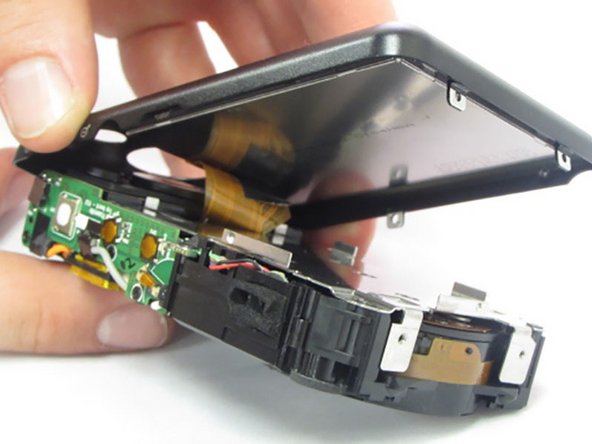
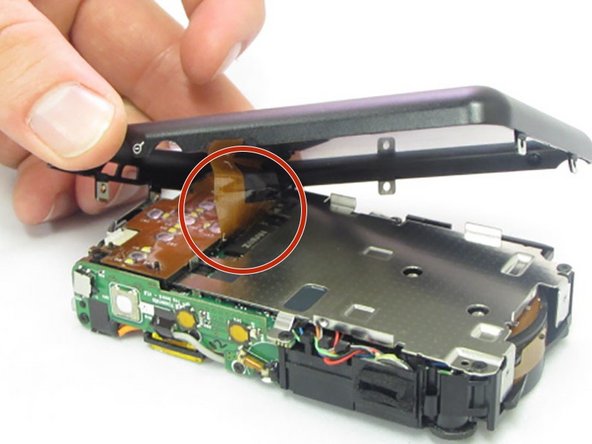
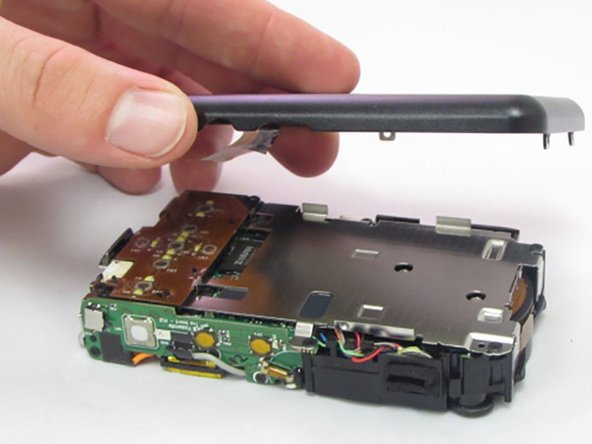
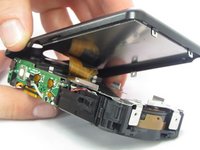
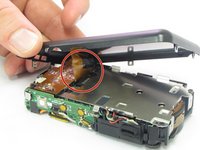
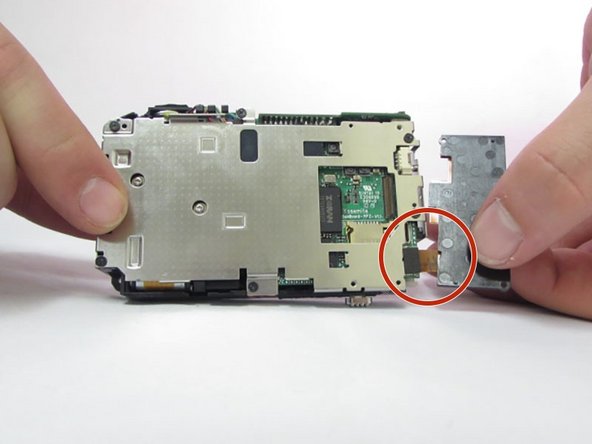
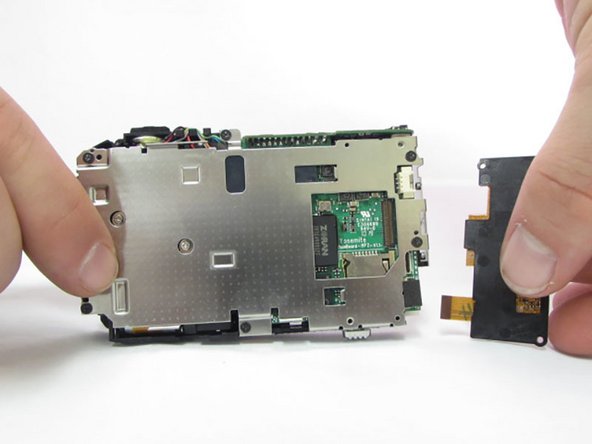
    • The last part of the casing to disconnect is the back that houses the LCD screen.

    • The screen is attached by a connection ribbon. Gently pull the casing and screen away from the camera body to disconnect the casing.

    • The LCD screen is held onto the back casing by a small amount of adhesive. This may come loose during this process. Do not worry if they become separated.

    • This plug and the connection ribbon are fragile, try not to tear the connection ribbon when disconnecting.

    crwdns2952109:0crwdne2952109:0
  5. General Electric Create Jason Wu Lens Replacement, General Electric Create Jason Wu Interior Disassembly: crwdns2935265:05crwdnd2935265:01crwdnd2935265:03crwdne2935265:0 General Electric Create Jason Wu Lens Replacement, General Electric Create Jason Wu Interior Disassembly: crwdns2935265:05crwdnd2935265:02crwdnd2935265:03crwdne2935265:0 General Electric Create Jason Wu Lens Replacement, General Electric Create Jason Wu Interior Disassembly: crwdns2935265:05crwdnd2935265:03crwdnd2935265:03crwdne2935265:0
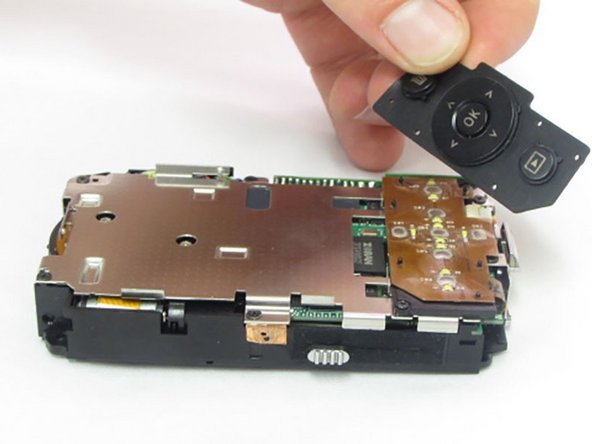
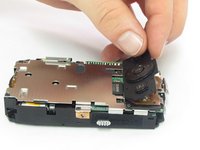
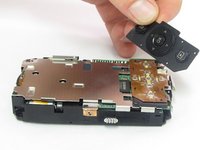
    • After the casing is removed, use your fingers to carefully lift up on the rubber pad, if it didn't already fall out during step 4.

    • The pad isn't secured to the camera so it will lift up and pull away easily.

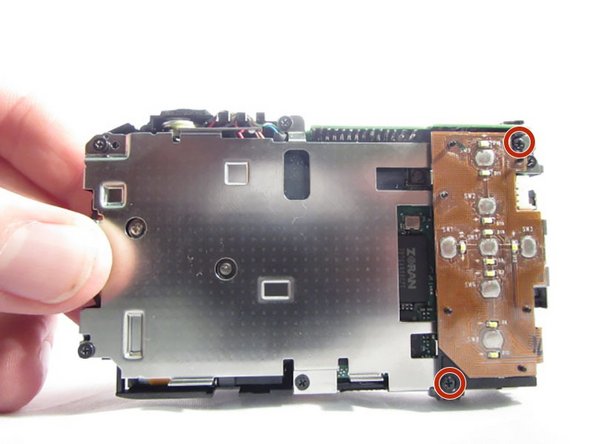
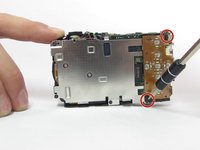
    • After the pad is removed, the 2 Phillips head screws holding the control board will be exposed.

    crwdns2952109:0crwdne2952109:0
  6. General Electric Create Jason Wu Lens Replacement: crwdns2935265:06crwdnd2935265:01crwdnd2935265:03crwdne2935265:0 General Electric Create Jason Wu Lens Replacement: crwdns2935265:06crwdnd2935265:02crwdnd2935265:03crwdne2935265:0 General Electric Create Jason Wu Lens Replacement: crwdns2935265:06crwdnd2935265:03crwdnd2935265:03crwdne2935265:0
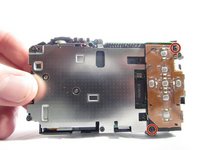
    • Using the Phillips precision screwdriver with the PH000 Phillips bit, remove the two 1.5mm screws.

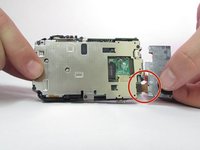
    • Although the 2 screws are removed, the button board is still attached with a connection ribbon.

    • With a firm grip towards the bottom of the control board, gently pull away from the camera, removing the ribbon from the connector.

    crwdns2952109:0crwdne2952109:0
  7. General Electric Create Jason Wu Lens Replacement: crwdns2935265:07crwdnd2935265:01crwdnd2935265:03crwdne2935265:0 General Electric Create Jason Wu Lens Replacement: crwdns2935265:07crwdnd2935265:02crwdnd2935265:03crwdne2935265:0 General Electric Create Jason Wu Lens Replacement: crwdns2935265:07crwdnd2935265:03crwdnd2935265:03crwdne2935265:0
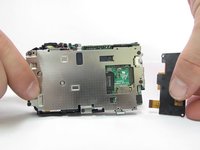
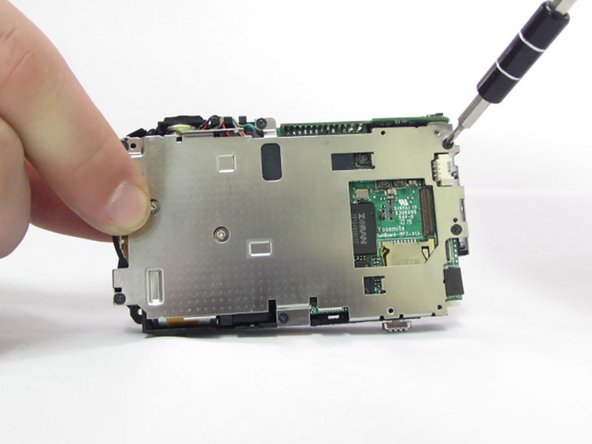
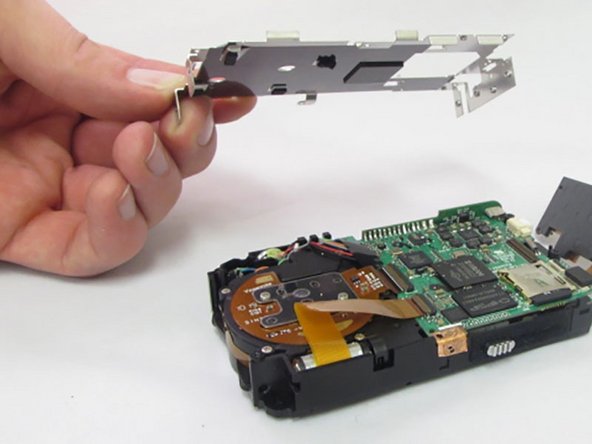
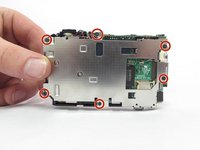
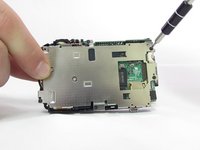
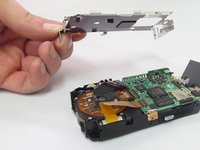
    • Locate the six 1.5mm Phillips screws that are holding on the interior camera frame.

    • Using the Phillips precision screwdriver and the PH000 Phillips bit, remove the 6 screws.

    • With the screws removed, the interior frame will no longer be fastened to the camera body and can be lifted up and away.

    crwdns2952109:0crwdne2952109:0
  8. General Electric Create Jason Wu Lens Replacement, Lens: crwdns2935265:08crwdnd2935265:01crwdnd2935265:02crwdne2935265:0 General Electric Create Jason Wu Lens Replacement, Lens: crwdns2935265:08crwdnd2935265:02crwdnd2935265:02crwdne2935265:0
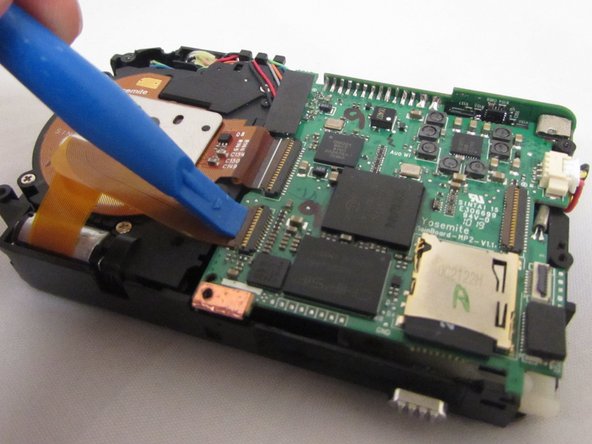
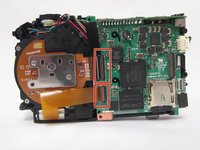
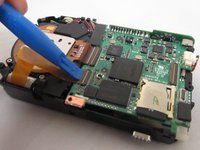
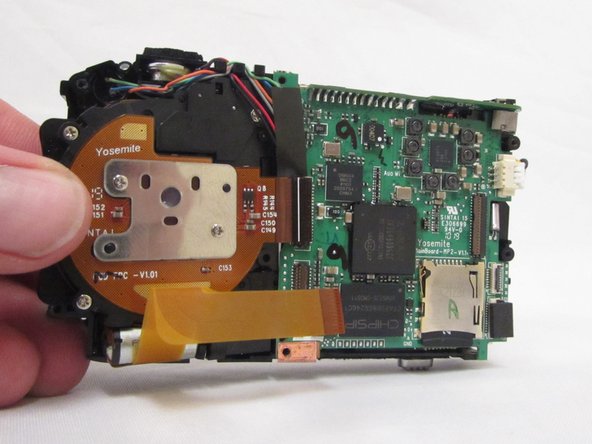
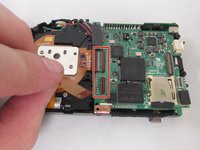
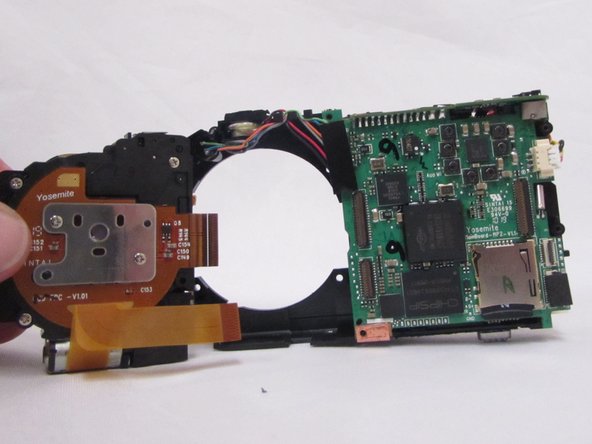
    • Locate the 2 connection ribbons attaching the lens to the circuit board.

    • Using a plastic opening tool or finger nail, gently lift the ZIF connector flaps up.

    • The connectors are hinged and will fold up and away from the ribbon, do not disconnect completely.

    crwdns2952109:0crwdne2952109:0
  9. General Electric Create Jason Wu Lens Replacement: crwdns2935265:09crwdnd2935265:01crwdnd2935265:02crwdne2935265:0 General Electric Create Jason Wu Lens Replacement: crwdns2935265:09crwdnd2935265:02crwdnd2935265:02crwdne2935265:0
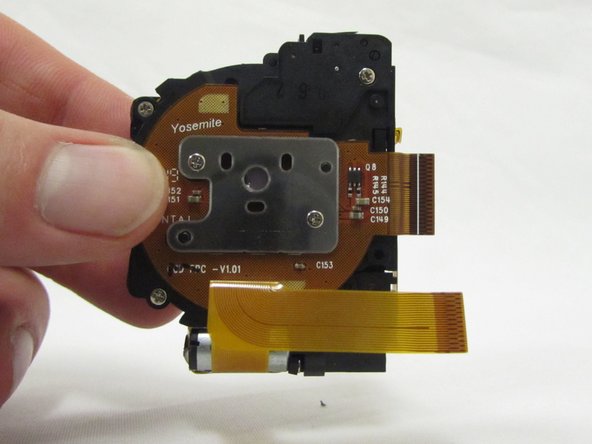
    • With the hinged connectors folded up and out of the way, carefully pull the ribbons out of their connectors.

    • These are the only 2 connectors holding the lens assembly in place. If disconnected the lens assembly will be completely detached from the camera.

    crwdns2952109:0crwdne2952109:0
  10. General Electric Create Jason Wu Lens Replacement: crwdns2935265:010crwdnd2935265:01crwdnd2935265:03crwdne2935265:0 General Electric Create Jason Wu Lens Replacement: crwdns2935265:010crwdnd2935265:02crwdnd2935265:03crwdne2935265:0 General Electric Create Jason Wu Lens Replacement: crwdns2935265:010crwdnd2935265:03crwdnd2935265:03crwdne2935265:0
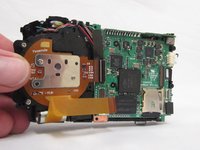
    • Firmly grasp the camera body in your right hand and grab the lens assembly with your other hand.

    • Gently pull the lens assembly directly up and out of the camera body.

    • There are no further screws or connections hold the lens assembly in place. If it does not remove easily check your previous steps.

    crwdns2952109:0crwdne2952109:0
crwdns2915888:0crwdne2915888:0

To reassemble your device, follow these instructions in reverse order.

Kylan Hennessy

crwdns2935283:001/23/17crwdne2935283:0

573 crwdns2915208:0crwdne2915208:0

crwdns2935297:05crwdne2935297:0

crwdns2935287:0crwdne2935287:0

Eastern Washington University, Team 2-6, Crane Winter 2017 crwdns2935289:0Eastern Washington University, Team 2-6, Crane Winter 2017crwdne2935289:0

EWU-CRANE-W17S2G6

crwdns2931471:04crwdne2931471:0

crwdns2935297:07crwdne2935297:0

crwdns2947412:00crwdne2947412:0

crwdns2917038:0crwdne2917038:0

crwdns2936625:0crwdne2936625:0:

crwdns2936751:024crwdne2936751:0 0

crwdns2936753:07crwdne2936753:0 6

crwdns2936753:030crwdne2936753:0 50

crwdns2942667:0crwdne2942667:0 546