crwdns2933423:0crwdne2933423:0
crwdns2947577:0crwdnd2947577:0crwdne2947577:0

Gateway SA1 RAM Replacement

crwdns2942213:0crwdne2942213:0

    1. Gateway SA1 RAM Replacement, Battery: crwdns2935265:01crwdnd2935265:01crwdnd2935265:01crwdne2935265:0
      • Move the latch to the right of the battery to unlock.

      crwdns2952109:0crwdne2952109:0

      crwdns2917038:0crwdne2917038:0

    2. Gateway SA1 RAM Replacement: crwdns2935265:02crwdnd2935265:01crwdnd2935265:01crwdne2935265:0
      • Slide the latch on the left directly below the battery to unlock and pull out the battery as shown.

      • The latch must be held in position to remove the battery.

      crwdns2952109:0crwdne2952109:0

      crwdns2917038:0crwdne2917038:0

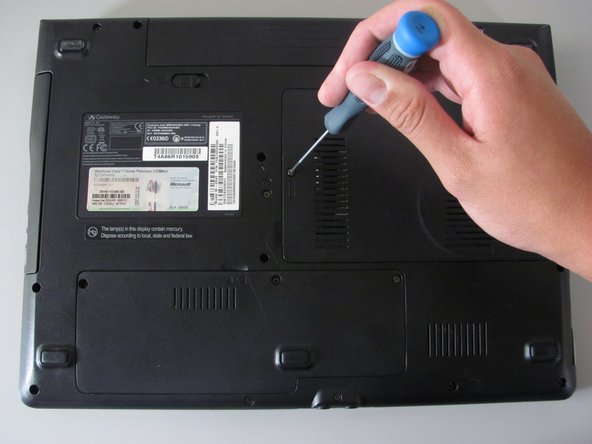
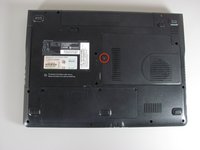
    1. Gateway SA1 RAM Replacement, RAM: crwdns2935265:03crwdnd2935265:01crwdnd2935265:02crwdne2935265:0 Gateway SA1 RAM Replacement, RAM: crwdns2935265:03crwdnd2935265:02crwdnd2935265:02crwdne2935265:0
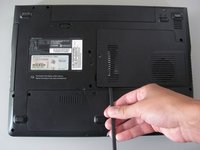
      • Loosen the indicated Philips screw that connects the memory bay cover to the casing.

      • The indicated Philips screw does not come out of the cover.

      crwdns2952109:0crwdne2952109:0

      crwdns2917038:0crwdne2917038:0

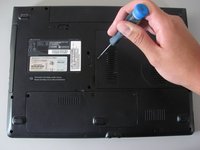
    2. Gateway SA1 RAM Replacement: crwdns2935265:04crwdnd2935265:01crwdnd2935265:02crwdne2935265:0 Gateway SA1 RAM Replacement: crwdns2935265:04crwdnd2935265:02crwdnd2935265:02crwdne2935265:0
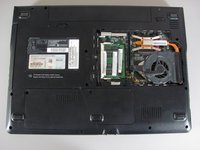
      • Lift and remove the cover using the spudger.

      crwdns2952109:0crwdne2952109:0

      crwdns2917038:0crwdne2917038:0

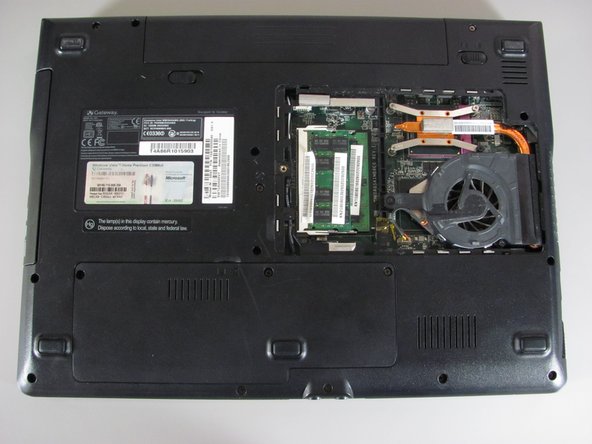
    3. Gateway SA1 RAM Replacement: crwdns2935265:05crwdnd2935265:01crwdnd2935265:02crwdne2935265:0 Gateway SA1 RAM Replacement: crwdns2935265:05crwdnd2935265:02crwdnd2935265:02crwdne2935265:0
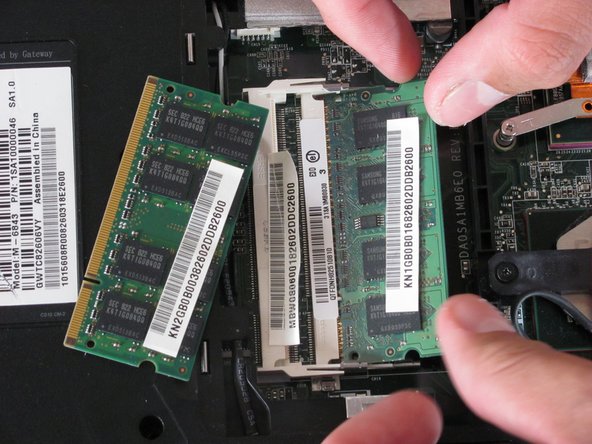
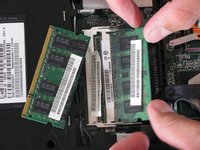
      • Gently press the clip outwards.

      • The module will tilt up and can be pulled out of the slot.

      • There may be another memory module underneath so be sure to remove both.

      crwdns2952109:0crwdne2952109:0

      crwdns2917038:0crwdne2917038:0

    4. Gateway SA1 RAM Replacement: crwdns2935265:06crwdnd2935265:01crwdnd2935265:01crwdne2935265:0
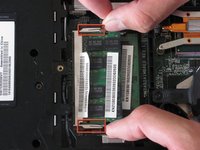
      • To insert a new memory, slide the module into the slot at a 30 to 45 degree angle.

      • Place the first module into the bottom slot then the next module into the top slot.

      • These slots are keyed so verify that you are sliding the module in one direction.

      • Verify that the new memory modules are designed for your specific Gateway Laptop.

      crwdns2952109:0crwdne2952109:0

      crwdns2917038:0crwdne2917038:0

crwdns2915888:0crwdne2915888:0

To reassemble your device, follow these instructions in reverse order.

crwdns2935221:0crwdne2935221:0

crwdns2935229:03crwdne2935229:0

Diego Carteno

crwdns2935283:004/15/10crwdne2935283:0

273 crwdns2915208:0crwdne2915208:0

crwdns2935297:07crwdne2935297:0

crwdns2935287:0crwdne2935287:0

Cal Poly, Team 24-20, Regan Spring 2010 crwdns2935289:0Cal Poly, Team 24-20, Regan Spring 2010crwdne2935289:0

CPSU-REGAN-S10S24G20

crwdns2931471:04crwdne2931471:0

crwdns2935297:084crwdne2935297:0

crwdns2947412:00crwdne2947412:0

crwdns2917038:0crwdne2917038:0

crwdns2936625:0crwdne2936625:0:

crwdns2936751:024crwdne2936751:0 0

crwdns2936753:07crwdne2936753:0 1

crwdns2936753:030crwdne2936753:0 41

crwdns2942667:0crwdne2942667:0 6,114