
Gateway P-7805u RAM Replacement

crwdns2959934:0crwdnd2959934:0Emily Pendletoncrwdnd2959934:0crwdnd2959934:0crwdnd2959934:0crwdne2959934:0
crwdns2959936:0N'w 21, 2017crwdne2959936:0
crwdns2869540:0crwdne2869540:0: 772
crwdns2959988:0crwdne2959988:0
- crwdns2959990:0crwdne2959990:0
- 1
- crwdns2959992:0crwdne2959992:0
- 26
- crwdns2959994:0crwdne2959994:0
- 93
- crwdns2959996:0crwdne2959996:0
- 772
crwdns2955950:0crwdne2955950:0: 0
crwdns2959998:0crwdne2959998:0
crwdns2960000:0crwdne2960000:0crwdns2959984:0crwdne2959984:0: 0 1
crwdns2959956:0crwdne2959956:0
crwdns2959968:01crwdne2959968:0
crwdns2959986:0crwdne2959986:0: 0 1
crwdns2959958:0crwdne2959958:0
crwdns2959976:01crwdne2959976:0
crwdns2862611:0crwdne2862611:0
crwdns2862612:0crwdne2862612:0
crwdns2915892:0crwdne2915892:0
crwdns2959928:0crwdne2959928:0 ↓This guide will teach you how to remove your laptop's RAM. Upgrading RAM is a common practice.
crwdns2959930:0crwdne2959930:0
crwdns2943215:0crwdne2943215:0

-
-
-
Use the J0 screwdriver to remove the five 2mm screws holding the back plate.
 crwdns2952109:0crwdne2952109:0
-
-
-
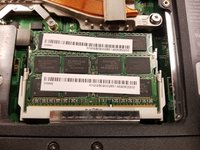
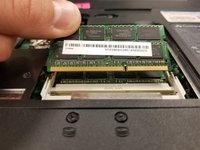
Push the upper RAM module's two pins outwards at the same time.
-
If done correctly, the module should lift.
-
-
-
-
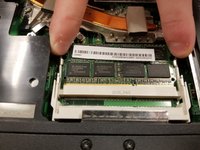
Grab onto the module and pull away in a straight direction.
-
-
-
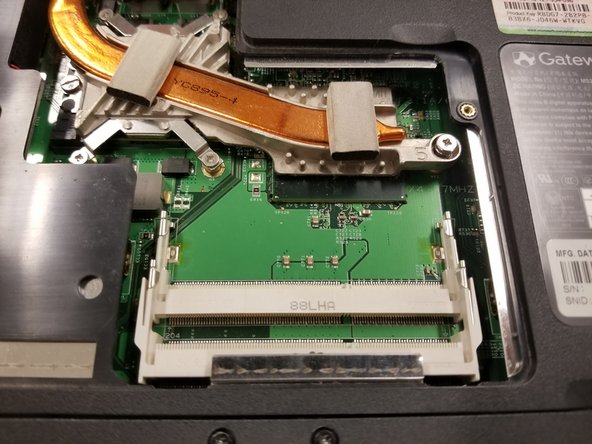
Push the lower RAM module's two pins outwards at the same time.
-
If done correctly, the module should have lifted.
-
-



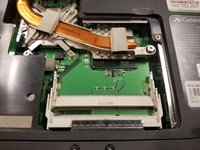
To reassemble your device, follow these instructions in reverse order.

crwdns2935287:0crwdne2935287:0

Baylor, Team S8-G6, Johnson Fall 2017 crwdns2935289:0Baylor, Team S8-G6, Johnson Fall 2017crwdne2935289:0
BU-JOHNSON-F17S8G6
crwdns2931471:02crwdne2931471:0
crwdns2935297:048crwdne2935297:0
