
Gateway P-6831FX Battery Replacement

crwdns2959932:0crwdnd2959932:0Justin Freitascrwdnd2959932:0crwdnd2959932:0crwdnd2959932:02crwdnd2959932:0crwdne2959932:0
crwdns2959936:0Mud 21, 2018crwdne2959936:0
crwdns2869540:0crwdne2869540:0: 727
crwdns2959988:0crwdne2959988:0
- crwdns2959990:0crwdne2959990:0
- 1
- crwdns2959992:0crwdne2959992:0
- 17
- crwdns2959994:0crwdne2959994:0
- 58
- crwdns2959996:0crwdne2959996:0
- 727
crwdns2955950:0crwdne2955950:0: 0
crwdns2959998:0crwdne2959998:0
crwdns2960000:0crwdne2960000:0crwdns2959984:0crwdne2959984:0: 0 1
crwdns2959956:0crwdne2959956:0
crwdns2959968:01crwdne2959968:0
crwdns2959986:0crwdne2959986:0: 0 1
crwdns2959958:0crwdne2959958:0
crwdns2959976:01crwdne2959976:0
crwdns2915892:0crwdne2915892:0
crwdns2959928:0crwdne2959928:0 ↓The battery is a component that will power your device. This guide will go over how to remove and replace the battery for the P-6831FX.
-
-
-
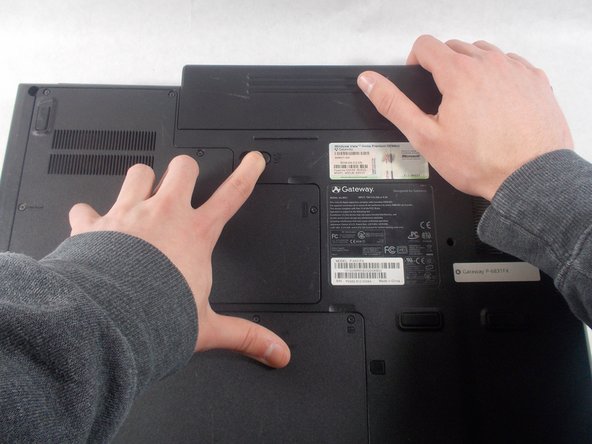
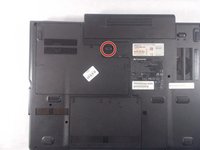
Turn your laptop upside down and locate the 1st unlocking switch.
 crwdns2952109:0crwdne2952109:0
-
-
-
Put the switch from the locked position to the unlocked position.
-
-
-
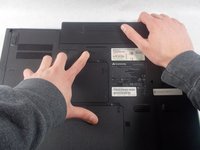
Slide the lock to the right to unlock the battery from the device.
-
-
-
-
While holding the 2nd lock in the unlocked position, pull the battery away from the laptop.
-
-



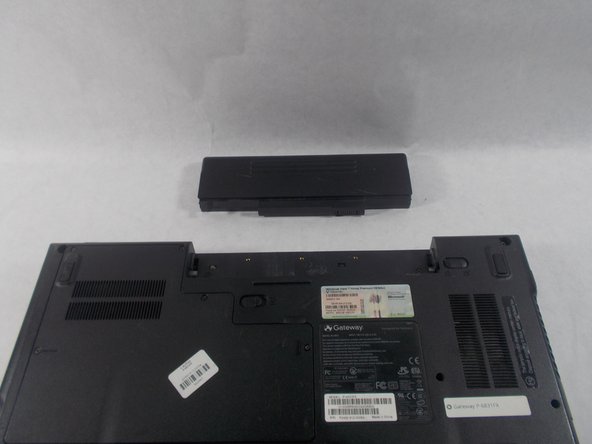
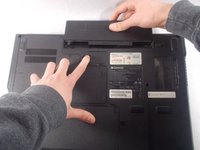
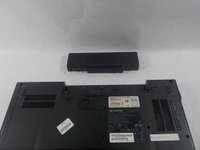
To reassemble your device, follow these instructions in reverse order.

crwdns2935287:0crwdne2935287:0

UMass Dartmouth, Team S3-G5, Peak Spring 2018 crwdns2935289:0UMass Dartmouth, Team S3-G5, Peak Spring 2018crwdne2935289:0
UMASSD-PEAK-S18S3G5
crwdns2931471:02crwdne2931471:0
crwdns2935297:072crwdne2935297:0
