crwdns2933423:0crwdne2933423:0
crwdns2947577:0crwdnd2947577:0crwdne2947577:0

Gateway MS2370 Fan Replacement

crwdns2942213:0crwdne2942213:0

    1. Gateway MS2370 Fan Replacement, Battery: crwdns2935265:01crwdnd2935265:01crwdnd2935265:01crwdne2935265:0
      • Make sure the laptop is turned off and flipped over so that the bottom is facing up. Then, locate the battery clip as shown.

      crwdns2952109:0crwdne2952109:0

      crwdns2917038:0crwdne2917038:0

    2. Gateway MS2370 Fan Replacement: crwdns2935265:02crwdnd2935265:01crwdnd2935265:01crwdne2935265:0
      • Either using your fingers or a plastic spudger push the battery clip to the left to release battery.

      crwdns2952109:0crwdne2952109:0

      crwdns2917038:0crwdne2917038:0

    3. Gateway MS2370 Fan Replacement: crwdns2935265:03crwdnd2935265:01crwdnd2935265:01crwdne2935265:0
      • Pull the battery from the laptop to remove it.

      crwdns2952109:0crwdne2952109:0

      crwdns2917038:0crwdne2917038:0

    1. Gateway MS2370 Fan Replacement, RAM: crwdns2935265:04crwdnd2935265:01crwdnd2935265:01crwdne2935265:0
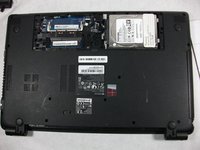
      • Unscrew the three 10mm inch Phillips 01 screws on the back of your laptop.

      • Unplug everything from the USB and SD ports.

      crwdns2952109:0crwdne2952109:0

      crwdns2917038:0crwdne2917038:0

    2. Gateway MS2370 Fan Replacement: crwdns2935265:05crwdnd2935265:01crwdnd2935265:01crwdne2935265:0
      • Remove the cover panel.

      • This exposes more screws that must be removed.

      crwdns2952109:0crwdne2952109:0

      crwdns2917038:0crwdne2917038:0

    3. Gateway MS2370 Fan Replacement: crwdns2935265:06crwdnd2935265:01crwdnd2935265:01crwdne2935265:0
      • Unplug the two exposed cables from the motherboard.

      crwdns2952109:0crwdne2952109:0

      crwdns2917038:0crwdne2917038:0

    4. Gateway MS2370 Fan Replacement: crwdns2935265:07crwdnd2935265:01crwdnd2935265:02crwdne2935265:0 Gateway MS2370 Fan Replacement: crwdns2935265:07crwdnd2935265:02crwdnd2935265:02crwdne2935265:0
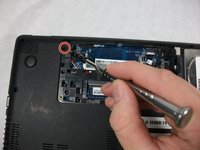
      • Unscrew the rest of the case screws which include several 10mm 01 Phillips screws and three 3mm 00 Phillips screws.

      • This marked screw will not fully come out. Just loosen it and leave it there it will not effect the rest of the replacement.

      crwdns2952109:0crwdne2952109:0

      crwdns2917038:0crwdne2917038:0

    5. Gateway MS2370 Fan Replacement: crwdns2935265:08crwdnd2935265:01crwdnd2935265:02crwdne2935265:0 Gateway MS2370 Fan Replacement: crwdns2935265:08crwdnd2935265:02crwdnd2935265:02crwdne2935265:0
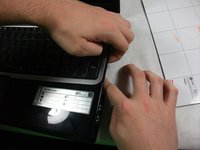
      • Pry the laptop case apart.

      • The disc drive in this photo was removed. You can remove it just by puling it out when the previous step is completed.

      crwdns2952109:0crwdne2952109:0

      crwdns2917038:0crwdne2917038:0

    6. Gateway MS2370 Fan Replacement: crwdns2935265:09crwdnd2935265:01crwdnd2935265:01crwdne2935265:0
      • Unplug the track-pad and the keyboard ribbon cable by lifting up the grey flap and removing the cable.

      • This cable has a special connector the requires you to lift open a grey flap to unplug properly.

      • The keyboard plug is located at the center of the motherboard and can be unplugged like a normal cable.

      crwdns2952109:0crwdne2952109:0

      crwdns2917038:0crwdne2917038:0

    7. Gateway MS2370 Fan Replacement: crwdns2935265:010crwdnd2935265:01crwdnd2935265:01crwdne2935265:0
      • Remove the top half of the case.

      crwdns2952109:0crwdne2952109:0

      crwdns2917038:0crwdne2917038:0

    8. Gateway MS2370 Fan Replacement: crwdns2935265:011crwdnd2935265:01crwdnd2935265:01crwdne2935265:0
      • Unscrew all 5 10mm inch Phillips 01 screws.

      • One more off screen

      crwdns2952109:0crwdne2952109:0

      crwdns2917038:0crwdne2917038:0

    9. Gateway MS2370 Fan Replacement: crwdns2935265:012crwdnd2935265:01crwdnd2935265:03crwdne2935265:0 Gateway MS2370 Fan Replacement: crwdns2935265:012crwdnd2935265:02crwdnd2935265:03crwdne2935265:0 Gateway MS2370 Fan Replacement: crwdns2935265:012crwdnd2935265:03crwdnd2935265:03crwdne2935265:0
      • Unplug the ribbon cable connected to the USB Hub, the network card, and the monitor cable.

      crwdns2952109:0crwdne2952109:0

      crwdns2917038:0crwdne2917038:0

    10. Gateway MS2370 Fan Replacement: crwdns2935265:013crwdnd2935265:01crwdnd2935265:01crwdne2935265:0
      • Flip the motherboard over.

      crwdns2952109:0crwdne2952109:0

      crwdns2917038:0crwdne2917038:0

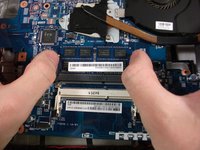
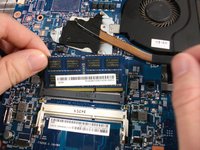
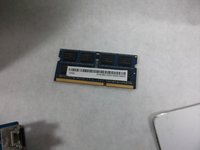
    11. Gateway MS2370 Fan Replacement: crwdns2935265:014crwdnd2935265:01crwdnd2935265:03crwdne2935265:0 Gateway MS2370 Fan Replacement: crwdns2935265:014crwdnd2935265:02crwdnd2935265:03crwdne2935265:0 Gateway MS2370 Fan Replacement: crwdns2935265:014crwdnd2935265:03crwdnd2935265:03crwdne2935265:0
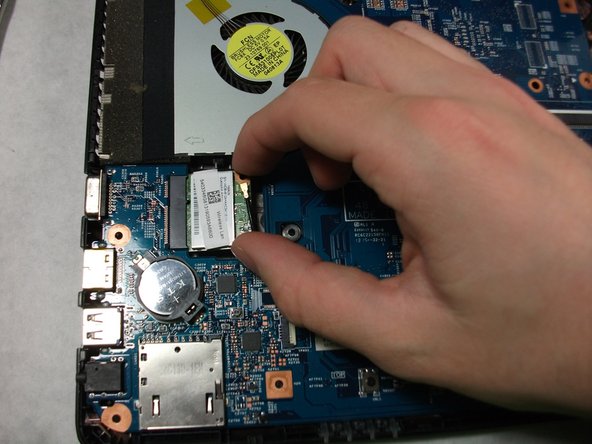
      • Using your two thumbs to pull outwards from the inside of the RAM slot to release and remove the RAM.

      • The last step of this replacement guide is not required to complete the fan replacement guide.

      crwdns2952109:0crwdne2952109:0

      crwdns2917038:0crwdne2917038:0

    1. Gateway MS2370 Fan Replacement, Fan: crwdns2935265:015crwdnd2935265:01crwdnd2935265:01crwdne2935265:0
      • Unscrew the three 3mm inch Phillips 01 screws.

      • These screws will not be removed entirely. Just loosen them enough to free the fan from the motherboard.

      crwdns2952109:0crwdne2952109:0

      crwdns2917038:0crwdne2917038:0

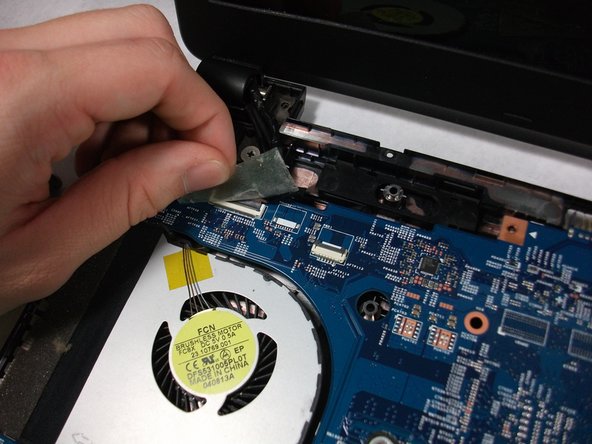
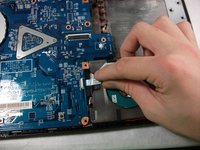
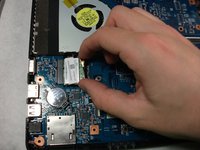
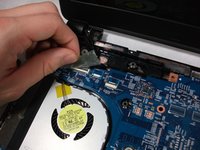
    2. Gateway MS2370 Fan Replacement: crwdns2935265:016crwdnd2935265:01crwdnd2935265:01crwdne2935265:0
      • Unplug the fan cable from the motherboard.

      crwdns2952109:0crwdne2952109:0

      crwdns2917038:0crwdne2917038:0

    3. Gateway MS2370 Fan Replacement: crwdns2935265:017crwdnd2935265:01crwdnd2935265:01crwdne2935265:0
      • Remove the Fan.

      crwdns2952109:0crwdne2952109:0

      crwdns2917038:0crwdne2917038:0

crwdns2915888:0crwdne2915888:0

To reassemble your device, follow these instructions in reverse order.

crwdns2935221:0crwdne2935221:0

Erickson Rodrigues

crwdns2935283:010/17/17crwdne2935283:0

101 crwdns2915208:0crwdne2915208:0

crwdns2935295:0crwdne2935295:0

crwdns2935287:0crwdne2935287:0

UMass Dartmouth, Team S1-G5, Simcock Fall 2017 crwdns2935289:0UMass Dartmouth, Team S1-G5, Simcock Fall 2017crwdne2935289:0

UMASSD-SIMCOCK-F17S1G5

crwdns2931471:03crwdne2931471:0

crwdns2935297:060crwdne2935297:0

crwdns2947412:00crwdne2947412:0

crwdns2917038:0crwdne2917038:0

crwdns2936625:0crwdne2936625:0:

crwdns2936751:024crwdne2936751:0 0

crwdns2936753:07crwdne2936753:0 5

crwdns2936753:030crwdne2936753:0 31

crwdns2942667:0crwdne2942667:0 956