crwdns2933423:0crwdne2933423:0
crwdns2947577:0crwdnd2947577:0crwdne2947577:0

Gateway LT4004u Screen Replacement

crwdns2869540:0crwdne2869540:0: 1.2K

crwdns2959988:0crwdne2959988:0

crwdns2959990:0crwdne2959990:0
6
crwdns2959992:0crwdne2959992:0
20
crwdns2959994:0crwdne2959994:0
80
crwdns2959996:0crwdne2959996:0
1,172
crwdns2955950:0crwdne2955950:0: 0

crwdns2959998:0crwdne2959998:0

crwdns2960000:0crwdne2960000:0
crwdns2959984:0crwdne2959984:0: 1

crwdns2959972:01crwdne2959972:0

crwdns2959986:0crwdne2959986:0: 0

crwdns2959958:0crwdne2959958:0

crwdns2955944:0crwdne2955944:0: crwdns2931273:0crwdne2931273:0
crwdns2955970:0crwdne2955970:0: crwdns2937801:0crwdne2937801:0
Gateway LT4004u Screen Replacement

crwdns2915892:0crwdne2915892:0

crwdns2959928:0crwdne2959928:0 ↓

This is a moderately difficult process. The screen is an essential part of the computer and it is important to follow these steps with care to prevent unwanted damages to the device.

crwdns2959930:0crwdne2959930:0

crwdns2943215:0crwdne2943215:0

    1. Gateway LT4004u Screen Replacement, Screen: crwdns2935265:01crwdnd2935265:01crwdnd2935265:03crwdne2935265:0 Gateway LT4004u Screen Replacement, Screen: crwdns2935265:01crwdnd2935265:02crwdnd2935265:03crwdne2935265:0 Gateway LT4004u Screen Replacement, Screen: crwdns2935265:01crwdnd2935265:03crwdnd2935265:03crwdne2935265:0
      crwdns2935267:0crwdne2935267:0
      Tweezers
      $4.99
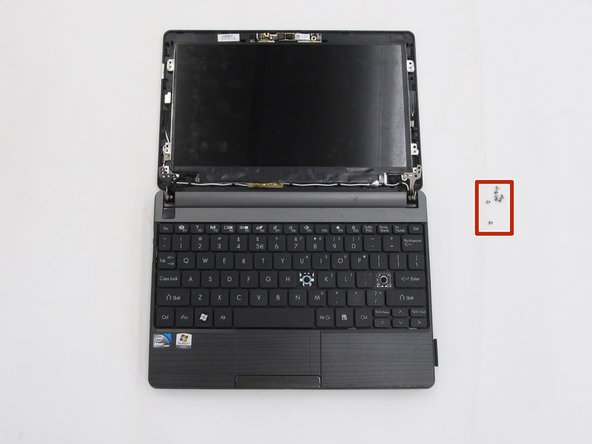
      • Open the laptop so that the screen and keyboard are facing you.

      • Remove the two screw covers at the bottom right and left corners of the screen using tweezers.

      crwdns2952109:0crwdne2952109:0

      crwdns2917038:0crwdne2917038:0

    2. Gateway LT4004u Screen Replacement: crwdns2935265:02crwdnd2935265:01crwdnd2935265:03crwdne2935265:0 Gateway LT4004u Screen Replacement: crwdns2935265:02crwdnd2935265:02crwdnd2935265:03crwdne2935265:0 Gateway LT4004u Screen Replacement: crwdns2935265:02crwdnd2935265:03crwdnd2935265:03crwdne2935265:0
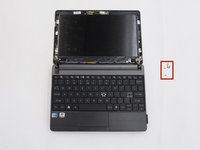
      • Unscrew the two 5.0mm screws underneath the screen covers on the left and right side and remove them from the laptop. For this step and the following steps, use a Phillips #0 head screwdriver.

      crwdns2952109:0crwdne2952109:0

      crwdns2917038:0crwdne2917038:0

    3. Gateway LT4004u Screen Replacement: crwdns2935265:03crwdnd2935265:01crwdnd2935265:03crwdne2935265:0 Gateway LT4004u Screen Replacement: crwdns2935265:03crwdnd2935265:02crwdnd2935265:03crwdne2935265:0 Gateway LT4004u Screen Replacement: crwdns2935265:03crwdnd2935265:03crwdnd2935265:03crwdne2935265:0
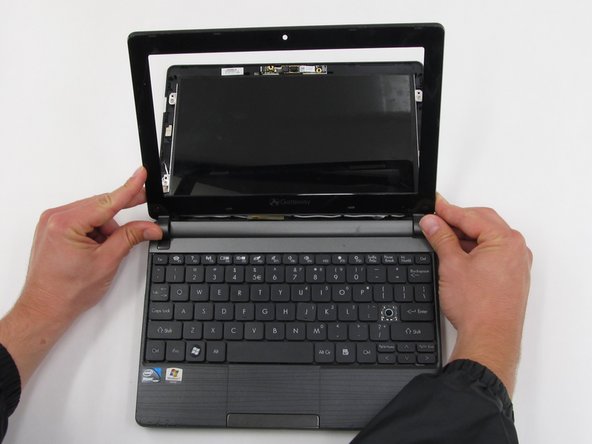
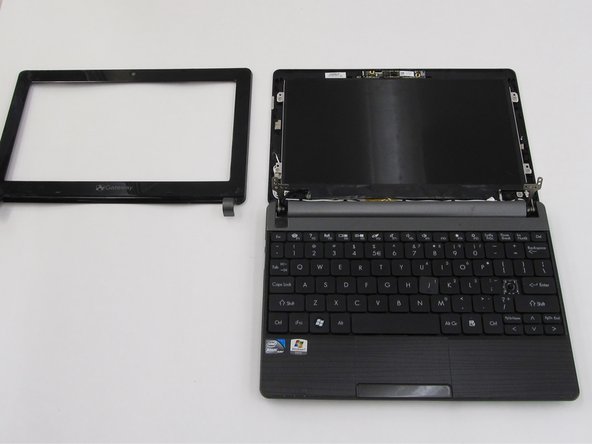
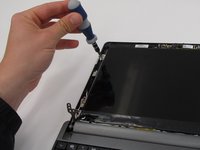
      • Once the two screws are removed, pry the screen casing away from the screen. You can use your fingernails or a tool such as tweezers to separate the screen casing from the backing.

      • Be prepared to hear cracking noises. These are expected.

      • Unhook the screen casing at the bottom of the screen from the central hinges on the left and right side connecting the screen casing to the keyboard.

      • Remove the screen casing.

      crwdns2952109:0crwdne2952109:0

      crwdns2917038:0crwdne2917038:0

    4. Gateway LT4004u Screen Replacement: crwdns2935265:04crwdnd2935265:01crwdnd2935265:03crwdne2935265:0 Gateway LT4004u Screen Replacement: crwdns2935265:04crwdnd2935265:02crwdnd2935265:03crwdne2935265:0 Gateway LT4004u Screen Replacement: crwdns2935265:04crwdnd2935265:03crwdnd2935265:03crwdne2935265:0
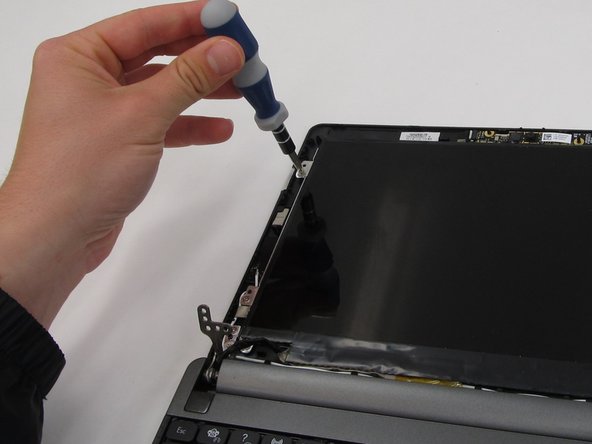
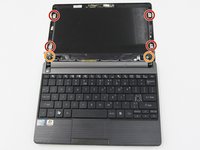
      • Once the screen casing is removed, unscrew the 8 screws surrounding the screen and remove them from the laptop. All 8 screws should measure 4.0mm long.

      • There is a single screw in each red indicator and two screws in each orange indicator, totaling to the eight screws.

      crwdns2952109:0crwdne2952109:0

      crwdns2917038:0crwdne2917038:0

    5. Gateway LT4004u Screen Replacement: crwdns2935265:05crwdnd2935265:01crwdnd2935265:03crwdne2935265:0 Gateway LT4004u Screen Replacement: crwdns2935265:05crwdnd2935265:02crwdnd2935265:03crwdne2935265:0 Gateway LT4004u Screen Replacement: crwdns2935265:05crwdnd2935265:03crwdnd2935265:03crwdne2935265:0
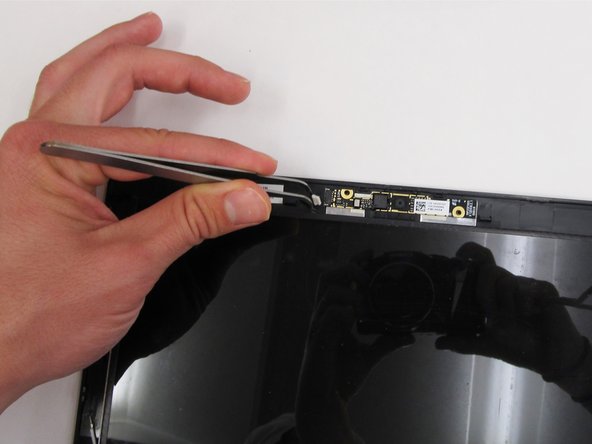
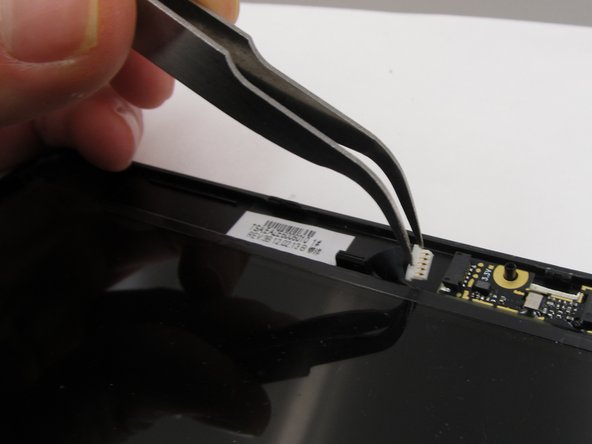
      • Unplug the webcam connection from the top of the laptop screen backing.

      crwdns2952109:0crwdne2952109:0

      crwdns2917038:0crwdne2917038:0

    6. Gateway LT4004u Screen Replacement: crwdns2935265:06crwdnd2935265:01crwdnd2935265:03crwdne2935265:0 Gateway LT4004u Screen Replacement: crwdns2935265:06crwdnd2935265:02crwdnd2935265:03crwdne2935265:0 Gateway LT4004u Screen Replacement: crwdns2935265:06crwdnd2935265:03crwdnd2935265:03crwdne2935265:0
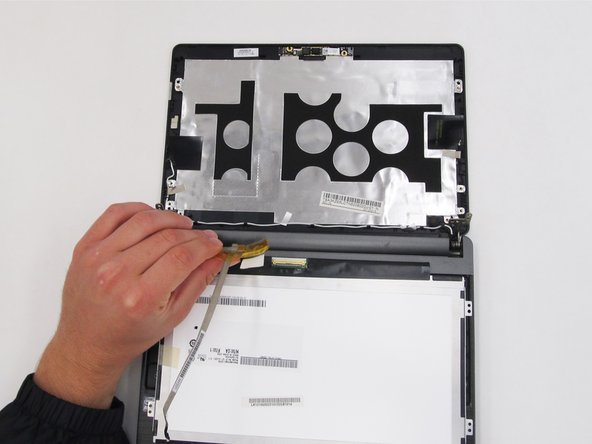
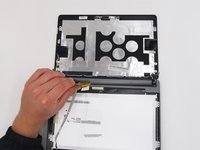
      • Flip the screen over so that it is lying on top of the keyboard.

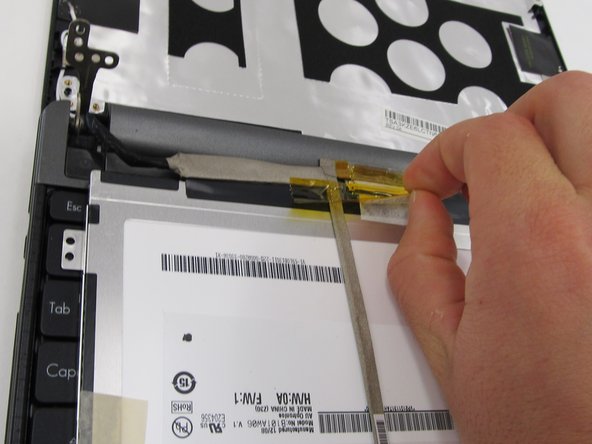
      • Looking at the underside of the screen, remove the yellow tape and carefully remove the wires attaching the screen to the laptop.

      crwdns2952109:0crwdne2952109:0

      crwdns2917038:0crwdne2917038:0

    7. Gateway LT4004u Screen Replacement: crwdns2935265:07crwdnd2935265:01crwdnd2935265:01crwdne2935265:0
      • Remove the screen from the rest of the laptop.

      crwdns2952109:0crwdne2952109:0

      crwdns2917038:0crwdne2917038:0

crwdns2915888:0crwdne2915888:0

To reassemble your device, follow these instructions in reverse order.

crwdns2935221:0crwdne2935221:0

crwdns2935227:0crwdne2935227:0

Carlisle Hiott

crwdns2935283:003/21/16crwdne2935283:0

821 crwdns2915208:0crwdne2915208:0

crwdns2935297:07crwdne2935297:0

crwdns2935287:0crwdne2935287:0

Clemson, Team 6-5, Benson Spring 2016 crwdns2935289:0Clemson, Team 6-5, Benson Spring 2016crwdne2935289:0

CLEM-BENSON-S16S6G5

crwdns2931471:04crwdne2931471:0

crwdns2935297:096crwdne2935297:0

crwdns2947412:00crwdne2947412:0

crwdns2917038:0crwdne2917038:0

crwdns2936625:0crwdne2936625:0:

crwdns2936751:024crwdne2936751:0 6

crwdns2936753:07crwdne2936753:0 20

crwdns2936753:030crwdne2936753:0 80

crwdns2959996:0crwdne2959996:0 1,172