crwdns2933423:0crwdne2933423:0
crwdns2947577:0crwdnd2947577:0crwdne2947577:0

Garmin Vivoactive Motherboard Replacement

crwdns2942213:0crwdne2942213:0

    1. Garmin Vivoactive Motherboard Replacement, Wristband: crwdns2935265:01crwdnd2935265:01crwdnd2935265:01crwdne2935265:0
      • Hold the the metal screwdriver, with a T5 Torx bit, in your dominant hand.

      • Hold the rubber screwdriver, with a Hex T6 Torx bit, in your other hand.

      • While holding the rubber screwdriver in place, simultaneously unscrew the pin (counterclockwise) with the metal screwdriver in your dominant hand.

      crwdns2952109:0crwdne2952109:0

      crwdns2917038:0crwdne2917038:0

    2. Garmin Vivoactive Motherboard Replacement: crwdns2935265:02crwdnd2935265:01crwdnd2935265:02crwdne2935265:0 Garmin Vivoactive Motherboard Replacement: crwdns2935265:02crwdnd2935265:02crwdnd2935265:02crwdne2935265:0
      • Once the 1mm screw is removed, reinsert the metal screwdriver in that same hole.

      • Gently push the strap's pin out. It will begin to protrude from the other end.

      • Use your fingers to grab the exposed pin and slide it free. The strap should now be disconnected from the device.

      crwdns2952109:0crwdne2952109:0

      crwdns2917038:0crwdne2917038:0

    1. Garmin Vivoactive Motherboard Replacement, Display Unit: crwdns2935265:03crwdnd2935265:01crwdnd2935265:01crwdne2935265:0
      • Place a heated iOpener over the display to loosen the adhesive.

      • After about a minute, the iOpener may be removed.

      • For more in depth instructions on using the iOpener, refer to the iOpener guide.

      crwdns2952109:0crwdne2952109:0

      crwdns2917038:0crwdne2917038:0

    2. Garmin Vivoactive Motherboard Replacement: crwdns2935265:04crwdnd2935265:01crwdnd2935265:02crwdne2935265:0 Garmin Vivoactive Motherboard Replacement: crwdns2935265:04crwdnd2935265:02crwdnd2935265:02crwdne2935265:0
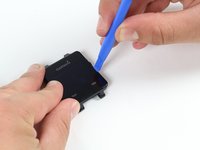
      • Place the blue plastic opening tool in-between the screen and plastic casing of the watch and slowly pry up one side of the screen.

      crwdns2952109:0crwdne2952109:0

      crwdns2917038:0crwdne2917038:0

    3. Garmin Vivoactive Motherboard Replacement: crwdns2935265:05crwdnd2935265:01crwdnd2935265:01crwdne2935265:0
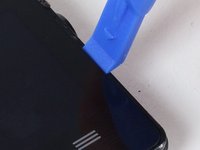
      • Once the first side has come free, wedge the blue pick in between the screen and watch unit on that side.

      • Complete one pass around the perimeter of the screen to break the adhesive bond on all four sides.

      • Insert it a minimal distance to avoid damaging internal components.

      crwdns2952109:0crwdne2952109:0

      crwdns2917038:0crwdne2917038:0

    4. Garmin Vivoactive Motherboard Replacement: crwdns2935265:06crwdnd2935265:01crwdnd2935265:01crwdne2935265:0
      • Use the blue plastic opening tool to pry up the side of the glass. Raise it to a point where your fingernail can fit in the gap.

      • Do the same on the opposite side of the device until you have a good grip of the screen.

      crwdns2952109:0crwdne2952109:0

      crwdns2917038:0crwdne2917038:0

    5. Garmin Vivoactive Motherboard Replacement: crwdns2935265:07crwdnd2935265:01crwdnd2935265:01crwdne2935265:0
      • Obtain a careful grip of the screen from two of its sides.

      • Slowly lift the screen off of the case. Separate it just enough so as not to damage the connection to the motherboard.

      crwdns2952109:0crwdne2952109:0

      crwdns2917038:0crwdne2917038:0

    6. Garmin Vivoactive Motherboard Replacement: crwdns2935265:08crwdnd2935265:01crwdnd2935265:01crwdne2935265:0
      • Detach the orange tab that connects the screen to the motherboard with a gentle uplift using a plastic opening tool.

      • Upon completing this step, the screen should be free from the rest of the device.

      crwdns2952109:0crwdne2952109:0

      crwdns2917038:0crwdne2917038:0

    1. Garmin Vivoactive Motherboard Replacement, Battery: crwdns2935265:09crwdnd2935265:01crwdnd2935265:02crwdne2935265:0 Garmin Vivoactive Motherboard Replacement, Battery: crwdns2935265:09crwdnd2935265:02crwdnd2935265:02crwdne2935265:0
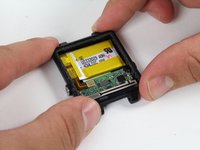
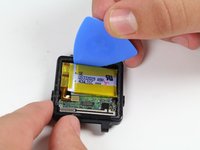
      • Follow previous guides until you've exposed the battery as shown.

      • Begin by removing the battery connector tab.

      • Be sure not to use a metal implement or your fingers to remove this tab. Doing so may cause personal harm or damage to the electrical components.

      crwdns2952109:0crwdne2952109:0

      crwdns2917038:0crwdne2917038:0

    2. Garmin Vivoactive Motherboard Replacement: crwdns2935265:010crwdnd2935265:01crwdnd2935265:02crwdne2935265:0 Garmin Vivoactive Motherboard Replacement: crwdns2935265:010crwdnd2935265:02crwdnd2935265:02crwdne2935265:0
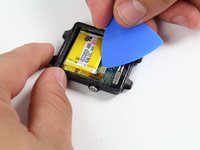
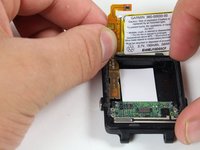
      • Use a plastic opening pick to gently pry out the battery as shown.

      • The battery is Lithium Polymer, follow safe handling procedures and DO NOT deform it upon removal.

      crwdns2952109:0crwdne2952109:0

      crwdns2917038:0crwdne2917038:0

    3. Garmin Vivoactive Motherboard Replacement: crwdns2935265:011crwdnd2935265:01crwdnd2935265:03crwdne2935265:0 Garmin Vivoactive Motherboard Replacement: crwdns2935265:011crwdnd2935265:02crwdnd2935265:03crwdne2935265:0 Garmin Vivoactive Motherboard Replacement: crwdns2935265:011crwdnd2935265:03crwdnd2935265:03crwdne2935265:0
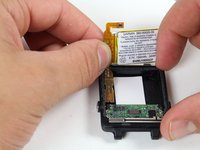
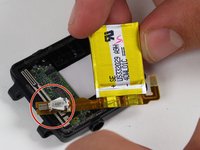
      • With the battery loose from the case, rotate it to expose the attached tab

      • Gently pry up the attached tab with a fingernail.

      • Keep the vibrator, circled in red, as you may need to solder it to the new battery upon re-installation later.

      crwdns2952109:0crwdne2952109:0

      crwdns2917038:0crwdne2917038:0

    1. Garmin Vivoactive Motherboard Replacement, Motherboard: crwdns2935265:012crwdnd2935265:01crwdnd2935265:02crwdne2935265:0 Garmin Vivoactive Motherboard Replacement, Motherboard: crwdns2935265:012crwdnd2935265:02crwdnd2935265:02crwdne2935265:0
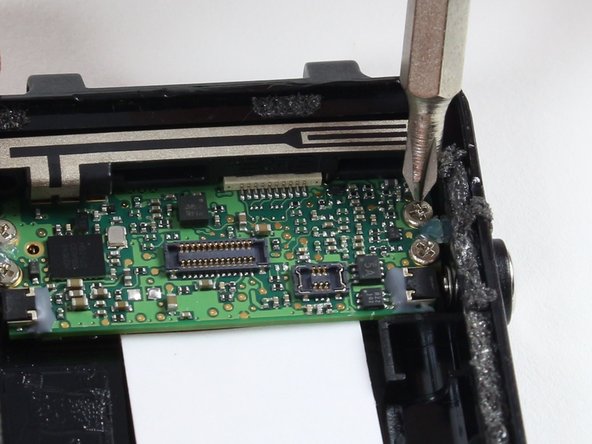
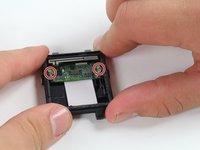
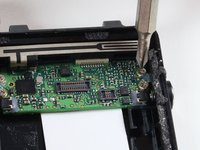
      • Remove the four 2.4 mm screws with a PH00 Phillips head screwdriver.

      • Make an effort not to damage any nearby components of the motherboard with the screwdriver.

      crwdns2952109:0crwdne2952109:0

      crwdns2917038:0crwdne2917038:0

    2. Garmin Vivoactive Motherboard Replacement: crwdns2935265:013crwdnd2935265:01crwdnd2935265:02crwdne2935265:0 Garmin Vivoactive Motherboard Replacement: crwdns2935265:013crwdnd2935265:02crwdnd2935265:02crwdne2935265:0
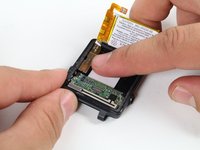
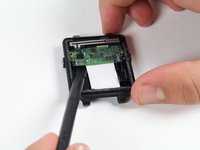
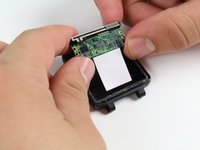
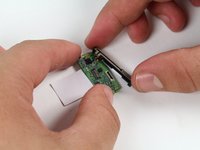
      • Use the spudger to pry up the board from the case.

      • Insert the spudger a minimum distance beneath the board as there are components below.

      • Wiggle the exposed side of the board from each end until it comes free.

      • Use proper electrostatic discharge safety when removing and handling the board.

      crwdns2952109:0crwdne2952109:0

      crwdns2917038:0crwdne2917038:0

    3. Garmin Vivoactive Motherboard Replacement: crwdns2935265:014crwdnd2935265:01crwdnd2935265:02crwdne2935265:0 Garmin Vivoactive Motherboard Replacement: crwdns2935265:014crwdnd2935265:02crwdnd2935265:02crwdne2935265:0
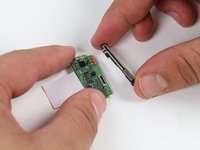
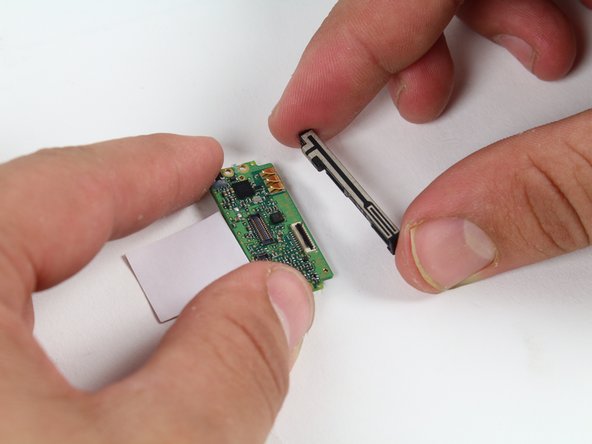
      • Remove the GPS antenna by sliding it away from the board.

      • Keep track of the antenna and add it to the new board upon replacement.

      crwdns2952109:0crwdne2952109:0

      crwdns2917038:0crwdne2917038:0

crwdns2915888:0crwdne2915888:0

To reassemble your device, follow these instructions in reverse order.

crwdns2935221:0crwdne2935221:0

crwdns2935229:02crwdne2935229:0

Tessa Gunnin

crwdns2935283:010/01/15crwdne2935283:0

466 crwdns2915208:0crwdne2915208:0

crwdns2935297:02crwdne2935297:0

crwdns2935287:0crwdne2935287:0

Cal Poly, Team 1-21, Maness Fall 2015 crwdns2935289:0Cal Poly, Team 1-21, Maness Fall 2015crwdne2935289:0

CPSU-MANESS-F15S1G21

crwdns2931471:04crwdne2931471:0

crwdns2935297:025crwdne2935297:0

crwdns2947412:02crwdne2947412:0

Any tips on where to buy a motherboard?

Breener - crwdns2934203:0crwdne2934203:0 crwdns2950251:0crwdne2950251:0
Only <3 months, the motherboard is gone?

Do you have any service shop where I can mail for repairing? I am not going to mail order a motherboard and install by myself every 3 months.

Ming

Yong-Ming Yu - crwdns2934203:0crwdne2934203:0 crwdns2950251:0crwdne2950251:0
crwdns2917038:0crwdne2917038:0

crwdns2936625:0crwdne2936625:0:

crwdns2936751:024crwdne2936751:0 3

crwdns2936753:07crwdne2936753:0 17

crwdns2936753:030crwdne2936753:0 56

crwdns2942667:0crwdne2942667:0 15,084