crwdns2933423:0crwdne2933423:0
crwdns2947577:0crwdnd2947577:0crwdne2947577:0

Garmin Vívoactive 4 Button Replacement

crwdns2942213:0crwdne2942213:0

    1. Garmin Vívoactive 4 Button Replacement, Watch Band: crwdns2935265:01crwdnd2935265:01crwdnd2935265:01crwdne2935265:0
      • Flip the watch on its back to reveal the watch band connection pins.

      crwdns2952109:0crwdne2952109:0

      crwdns2917038:0crwdne2917038:0

    2. Garmin Vívoactive 4 Button Replacement, Remove Bands: crwdns2935265:02crwdnd2935265:01crwdnd2935265:03crwdne2935265:0 Garmin Vívoactive 4 Button Replacement, Remove Bands: crwdns2935265:02crwdnd2935265:02crwdnd2935265:03crwdne2935265:0 Garmin Vívoactive 4 Button Replacement, Remove Bands: crwdns2935265:02crwdnd2935265:03crwdnd2935265:03crwdne2935265:0
      • Wedge your fingernail or the tip of a spudger underneath the watch band's small metal pin.

      • Push on the pin to release the strap from it's hinge.

      • Pull the strap away from the watch to disconnect it.

      • The strap will not pull away if the pin isn't fully pushed in.

      crwdns2952109:0crwdne2952109:0

      crwdns2917038:0crwdne2917038:0

    3. Garmin Vívoactive 4 Button Replacement: crwdns2935265:03crwdnd2935265:01crwdnd2935265:01crwdne2935265:0
      • With both straps removed, a new replacement watch band may be inserted.

      crwdns2952109:0crwdne2952109:0

      crwdns2917038:0crwdne2917038:0

    1. Garmin Vívoactive 4 Button Replacement, Screen: crwdns2935265:04crwdnd2935265:01crwdnd2935265:01crwdne2935265:0
      • Use a heatgun to loosen the adhesive beneath the screen, it should take a 5-10 minutes for adhesive to loosen.

      • Handle the watch with care to avoid burning yourself after it has been heated. Review the How to Use a Heat Gun to Soften Adhesive guide.

      crwdns2952109:0crwdne2952109:0

      crwdns2917038:0crwdne2917038:0

    2. Garmin Vívoactive 4 Button Replacement: crwdns2935265:05crwdnd2935265:01crwdnd2935265:02crwdne2935265:0 Garmin Vívoactive 4 Button Replacement: crwdns2935265:05crwdnd2935265:02crwdnd2935265:02crwdne2935265:0
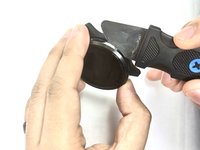
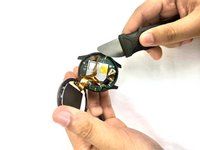
      • Wedge a thin opening tool or your iFixit Jimmy in between the seam where the screen and the watch’s housing connect.

      • Pry the screen off the device.

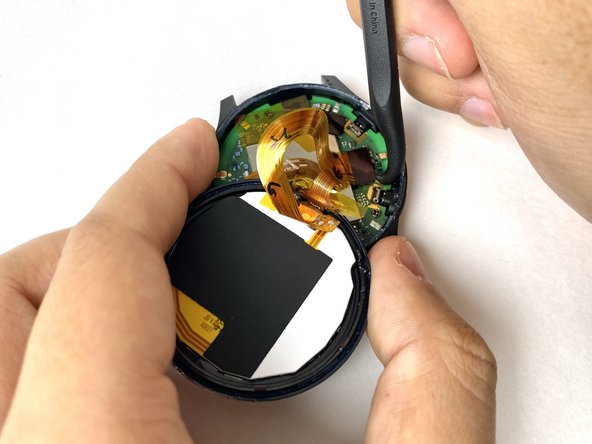
      • There is a cable underneath the screen that needs to be disconnected - be careful not to rip it.
      • Work quickly so the adhesive doesn’t cool too much.

      crwdns2952109:0crwdne2952109:0

      crwdns2917038:0crwdne2917038:0

    3. Garmin Vívoactive 4 Button Replacement: crwdns2935265:06crwdnd2935265:01crwdnd2935265:03crwdne2935265:0 Garmin Vívoactive 4 Button Replacement: crwdns2935265:06crwdnd2935265:02crwdnd2935265:03crwdne2935265:0 Garmin Vívoactive 4 Button Replacement: crwdns2935265:06crwdnd2935265:03crwdnd2935265:03crwdne2935265:0
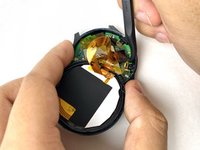
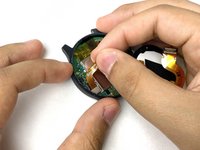
      • Carefully disconnect both cables from the motherboard by placing the tip of your spudger under the edge of the connector, and prying the connector straight up from its socket.

      crwdns2952109:0crwdne2952109:0

      crwdns2917038:0crwdne2917038:0

    4. Garmin Vívoactive 4 Button Replacement: crwdns2935265:07crwdnd2935265:01crwdnd2935265:01crwdne2935265:0
      • Remove the screen.

      crwdns2952109:0crwdne2952109:0

      crwdns2917038:0crwdne2917038:0

    1. Garmin Vívoactive 4 Button Replacement, Motherboard: crwdns2935265:08crwdnd2935265:01crwdnd2935265:01crwdne2935265:0
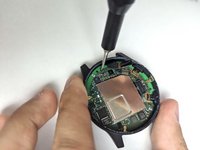
      • Carefully peel off the ribbon tape that is holding down the motherboard.

      crwdns2952109:0crwdne2952109:0

      crwdns2917038:0crwdne2917038:0

    2. Garmin Vívoactive 4 Button Replacement: crwdns2935265:09crwdnd2935265:01crwdnd2935265:01crwdne2935265:0
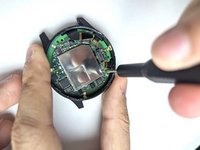
      • Place the tip of your spudger under the edge of the connector, and pry the connector straight up from its socket to disconnect the battery from the motherboard.

      • Do this carefully to avoid ripping the cable.

      crwdns2952109:0crwdne2952109:0

      crwdns2917038:0crwdne2917038:0

    3. Garmin Vívoactive 4 Button Replacement: crwdns2935265:010crwdnd2935265:01crwdnd2935265:03crwdne2935265:0 Garmin Vívoactive 4 Button Replacement: crwdns2935265:010crwdnd2935265:02crwdnd2935265:03crwdne2935265:0 Garmin Vívoactive 4 Button Replacement: crwdns2935265:010crwdnd2935265:03crwdnd2935265:03crwdne2935265:0
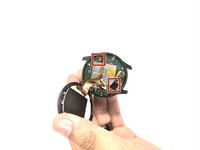
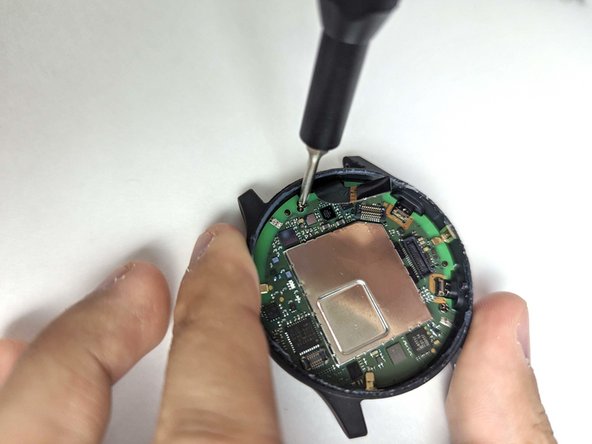
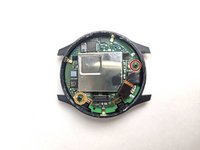
      • Use a Phillips #00 screwdriver to remove the 3.2 mm screw on the motherboard.

      • Use a Phillips #00 screwdriver to remove the 4.8 mm screw on the motherboard.

      crwdns2952109:0crwdne2952109:0

      crwdns2917038:0crwdne2917038:0

    4. Garmin Vívoactive 4 Button Replacement: crwdns2935265:011crwdnd2935265:01crwdnd2935265:03crwdne2935265:0 Garmin Vívoactive 4 Button Replacement: crwdns2935265:011crwdnd2935265:02crwdnd2935265:03crwdne2935265:0 Garmin Vívoactive 4 Button Replacement: crwdns2935265:011crwdnd2935265:03crwdnd2935265:03crwdne2935265:0
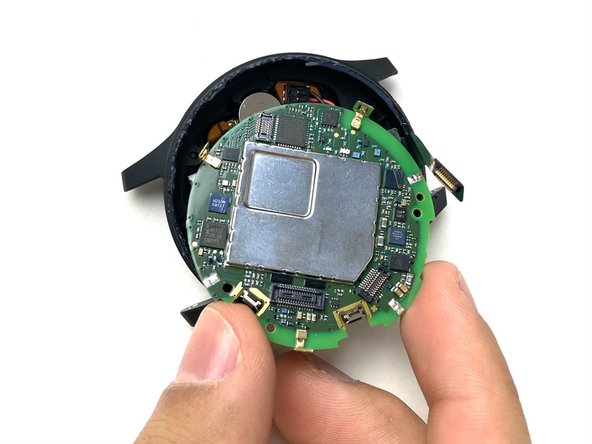
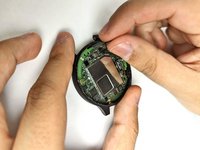
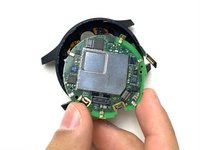
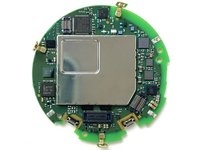
      • Pull the battery cable up to dislodge the motherboard.

      • Gently remove the motherboard from the socket.

      • The motherboard may get caught under the housing due to the clips on the edge.

      crwdns2952109:0crwdne2952109:0

      crwdns2917038:0crwdne2917038:0

    1. Garmin Vívoactive 4 Button Replacement, Battery: crwdns2935265:012crwdnd2935265:01crwdnd2935265:02crwdne2935265:0 Garmin Vívoactive 4 Button Replacement, Battery: crwdns2935265:012crwdnd2935265:02crwdnd2935265:02crwdne2935265:0
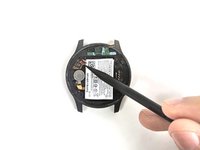
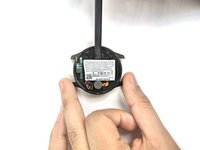
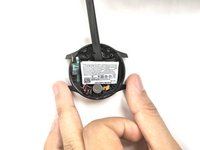
      • Use the pointed tip of a spudger to carefully push on each side of the battery connector to disconnect the battery from the motherboard.

      crwdns2952109:0crwdne2952109:0

      crwdns2917038:0crwdne2917038:0

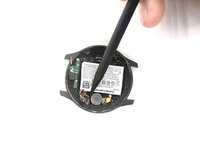
    2. Garmin Vívoactive 4 Button Replacement: crwdns2935265:013crwdnd2935265:01crwdnd2935265:03crwdne2935265:0 Garmin Vívoactive 4 Button Replacement: crwdns2935265:013crwdnd2935265:02crwdnd2935265:03crwdne2935265:0 Garmin Vívoactive 4 Button Replacement: crwdns2935265:013crwdnd2935265:03crwdnd2935265:03crwdne2935265:0
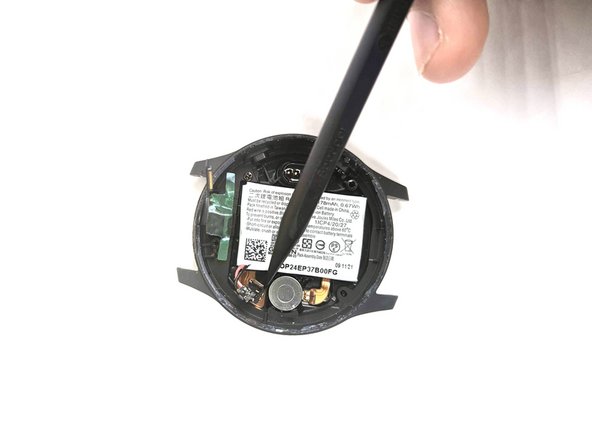
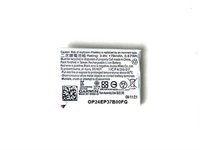
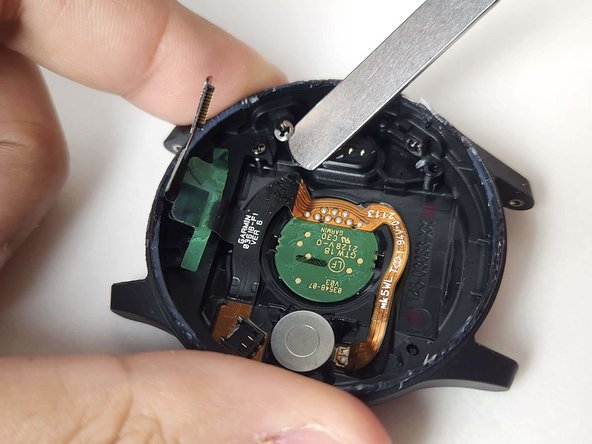
      • Use a spudger to pry the battery from the case.

      • Be careful not to damage any surrounding components.

      • There is an adhesive holding the battery down. Use an iOpener if it is too difficult to remove the battery with the spudger alone.

      crwdns2952109:0crwdne2952109:0

      crwdns2917038:0crwdne2917038:0

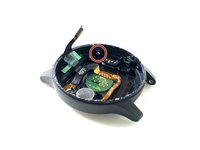
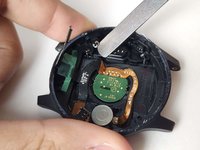
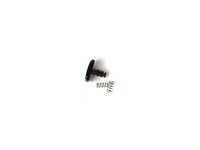
    1. Garmin Vívoactive 4 Button Replacement, Button: crwdns2935265:014crwdnd2935265:01crwdnd2935265:03crwdne2935265:0 Garmin Vívoactive 4 Button Replacement, Button: crwdns2935265:014crwdnd2935265:02crwdnd2935265:03crwdne2935265:0 Garmin Vívoactive 4 Button Replacement, Button: crwdns2935265:014crwdnd2935265:03crwdnd2935265:03crwdne2935265:0
      • Wedge a spudger or your iFixit Jimmy in between the button's snap ring and the watch housing.

      • Carefully pry the snap ring off the button.

      • Remove the button and components from the watch housing.

      crwdns2952109:0crwdne2952109:0

      crwdns2917038:0crwdne2917038:0

crwdns2915888:0crwdne2915888:0

To reassemble your device, follow these instructions in reverse order.

crwdns2935221:0crwdne2935221:0

Bryan Chavez

crwdns2935283:011/01/23crwdne2935283:0

380 crwdns2915208:0crwdne2915208:0

crwdns2935297:04crwdne2935297:0

crwdns2935287:0crwdne2935287:0

UMass Dartmouth, Team 1-3, Petersen Fall 2023 crwdns2935289:0UMass Dartmouth, Team 1-3, Petersen Fall 2023crwdne2935289:0

UMASSD-PETERSEN-F23S1G3

crwdns2931471:04crwdne2931471:0

crwdns2935297:049crwdne2935297:0

crwdns2947412:00crwdne2947412:0

crwdns2917038:0crwdne2917038:0

crwdns2936625:0crwdne2936625:0:

crwdns2936751:024crwdne2936751:0 2

crwdns2936753:07crwdne2936753:0 9

crwdns2936753:030crwdne2936753:0 37

crwdns2942667:0crwdne2942667:0 1,092