crwdns2933423:0crwdne2933423:0
crwdns2947577:0crwdnd2947577:0crwdne2947577:0

Garmin Nuvi 42LM Battery Replacement

crwdns2942213:0crwdne2942213:0

    1. Garmin Nuvi 42LM Battery Replacement, Battery: crwdns2935265:01crwdnd2935265:01crwdnd2935265:03crwdne2935265:0 Garmin Nuvi 42LM Battery Replacement, Battery: crwdns2935265:01crwdnd2935265:02crwdnd2935265:03crwdne2935265:0 Garmin Nuvi 42LM Battery Replacement, Battery: crwdns2935265:01crwdnd2935265:03crwdnd2935265:03crwdne2935265:0
      • Remove the four screws on the back of the GPS using the T5 Torx screwdriver.

      crwdns2952109:0crwdne2952109:0

      crwdns2917038:0crwdne2917038:0

    2. Garmin Nuvi 42LM Battery Replacement: crwdns2935265:02crwdnd2935265:01crwdnd2935265:03crwdne2935265:0 Garmin Nuvi 42LM Battery Replacement: crwdns2935265:02crwdnd2935265:02crwdnd2935265:03crwdne2935265:0 Garmin Nuvi 42LM Battery Replacement: crwdns2935265:02crwdnd2935265:03crwdnd2935265:03crwdne2935265:0
      • Pry the GPS open using a plastic opening tool.

      • When prying open the device, use caution to avoid damaging the motherboard.

      crwdns2952109:0crwdne2952109:0

      crwdns2917038:0crwdne2917038:0

    3. Garmin Nuvi 42LM Battery Replacement: crwdns2935265:03crwdnd2935265:01crwdnd2935265:03crwdne2935265:0 Garmin Nuvi 42LM Battery Replacement: crwdns2935265:03crwdnd2935265:02crwdnd2935265:03crwdne2935265:0 Garmin Nuvi 42LM Battery Replacement: crwdns2935265:03crwdnd2935265:03crwdnd2935265:03crwdne2935265:0
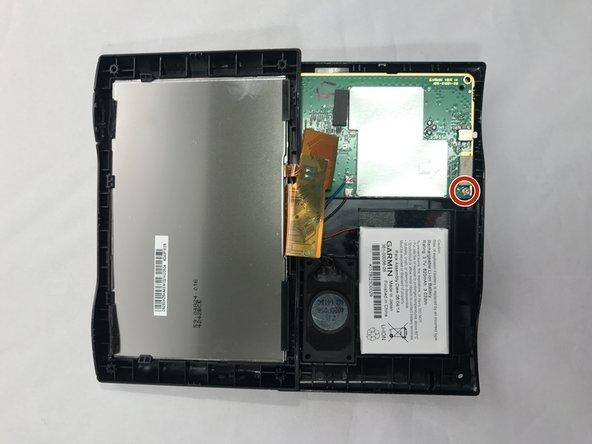
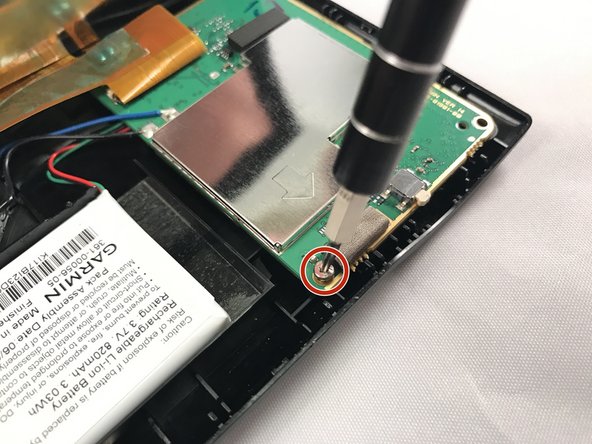
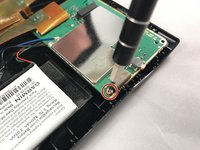
      • Using the T5 Torx screwdriver, remove the two screws located on the motherboard.

      • There are two screws - one in the back and one in the front.

      crwdns2952109:0crwdne2952109:0

      crwdns2917038:0crwdne2917038:0

    4. Garmin Nuvi 42LM Battery Replacement: crwdns2935265:04crwdnd2935265:01crwdnd2935265:01crwdne2935265:0
      • Move the motherboard from from its designated location on the GPS.

      • Do not pull on red, green, and black cables when repositioning the motherboard.

      crwdns2952109:0crwdne2952109:0

      crwdns2917038:0crwdne2917038:0

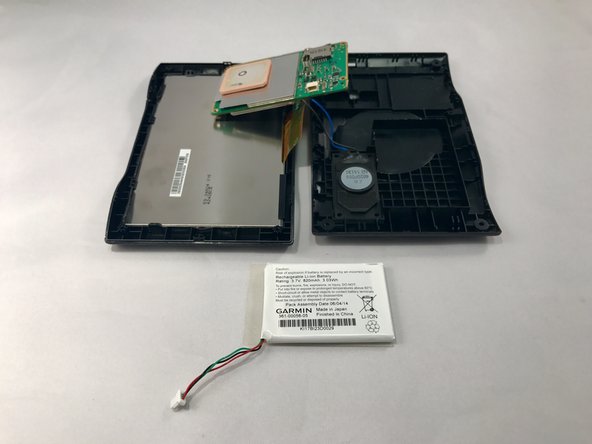
    5. Garmin Nuvi 42LM Battery Replacement: crwdns2935265:05crwdnd2935265:01crwdnd2935265:02crwdne2935265:0 Garmin Nuvi 42LM Battery Replacement: crwdns2935265:05crwdnd2935265:02crwdnd2935265:02crwdne2935265:0
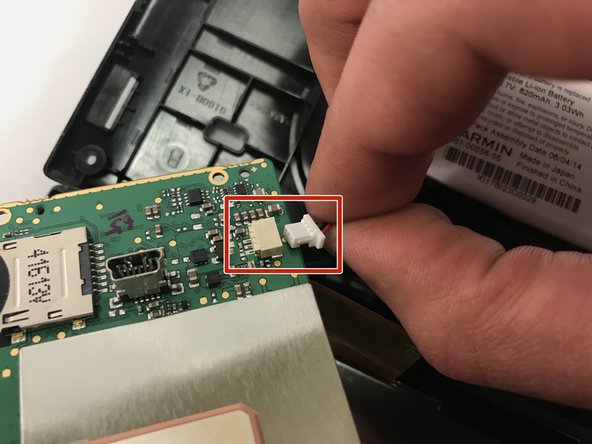
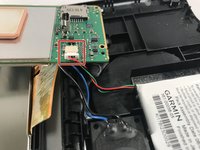
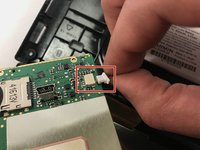
      • Gently unplug the red, green, and black bundled cable to remove the battery.

      crwdns2952109:0crwdne2952109:0

      crwdns2917038:0crwdne2917038:0

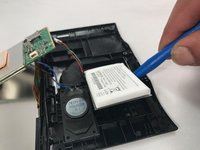
    6. Garmin Nuvi 42LM Battery Replacement: crwdns2935265:06crwdnd2935265:01crwdnd2935265:02crwdne2935265:0 Garmin Nuvi 42LM Battery Replacement: crwdns2935265:06crwdnd2935265:02crwdnd2935265:02crwdne2935265:0
      • Use blue plastic opening tool to carefully pry the battery from the GPS.

      • You might need to use additional force when prying because there is adhesive glue on the back of the battery.

      crwdns2952109:0crwdne2952109:0

      crwdns2917038:0crwdne2917038:0

crwdns2915888:0crwdne2915888:0

To reassemble your device, follow these instructions in reverse order.

crwdns2935221:0crwdne2935221:0

crwdns2935227:0crwdne2935227:0

Charlene Gray

crwdns2935283:001/18/17crwdne2935283:0

143 crwdns2915208:0crwdne2915208:0

crwdns2935295:0crwdne2935295:0

crwdns2935287:0crwdne2935287:0

Eastern Washington University, Team 2-1, Crane Winter 2017 crwdns2935289:0Eastern Washington University, Team 2-1, Crane Winter 2017crwdne2935289:0

EWU-CRANE-W17S2G1

crwdns2931471:04crwdne2931471:0

crwdns2935297:012crwdne2935297:0

crwdns2947410:01crwdne2947410:0

on my Nuvi 55-diconnected ribbon cable by accident. When I reconnect I get a white screen. How to get the terminals to line up correctly?

Mike - crwdns2934203:0crwdne2934203:0 crwdns2950251:0crwdne2950251:0

crwdns2917038:0crwdne2917038:0

crwdns2936625:0crwdne2936625:0:

crwdns2936751:024crwdne2936751:0 0

crwdns2936753:07crwdne2936753:0 10

crwdns2936753:030crwdne2936753:0 33

crwdns2942667:0crwdne2942667:0 1,755