
Garmin Drive 60LM Screen Replacement

crwdns2959932:0crwdnd2959932:0yuanhao zucrwdnd2959932:0crwdnd2959932:0crwdnd2959932:08crwdnd2959932:0crwdne2959932:0
crwdns2959936:0Huk 21, 2025crwdne2959936:0
crwdns2869540:0crwdne2869540:0: 1.4K
crwdns2959988:0crwdne2959988:0
- crwdns2959990:0crwdne2959990:0
- 1
- crwdns2959992:0crwdne2959992:0
- 19
- crwdns2959994:0crwdne2959994:0
- 81
- crwdns2959996:0crwdne2959996:0
- 1,401
crwdns2955950:0crwdne2955950:0: 0
crwdns2959998:0crwdne2959998:0
crwdns2960000:0crwdne2960000:0crwdns2959984:0crwdne2959984:0: 1 2
crwdns2959972:01crwdne2959972:0
crwdns2959970:02crwdne2959970:0
crwdns2959986:0crwdne2959986:0: 0 1
crwdns2959958:0crwdne2959958:0
crwdns2959976:01crwdne2959976:0
crwdns2869446:0crwdne2869446:0
crwdns2869447:0crwdne2869447:0
crwdns2915892:0crwdne2915892:0
crwdns2959928:0crwdne2959928:0 ↓To replace the screen in your device you will need a T4 Torx screwdriver, a metal spudger, a plastic spudger, and a replacement screen. Be sure to have a large workspace to avoid mishandling or damaging the device components.
crwdns2959930:0crwdne2959930:0


-
-
-
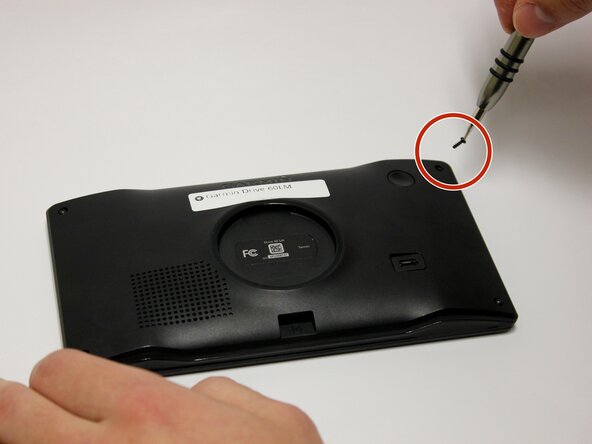
Use a T4 Torx screwdriver to remove the four 6.35mm screws that secure the rear case of the device.
 crwdns2952109:0crwdne2952109:0
-
-
-
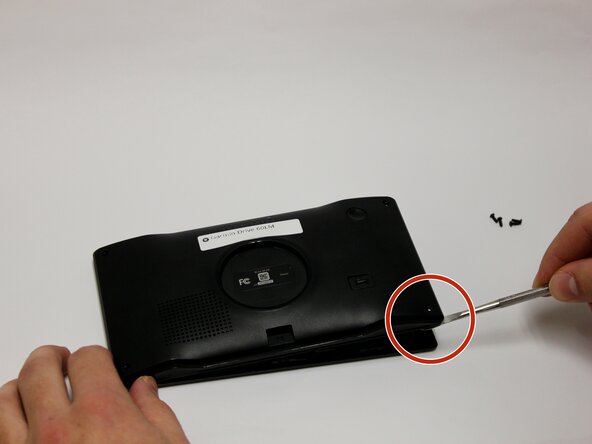
Remove the back panel using the metal spudger tool.
-
Flip the device over with the screen facing upward and open the device.
-
-
-
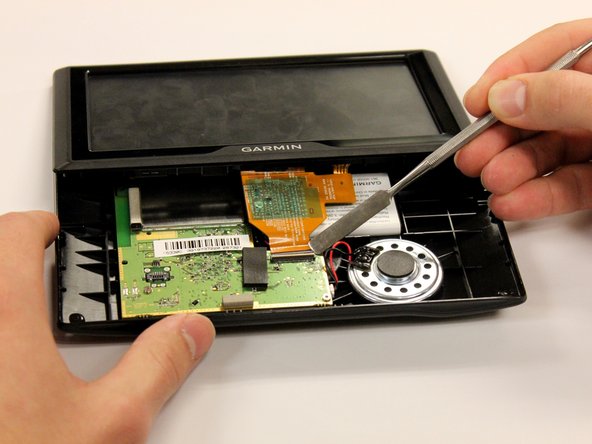
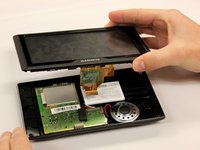
Use a plastic spudger to flip up the white clamp holding the orange ribbon in place to the motherboard.
-
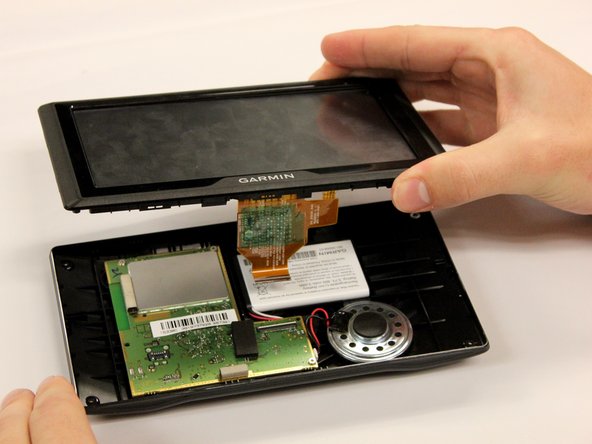
Lift the screen and orange ribbon away from the motherboard.
-
-
-
-
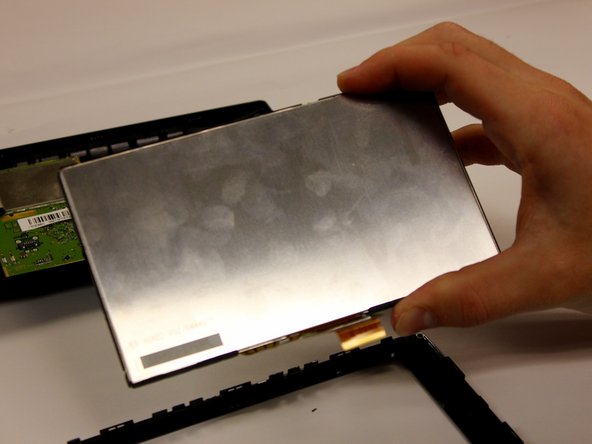
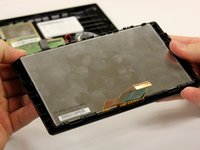
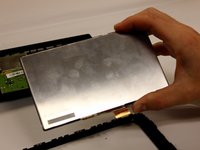
Carefully unsnap the plastic border surrounding the screen.
-
-






To reassemble your device, follow these instructions in reverse order.
crwdns2935221:0crwdne2935221:0
crwdns2935227:0crwdne2935227:0

crwdns2935287:0crwdne2935287:0

Baylor, Team 3-3, Whitney Spring 2017 crwdns2935289:0Baylor, Team 3-3, Whitney Spring 2017crwdne2935289:0
BU-WHITNEY-S17S3G3
crwdns2931471:04crwdne2931471:0
crwdns2935297:036crwdne2935297:0
