crwdns2933423:0crwdne2933423:0
crwdns2947577:0crwdnd2947577:0crwdne2947577:0

Fujtsu Lifebook Model A6110 Keyboard Replacement

crwdns2942213:0crwdne2942213:0

    1. Fujtsu Lifebook Model A6110 Keyboard Replacement, Battery: crwdns2935265:01crwdnd2935265:01crwdnd2935265:02crwdne2935265:0 Fujtsu Lifebook Model A6110 Keyboard Replacement, Battery: crwdns2935265:01crwdnd2935265:02crwdnd2935265:02crwdne2935265:0
      • The computer should be fully turned off and disconnected from the power source.

      • Before handling electronic components, you should ground yourself. This will prevent damage to the components from a static charge. You can do this by touching any metal object.

      • Flip your laptop so that the bottom of the laptop is facing up and the hinges of the screen are closest to you.

      crwdns2952109:0crwdne2952109:0

      crwdns2917038:0crwdne2917038:0

    2. Fujtsu Lifebook Model A6110 Keyboard Replacement: crwdns2935265:02crwdnd2935265:01crwdnd2935265:01crwdne2935265:0
      • To remove the battery, place your fingers underneath the two clips and simultaneously lift them up while pulling the cover towards you.

      crwdns2952109:0crwdne2952109:0

      crwdns2917038:0crwdne2917038:0

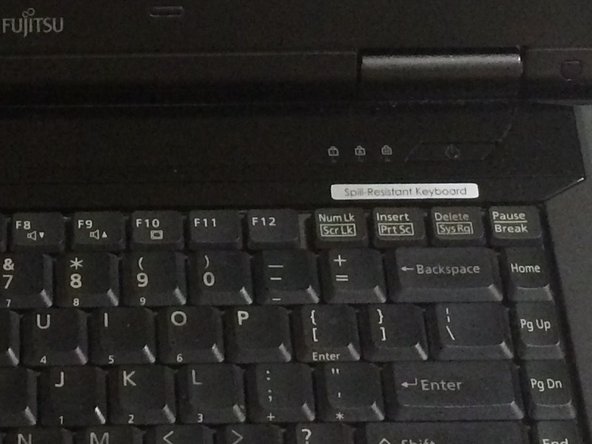
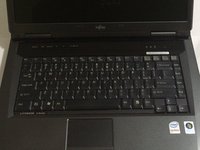
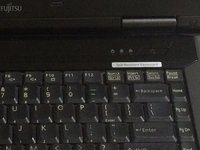
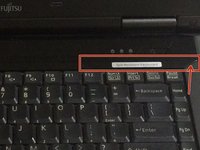
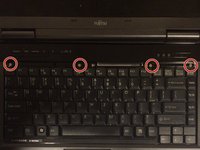
    1. Fujtsu Lifebook Model A6110 Keyboard Replacement, Keyboard: crwdns2935265:03crwdnd2935265:01crwdnd2935265:03crwdne2935265:0 Fujtsu Lifebook Model A6110 Keyboard Replacement, Keyboard: crwdns2935265:03crwdnd2935265:02crwdnd2935265:03crwdne2935265:0 Fujtsu Lifebook Model A6110 Keyboard Replacement, Keyboard: crwdns2935265:03crwdnd2935265:03crwdnd2935265:03crwdne2935265:0
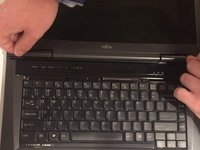
      • Position the laptop like you would if you were to use it. Open the screen to a 180 degrees angle. The screen and the keyboard needs to face up before proceeding.

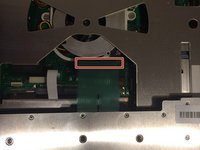
      • Using a flat edge of the plastic spudger, gently lift the piece of plastic located in the red square. Carefully insert the spudger between the inner edge marked by the arrow.

      crwdns2952109:0crwdne2952109:0

      crwdns2917038:0crwdne2917038:0

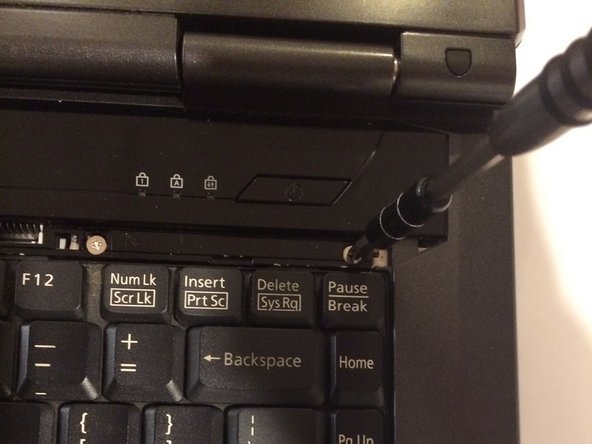
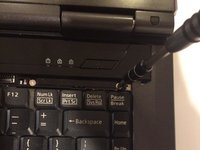
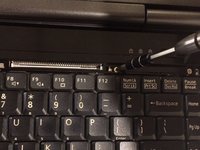
    2. Fujtsu Lifebook Model A6110 Keyboard Replacement: crwdns2935265:04crwdnd2935265:01crwdnd2935265:03crwdne2935265:0 Fujtsu Lifebook Model A6110 Keyboard Replacement: crwdns2935265:04crwdnd2935265:02crwdnd2935265:03crwdne2935265:0 Fujtsu Lifebook Model A6110 Keyboard Replacement: crwdns2935265:04crwdnd2935265:03crwdnd2935265:03crwdne2935265:0
      • With a Phillips #1 screwdriver, unscrew the four-six mm screws that were hidden under the plastic piece you removed.

      crwdns2952109:0crwdne2952109:0

      crwdns2917038:0crwdne2917038:0

    3. Fujtsu Lifebook Model A6110 Keyboard Replacement: crwdns2935265:05crwdnd2935265:01crwdnd2935265:03crwdne2935265:0 Fujtsu Lifebook Model A6110 Keyboard Replacement: crwdns2935265:05crwdnd2935265:02crwdnd2935265:03crwdne2935265:0 Fujtsu Lifebook Model A6110 Keyboard Replacement: crwdns2935265:05crwdnd2935265:03crwdnd2935265:03crwdne2935265:0
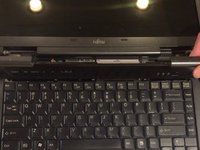
      • Lift up on the inner edges of the hinges for the screen. This will detach the face-plate from the computer. Use a spudger to make this process easier.

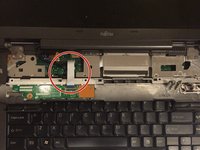
      • There is a ribbon underneath this panel that attaches to the motherboard. Be careful to not rip this ribbon.

      • The ribbon is located in the top left-hand corner and needs to carefully disconnected from the motherboard, as shown in the next step.

      crwdns2952109:0crwdne2952109:0

      crwdns2917038:0crwdne2917038:0

    4. Fujtsu Lifebook Model A6110 Keyboard Replacement: crwdns2935265:06crwdnd2935265:01crwdnd2935265:02crwdne2935265:0 Fujtsu Lifebook Model A6110 Keyboard Replacement: crwdns2935265:06crwdnd2935265:02crwdnd2935265:02crwdne2935265:0
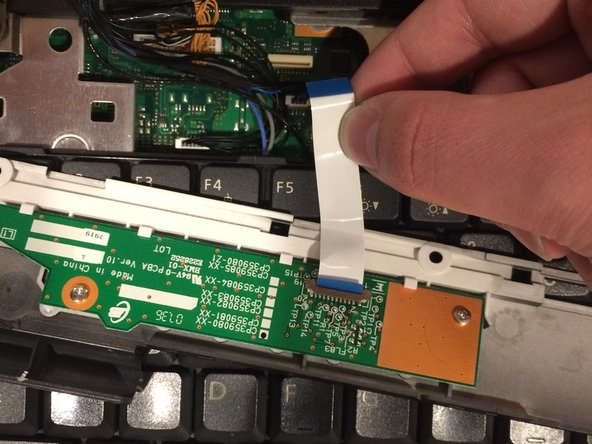
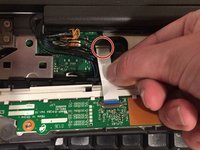
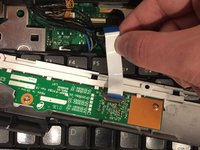
      • Detach the ribbon from the motherboard, which will allow you to finish removing the face-plate from the computer.

      • To detach the ribbon, grip the ribbon at the base that is attached to the motherboard, which is the large green circuit-board in the body of the computer.

      • When reassembling the computer, make sure to reconnect the ribbons.

      crwdns2952109:0crwdne2952109:0

      crwdns2917038:0crwdne2917038:0

    5. Fujtsu Lifebook Model A6110 Keyboard Replacement: crwdns2935265:07crwdnd2935265:01crwdnd2935265:02crwdne2935265:0 Fujtsu Lifebook Model A6110 Keyboard Replacement: crwdns2935265:07crwdnd2935265:02crwdnd2935265:02crwdne2935265:0
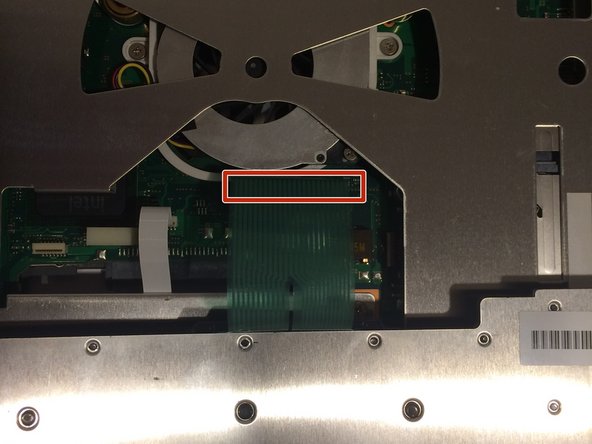
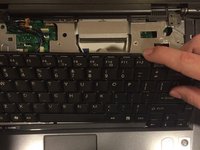
      • There is another ribbon connecting the keyboard to the motherboard. Be careful not to rip it

      • The keyboard is now free. Lift up on the keyboard.

      crwdns2952109:0crwdne2952109:0

      crwdns2917038:0crwdne2917038:0

    6. Fujtsu Lifebook Model A6110 Keyboard Replacement: crwdns2935265:08crwdnd2935265:01crwdnd2935265:01crwdne2935265:0
      • This ribbon may be difficult to remove, so be careful in pulling it. You could accidentally break it.

      • Detatch the ribbon from the motherboard

      • To detach the ribbon, grip the ribbon at the base that is attached to the motherboard, which is the large green circuit-board in the body of the computer.

      • When reassembling the computer, make sure to reconnect this ribbon.

      crwdns2952109:0crwdne2952109:0

      crwdns2917038:0crwdne2917038:0

crwdns2915888:0crwdne2915888:0

To reassemble your device, follow these instructions in reverse order.

crwdns2935221:0crwdne2935221:0

crwdns2935227:0crwdne2935227:0

Cody Moniz

crwdns2935283:010/19/16crwdne2935283:0

422 crwdns2915208:0crwdne2915208:0

crwdns2935297:04crwdne2935297:0

crwdns2935287:0crwdne2935287:0

UMass Dartmouth, Team 3-2, Isaacson Fall 2016 crwdns2935289:0UMass Dartmouth, Team 3-2, Isaacson Fall 2016crwdne2935289:0

UMASSD-ISAACSON-F16S3G2

crwdns2931471:03crwdne2931471:0

crwdns2935297:060crwdne2935297:0

crwdns2947412:00crwdne2947412:0

crwdns2917038:0crwdne2917038:0

crwdns2936625:0crwdne2936625:0:

crwdns2936751:024crwdne2936751:0 7

crwdns2936753:07crwdne2936753:0 33

crwdns2936753:030crwdne2936753:0 59

crwdns2942667:0crwdne2942667:0 1,124