crwdns2933423:0crwdne2933423:0
crwdns2947577:0crwdnd2947577:0crwdne2947577:0

Fujitsu LifeBook N3510 RAM Replacement

crwdns2869540:0crwdne2869540:0: 3.7K

crwdns2959988:0crwdne2959988:0

crwdns2959990:0crwdne2959990:0
6
crwdns2959992:0crwdne2959992:0
18
crwdns2959994:0crwdne2959994:0
89
crwdns2959996:0crwdne2959996:0
3,695
crwdns2955950:0crwdne2955950:0: 0

crwdns2959998:0crwdne2959998:0

crwdns2960000:0crwdne2960000:0
crwdns2959984:0crwdne2959984:0: 3

crwdns2959974:03crwdne2959974:0

crwdns2959986:0crwdne2959986:0: 1

crwdns2959980:01crwdne2959980:0

crwdns2955944:0crwdne2955944:0: crwdns2931287:05crwdne2931287:0
crwdns2955970:0crwdne2955970:0: crwdns2937799:0crwdne2937799:0
Fujitsu LifeBook N3510 RAM Replacement

crwdns2915892:0crwdne2915892:0

crwdns2959928:0crwdne2959928:0 ↓

Accessing the RAM in this computer is straightforward and requires minimal disassembly.

crwdns2959930:0crwdne2959930:0

crwdns2943215:0crwdne2943215:0

    1. Fujitsu LifeBook N3510 RAM Replacement, Battery: crwdns2935265:01crwdnd2935265:01crwdnd2935265:01crwdne2935265:0
      • Locate the two clips on the bottom of the computer that support the battery.

      crwdns2952109:0crwdne2952109:0

      crwdns2917038:0crwdne2917038:0

    2. Fujitsu LifeBook N3510 RAM Replacement: crwdns2935265:02crwdnd2935265:01crwdnd2935265:01crwdne2935265:0
      • Using your fingers, push the clips inward and then upward.

      • Lift the battery out of the computer.

      crwdns2952109:0crwdne2952109:0

      crwdns2917038:0crwdne2917038:0

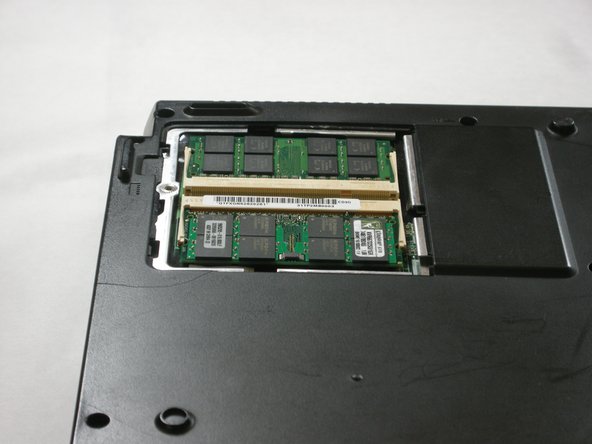
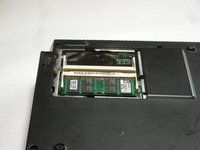
    1. Fujitsu LifeBook N3510 RAM Replacement, RAM: crwdns2935265:03crwdnd2935265:01crwdnd2935265:01crwdne2935265:0
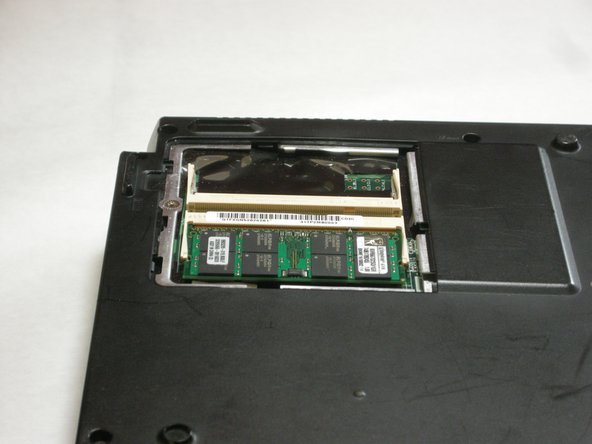
      • Locate the RAM cover.

      crwdns2952109:0crwdne2952109:0

      crwdns2917038:0crwdne2917038:0

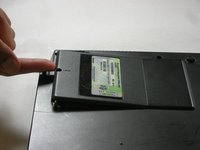
    2. Fujitsu LifeBook N3510 RAM Replacement: crwdns2935265:04crwdnd2935265:01crwdnd2935265:01crwdne2935265:0
      • Remove the screw labeled “3.”

      • The screw is not shown in the picture.

      crwdns2952109:0crwdne2952109:0

      crwdns2917038:0crwdne2917038:0

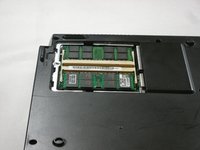
    3. Fujitsu LifeBook N3510 RAM Replacement: crwdns2935265:05crwdnd2935265:01crwdnd2935265:02crwdne2935265:0 Fujitsu LifeBook N3510 RAM Replacement: crwdns2935265:05crwdnd2935265:02crwdnd2935265:02crwdne2935265:0
      • Remove the RAM cover by lifting it with your finger.

      crwdns2952109:0crwdne2952109:0

      crwdns2917038:0crwdne2917038:0

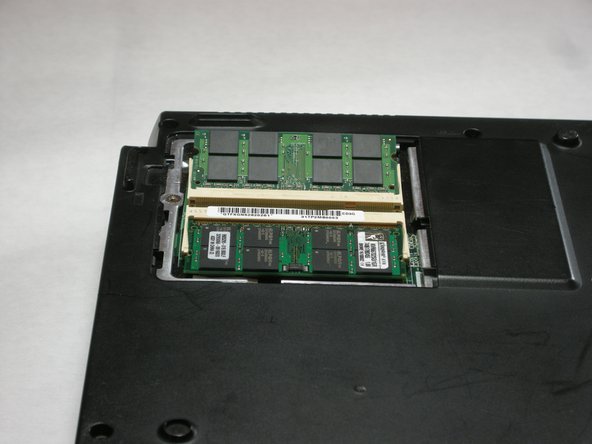
    4. Fujitsu LifeBook N3510 RAM Replacement: crwdns2935265:06crwdnd2935265:01crwdnd2935265:02crwdne2935265:0 Fujitsu LifeBook N3510 RAM Replacement: crwdns2935265:06crwdnd2935265:02crwdnd2935265:02crwdne2935265:0
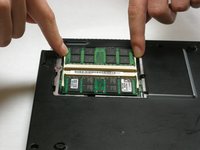
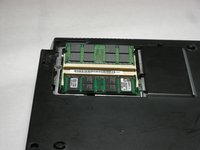
      • Remove the RAM module by pushing the securing clips outward.

      • The RAM module will then slightly pop out.

      • When you are installing a new RAM module, carefully insert it into the socket and push downwards.

      crwdns2952109:0crwdne2952109:0

      crwdns2917038:0crwdne2917038:0

    5. Fujitsu LifeBook N3510 RAM Replacement: crwdns2935265:07crwdnd2935265:01crwdnd2935265:02crwdne2935265:0 Fujitsu LifeBook N3510 RAM Replacement: crwdns2935265:07crwdnd2935265:02crwdnd2935265:02crwdne2935265:0
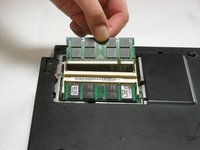
      • Carefully pull the RAM module from the computer.

      crwdns2952109:0crwdne2952109:0

      crwdns2917038:0crwdne2917038:0

crwdns2915888:0crwdne2915888:0

To reassemble your device, follow these instructions in reverse order.

crwdns2935221:0crwdne2935221:0

crwdns2935229:03crwdne2935229:0

crwdns2862417:0crwdne2862417:0

crwdns2935293:0crwdne2935293:0

Neil Daniels

crwdns2935283:001/17/11crwdne2935283:0

1,411 crwdns2915208:0crwdne2915208:0

crwdns2935297:011crwdne2935297:0

crwdns2935287:0crwdne2935287:0

Cal Poly, Team 5-18, Amido Winter 2011 crwdns2935289:0Cal Poly, Team 5-18, Amido Winter 2011crwdne2935289:0

CPSU-AMIDO-W11S5G18

crwdns2931471:03crwdne2931471:0

crwdns2935297:0132crwdne2935297:0

crwdns2947412:00crwdne2947412:0

crwdns2917038:0crwdne2917038:0

crwdns2936625:0crwdne2936625:0:

crwdns2936751:024crwdne2936751:0 6

crwdns2936753:07crwdne2936753:0 18

crwdns2936753:030crwdne2936753:0 89

crwdns2959996:0crwdne2959996:0 3,695