
Fujitsu LifeBook N3510 Hard Drive Replacement

crwdns2959932:0crwdnd2959932:0Neil Danielscrwdnd2959932:0crwdnd2959932:0crwdne2959932:0
crwdns2959936:0Yan 10, 2020crwdne2959936:0
crwdns2869540:0crwdne2869540:0: 11 тыс.
crwdns2959988:0crwdne2959988:0
- crwdns2959990:0crwdne2959990:0
- 1
- crwdns2959992:0crwdne2959992:0
- 23
- crwdns2959994:0crwdne2959994:0
- 102
- crwdns2959996:0crwdne2959996:0
- 11 055
crwdns2955950:0crwdne2955950:0: 0
crwdns2959998:0crwdne2959998:0
crwdns2960000:0crwdne2960000:0crwdns2959984:0crwdne2959984:0: 4 5
crwdns2959974:04crwdne2959974:0
crwdns2959970:05crwdne2959970:0
crwdns2959986:0crwdne2959986:0: 0 1
crwdns2959958:0crwdne2959958:0
crwdns2959976:01crwdne2959976:0
crwdns2915892:0crwdne2915892:0
crwdns2959928:0crwdne2959928:0 ↓You can install a new hard drive in your computer.
crwdns2959930:0crwdne2959930:0
crwdns2943215:0crwdne2943215:0
-
Spudger4.9
-


-
-
-
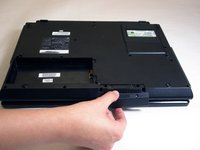
Locate the two clips on the bottom of the computer that support the battery.
 crwdns2952109:0crwdne2952109:0
-
-
-
Using your fingers, push the clips inward and then upward.
-
Lift the battery out of the computer.
-
-
-
-
-
-
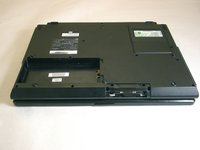
Remove the two screws securing the hard drive access cover.
-
-
-
Remove hard drive access cover.
-
-
-
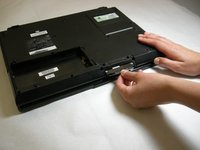
Grasp hard drive sleeve tab and pull out.
-
-
-
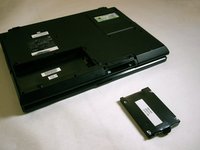
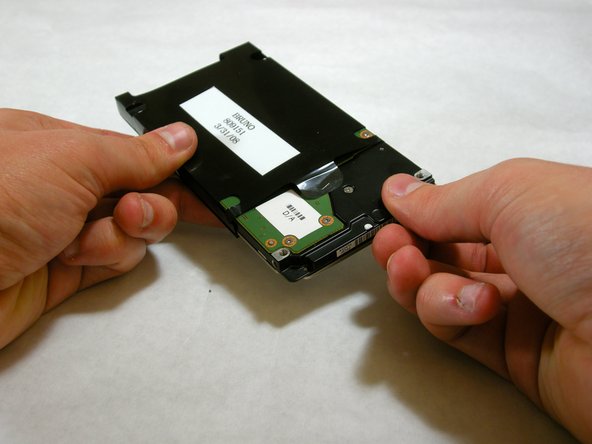
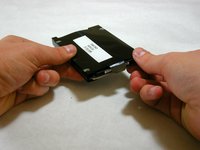
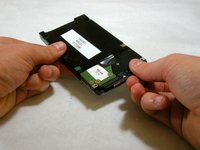
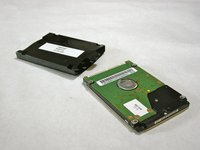
Remove hard drive from plastic sleeve.
-
-






To reassemble your device, follow these instructions in reverse order.
crwdns2935221:0crwdne2935221:0
crwdns2935229:04crwdne2935229:0

crwdns2935287:0crwdne2935287:0

Cal Poly, Team 5-18, Amido Winter 2011 crwdns2935289:0Cal Poly, Team 5-18, Amido Winter 2011crwdne2935289:0
CPSU-AMIDO-W11S5G18
crwdns2931471:03crwdne2931471:0
crwdns2935297:0132crwdne2935297:0
