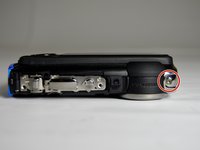
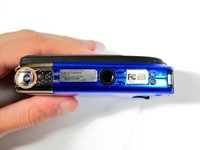
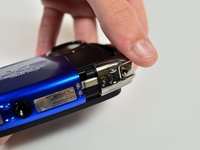
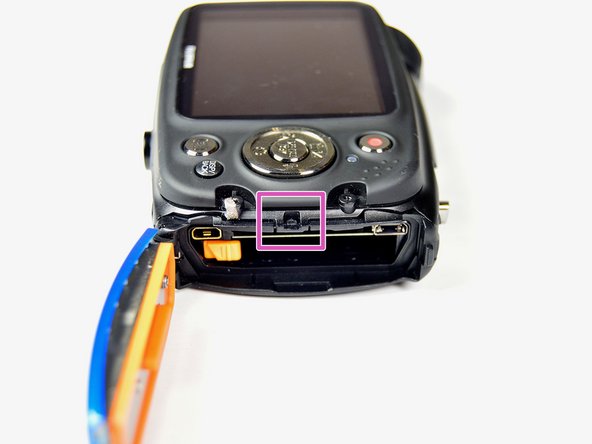
crwdns2933423:0crwdne2933423:0
crwdns2947577:0crwdnd2947577:0crwdne2947577:0

FujiFilm FinePix XP50 Motherboard Replacement

crwdns2942213:0crwdne2942213:0

    1. FujiFilm FinePix XP50 Motherboard  Replacement, Rear Case: crwdns2935265:01crwdnd2935265:01crwdnd2935265:03crwdne2935265:0 FujiFilm FinePix XP50 Motherboard  Replacement, Rear Case: crwdns2935265:01crwdnd2935265:02crwdnd2935265:03crwdne2935265:0 FujiFilm FinePix XP50 Motherboard  Replacement, Rear Case: crwdns2935265:01crwdnd2935265:03crwdnd2935265:03crwdne2935265:0
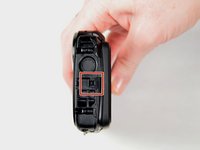
      • Using 1.5mm Hex Screwdriver, remove two 3.0 mm hex screws on the front of the camera.

      • Using Phillips #00 screwdriver, remove two 3.0 mm screws on the bottom of the front face.

      crwdns2952109:0crwdne2952109:0

      crwdns2917038:0crwdne2917038:0

    2. FujiFilm FinePix XP50 Motherboard  Replacement: crwdns2935265:02crwdnd2935265:01crwdnd2935265:03crwdne2935265:0 FujiFilm FinePix XP50 Motherboard  Replacement: crwdns2935265:02crwdnd2935265:02crwdnd2935265:03crwdne2935265:0 FujiFilm FinePix XP50 Motherboard  Replacement: crwdns2935265:02crwdnd2935265:03crwdnd2935265:03crwdne2935265:0
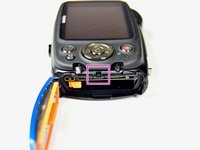
      • Using Phillips #00 screwdriver, remove 3.0 mm screws on the bottom of the camera closer to the back.

      • Using Phillips #00 screwdriver remove two 3.0 mm screws on the back of the camera. This will remove the eyelet for the camera strap and the rear cover.

      crwdns2952109:0crwdne2952109:0

      crwdns2917038:0crwdne2917038:0

    3. FujiFilm FinePix XP50 Motherboard  Replacement: crwdns2935265:03crwdnd2935265:01crwdnd2935265:01crwdne2935265:0
      • Using Phillips #00 screwdriver, remove the two 3.0 mm screws.

      crwdns2952109:0crwdne2952109:0

      crwdns2917038:0crwdne2917038:0

    4. FujiFilm FinePix XP50 Motherboard  Replacement: crwdns2935265:04crwdnd2935265:01crwdnd2935265:03crwdne2935265:0 FujiFilm FinePix XP50 Motherboard  Replacement: crwdns2935265:04crwdnd2935265:02crwdnd2935265:03crwdne2935265:0 FujiFilm FinePix XP50 Motherboard  Replacement: crwdns2935265:04crwdnd2935265:03crwdnd2935265:03crwdne2935265:0
      • Using 1.5mm Hex screwdriver, remove 3.0 mm hex screw on top edge of silver panel.

      • Using Phillips #00 screwdriver, remove 3.0 mm screw on bottom edge.

      • Once both screws are removed the silver side casing will slide off.

      crwdns2952109:0crwdne2952109:0

      crwdns2917038:0crwdne2917038:0

    5. FujiFilm FinePix XP50 Motherboard  Replacement: crwdns2935265:05crwdnd2935265:01crwdnd2935265:03crwdne2935265:0 FujiFilm FinePix XP50 Motherboard  Replacement: crwdns2935265:05crwdnd2935265:02crwdnd2935265:03crwdne2935265:0 FujiFilm FinePix XP50 Motherboard  Replacement: crwdns2935265:05crwdnd2935265:03crwdnd2935265:03crwdne2935265:0
      crwdns2952109:0crwdne2952109:0

      crwdns2917038:0crwdne2917038:0

    6. FujiFilm FinePix XP50 Motherboard  Replacement: crwdns2935265:06crwdnd2935265:01crwdnd2935265:03crwdne2935265:0 FujiFilm FinePix XP50 Motherboard  Replacement: crwdns2935265:06crwdnd2935265:02crwdnd2935265:03crwdne2935265:0 FujiFilm FinePix XP50 Motherboard  Replacement: crwdns2935265:06crwdnd2935265:03crwdnd2935265:03crwdne2935265:0
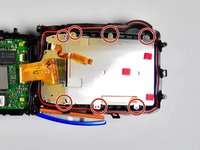
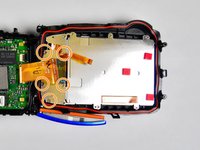
      • Using Phillips #00 screwdriver, remove seven 3.0 mm screws.

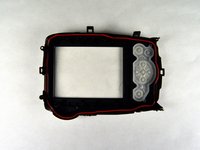
      • Remove the remaining five 3.0 mm screws which hold the rear case and the control panel together.

      • The rear panel is now free from the camera.

      crwdns2952109:0crwdne2952109:0

      crwdns2917038:0crwdne2917038:0

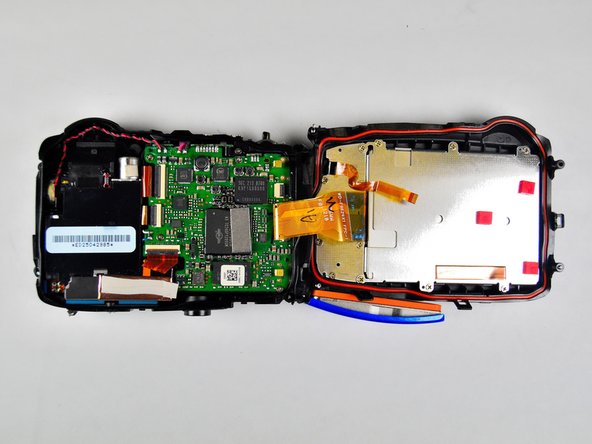
    1. FujiFilm FinePix XP50 Motherboard  Replacement, Motherboard: crwdns2935265:07crwdnd2935265:01crwdnd2935265:01crwdne2935265:0
      • Using Phillips #00 screwdriver, remove four 3.0 mm screws holding motherboard in place.

      crwdns2952109:0crwdne2952109:0

      crwdns2917038:0crwdne2917038:0

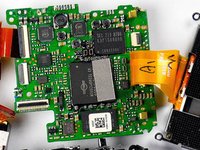
    2. FujiFilm FinePix XP50 Motherboard  Replacement: crwdns2935265:08crwdnd2935265:01crwdnd2935265:01crwdne2935265:0
      • Insert the spudger in between the side case pannel and the motherboard.

      • Move the spudger in an upward motion to pry the motherboard out of the plastic housing. Work all the way around the motherboard until the motherboard is free.

      crwdns2952109:0crwdne2952109:0

      crwdns2917038:0crwdne2917038:0

    3. FujiFilm FinePix XP50 Motherboard  Replacement: crwdns2935265:09crwdnd2935265:01crwdnd2935265:02crwdne2935265:0 FujiFilm FinePix XP50 Motherboard  Replacement: crwdns2935265:09crwdnd2935265:02crwdnd2935265:02crwdne2935265:0
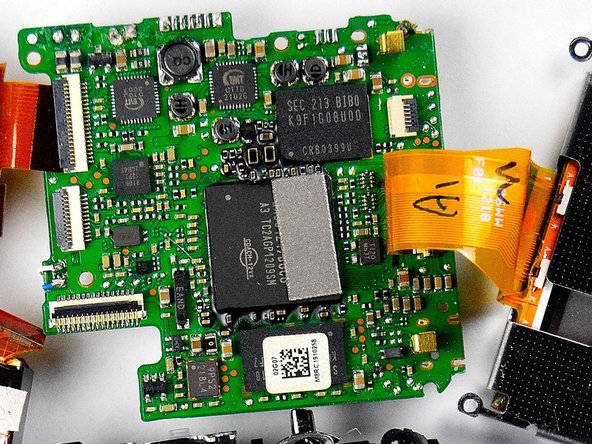
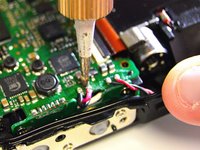
      • There are four wires that are soldered to the motherboard. Detach these wires from the motherboard by desoldering them.This will free the motherboard.

      • For instructions on desoldering see How To Solder and Desolder Connections

      crwdns2952109:0crwdne2952109:0

      crwdns2917038:0crwdne2917038:0

crwdns2915888:0crwdne2915888:0

To reassemble your device, follow these instructions in reverse order.

crwdns2935221:0crwdne2935221:0

crwdns2935229:02crwdne2935229:0

Catherine Daniel

crwdns2935283:003/20/15crwdne2935283:0

396 crwdns2915208:0crwdne2915208:0

crwdns2935297:03crwdne2935297:0

crwdns2935287:0crwdne2935287:0

Baylor, Team 2-4, Grigsby Spring 2015 crwdns2935289:0Baylor, Team 2-4, Grigsby Spring 2015crwdne2935289:0

BU-GRIGSBY-S15S2G4

crwdns2931471:04crwdne2931471:0

crwdns2935297:08crwdne2935297:0

crwdns2947412:00crwdne2947412:0

crwdns2917038:0crwdne2917038:0

crwdns2936625:0crwdne2936625:0:

crwdns2936751:024crwdne2936751:0 1

crwdns2936753:07crwdne2936753:0 4

crwdns2936753:030crwdne2936753:0 18

crwdns2942667:0crwdne2942667:0 1,917