crwdns2933423:0crwdne2933423:0
crwdns2947577:0crwdnd2947577:0crwdne2947577:0

Fugoo Style XL Motherboard Replacement

crwdns2942213:0crwdne2942213:0

    1. Fugoo Style XL Motherboard Replacement, Fabric Case: crwdns2935265:01crwdnd2935265:01crwdnd2935265:02crwdne2935265:0 Fugoo Style XL Motherboard Replacement, Fabric Case: crwdns2935265:01crwdnd2935265:02crwdnd2935265:02crwdne2935265:0
      • Using your hand, unscrew the large screws underneath the speaker.

      crwdns2952109:0crwdne2952109:0

      crwdns2917038:0crwdne2917038:0

    2. Fugoo Style XL Motherboard Replacement: crwdns2935265:02crwdnd2935265:01crwdnd2935265:03crwdne2935265:0 Fugoo Style XL Motherboard Replacement: crwdns2935265:02crwdnd2935265:02crwdnd2935265:03crwdne2935265:0 Fugoo Style XL Motherboard Replacement: crwdns2935265:02crwdnd2935265:03crwdnd2935265:03crwdne2935265:0
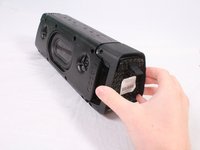
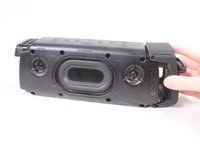
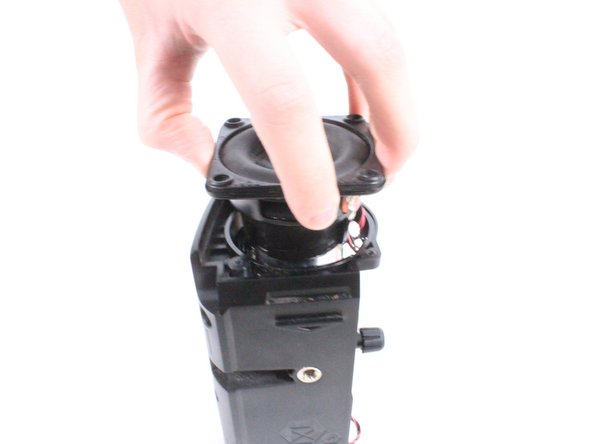
      • Using your hand, gently lift the large plastic tab secured to the rubber holding.

      • After lifting the tab, slide the speaker out of its case.

      • Ensure the tab is lifted only slightly above the rubber holding. Bending the plastic tab too far could result in damage to the case.

      crwdns2952109:0crwdne2952109:0

      crwdns2917038:0crwdne2917038:0

    1. Fugoo Style XL Motherboard Replacement, Motherboard: crwdns2935265:03crwdnd2935265:01crwdnd2935265:02crwdne2935265:0 Fugoo Style XL Motherboard Replacement, Motherboard: crwdns2935265:03crwdnd2935265:02crwdnd2935265:02crwdne2935265:0
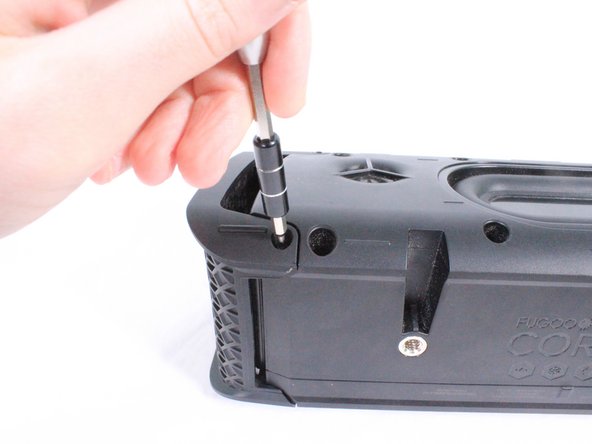
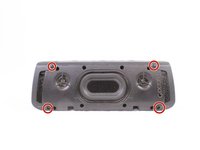
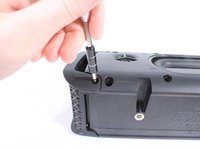
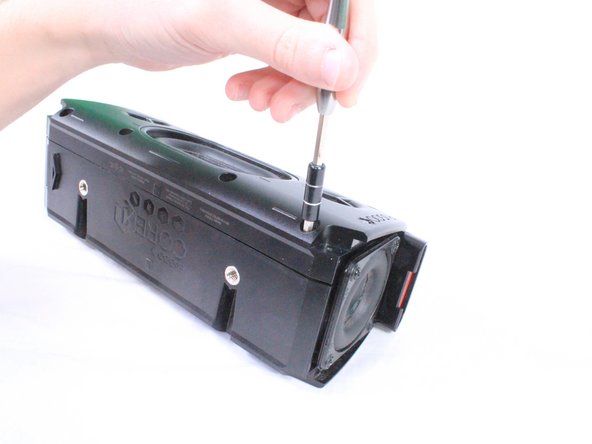
      • Remove the 8 screws (4 on each side) that hold the covers that conceal the bass speakers. Remove these 3mm screws using a #2.0 Hex screwdriver.

      crwdns2952109:0crwdne2952109:0

      crwdns2917038:0crwdne2917038:0

    2. Fugoo Style XL Motherboard Replacement: crwdns2935265:04crwdnd2935265:01crwdnd2935265:02crwdne2935265:0 Fugoo Style XL Motherboard Replacement: crwdns2935265:04crwdnd2935265:02crwdnd2935265:02crwdne2935265:0
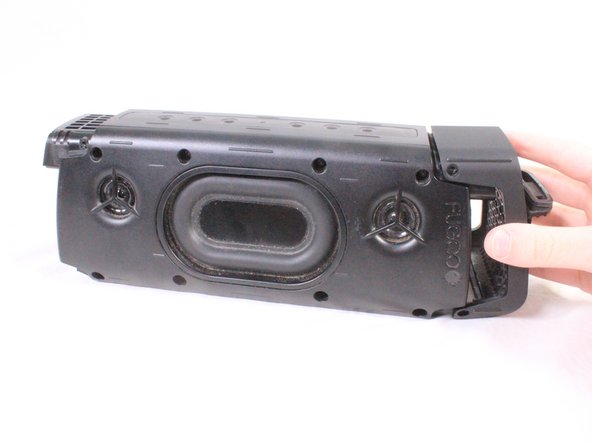
      • Using your hand, pull the covers away from the speaker.

      crwdns2952109:0crwdne2952109:0

      crwdns2917038:0crwdne2917038:0

    3. Fugoo Style XL Motherboard Replacement: crwdns2935265:05crwdnd2935265:01crwdnd2935265:02crwdne2935265:0 Fugoo Style XL Motherboard Replacement: crwdns2935265:05crwdnd2935265:02crwdnd2935265:02crwdne2935265:0
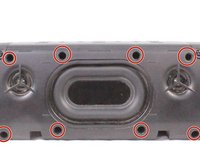
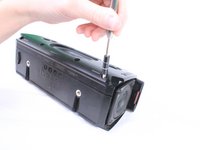
      • Use a #2.0 Hex screwdriver to unscrew the 8 screws shown in the image.

      crwdns2952109:0crwdne2952109:0

      crwdns2917038:0crwdne2917038:0

    4. Fugoo Style XL Motherboard Replacement: crwdns2935265:06crwdnd2935265:01crwdnd2935265:02crwdne2935265:0 Fugoo Style XL Motherboard Replacement: crwdns2935265:06crwdnd2935265:02crwdnd2935265:02crwdne2935265:0
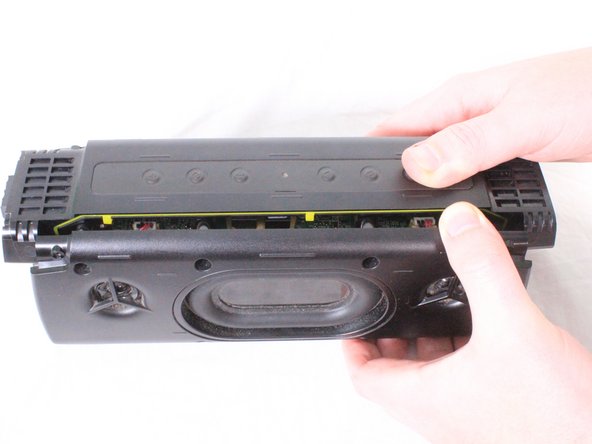
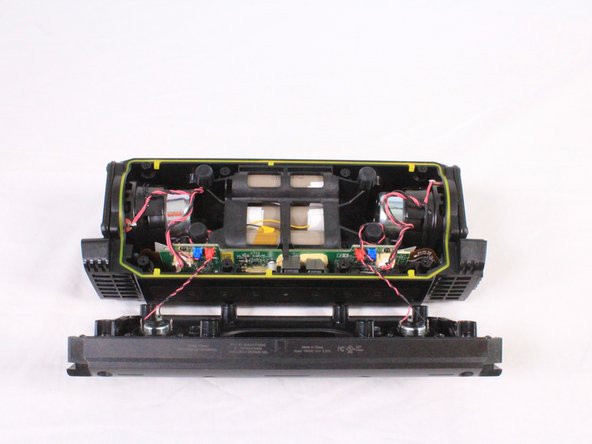
      • Gently pull apart the front casing from the back casing.

      • Speakers on the front casing have wires directly connected to the motherboard. Pulling off the casing with force will result in damage.

      crwdns2952109:0crwdne2952109:0

      crwdns2917038:0crwdne2917038:0

    5. Fugoo Style XL Motherboard Replacement: crwdns2935265:07crwdnd2935265:01crwdnd2935265:02crwdne2935265:0 Fugoo Style XL Motherboard Replacement: crwdns2935265:07crwdnd2935265:02crwdnd2935265:02crwdne2935265:0
      crwdns2935267:0crwdne2935267:0
      Tweezers
      $4.99
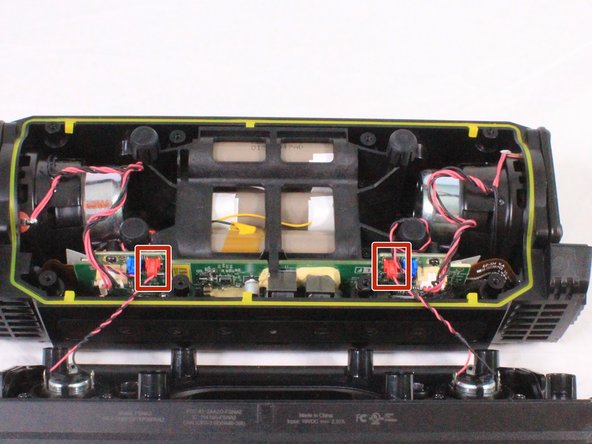
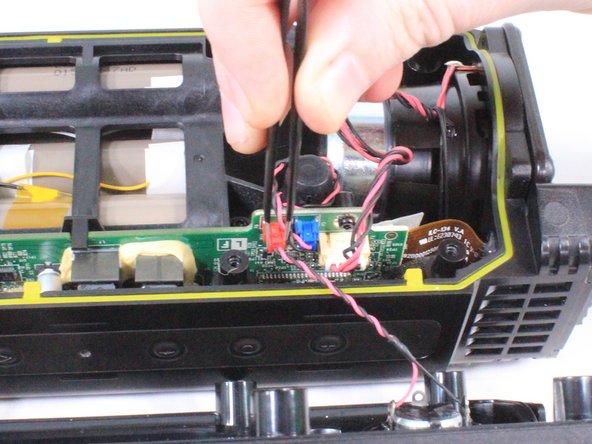
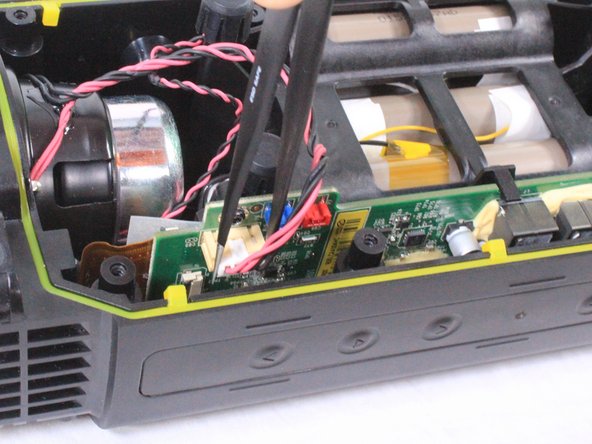
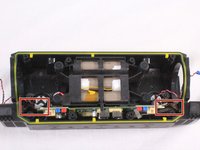
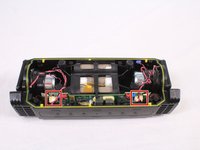
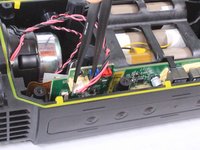
      • Using a pair of tweezers or your hand, carefully remove the red bundled cable connectors from the motherboard.

      • When the red bundled cable connectors are disconnected, set the outer casing aside.

      crwdns2952109:0crwdne2952109:0

      crwdns2917038:0crwdne2917038:0

    6. Fugoo Style XL Motherboard Replacement: crwdns2935265:08crwdnd2935265:01crwdnd2935265:02crwdne2935265:0 Fugoo Style XL Motherboard Replacement: crwdns2935265:08crwdnd2935265:02crwdnd2935265:02crwdne2935265:0
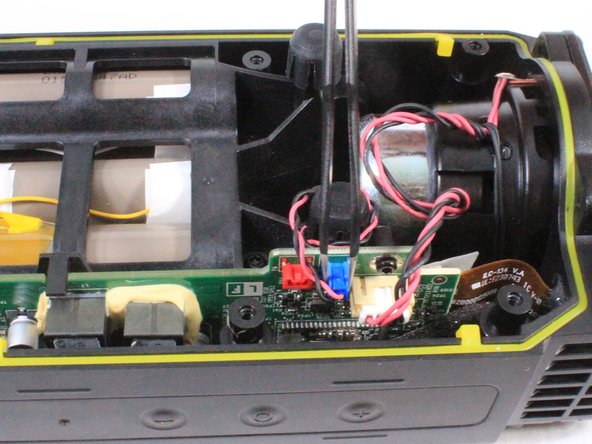
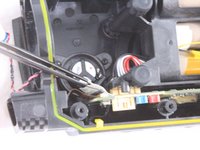
      • Untangle any blue bundled cable connectors and gently remove them from the motherboard using a pair of tweezers.

      crwdns2952109:0crwdne2952109:0

      crwdns2917038:0crwdne2917038:0

    7. Fugoo Style XL Motherboard Replacement: crwdns2935265:09crwdnd2935265:01crwdnd2935265:02crwdne2935265:0 Fugoo Style XL Motherboard Replacement: crwdns2935265:09crwdnd2935265:02crwdnd2935265:02crwdne2935265:0
      • Carefully untangle and remove the white bundled cable connectors from the motherboard.

      crwdns2952109:0crwdne2952109:0

      crwdns2917038:0crwdne2917038:0

    8. Fugoo Style XL Motherboard Replacement: crwdns2935265:010crwdnd2935265:01crwdnd2935265:02crwdne2935265:0 Fugoo Style XL Motherboard Replacement: crwdns2935265:010crwdnd2935265:02crwdnd2935265:02crwdne2935265:0
      • Using a T9 screwdriver, remove the 8 screws (4 on each speaker) surrounding the midwoofers.

      • Using your hand, carefully remove the midwoofers.

      crwdns2952109:0crwdne2952109:0

      crwdns2917038:0crwdne2917038:0

    9. Fugoo Style XL Motherboard Replacement: crwdns2935265:011crwdnd2935265:01crwdnd2935265:02crwdne2935265:0 Fugoo Style XL Motherboard Replacement: crwdns2935265:011crwdnd2935265:02crwdnd2935265:02crwdne2935265:0
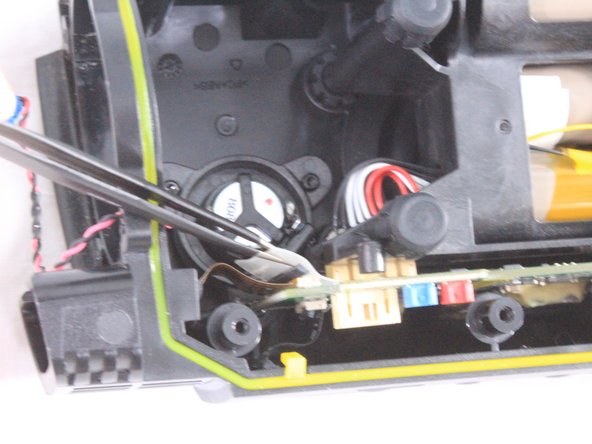
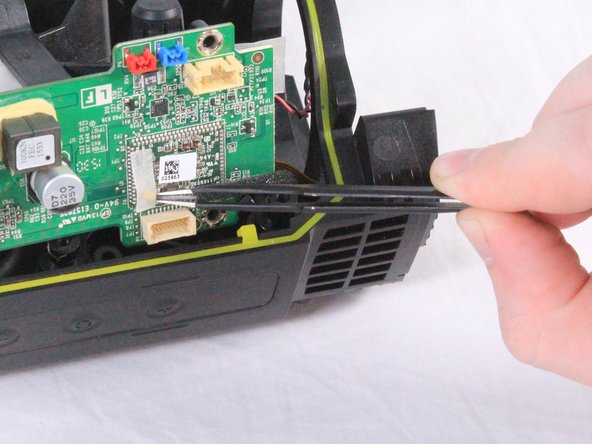
      • Using a pair of tweezers, lift the padded holding that secures the ZIF connector to the motherboard. The connector will release from the motherboard once the padding is lifted.

      • Do not pull on the cables themselves. Doing so can damage the cables. Always remove the ZIF connector by gently lifting the padding securing them to the motherboard.

      crwdns2952109:0crwdne2952109:0

      crwdns2917038:0crwdne2917038:0

    10. Fugoo Style XL Motherboard Replacement: crwdns2935265:012crwdnd2935265:01crwdnd2935265:02crwdne2935265:0 Fugoo Style XL Motherboard Replacement: crwdns2935265:012crwdnd2935265:02crwdnd2935265:02crwdne2935265:0
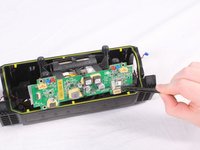
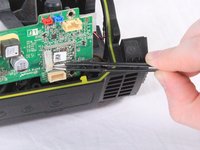
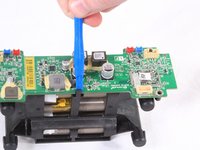
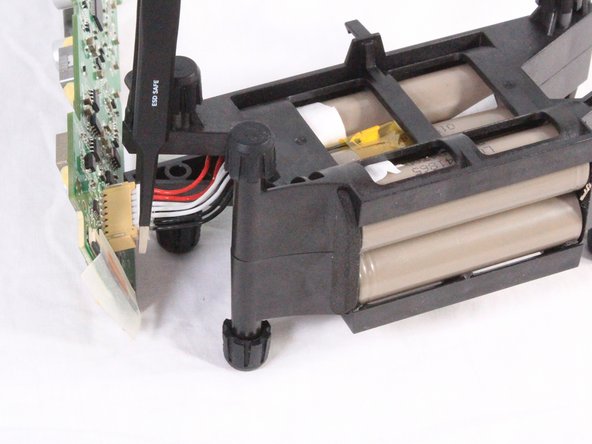
      • Carefully lift the battery and motherboard unit halfway out of the casing. The motherboard is connected to the battery directly.

      • There is a small coaxial cable connected underneath the motherboard. Using a pair of tweezers, carefully disconnect and remove the cable from under the adhesive tape.

      • When the cable is disconnected, fully remove the motherboard and battery unit.

      crwdns2952109:0crwdne2952109:0

      crwdns2917038:0crwdne2917038:0

    11. Fugoo Style XL Motherboard Replacement: crwdns2935265:013crwdnd2935265:01crwdnd2935265:02crwdne2935265:0 Fugoo Style XL Motherboard Replacement: crwdns2935265:013crwdnd2935265:02crwdnd2935265:02crwdne2935265:0
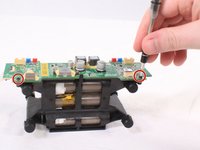
      • Remove the 3mm screws using a #2.0 Hex screwdriver. There are 4 of these screws (2 on each side) that connect the motherboard to the battery unit.

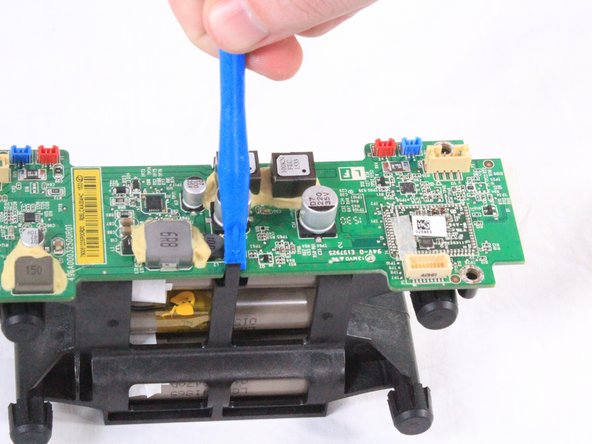
      • When the screws are removed, use an iFixit opening tool to remove the motherboard from the two clamps securing it to the battery pack.

      • Beware! The motherboard is not fully disconnected from the battery even when removed from the clamps.

      crwdns2952109:0crwdne2952109:0

      crwdns2917038:0crwdne2917038:0

    12. Fugoo Style XL Motherboard Replacement: crwdns2935265:014crwdnd2935265:01crwdnd2935265:02crwdne2935265:0 Fugoo Style XL Motherboard Replacement: crwdns2935265:014crwdnd2935265:02crwdnd2935265:02crwdne2935265:0
      • Using tweezers or your hand, carefully disconnect the bundled cables connecting the battery to the motherboard.

      crwdns2952109:0crwdne2952109:0

      crwdns2917038:0crwdne2917038:0

crwdns2915888:0crwdne2915888:0

To reassemble your device, follow these instructions in reverse order.

crwdns2935221:0crwdne2935221:0

crwdns2935227:0crwdne2935227:0

James Gifford

crwdns2935283:009/25/17crwdne2935283:0

573 crwdns2915208:0crwdne2915208:0

crwdns2935297:05crwdne2935297:0

crwdns2935287:0crwdne2935287:0

USF Tampa, Team S3-G4, Cannon Fall 2017 crwdns2935289:0USF Tampa, Team S3-G4, Cannon Fall 2017crwdne2935289:0

USFT-CANNON-F17S3G4

crwdns2931471:04crwdne2931471:0

crwdns2935297:060crwdne2935297:0

crwdns2947412:03crwdne2947412:0

Where can I purchase a replacement mother board?

Vincent walcott - crwdns2934203:0crwdne2934203:0 crwdns2950251:0crwdne2950251:0
Are you allowed to tell us where you found a motherboard? I can not find one anywhere for my fugoo

Rhett Mccrady - crwdns2934203:0crwdne2934203:0 crwdns2950251:0crwdne2950251:0
A repair guy lost my charging board, is there a way I can bypass it? Or Where can I get a replacement?

David Langat - crwdns2934203:0crwdne2934203:0 crwdns2950251:0crwdne2950251:0

crwdns2917038:0crwdne2917038:0

crwdns2936625:0crwdne2936625:0:

crwdns2936751:024crwdne2936751:0 3

crwdns2936753:07crwdne2936753:0 18

crwdns2936753:030crwdne2936753:0 61

crwdns2942667:0crwdne2942667:0 1,143