crwdns2915892:0crwdne2915892:0
This guide will help you step by step in replacing your damaged vibrating motor. Note soldering will be required, please follow this wonderful guide for helpful tips. Soldering Connectors
crwdns2942213:0crwdne2942213:0
-
-
-
Locate the front LCD screen on your device.
 crwdns2952109:0crwdne2952109:0
-
-
-
Push the screen out through the back of the metal ring enclosure.
-
-
-
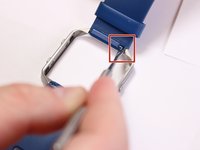
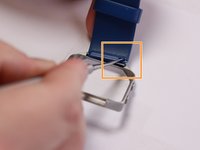
Locate the metal pin behind the wristband located on the edge of metal ring.
-
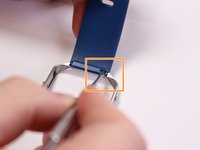
Insert the pointed end of the metal spudger into the pin hold and push it into the blue rectangle enclosure.
-
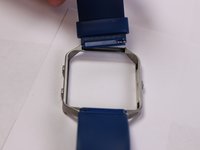
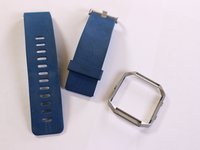
Remove wristband.
-
-
-
-
-
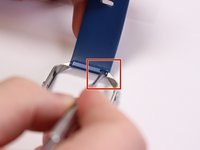
Locate the pin behind the second wristband located on the edge of metal ring.
-
Insert the pointed end of the metal spudger into the pin hold and push it into opposite direction.
-
Remove wristband.
-
-
-
-
-
-
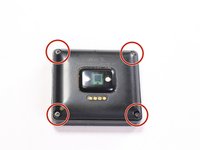
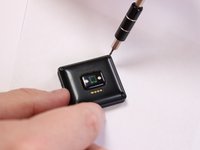
Place device screen face down and locate the four screws attaching the back cover.
-
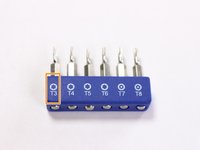
Use a T3 torx head or T3 torx screwdriver to remove the four screws.
-
-
-
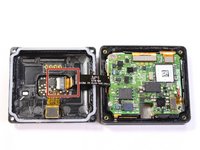
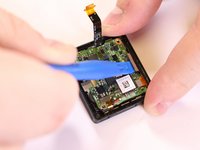
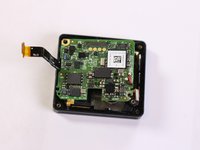
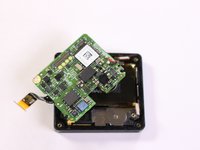
Grab the back, lift and open like a book to expose the motherboard. Locate the ribbon connector on the left.
-
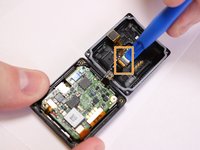
Use a plastic spudger tool on the ribbon connected from the heart rate monitor to the motherboard.
-
Insert and lift the plastic opening tool to release the ribbon.
-
-
-
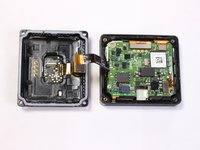
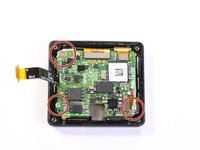
Separate the back and set aside, locate the three screws attaching the motherboard.
-
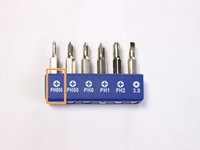
Use a PH000 head or a PH000 screwdriver to remove the three screws.
-
-
-
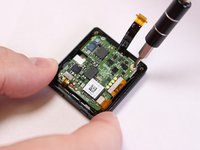
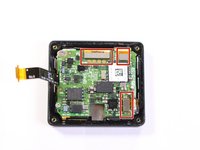
Use a plastic spudger tool on the ribbons connected to the motherboard.
-
Insert the tool under the ribbon and lift to release the connection.
-
-
-
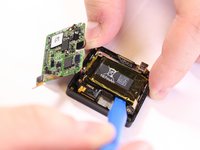
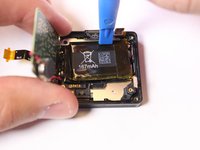
Lift and push the motherboard to the side to uncover the 167mAh battery.
-
Use a plastic spudger tool to pry out the battery from its adhesive plastic underneath.
-
Lift up and pull downward to remove battery. Switch to the top portion of the battery and push downward to pry out battery.
-
-
-
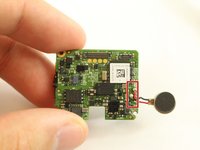
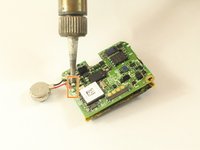
Flip the motherboard back to the front to locate the metal pins from the vibration motor soldered to the board.
-
Desolder the connection to remove the motor component.
-
Follow this guide on how to solder and desolder connectors Soldering Guide
-
-
















To reassemble your device, follow these instructions in reverse order.

crwdns2935287:0crwdne2935287:0

USF Tampa, Team S3-G3, Sullivan Spring 2017 crwdns2935289:0USF Tampa, Team S3-G3, Sullivan Spring 2017crwdne2935289:0
USFT-SULLIVAN-S17S3G3
crwdns2931471:04crwdne2931471:0
crwdns2935297:060crwdne2935297:0
crwdns2947412:04crwdne2947412:0
anyone got a part number or a description of the motor that gets replaced. looking to do this and fix. thanks
Ben - crwdns2934203:0crwdne2934203:0 crwdns2950251:0crwdne2950251:0
And how many destroyed “FitBit Blaze” are we going to see now?
tjhbob - crwdns2934203:0crwdne2934203:0 crwdns2950251:0crwdne2950251:0
what kind of motor can you replace this with?
dbick - crwdns2934203:0crwdne2934203:0 crwdns2950251:0crwdne2950251:0
Any idea what is the value of the C3 capacitor?
P J - crwdns2934203:0crwdne2934203:0 crwdns2950251:0crwdne2950251:0
