crwdns2933423:0crwdne2933423:0
crwdns2947577:0crwdnd2947577:0crwdne2947577:0

Epson Powerlite 460 Fan Replacement

crwdns2942213:0crwdne2942213:0

  1. Epson Powerlite 460 Fan Replacement, Motherboard: crwdns2935265:01crwdnd2935265:01crwdnd2935265:02crwdne2935265:0 Epson Powerlite 460 Fan Replacement, Motherboard: crwdns2935265:01crwdnd2935265:02crwdnd2935265:02crwdne2935265:0
    • Orient the device so that the projection window is facing down and the bottom of the device is visible.

    • Remove the eleven 13.3mm screws using a Phillips #2 screwdriver.

    crwdns2952109:0crwdne2952109:0
  2. Epson Powerlite 460 Fan Replacement: crwdns2935265:02crwdnd2935265:01crwdnd2935265:03crwdne2935265:0 Epson Powerlite 460 Fan Replacement: crwdns2935265:02crwdnd2935265:02crwdnd2935265:03crwdne2935265:0 Epson Powerlite 460 Fan Replacement: crwdns2935265:02crwdnd2935265:03crwdnd2935265:03crwdne2935265:0
    • Flip the device over so that the projection window is facing up.

    • Slide the air filter cover opener in the direction indicated by the arrow to release the air filter cover.

    • Remove the air filter cover.

    crwdns2952109:0crwdne2952109:0
  3. Epson Powerlite 460 Fan Replacement: crwdns2935265:03crwdnd2935265:01crwdnd2935265:02crwdne2935265:0 Epson Powerlite 460 Fan Replacement: crwdns2935265:03crwdnd2935265:02crwdnd2935265:02crwdne2935265:0
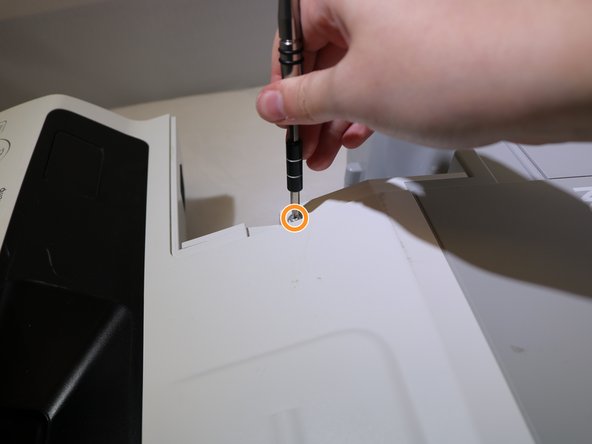
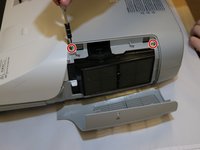
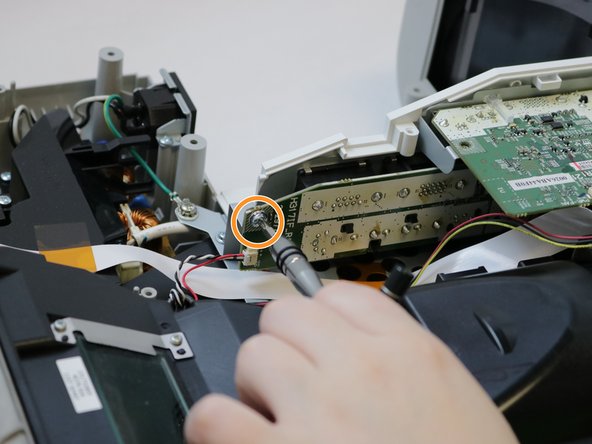
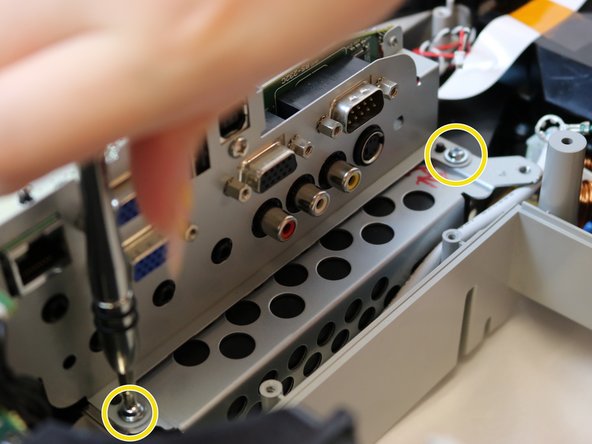
    • Remove the two 13.3mm screws from the top cover above the air filter using a Phillips #2 screwdriver.

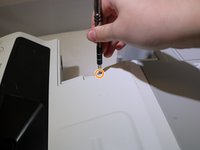
    • Remove one 13.3mm screw from above the connection panel using a Phillips #2 screwdriver.

    crwdns2952109:0crwdne2952109:0
  4. Epson Powerlite 460 Fan Replacement: crwdns2935265:04crwdnd2935265:01crwdnd2935265:02crwdne2935265:0 Epson Powerlite 460 Fan Replacement: crwdns2935265:04crwdnd2935265:02crwdnd2935265:02crwdne2935265:0
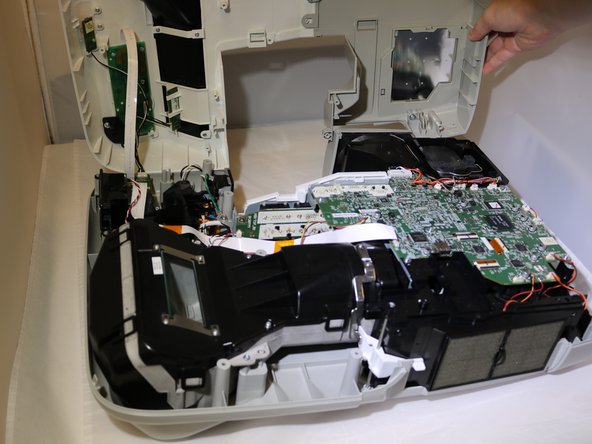
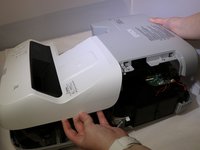
    • Remove the cover from the projector and set aside.

    • The cover will be connected by ribbon cables. You do not need to disconnect these to complete this repair, but it may make it easier.

    crwdns2952109:0crwdne2952109:0
  5. Epson Powerlite 460 Fan Replacement: crwdns2935265:05crwdnd2935265:01crwdnd2935265:03crwdne2935265:0 Epson Powerlite 460 Fan Replacement: crwdns2935265:05crwdnd2935265:02crwdnd2935265:03crwdne2935265:0 Epson Powerlite 460 Fan Replacement: crwdns2935265:05crwdnd2935265:03crwdnd2935265:03crwdne2935265:0
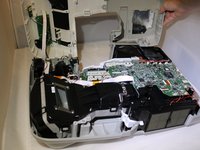
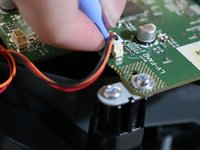
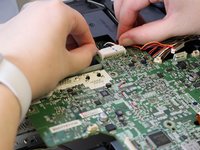
    • Use the opening tool to disconnect eleven clip cables on the motherboard.

    • These will be the colorful cables connected with white plastic clips.

    • Disconnect the black cable clip by pressing the side tabs. Use the opening tool to release the cable if it is difficult.

    • To disconnect the ribbon cables, use the opening tool to lift the locking flap on the connector and slide the cable back and out of the connector.

    crwdns2952109:0crwdne2952109:0
  6. Epson Powerlite 460 Fan Replacement: crwdns2935265:06crwdnd2935265:01crwdnd2935265:01crwdne2935265:0
    • Disconnect the clip cable from below the motherboard and behind the connection panel.

    crwdns2952109:0crwdne2952109:0
  7. Epson Powerlite 460 Fan Replacement: crwdns2935265:07crwdnd2935265:01crwdnd2935265:03crwdne2935265:0 Epson Powerlite 460 Fan Replacement: crwdns2935265:07crwdnd2935265:02crwdnd2935265:03crwdne2935265:0 Epson Powerlite 460 Fan Replacement: crwdns2935265:07crwdnd2935265:03crwdnd2935265:03crwdne2935265:0
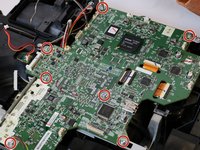
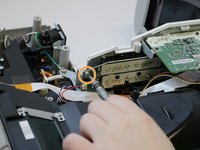
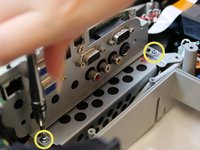
    • Remove seven 8.1mm screws from the motherboard using a Phillips #2 screwdriver.

    • Remove the 8.1mm screw from the back of the projection panel below the motherboard using a Phillips #2 screwdriver.

    • Remove two 8.1mm screws from the front of the projection panel using a Phillips #2 screwdriver.

    crwdns2952109:0crwdne2952109:0
  8. Epson Powerlite 460 Fan Replacement: crwdns2935265:08crwdnd2935265:01crwdnd2935265:01crwdne2935265:0
    • Gently lift the motherboard out of the device.

    crwdns2952109:0crwdne2952109:0
  9. Epson Powerlite 460 Fan Replacement, Lens: crwdns2935265:09crwdnd2935265:01crwdnd2935265:02crwdne2935265:0 Epson Powerlite 460 Fan Replacement, Lens: crwdns2935265:09crwdnd2935265:02crwdnd2935265:02crwdne2935265:0
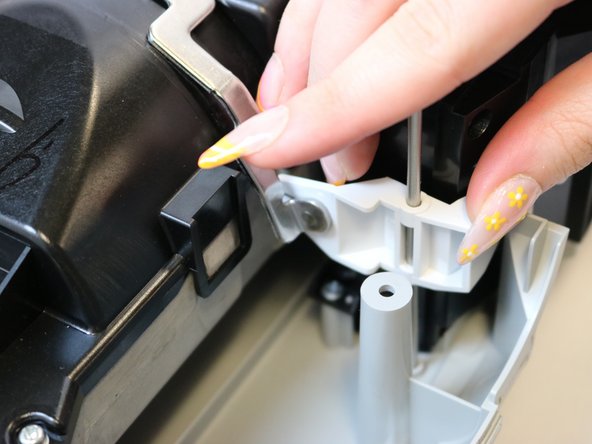
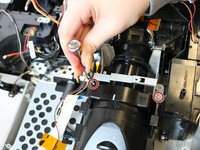
    • Use a Phillips #0 screwdriver to remove the two 9.1mm screws from the focus lever adjuster.

    • Remove the focus lever mechanism by sliding the metal rod out of the plastic lever and lifting out of the unit.

    crwdns2952109:0crwdne2952109:0
  10. Epson Powerlite 460 Fan Replacement: crwdns2935265:010crwdnd2935265:01crwdnd2935265:02crwdne2935265:0 Epson Powerlite 460 Fan Replacement: crwdns2935265:010crwdnd2935265:02crwdnd2935265:02crwdne2935265:0
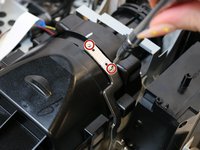
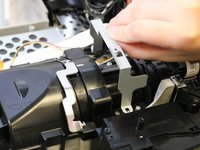
    • Remove the two 13.3mm screws from the metal bracket surrounding the lens unit using a Phillips #0 screwdriver.

    • Remove the bracket.

    crwdns2952109:0crwdne2952109:0
  11. Epson Powerlite 460 Fan Replacement: crwdns2935265:011crwdnd2935265:01crwdnd2935265:02crwdne2935265:0 Epson Powerlite 460 Fan Replacement: crwdns2935265:011crwdnd2935265:02crwdnd2935265:02crwdne2935265:0
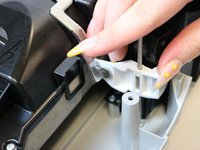
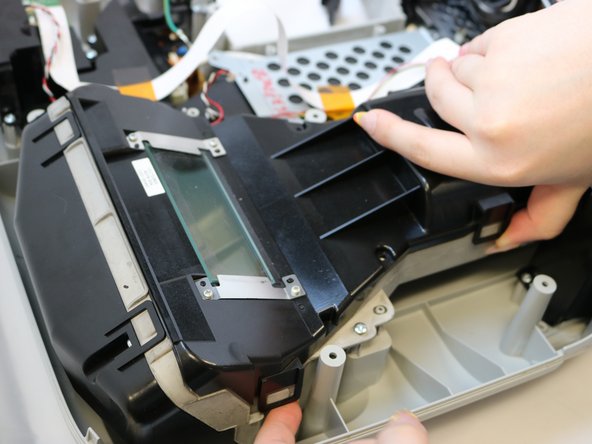
    • Remove the two 13.3mm screws from the lens cover using a Phillips #0 screwdriver.

    • Use your finger to release the clips on either side of the lens cover.

    • Lift the lens cover to remove it from the projector.

    crwdns2952109:0crwdne2952109:0
  12. Epson Powerlite 460 Fan Replacement: crwdns2935265:012crwdnd2935265:01crwdnd2935265:02crwdne2935265:0 Epson Powerlite 460 Fan Replacement: crwdns2935265:012crwdnd2935265:02crwdnd2935265:02crwdne2935265:0
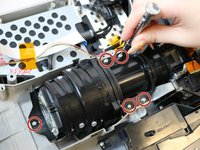
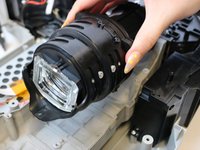
    • Remove the five 9.4mm screws from the lens using a Phillips #0 screwdriver.

    • Lift the lens out of the unit.

    crwdns2952109:0crwdne2952109:0
  13. Epson Powerlite 460 Fan Replacement, Fan: crwdns2935265:013crwdnd2935265:01crwdnd2935265:02crwdne2935265:0 Epson Powerlite 460 Fan Replacement, Fan: crwdns2935265:013crwdnd2935265:02crwdnd2935265:02crwdne2935265:0
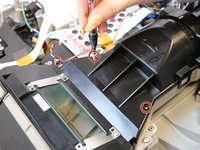
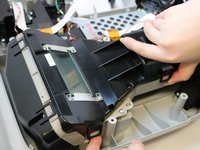
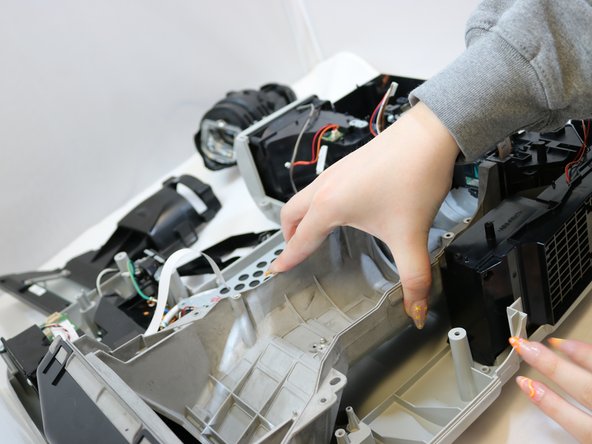
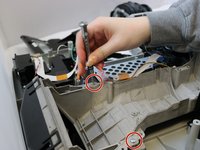
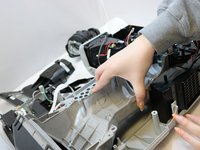
    • Remove the two 13.3 mm screws on the parabolic dish/mirror.

    • Pull out the parabolic dish/mirror.

    crwdns2952109:0crwdne2952109:0
  14. Epson Powerlite 460 Fan Replacement: crwdns2935265:014crwdnd2935265:01crwdnd2935265:01crwdne2935265:0
    • Remove the four 13.4 mm screws from the fan cover.

    crwdns2952109:0crwdne2952109:0
  15. Epson Powerlite 460 Fan Replacement: crwdns2935265:015crwdnd2935265:01crwdnd2935265:02crwdne2935265:0 Epson Powerlite 460 Fan Replacement: crwdns2935265:015crwdnd2935265:02crwdnd2935265:02crwdne2935265:0
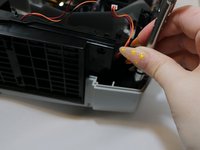
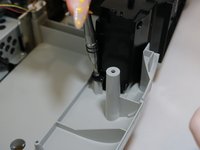
    • Remove the two 13.3 mm screws from the side of the air filter cover.

    crwdns2952109:0crwdne2952109:0
  16. Epson Powerlite 460 Fan Replacement: crwdns2935265:016crwdnd2935265:01crwdnd2935265:02crwdne2935265:0 Epson Powerlite 460 Fan Replacement: crwdns2935265:016crwdnd2935265:02crwdnd2935265:02crwdne2935265:0
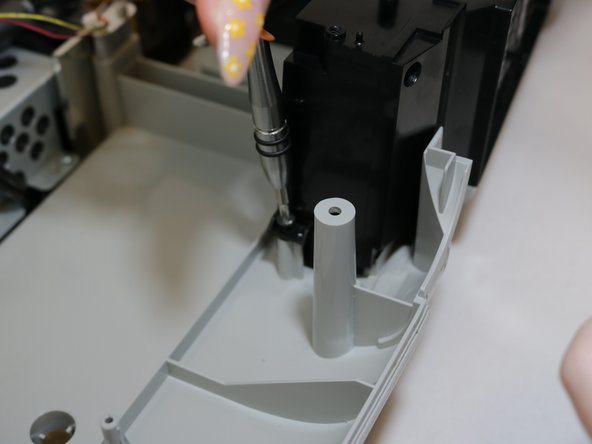
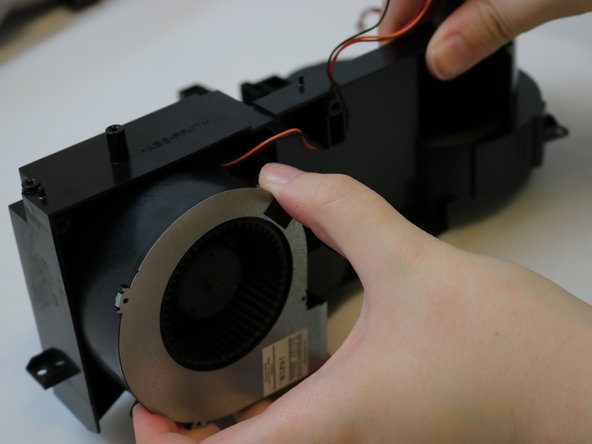
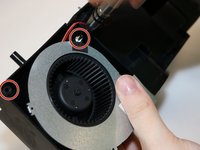
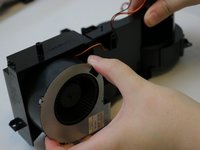
    • Remove the two 13.4 mm screws from the fan.

    • Remove the fan.

    crwdns2952109:0crwdne2952109:0
crwdns2915888:0crwdne2915888:0

To reassemble your device, follow these instructions in reverse order.

Sydney Roybal

crwdns2935283:004/06/22crwdne2935283:0

109 crwdns2915208:0crwdne2915208:0

crwdns2935295:0crwdne2935295:0

crwdns2935287:0crwdne2935287:0

Eastern Washington University, Team 1-1, Carnegie Spring 2022 crwdns2935289:0Eastern Washington University, Team 1-1, Carnegie Spring 2022crwdne2935289:0

EWU-CARNEGIE-S22S1G1

crwdns2931471:03crwdne2931471:0

crwdns2935297:05crwdne2935297:0

crwdns2947412:00crwdne2947412:0

crwdns2917038:0crwdne2917038:0

crwdns2936625:0crwdne2936625:0:

crwdns2936751:024crwdne2936751:0 1

crwdns2936753:07crwdne2936753:0 3

crwdns2936753:030crwdne2936753:0 24

crwdns2942667:0crwdne2942667:0 630