crwdns2933423:0crwdne2933423:0
crwdns2947577:0crwdnd2947577:0crwdne2947577:0

Ematic FunTab 3 Speaker Replacement

crwdns2942213:0crwdne2942213:0

    1. Ematic FunTab 3 Speaker Replacement, Back Panel: crwdns2935265:01crwdnd2935265:01crwdnd2935265:03crwdne2935265:0 Ematic FunTab 3 Speaker Replacement, Back Panel: crwdns2935265:01crwdnd2935265:02crwdnd2935265:03crwdne2935265:0 Ematic FunTab 3 Speaker Replacement, Back Panel: crwdns2935265:01crwdnd2935265:03crwdnd2935265:03crwdne2935265:0
      • Turn off the device before starting

      • To prevent damage, open the device on the side without the buttons.

      • Insert the hooked end of the plastic opening tool in the gap between the screen and the back panel on the edge of the device.

      • Slide the plastic opening tool down the long side of the device.

      • Insert tool again and slide it down the long slide of the case a second time.

      crwdns2952109:0crwdne2952109:0

      crwdns2917038:0crwdne2917038:0

    2. Ematic FunTab 3 Speaker Replacement: crwdns2935265:02crwdnd2935265:01crwdnd2935265:01crwdne2935265:0
      • Pull the back panel away from the screen.

      crwdns2952109:0crwdne2952109:0

      crwdns2917038:0crwdne2917038:0

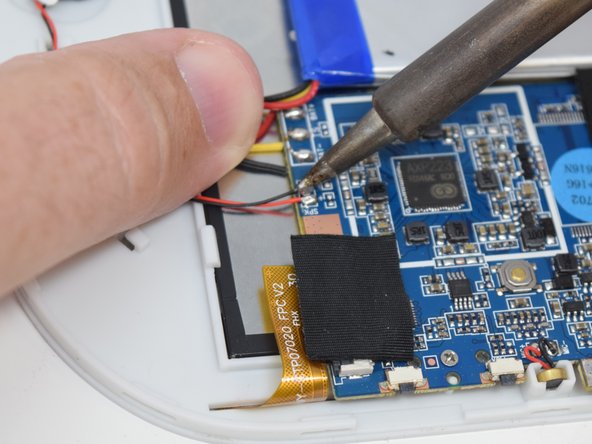
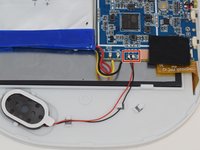
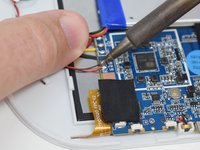
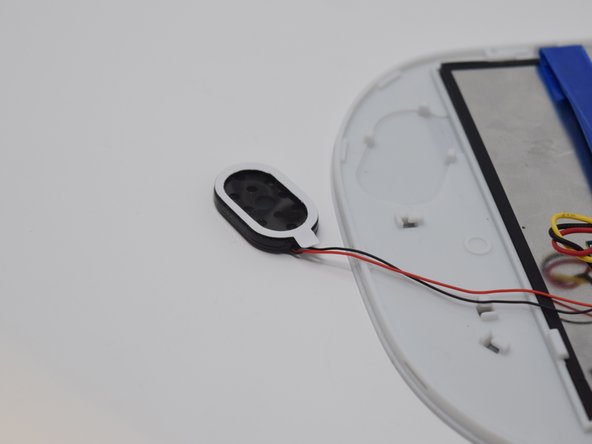
    1. Ematic FunTab 3 Speaker Replacement, Speaker: crwdns2935265:03crwdnd2935265:01crwdnd2935265:02crwdne2935265:0 Ematic FunTab 3 Speaker Replacement, Speaker: crwdns2935265:03crwdnd2935265:02crwdnd2935265:02crwdne2935265:0
      crwdns2952109:0crwdne2952109:0

      crwdns2917038:0crwdne2917038:0

    2. Ematic FunTab 3 Speaker Replacement: crwdns2935265:04crwdnd2935265:01crwdnd2935265:03crwdne2935265:0 Ematic FunTab 3 Speaker Replacement: crwdns2935265:04crwdnd2935265:02crwdnd2935265:03crwdne2935265:0 Ematic FunTab 3 Speaker Replacement: crwdns2935265:04crwdnd2935265:03crwdnd2935265:03crwdne2935265:0
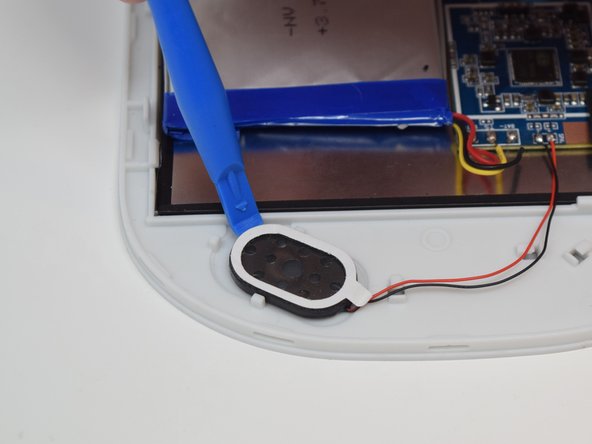
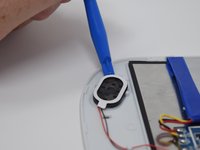
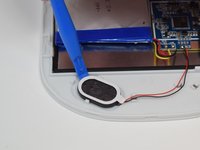
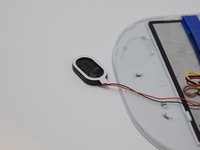
      • After the connections are desoldered, remove the speaker by prying it up using a plastic opening tool.

      • There is glue on the back of the speaker. Some more force may be required.

      crwdns2952109:0crwdne2952109:0

      crwdns2917038:0crwdne2917038:0

crwdns2915888:0crwdne2915888:0

To reassemble your device, follow these instructions in reverse order.

crwdns2935221:0crwdne2935221:0

Amanda Davis

crwdns2935283:007/11/18crwdne2935283:0

581 crwdns2915208:0crwdne2915208:0

crwdns2935297:05crwdne2935297:0

crwdns2935287:0crwdne2935287:0

UW Tacoma, Team S1-G5, Cardinal Summer 2018 crwdns2935289:0UW Tacoma, Team S1-G5, Cardinal Summer 2018crwdne2935289:0

UWT-CARDINAL-SU18S1G5

crwdns2931471:04crwdne2931471:0

crwdns2935297:072crwdne2935297:0

crwdns2947412:00crwdne2947412:0

crwdns2917038:0crwdne2917038:0

crwdns2936625:0crwdne2936625:0:

crwdns2936751:024crwdne2936751:0 1

crwdns2936753:07crwdne2936753:0 5

crwdns2936753:030crwdne2936753:0 34

crwdns2942667:0crwdne2942667:0 495