
Eightarc Fusion USB Cable Replacement

crwdns2959932:0crwdnd2959932:0Danacrwdnd2959932:0crwdnd2959932:0crwdnd2959932:02crwdnd2959932:0crwdne2959932:0
crwdns2959936:0Kho 19, 2015crwdne2959936:0
crwdns2869540:0crwdne2869540:0: 1.4천
crwdns2959988:0crwdne2959988:0
- crwdns2959990:0crwdne2959990:0
- 1
- crwdns2959992:0crwdne2959992:0
- 20
- crwdns2959994:0crwdne2959994:0
- 99
- crwdns2959996:0crwdne2959996:0
- 1,438
crwdns2955950:0crwdne2955950:0: 1
crwdns2960006:01crwdne2960006:0
crwdns2960000:0crwdne2960000:0crwdns2959984:0crwdne2959984:0: 0 1
crwdns2959956:0crwdne2959956:0
crwdns2959968:01crwdne2959968:0
crwdns2959986:0crwdne2959986:0: 1 2
crwdns2959980:01crwdne2959980:0
crwdns2959978:02crwdne2959978:0
crwdns2862625:0crwdne2862625:0
crwdns2862626:0crwdne2862626:0
crwdns2915892:0crwdne2915892:0
crwdns2959928:0crwdne2959928:0 ↓Use this guide if the USB cable is no longer working.
Warning: Use caution when placing the joystick face down on the table. The joystick can crack if placed down too hard. Be sure to gently turn the device over and place it face down. It can be helpful to balance the other side of the device to distribute the weight.
crwdns2959930:0crwdne2959930:0
crwdns2943215:0crwdne2943215:0

-
-
-
Place the controller face down (buttons and joystick down).
-
Use a Phillips Head #1 screwdriver to remove the eight 9.65 mm screws located on the felt and metal backplate.
 crwdns2952109:0crwdne2952109:0
-
-
-
Open the door for the cord storage compartment on the right side of the device.
-
Reach under the panel and push upwards on the back panel. Lift it up and remove it from the device.
-
-
-
With flap unlatched, gently bend the flap and pull slightly to get the pegs out of the socket
-
Be sure to be gentle and not snap the plastic flap in half.
-
-
-
Slide USB cable up from the plastic barrier casing.
-
-
-
-
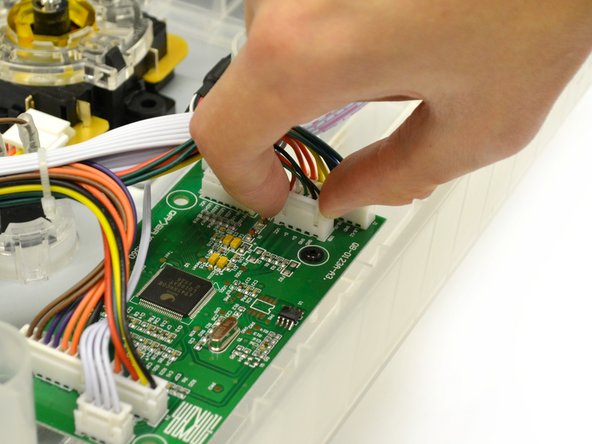
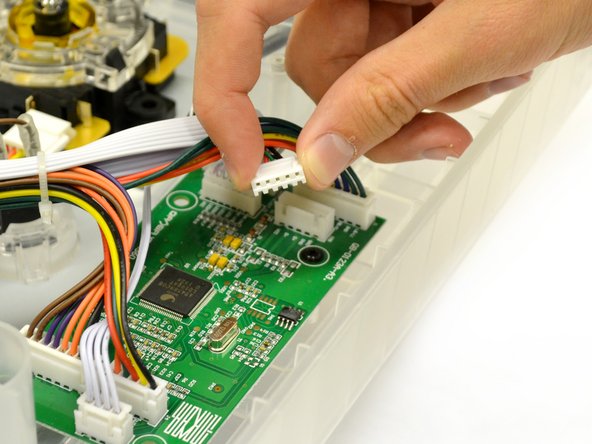
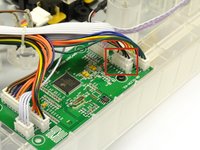
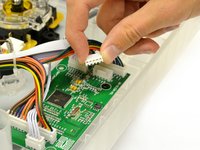
The USB cord is connected to the logic board by a plastic plug with five wires.
-
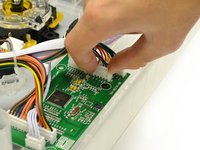
Gently pull up and wiggle the white plastic end attached to the wires out of the mother board.
-
Remove USB cable from device.
-
-


To reassemble your device, follow these instructions in reverse order.

crwdns2935287:0crwdne2935287:0

Cal Poly, Team 17-35, Amido Winter 2015 crwdns2935289:0Cal Poly, Team 17-35, Amido Winter 2015crwdne2935289:0
CPSU-AMIDO-W15S17G35
crwdns2931471:04crwdne2931471:0
crwdns2935297:060crwdne2935297:0
crwdns2947410:01crwdne2947410:0
Where do I get the USB wire?
desmond.bouey1 - crwdns2934203:0crwdne2934203:0 crwdns2950251:0crwdne2950251:0
