crwdns2942213:0crwdne2942213:0
-
-
-
Make sure your vacuum is unplugged.
 crwdns2952109:0crwdne2952109:0
-
-
-
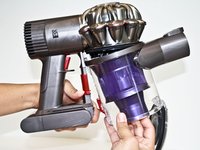
Locate the red lever parallel to the red trigger and on the side of the clear bin.
-
-
-
Push the red lever downward to open the clear bin. You may need to do this over a trash bin if there is debris in the clear bin.
-
-
-
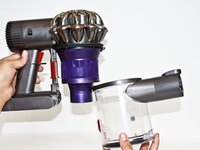
Push the red lever downward again while pulling the clear bin away from the main body of the Dyson vacuum.
-
-
-
-
-
-
Flip the vacuum over so that the silver cyclone part of the vacuum is now at the base.
-
-
crwdns2935267:0crwdne2935267:0Tweezers$4.99
-
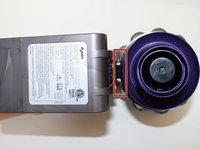
Locate the two visible white clips seen between the main body and the purple cyclone of the vacuum.
-
Use tweezers to pinch the two visible white clips together.
-
-
-
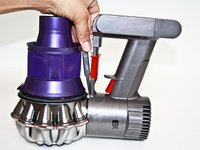
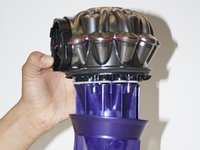
Tilt and pull the main body away from the purple cyclone of the vacuum.
-
-
-
-
-
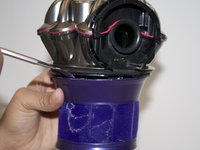
Use the metal spudger placed between the black rim and the purple rim to separate the purple screen cover from the cyclone body.
-
Pry all the way around the screen cover.
-
-
-
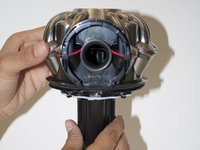
Use a T9 screw driver to remove the five 14mm screws around the edge of the cyclone body.
-
-
-
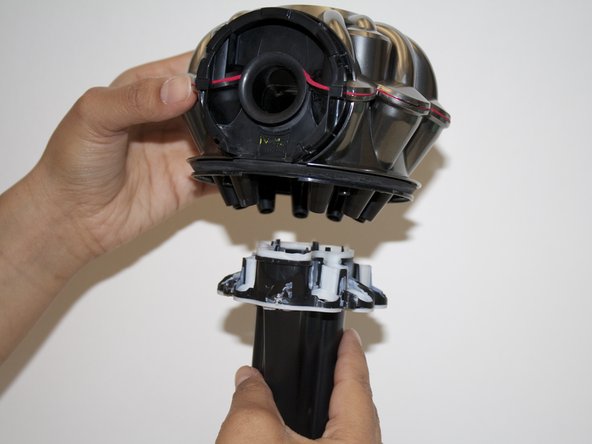
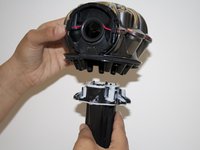
Pull down on the black tube-like part of the silver cyclone body to remove it from the cyclone of the Dyson.
-
-








To reassemble your device, follow these instructions in reverse order.
crwdns2935221:0crwdne2935221:0
crwdns2935229:022crwdne2935229:0

crwdns2935287:0crwdne2935287:0

CSU Fullerton, Team 2-4, Bruce Fall 2015 crwdns2935289:0CSU Fullerton, Team 2-4, Bruce Fall 2015crwdne2935289:0
CSUF-BRUCE-F15S2G4
crwdns2931471:04crwdne2931471:0
crwdns2935297:060crwdne2935297:0
crwdns2947412:011crwdne2947412:0
Great job, very useful thanks
Don - crwdns2934203:0crwdne2934203:0 crwdns2950251:0crwdne2950251:0
Fantastic thanks!!!!
robh - crwdns2934203:0crwdne2934203:0 crwdns2950251:0crwdne2950251:0
Very helpful indeed.
macx - crwdns2934203:0crwdne2934203:0 crwdns2950251:0crwdne2950251:0
Thanks. Had to wash out the dog smell. This did the trick.
David Parsons - crwdns2934203:0crwdne2934203:0 crwdns2950251:0crwdne2950251:0
Thanks. Had to wash out the dog smell. This did the trick when new filters wouldn't. Shame on Dyson for not making an easier to clean vacuum.
David Parsons - crwdns2934203:0crwdne2934203:0 crwdns2950251:0crwdne2950251:0
