crwdns2915892:0crwdne2915892:0
This guide provides a step-by-step process of how to replace a charging port in the DualShock 4 controller.
crwdns2942213:0crwdne2942213:0
-
-
-
Using the Phillips #00 Screwdriver, remove the four 6.0 mm screws securing the rear cover to the controller.
 crwdns2952109:0crwdne2952109:0
-
-
-
Beginning with the left handle:
-
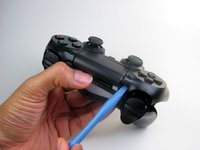
Pinch the left handle of the controller to introduce an opening.
-
Wedge a plastic opening tool into the opening and slide it up towards the joystick.
-
Pull down on tool to pry open the casing.
-
Repeat these steps for the right handle.
-
-
-
Wedge a plastic opening tool into the case-splittings and pull down to crack open the casing near the following buttons:
-
Share button
-
Options button
-
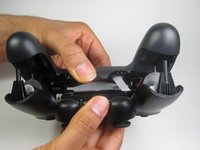
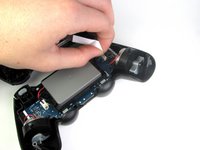
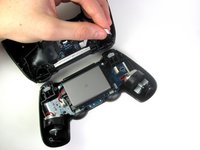
Split the plastic covers of the controller apart, taking note that they will still be attached by circuit board ribbons.
-
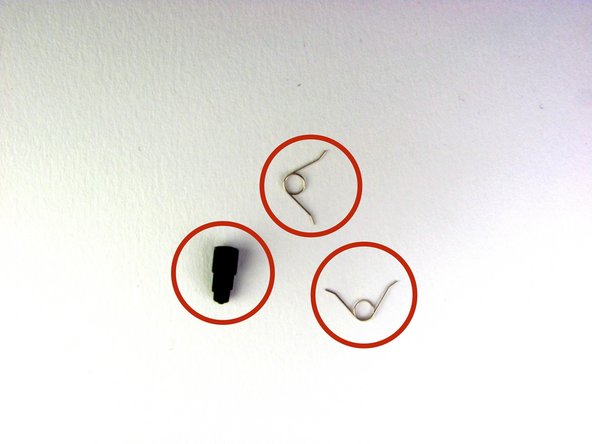
2 Trigger Springs
-
1 Grey Reset Button Extension
-
-
-
-
-
-
Detach the motherboard ribbon connecting the two sides of the controller by using your fingers.
-
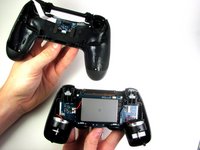
After the two halves are separated, place the top of the controller off to the side.
-
-
-
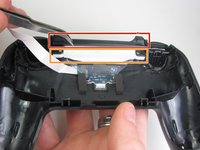
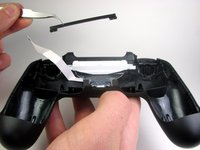
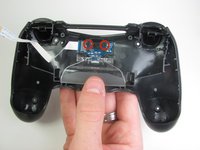
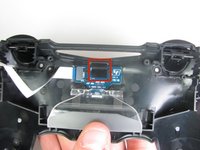
Remove the two screws holding the sub-assembly together. Then use the blunt forceps to grab the 2 inch black plastic connector labeled in the picture with the red box.
-
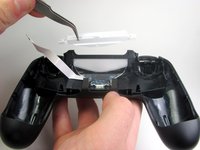
Use the blunt forceps to grab the 2 inch white piece of plastic labeled with the orange box.
-
-
-
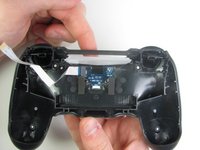
With the clear piece of plastic pushed in, take the transparent white piece out from the top of the controller.
-
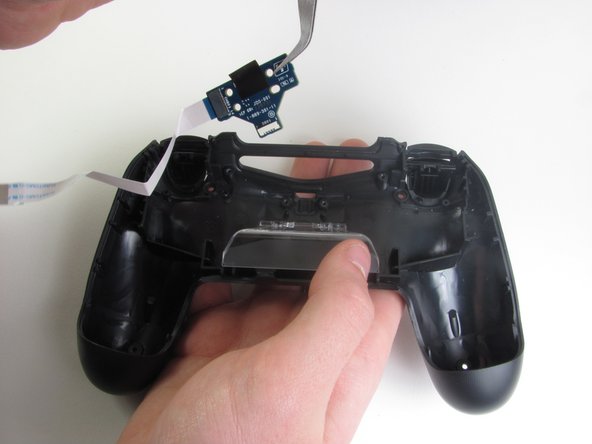
Use the Philips #00 Screwdriver to unscrew the two 4.0 mm screws that attach the charging port to the rear cover.
-
-
-
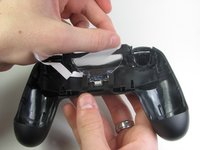
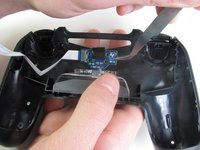
With the blunt forceps remove the top part of the black tape connecting the charging port to the plastic portion of the controller.
-
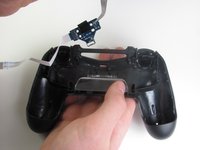
Grab the PCB of the charging port from the side and pull upwards slowly to remove from the controller.
-
-










To reassemble your device, follow these instructions in reverse order.
crwdns2935221:0crwdne2935221:0
crwdns2935229:0109crwdne2935229:0

crwdns2935287:0crwdne2935287:0

Cal Poly, Team 6-21, Maness Winter 2014 crwdns2935289:0Cal Poly, Team 6-21, Maness Winter 2014crwdne2935289:0
CPSU-MANESS-W14S6G21
crwdns2931471:04crwdne2931471:0
crwdns2935297:086crwdne2935297:0
crwdns2947412:034crwdne2947412:0
Where can i get the USB charger part from? mine is damaged so the lightbar and charger doesnt work but it will still connect to my PS4 until the battery runs out.
Matthew - crwdns2934203:0crwdne2934203:0 crwdns2950251:0crwdne2950251:0
Did you get it repaired? I need help with mine
Ken Wood - crwdns2934203:0crwdne2934203:0 crwdns2950251:0crwdne2950251:0
Where can you get a new DualShock 4 Charging Port Replacement?
Tony - crwdns2934203:0crwdne2934203:0 crwdns2950251:0crwdne2950251:0
Have you found them?
jee - crwdns2934203:0crwdne2934203:0 crwdns2950251:0crwdne2950251:0
