
Dremel 8220 Power Switch Replacement

crwdns2959932:0crwdnd2959932:0Shailing Santiagocrwdnd2959932:0crwdnd2959932:0crwdnd2959932:03crwdnd2959932:0crwdne2959932:0
crwdns2959936:0Mud 19, 2016crwdne2959936:0
crwdns2869540:0crwdne2869540:0: 2844
crwdns2959988:0crwdne2959988:0
- crwdns2959990:0crwdne2959990:0
- 3
- crwdns2959992:0crwdne2959992:0
- 21
- crwdns2959994:0crwdne2959994:0
- 94
- crwdns2959996:0crwdne2959996:0
- 2.844
crwdns2955950:0crwdne2955950:0: 3
crwdns2960004:02crwdne2960004:0, crwdns2960006:01crwdne2960006:0
crwdns2960000:0crwdne2960000:0crwdns2959984:0crwdne2959984:0: 4 5
crwdns2959974:04crwdne2959974:0
crwdns2959970:05crwdne2959970:0
crwdns2959986:0crwdne2959986:0: 0 1
crwdns2959958:0crwdne2959958:0
crwdns2959976:01crwdne2959976:0
crwdns2862615:0crwdne2862615:0
crwdns2862616:0crwdne2862616:0
crwdns2862625:0crwdne2862625:0
crwdns2862626:0crwdne2862626:0
crwdns2915892:0crwdne2915892:0
crwdns2959928:0crwdne2959928:0 ↓This guide will show you how to open up your device. You will then have access to all the internal components. The power switch can then be replaced with minimal effort
crwdns2959930:0crwdne2959930:0
crwdns2943215:0crwdne2943215:0

-
-
-
Locate the battery at the back of your Dremel. Firmly grasp the battery on both sides and pull. It should easily come out of the battery well.
 crwdns2952109:0crwdne2952109:0
-
-
-
Remove the ring located around the speed selector switch by pulling apart on either side. This should require very minimal force.
-
-
-
Remove the collar wrench by pushing the gear lock button. Continue to hold this button as you rotate the wrench counter-clockwise until it is removed.
-
-
-
Remove the metal clasp from the battery well. This piece helps hold the plastic shell of the device together. Pry it out by gently applying some force with a screwdriver.
-
-
-
-
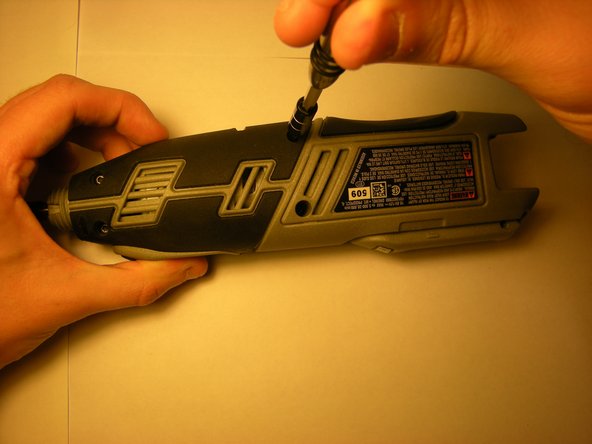
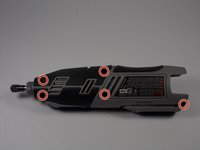
Remove five T9 Torx screws from the side of the tool.
-
-
-
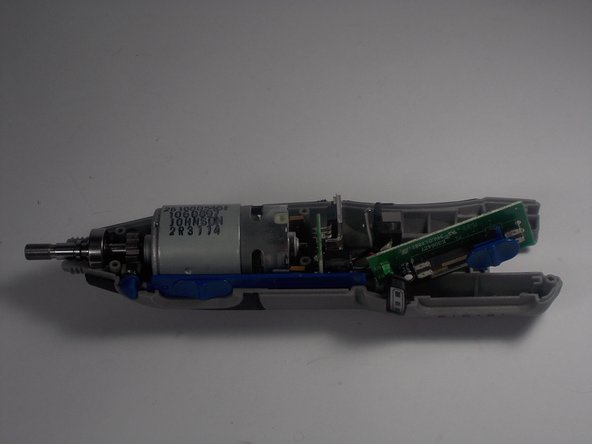
Remove the faulty power switch. It should come out of the device without using any force.
-
-


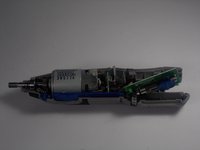

To reassemble your device, follow these instructions in reverse order.
crwdns2935221:0crwdne2935221:0
crwdns2935229:04crwdne2935229:0

crwdns2935287:0crwdne2935287:0

UMass Dartmouth, Team 2-8, Isaacson Spring 2016 crwdns2935289:0UMass Dartmouth, Team 2-8, Isaacson Spring 2016crwdne2935289:0
UMASSD-ISAACSON-S16S2G8
crwdns2931471:03crwdne2931471:0
crwdns2935297:060crwdne2935297:0
crwdns2947410:01crwdne2947410:0
Awesome!! Thanks!
christooher t - crwdns2934203:0crwdne2934203:0 crwdns2950251:0crwdne2950251:0
