crwdns2915892:0crwdne2915892:0
This guide will show you how to replace a defective gear lock button. With only a few steps and a few tools you will be able to open up the device and gain access to the faulty button. The button can then be easily swapped out for a new one.
crwdns2942213:0crwdne2942213:0
-
-
-
Locate the battery at the back of your Dremel. Firmly grasp the battery on both sides and pull. It should easily come out of the battery well.
 crwdns2952109:0crwdne2952109:0
-
-
-
Remove the ring located around the speed selector switch by pulling apart on either side. This should require very minimal force.
-
-
-
-
Remove the collar wrench by pushing the gear lock button. Continue to hold this button as you rotate the wrench counter-clockwise until it is removed.
-
-
-
Remove the metal clasp from the battery well. This piece helps hold the plastic shell of the device together. Pry it out by gently applying some force with a screwdriver.
-
-
-
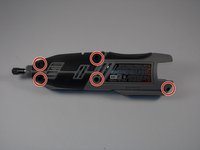
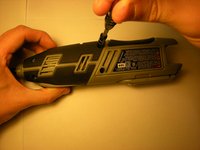
Remove the 5 torx screws using a t9 screwdriver head.
-
-
-
Remove the faulty gear lock button. It should come out of the device easily with no force needed.
-
-


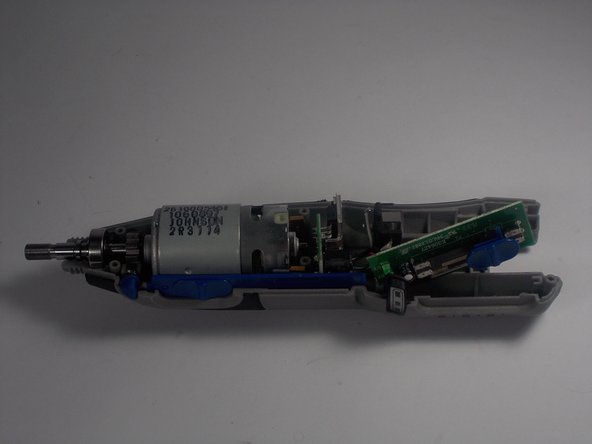

To reassemble your device, follow these instructions in reverse order.

crwdns2935287:0crwdne2935287:0

UMass Dartmouth, Team 2-8, Isaacson Spring 2016 crwdns2935289:0UMass Dartmouth, Team 2-8, Isaacson Spring 2016crwdne2935289:0
UMASSD-ISAACSON-S16S2G8
crwdns2931471:03crwdne2931471:0
crwdns2935297:060crwdne2935297:0
crwdns2947412:03crwdne2947412:0
I’m assuming the issue I have is a faulty gear-lock button (that, or the locking gear that it restricts when depressed). If so, did you find a replacement button from the manufacturer? In my experience, they rarely offer repair parts themselves.
Robert - crwdns2934203:0crwdne2934203:0 crwdns2950251:0crwdne2950251:0
I also don’t understand why there was a flag claiming that this should be broken into separate guides. People aren’t THAT stupid, I hope.
Robert - crwdns2934203:0crwdne2934203:0 crwdns2950251:0crwdne2950251:0
