crwdns2933423:0crwdne2933423:0
crwdns2947577:0crwdnd2947577:0crwdne2947577:0

Dremel 4000 Back Case Replacement

crwdns2862623:0crwdne2862623:0
crwdns2948751:0crwdne2948751:0

crwdns2942213:0crwdne2942213:0

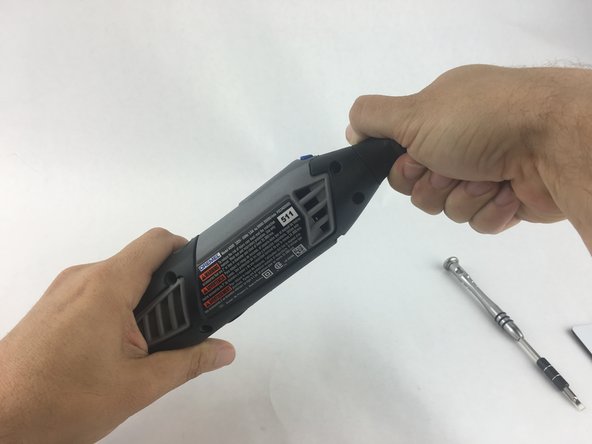
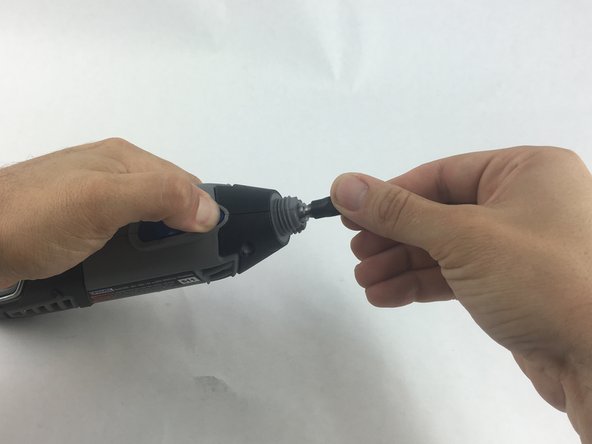
    1. Dremel 4000 Back Case Replacement, Back Case: crwdns2935265:01crwdnd2935265:01crwdnd2935265:02crwdne2935265:0 Dremel 4000 Back Case Replacement, Back Case: crwdns2935265:01crwdnd2935265:02crwdnd2935265:02crwdne2935265:0
      • Start by removing the housing cap by unscrewing it.

      • Next, unscrew the now exposed collet nut while holding down the shaft lock button.

      • To remove the collet nut, you may need to use the small open-end wrench provided with the Dremel.

      crwdns2952109:0crwdne2952109:0

      crwdns2917038:0crwdne2917038:0

    2. Dremel 4000 Back Case Replacement: crwdns2935265:02crwdnd2935265:01crwdnd2935265:01crwdne2935265:0
      • Using your hands, carefully remove hanger from casing.

      crwdns2952109:0crwdne2952109:0

      crwdns2917038:0crwdne2917038:0

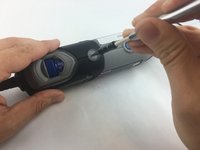
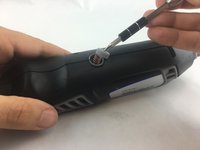
    3. Dremel 4000 Back Case Replacement: crwdns2935265:03crwdnd2935265:01crwdnd2935265:02crwdne2935265:0 Dremel 4000 Back Case Replacement: crwdns2935265:03crwdnd2935265:02crwdnd2935265:02crwdne2935265:0
      • Remove the brush caps (one on each side) by using a flathead screwdriver bit.

      • The brush caps are spring loaded.

      crwdns2952109:0crwdne2952109:0

      crwdns2917038:0crwdne2917038:0

    4. Dremel 4000 Back Case Replacement: crwdns2935265:04crwdnd2935265:01crwdnd2935265:01crwdne2935265:0
      • Using the Torx 15 screwdriver tip, remove the 5 screws (12.5 mm) that hold the casing together.

      crwdns2952109:0crwdne2952109:0

      crwdns2917038:0crwdne2917038:0

    5. Dremel 4000 Back Case Replacement: crwdns2935265:05crwdnd2935265:01crwdnd2935265:01crwdne2935265:0
      • Use a plastic opening tool to gently wedge apart the hard plastic threads.

      crwdns2952109:0crwdne2952109:0

      crwdns2917038:0crwdne2917038:0

    6. Dremel 4000 Back Case Replacement: crwdns2935265:06crwdnd2935265:01crwdnd2935265:01crwdne2935265:0
      • Use your hands to carefully remove the back casing so that none of the components fall out.

      crwdns2952109:0crwdne2952109:0

      crwdns2917038:0crwdne2917038:0

crwdns2915888:0crwdne2915888:0

To reassemble your device, follow these instructions in reverse order.

crwdns2935221:0crwdne2935221:0

crwdns2935229:02crwdne2935229:0

John Cobb

crwdns2935283:001/20/16crwdne2935283:0

1.842 crwdns2915208:0crwdne2915208:0

crwdns2935297:04crwdne2935297:0

crwdns2935287:0crwdne2935287:0

USF Tampa, Team 15-4, Remmell Spring 2016 crwdns2935289:0USF Tampa, Team 15-4, Remmell Spring 2016crwdne2935289:0

USFT-REMMELL-S16S15G4

crwdns2931471:04crwdne2931471:0

crwdns2935297:054crwdne2935297:0

crwdns2947412:00crwdne2947412:0

crwdns2917038:0crwdne2917038:0

crwdns2936625:0crwdne2936625:0:

crwdns2936751:024crwdne2936751:0 1

crwdns2936753:07crwdne2936753:0 2

crwdns2936753:030crwdne2936753:0 34

crwdns2942667:0crwdne2942667:0 2,198