
Disassembling Netatmo Outdoor Camera Main Unit

crwdns2959934:0crwdnd2959934:0The Virtual Travellercrwdnd2959934:0crwdnd2959934:0crwdne2959934:0
crwdns2959936:0Mha 1, 2024crwdne2959936:0
crwdns2869540:0crwdne2869540:0: 1999
crwdns2959988:0crwdne2959988:0
- crwdns2959990:0crwdne2959990:0
- 11
- crwdns2959992:0crwdne2959992:0
- 62
- crwdns2959994:0crwdne2959994:0
- 269
- crwdns2959996:0crwdne2959996:0
- 1,999
crwdns2955950:0crwdne2955950:0: 0
crwdns2959998:0crwdne2959998:0
crwdns2960000:0crwdne2960000:0crwdns2959984:0crwdne2959984:0: 1 2
crwdns2959972:01crwdne2959972:0
crwdns2959970:02crwdne2959970:0
crwdns2959986:0crwdne2959986:0: 0 1
crwdns2959958:0crwdne2959958:0
crwdns2959976:01crwdne2959976:0
crwdns2944444:0crwdne2944444:0
crwdns2944446:0crwdne2944446:0
crwdns2915892:0crwdne2915892:0
crwdns2959928:0crwdne2959928:0 ↓My camera stopped working, and technical support told me that there was a fault with the optical sensor, and it couldn't be repaired.
I thought, "I wonder why it failed?", and then started exploring the inside of this security camera. After some adventuring I discovered moisture had eaten away connections on the camera ribbon cable and that needed repair.
The cause of the problem was a poor seal of hot-glue and silicon lube. The failure happened out of warranty, but was really a manufacturer defect.
This guide explains how to take a Netatmo Presence Outdoor Camera to pieces and access the electronics.
crwdns2959930:0crwdne2959930:0
crwdns2943215:0crwdne2943215:0


-
-
-
Remove the plate at the bottom of the camera by inserting a screwdriver in the slot, and bending while pulling.
-
The panel will lift up and can be removed.
 crwdns2952109:0crwdne2952109:0
-
-
-
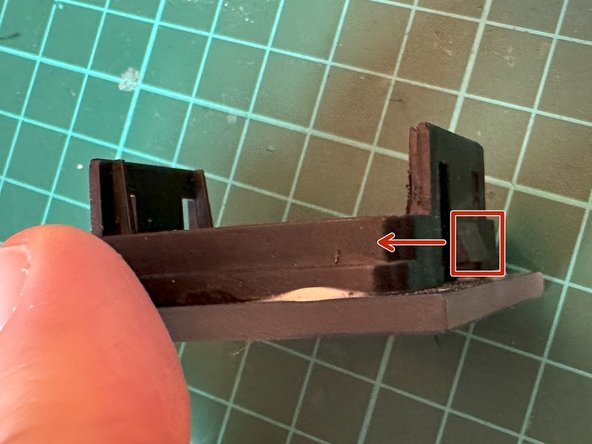
Insert a flathead screwdriver into each hole at the front of the camera and push the two tabs to the centre and forwards.
-
It's hard to see, but you need the triangular part at the front, rather than what appears to be a tab at the back.
-
Pushing towards the centre allows the lens cover to come off. These can be done one at a time.
-
-
-
-
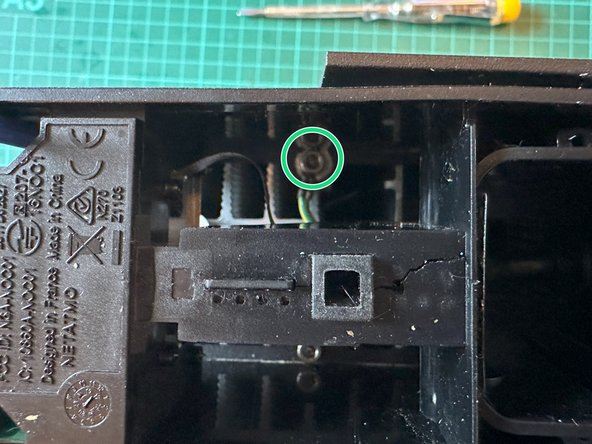
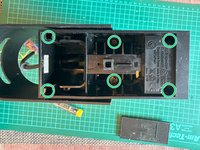
Remove the six 2.5mm hex screws using a long Allen key.
-
-
-
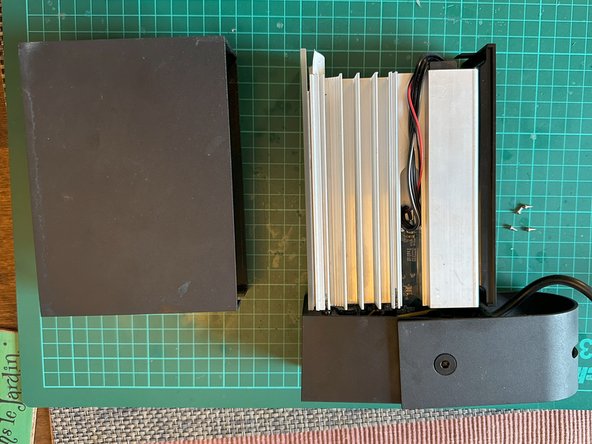
Separate the two pieces by pulling slightly on the lower module.
-
Pull the metal housing forward.
-
Pushing the light from the inside can help in removing the shell.
-
-
-
Using a 1.5mm hex screwdriver remove the four screws holding on the camera module.
-
-
-
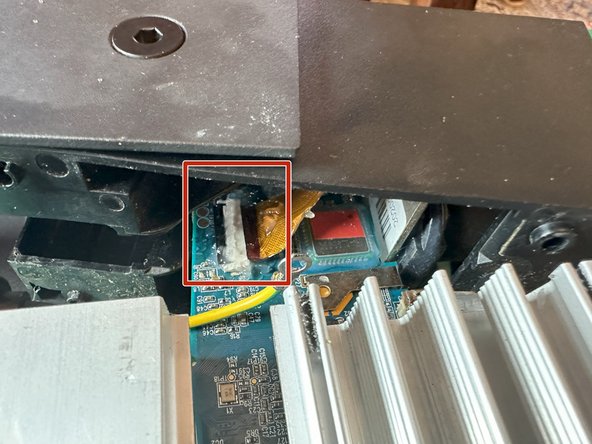
From this point the housing can be worked up and diagonally to reveal the circuit board, and ribbon cable.
-
-










To reassemble your device, follow these instructions in reverse order.
crwdns2935221:0crwdne2935221:0
crwdns2935227:0crwdne2935227:0

