crwdns2933423:0crwdne2933423:0
crwdns2947577:0crwdnd2947577:0crwdne2947577:0

Disassembling Microtek ScanMaker 5900 Outer Scanner Chassis

crwdns2869540:0crwdne2869540:0: 2.7K

crwdns2959988:0crwdne2959988:0

crwdns2959990:0crwdne2959990:0
3
crwdns2959992:0crwdne2959992:0
26
crwdns2959994:0crwdne2959994:0
97
crwdns2959996:0crwdne2959996:0
2,681
crwdns2955950:0crwdne2955950:0: 0

crwdns2959998:0crwdne2959998:0

crwdns2960000:0crwdne2960000:0
crwdns2959984:0crwdne2959984:0: 0

crwdns2959956:0crwdne2959956:0

crwdns2959986:0crwdne2959986:0: 1

crwdns2959980:01crwdne2959980:0

crwdns2955944:0crwdne2955944:0: 5 - 10 crwdns2931279:0crwdne2931279:0
crwdns2955970:0crwdne2955970:0: crwdns2937801:0crwdne2937801:0
crwdns2862611:0crwdne2862611:0

crwdns2862612:0crwdne2862612:0

crwdns2862633:0crwdne2862633:0

crwdns2862634:0crwdne2862634:0

Disassembling Microtek ScanMaker 5900 Outer Scanner Chassis

crwdns2915892:0crwdne2915892:0

crwdns2959928:0crwdne2959928:0 ↓

This guide will show the user of this scanner how to take apart the chassis so they can repair inside components.

crwdns2959930:0crwdne2959930:0

crwdns2943215:0crwdne2943215:0

    1. Disassembling Microtek ScanMaker 5900 Outer Scanner Chassis, Remove serial port connection: crwdns2935265:01crwdnd2935265:01crwdnd2935265:03crwdne2935265:0 Disassembling Microtek ScanMaker 5900 Outer Scanner Chassis, Remove serial port connection: crwdns2935265:01crwdnd2935265:02crwdnd2935265:03crwdne2935265:0 Disassembling Microtek ScanMaker 5900 Outer Scanner Chassis, Remove serial port connection: crwdns2935265:01crwdnd2935265:03crwdnd2935265:03crwdne2935265:0
      • Loosen the screws on the serial port by turning them counter clockwise by hand.

      • After loosening the screws, pull the serial port out.

      crwdns2952109:0crwdne2952109:0

      crwdns2917038:0crwdne2917038:0

    2. Disassembling Microtek ScanMaker 5900 Outer Scanner Chassis, Remove Lid: crwdns2935265:02crwdnd2935265:01crwdnd2935265:03crwdne2935265:0 Disassembling Microtek ScanMaker 5900 Outer Scanner Chassis, Remove Lid: crwdns2935265:02crwdnd2935265:02crwdnd2935265:03crwdne2935265:0 Disassembling Microtek ScanMaker 5900 Outer Scanner Chassis, Remove Lid: crwdns2935265:02crwdnd2935265:03crwdnd2935265:03crwdne2935265:0
      • Lift lid to its vertical position.

      • Pull lid straight up to remove it from the scanner.

      crwdns2952109:0crwdne2952109:0

      crwdns2917038:0crwdne2917038:0

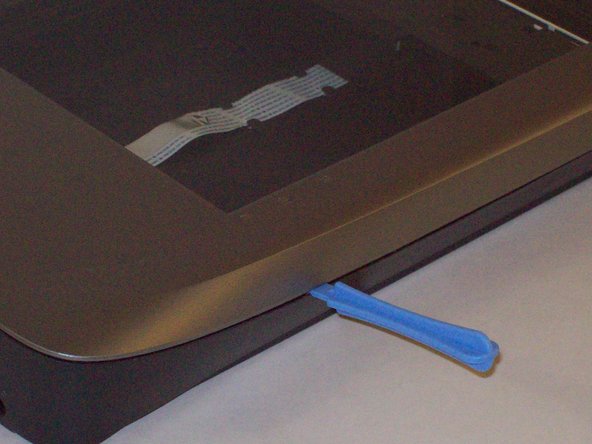
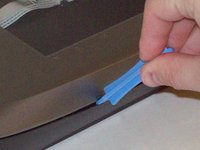
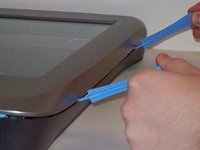
    1. Disassembling Microtek ScanMaker 5900 Outer Scanner Chassis, Detach plastic latches: crwdns2935265:03crwdnd2935265:01crwdnd2935265:03crwdne2935265:0 Disassembling Microtek ScanMaker 5900 Outer Scanner Chassis, Detach plastic latches: crwdns2935265:03crwdnd2935265:02crwdnd2935265:03crwdne2935265:0 Disassembling Microtek ScanMaker 5900 Outer Scanner Chassis, Detach plastic latches: crwdns2935265:03crwdnd2935265:03crwdnd2935265:03crwdne2935265:0
      • Push the plastic opening tools into the crack between the top and the bottom of the chassis.

      crwdns2952109:0crwdne2952109:0

      crwdns2917038:0crwdne2917038:0

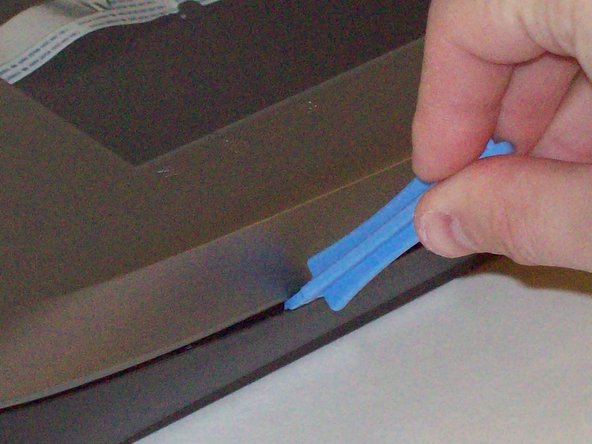
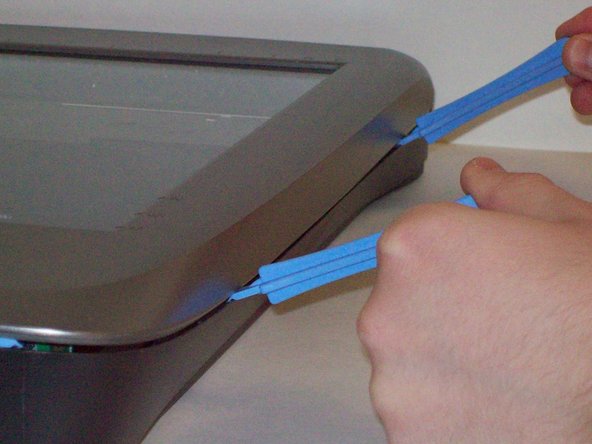
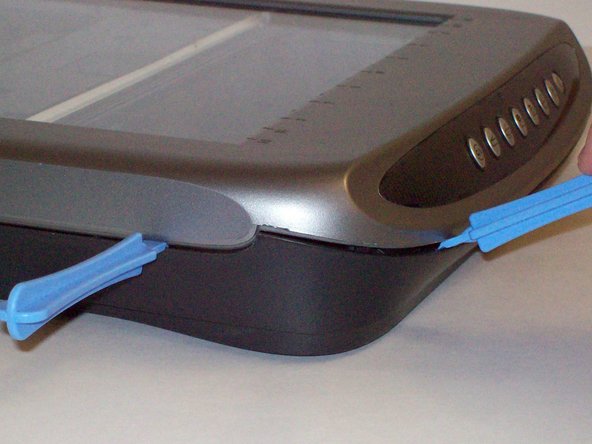
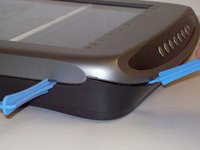
    2. Disassembling Microtek ScanMaker 5900 Outer Scanner Chassis, Continue latch detachment: crwdns2935265:04crwdnd2935265:01crwdnd2935265:03crwdne2935265:0 Disassembling Microtek ScanMaker 5900 Outer Scanner Chassis, Continue latch detachment: crwdns2935265:04crwdnd2935265:02crwdnd2935265:03crwdne2935265:0 Disassembling Microtek ScanMaker 5900 Outer Scanner Chassis, Continue latch detachment: crwdns2935265:04crwdnd2935265:03crwdnd2935265:03crwdne2935265:0
      • After placing one plastic opening tool into the slit, slide other plastic opening tools along the slit to detach the top from the bottom of the chassis.

      • Go all the way along the chassis until you can lift the upper lid.

      crwdns2952109:0crwdne2952109:0

      crwdns2917038:0crwdne2917038:0

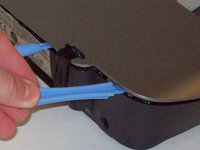
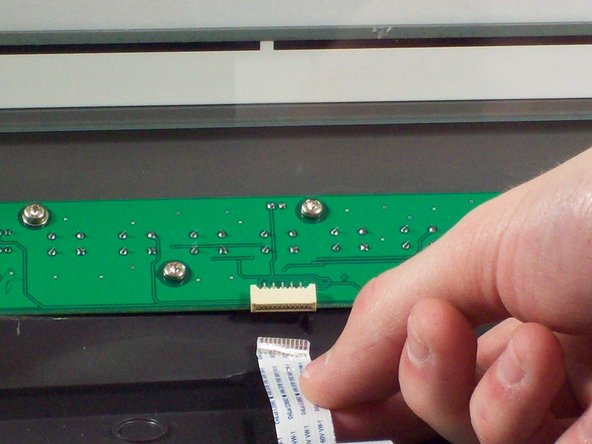
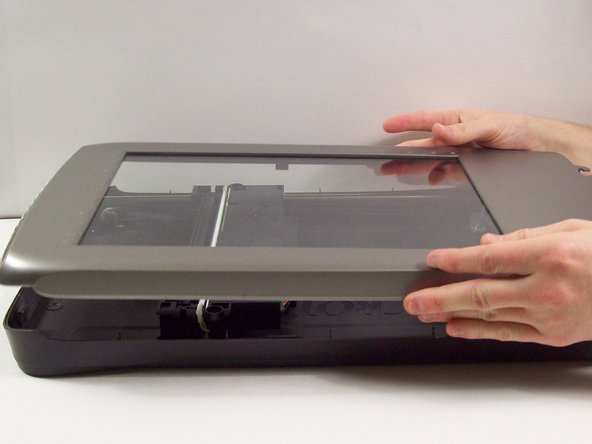
    3. Disassembling Microtek ScanMaker 5900 Outer Scanner Chassis, Fully remove the upper lid: crwdns2935265:05crwdnd2935265:01crwdnd2935265:03crwdne2935265:0 Disassembling Microtek ScanMaker 5900 Outer Scanner Chassis, Fully remove the upper lid: crwdns2935265:05crwdnd2935265:02crwdnd2935265:03crwdne2935265:0 Disassembling Microtek ScanMaker 5900 Outer Scanner Chassis, Fully remove the upper lid: crwdns2935265:05crwdnd2935265:03crwdnd2935265:03crwdne2935265:0
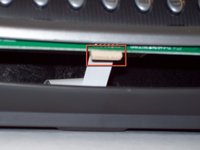
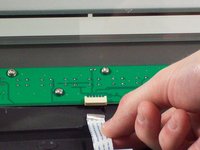
      • Do not fully remove the lid until you remove the ribbon cable attached to the front of the upper lid.

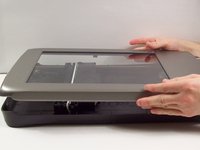
      • Do this by grabbing the upper lid from the sides and rotating it ninety degrees so it is perpendicular to the bottom lid.

      • Grab the ribbon cable and gently pull it out of its slot with your fingers.

      • The upper lid can now safely be removed from the bottom lid.

      crwdns2952109:0crwdne2952109:0

      crwdns2917038:0crwdne2917038:0

crwdns2915888:0crwdne2915888:0

To reassemble your device, follow these instructions in reverse order.

crwdns2935221:0crwdne2935221:0

Taylor Nesheim

crwdns2935283:010/11/11crwdne2935283:0

59 crwdns2915208:0crwdne2915208:0

crwdns2935297:07crwdne2935297:0

crwdns2935287:0crwdne2935287:0

Cal Poly, Team 6-9, Regan Fall 2011 crwdns2935289:0Cal Poly, Team 6-9, Regan Fall 2011crwdne2935289:0

CPSU-REGAN-F11S6G9

crwdns2931471:02crwdne2931471:0

crwdns2935297:0132crwdne2935297:0

crwdns2947412:00crwdne2947412:0

crwdns2917038:0crwdne2917038:0

crwdns2936625:0crwdne2936625:0:

crwdns2936751:024crwdne2936751:0 3

crwdns2936753:07crwdne2936753:0 26

crwdns2936753:030crwdne2936753:0 97

crwdns2959996:0crwdne2959996:0 2,681