crwdns2933423:0crwdne2933423:0
crwdns2947577:0crwdnd2947577:0crwdne2947577:0

Disassembling Marshall MS-2 Partner Circuit Board

crwdns2942213:0crwdne2942213:0

    1. Disassembling Marshall MS-2 Partner Circuit Board, Disassembling Marshall MS-2 Micro Amp Case Disassembly: crwdns2935265:01crwdnd2935265:01crwdnd2935265:01crwdne2935265:0
      • First be sure to turn the power switch to the off position.

      • Do this by turning the leftmost knob counter-clockwise as until the line points to "off."

      crwdns2952109:0crwdne2952109:0

      crwdns2917038:0crwdne2917038:0

    2. Disassembling Marshall MS-2 Partner Circuit Board: crwdns2935265:02crwdnd2935265:01crwdnd2935265:03crwdne2935265:0 Disassembling Marshall MS-2 Partner Circuit Board: crwdns2935265:02crwdnd2935265:02crwdnd2935265:03crwdne2935265:0 Disassembling Marshall MS-2 Partner Circuit Board: crwdns2935265:02crwdnd2935265:03crwdnd2935265:03crwdne2935265:0
      • Now remove the battery.

      • On the back of the device locate the battery cover.

      • Remove it by pushing down on the clip.

      • Then pull the piece of fabric until the battery comes out.

      crwdns2952109:0crwdne2952109:0

      crwdns2917038:0crwdne2917038:0

    3. Disassembling Marshall MS-2 Partner Circuit Board: crwdns2935265:03crwdnd2935265:01crwdnd2935265:02crwdne2935265:0 Disassembling Marshall MS-2 Partner Circuit Board: crwdns2935265:03crwdnd2935265:02crwdnd2935265:02crwdne2935265:0
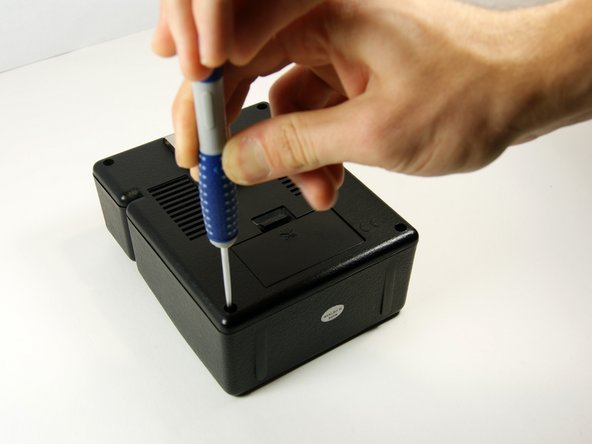
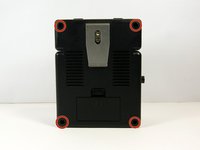
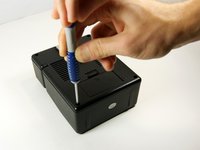
      • Use the long, skinny phillips head screwdriver to remove the 4 7/16" screws on the back of the device in the four corners.

      • Once unscrewed, do not try to take each screw out. Move to next step once all screwed have been unscrewed.

      crwdns2952109:0crwdne2952109:0

      crwdns2917038:0crwdne2917038:0

    4. Disassembling Marshall MS-2 Partner Circuit Board: crwdns2935265:04crwdnd2935265:01crwdnd2935265:01crwdne2935265:0
      • Now pull the back panel off and place it down as shown. Pull the panel straight up so you do not lose the screws.

      crwdns2952109:0crwdne2952109:0

      crwdns2917038:0crwdne2917038:0

    1. Disassembling Marshall MS-2 Partner Circuit Board, Partner Circuit Board: crwdns2935265:05crwdnd2935265:01crwdnd2935265:02crwdne2935265:0 Disassembling Marshall MS-2 Partner Circuit Board, Partner Circuit Board: crwdns2935265:05crwdnd2935265:02crwdnd2935265:02crwdne2935265:0
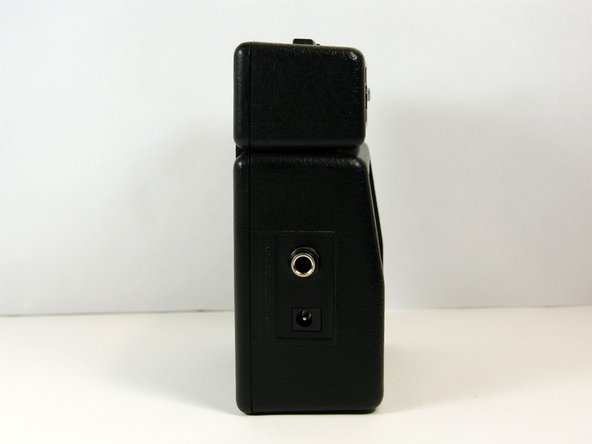
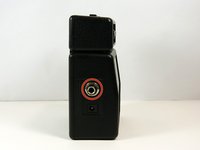
      • Use a 9/16" socket to remove the nut around the headphone jack. Be careful to not lose the washer.

      crwdns2952109:0crwdne2952109:0

      crwdns2917038:0crwdne2917038:0

    2. Disassembling Marshall MS-2 Partner Circuit Board: crwdns2935265:06crwdnd2935265:01crwdnd2935265:01crwdne2935265:0
      • Remove the 7/16" phillips head screw.

      crwdns2952109:0crwdne2952109:0

      crwdns2917038:0crwdne2917038:0

    3. Disassembling Marshall MS-2 Partner Circuit Board: crwdns2935265:07crwdnd2935265:01crwdnd2935265:01crwdne2935265:0
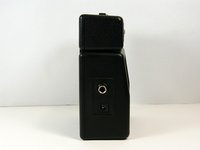
      • Grab the headphone jack from inside the case and pull it toward the speaker until you can fully remove it from the device.

      crwdns2952109:0crwdne2952109:0

      crwdns2917038:0crwdne2917038:0

crwdns2915888:0crwdne2915888:0

To reassemble your device, follow these instructions in reverse order.

crwdns2935221:0crwdne2935221:0

crwdns2935229:03crwdne2935229:0

MacKinley

crwdns2935283:010/22/13crwdne2935283:0

816 crwdns2915208:0crwdne2915208:0

crwdns2935297:05crwdne2935297:0

crwdns2935287:0crwdne2935287:0

University of Maryland, Team 1-1, Shastany Fall 2013 crwdns2935289:0University of Maryland, Team 1-1, Shastany Fall 2013crwdne2935289:0

UMD-SHASTANY-F13S1G1

crwdns2931471:03crwdne2931471:0

crwdns2935297:060crwdne2935297:0

crwdns2947410:01crwdne2947410:0

There Is a toroidal transformer inside ?

Jack redmond - crwdns2934203:0crwdne2934203:0 crwdns2950251:0crwdne2950251:0

crwdns2917038:0crwdne2917038:0

crwdns2936625:0crwdne2936625:0:

crwdns2936751:024crwdne2936751:0 3

crwdns2936753:07crwdne2936753:0 34

crwdns2936753:030crwdne2936753:0 111

crwdns2942667:0crwdne2942667:0 2,494