crwdns2933423:0crwdne2933423:0
crwdns2947577:0crwdnd2947577:0crwdne2947577:0

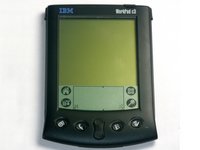
Disassembling IBM WorkPad c3 LCD

crwdns2942213:0crwdne2942213:0

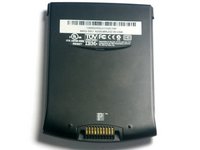
  1. Disassembling IBM WorkPad c3 LCD, Back Case: crwdns2935265:01crwdnd2935265:01crwdnd2935265:02crwdne2935265:0 Disassembling IBM WorkPad c3 LCD, Back Case: crwdns2935265:01crwdnd2935265:02crwdnd2935265:02crwdne2935265:0
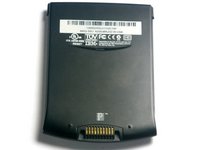
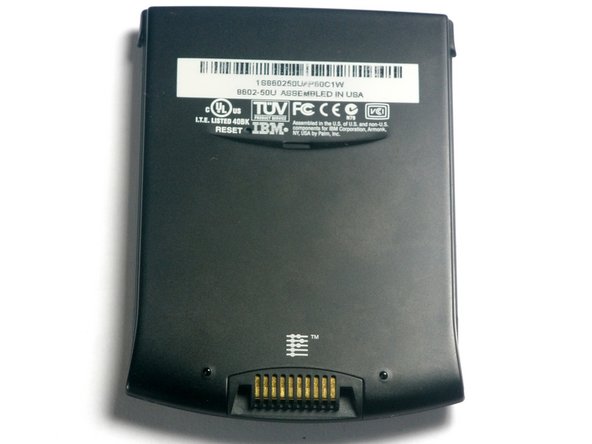
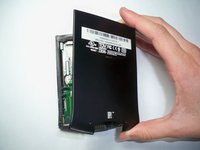
    • Turn the device over so that the screen is facing down.

    • In the next step the device will be heated, so the screen must be turned over to prevent heat damage to the LCD/Digitizer.

    crwdns2952109:0crwdne2952109:0
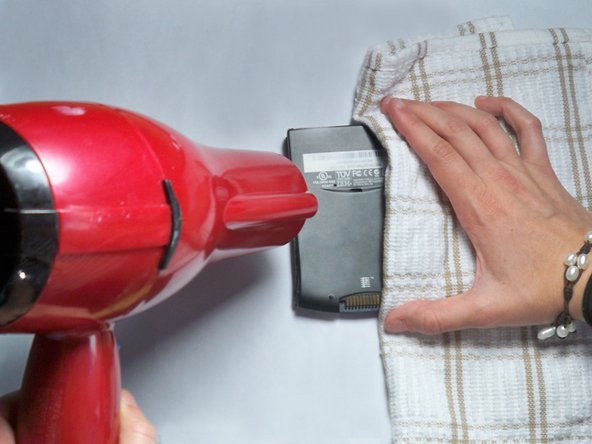
  2. Disassembling IBM WorkPad c3 LCD: crwdns2935265:02crwdnd2935265:01crwdnd2935265:01crwdne2935265:0
    • Using a hair dryer, slowly heat the edges of the WorkPad.

    • Spend at least one minute heating each side of the device. This will melt the glue holding the case together, and allow it to be removed.

    • Be sure not to touch the device directly after heating as it will be extremely hot. Use a towel or oven mitt to grab it.

    crwdns2952109:0crwdne2952109:0
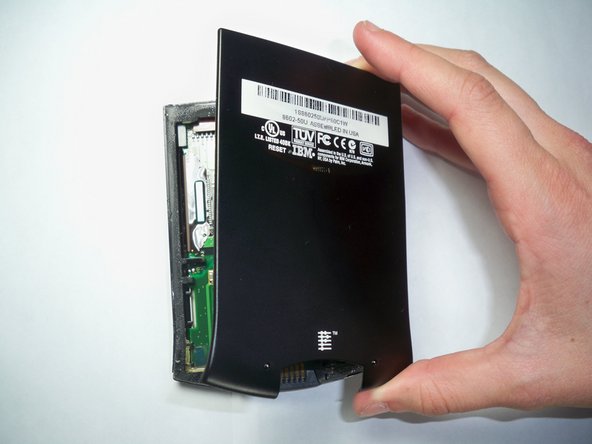
  3. Disassembling IBM WorkPad c3 LCD: crwdns2935265:03crwdnd2935265:01crwdnd2935265:02crwdne2935265:0 Disassembling IBM WorkPad c3 LCD: crwdns2935265:03crwdnd2935265:02crwdnd2935265:02crwdne2935265:0
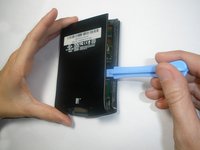
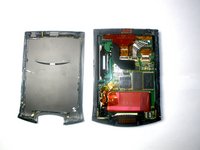
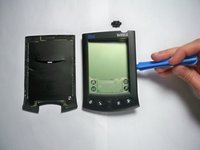
    • Use a plastic opening tool to pry the back case from the WorkPad.

    • If the rear cover is not coming off very easily, you probably need to reheat the case in order to sufficiently melt the glue.

    crwdns2952109:0crwdne2952109:0
  4. Disassembling IBM WorkPad c3 LCD, Front Case: crwdns2935265:04crwdnd2935265:01crwdnd2935265:02crwdne2935265:0 Disassembling IBM WorkPad c3 LCD, Front Case: crwdns2935265:04crwdnd2935265:02crwdnd2935265:02crwdne2935265:0
    • Turn the device over, so that the screen is laying on a flat surface.

    crwdns2952109:0crwdne2952109:0
  5. Disassembling IBM WorkPad c3 LCD: crwdns2935265:05crwdnd2935265:01crwdnd2935265:03crwdne2935265:0 Disassembling IBM WorkPad c3 LCD: crwdns2935265:05crwdnd2935265:02crwdnd2935265:03crwdne2935265:0 Disassembling IBM WorkPad c3 LCD: crwdns2935265:05crwdnd2935265:03crwdnd2935265:03crwdne2935265:0
    • If the back case has already been removed, carefully place it on the WorkPad to protect the circuitry inside from the heat.

    • Using the hair dryer, slowly heat the edges of the device. Spend at least 1 minute on each side, thoroughly heating the case.

    • The LCD/Digitizer combo is very sensitive to heat, and can easily be ruined if it is directly exposed to the hair dryer. Verify that the screen is face down.

    crwdns2952109:0crwdne2952109:0
  6. Disassembling IBM WorkPad c3 LCD: crwdns2935265:06crwdnd2935265:01crwdnd2935265:02crwdne2935265:0 Disassembling IBM WorkPad c3 LCD: crwdns2935265:06crwdnd2935265:02crwdnd2935265:02crwdne2935265:0
    • The device will be extremely hot. Use a towel or oven mitt to grab it.

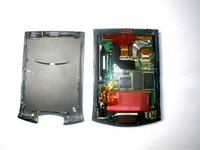
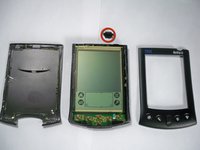
    • Using the Plastic Opening Tools, take the front of the case off.

    • If the case is difficult to remove, try repeating step 2.

    • The power button at the top of the device will be loose once the front part of the case is removed.

    crwdns2952109:0crwdne2952109:0
  7. Disassembling IBM WorkPad c3 LCD, Battery: crwdns2935265:07crwdnd2935265:01crwdnd2935265:01crwdne2935265:0
    • Remove the yellow tape that is covering the battery connector

    crwdns2952109:0crwdne2952109:0
  8. Disassembling IBM WorkPad c3 LCD: crwdns2935265:08crwdnd2935265:01crwdnd2935265:01crwdne2935265:0
    crwdns2935267:0crwdne2935267:0
    Tweezers
    $4.99
    • Using the tweezers, carefully disconnect the battery cable from the port

    crwdns2952109:0crwdne2952109:0
  9. Disassembling IBM WorkPad c3 LCD: crwdns2935265:09crwdnd2935265:01crwdnd2935265:02crwdne2935265:0 Disassembling IBM WorkPad c3 LCD: crwdns2935265:09crwdnd2935265:02crwdnd2935265:02crwdne2935265:0
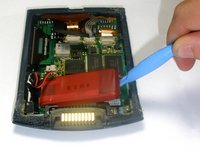
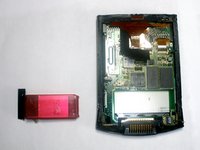
    • Using the plastic opening tools, lift the battery out of the case

    • The battery is secured with adhesive and it will take some effort to remove

    crwdns2952109:0crwdne2952109:0
  10. Disassembling IBM WorkPad c3 LCD, LCD: crwdns2935265:010crwdnd2935265:01crwdnd2935265:02crwdne2935265:0 Disassembling IBM WorkPad c3 LCD, LCD: crwdns2935265:010crwdnd2935265:02crwdnd2935265:02crwdne2935265:0
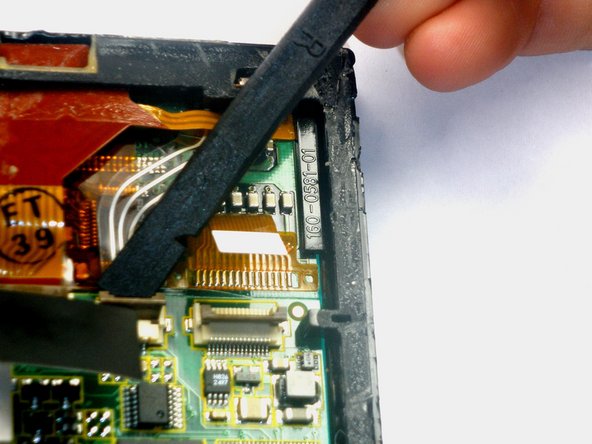
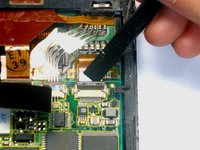
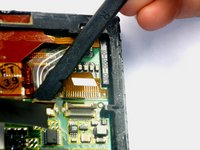
    • Using the spudger lift the tabs holding the LCD/Digitizer combo cables to the WorkPad.

    crwdns2952109:0crwdne2952109:0
  11. Disassembling IBM WorkPad c3 LCD: crwdns2935265:011crwdnd2935265:01crwdnd2935265:02crwdne2935265:0 Disassembling IBM WorkPad c3 LCD: crwdns2935265:011crwdnd2935265:02crwdnd2935265:02crwdne2935265:0
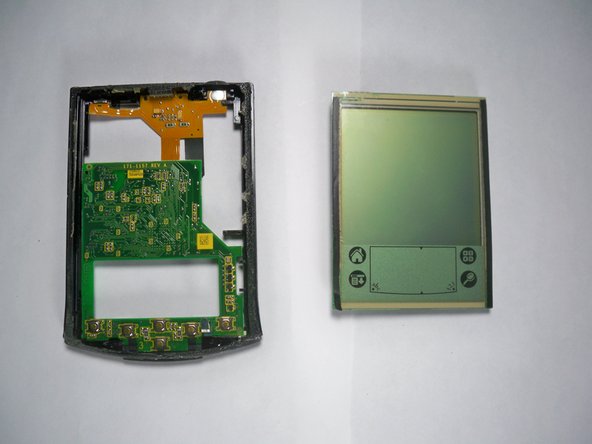
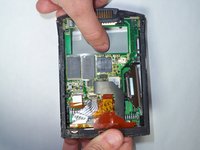
    • Using your thumb, press down gently on the back of the LCD.

    • The LCD will disconnect and fall out of the case, so be sure to have your hand waiting for it.

    crwdns2952109:0crwdne2952109:0
crwdns2915888:0crwdne2915888:0

To reassemble your device, follow these instructions in reverse order.

Emily Falkenstein

crwdns2935283:010/05/10crwdne2935283:0

75 crwdns2915208:0crwdne2915208:0

crwdns2935297:05crwdne2935297:0

crwdns2935287:0crwdne2935287:0

Cal Poly, Team 21-35, Regan Fall 2010 crwdns2935289:0Cal Poly, Team 21-35, Regan Fall 2010crwdne2935289:0

CPSU-REGAN-F10S21G35

crwdns2931471:03crwdne2931471:0

crwdns2935297:05crwdne2935297:0

crwdns2947412:00crwdne2947412:0

crwdns2917038:0crwdne2917038:0

crwdns2936625:0crwdne2936625:0:

crwdns2936751:024crwdne2936751:0 0

crwdns2936753:07crwdne2936753:0 7

crwdns2936753:030crwdne2936753:0 52

crwdns2942667:0crwdne2942667:0 2,258