crwdns2933423:0crwdne2933423:0
crwdns2947577:0crwdnd2947577:0crwdne2947577:0

Disassembling Antsle One D Server

crwdns2942213:0crwdne2942213:0

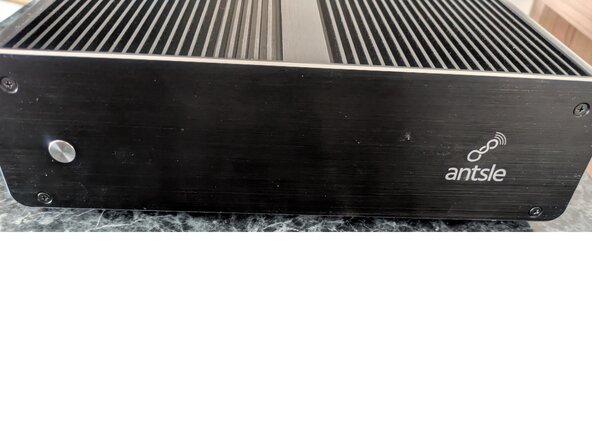
  1. Disassembling Antsle One D Server, Remove Front Plate: crwdns2935265:01crwdnd2935265:01crwdnd2935265:03crwdne2935265:0 Disassembling Antsle One D Server, Remove Front Plate: crwdns2935265:01crwdnd2935265:02crwdnd2935265:03crwdne2935265:0 Disassembling Antsle One D Server, Remove Front Plate: crwdns2935265:01crwdnd2935265:03crwdnd2935265:03crwdne2935265:0
    • Remove the screws from the front panel.

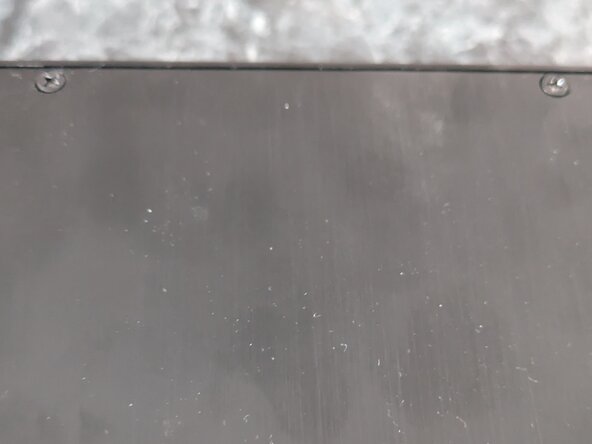
    • There are also two screws in the front bottom of the plate that need to be removed.

    • When pulling the plate away from the body, be careful as a spring is keeping the silver button in place. The spring also easily slips off the button. Keep an eye out so you don't lose either of these items.

    crwdns2952109:0crwdne2952109:0
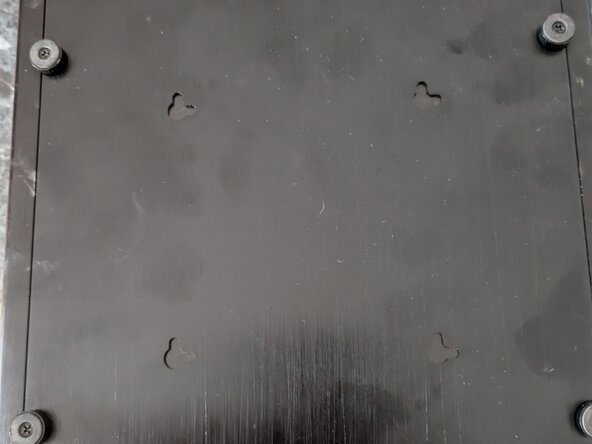
  2. Disassembling Antsle One D Server, Remove bottom plate: crwdns2935265:02crwdnd2935265:01crwdnd2935265:02crwdne2935265:0 Disassembling Antsle One D Server, Remove bottom plate: crwdns2935265:02crwdnd2935265:02crwdnd2935265:02crwdne2935265:0
    • To remove the bottom plate, remove the four-foot screws and the two screws from the rear plate, and the bottom will slide out.

    crwdns2952109:0crwdne2952109:0
  3. Disassembling Antsle One D Server, Remove Back Plate: crwdns2935265:03crwdnd2935265:01crwdnd2935265:01crwdne2935265:0
    • Remove the four screws from the rear plate

    • Unscrew the DC input connector

    • After, completing the previous step, and these six screws are removed, you can safely detach the rear plate.

    crwdns2952109:0crwdne2952109:0
  4. Disassembling Antsle One D Server, Remove Front Panel PCB: crwdns2935265:04crwdnd2935265:01crwdnd2935265:01crwdne2935265:0
    • Remove the two screws keeping the PCB mounted

    • Disconnect the power cable.

    crwdns2952109:0crwdne2952109:0
  5. Disassembling Antsle One D Server, Remove the hard drive bay: crwdns2935265:05crwdnd2935265:01crwdnd2935265:02crwdne2935265:0 Disassembling Antsle One D Server, Remove the hard drive bay: crwdns2935265:05crwdnd2935265:02crwdnd2935265:02crwdne2935265:0
    • Disconnect the power and SATA cables from the hard drives.

    • Remove the four screws keeping the hard drives in place.

    crwdns2952109:0crwdne2952109:0
  6. Disassembling Antsle One D Server, Remove the motherboard: crwdns2935265:06crwdnd2935265:01crwdnd2935265:02crwdne2935265:0 Disassembling Antsle One D Server, Remove the motherboard: crwdns2935265:06crwdnd2935265:02crwdnd2935265:02crwdne2935265:0
    • Remove the four internal screws keeping the CPU pressed against the heat sink (labeled orange).

    • Remove the four outer screws (labeled yellow).

    • Lift the motherboard away. The thermal paste may have good adhesion and additional gentle force may be needed to pry it away.

    crwdns2952109:0crwdne2952109:0
    • Out of the box, the Antsle One D comes with 2 SATA hard drives. These can be disconnected from the SATA ports.

    • The front panel PCB is connected via a <look up> wire.

    • A power connector goes from the DC input to the motherboard.

    • A <look up> connector goes from the motherboard to the hard drive bay.

    crwdns2952109:0crwdne2952109:0
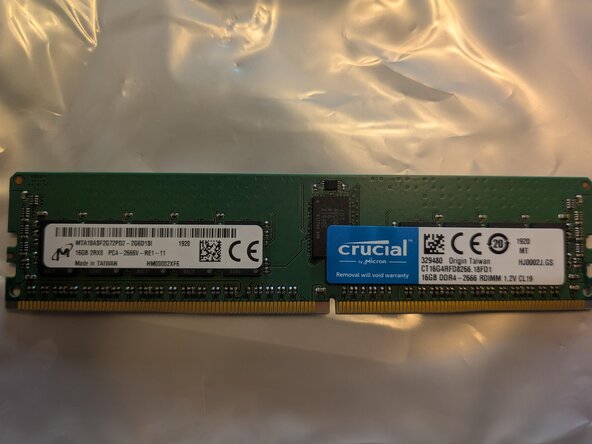
  7. Disassembling Antsle One D Server, CPU & RAM: crwdns2935265:08crwdnd2935265:01crwdnd2935265:02crwdne2935265:0 Disassembling Antsle One D Server, CPU & RAM: crwdns2935265:08crwdnd2935265:02crwdnd2935265:02crwdne2935265:0
    • CPU - Intel C3558 SR388 2.20GHZ

    • RAM - DDR4 2666 RDIMM 1.2v CL19

    crwdns2952109:0crwdne2952109:0
crwdns2915888:0crwdne2915888:0

To reassemble your device, follow these instructions in reverse order.

fausty

crwdns2935283:006/16/24crwdne2935283:0

698 crwdns2915208:0crwdne2915208:0

crwdns2935297:04crwdne2935297:0

crwdns2947412:00crwdne2947412:0

crwdns2917038:0crwdne2917038:0

crwdns2936625:0crwdne2936625:0:

crwdns2936751:024crwdne2936751:0 1

crwdns2936753:07crwdne2936753:0 5

crwdns2936753:030crwdne2936753:0 39

crwdns2942667:0crwdne2942667:0 301