crwdns2933423:0crwdne2933423:0
crwdns2947577:0crwdnd2947577:0crwdne2947577:0

Dell XPS M140 Screen Replacement

crwdns2942213:0crwdne2942213:0

    1. Dell XPS M140 Screen Replacement, Battery: crwdns2935265:01crwdnd2935265:01crwdnd2935265:01crwdne2935265:0
      • Turn over the laptop.

      crwdns2952109:0crwdne2952109:0

      crwdns2917038:0crwdne2917038:0

    2. Dell XPS M140 Screen Replacement: crwdns2935265:02crwdnd2935265:01crwdnd2935265:03crwdne2935265:0 Dell XPS M140 Screen Replacement: crwdns2935265:02crwdnd2935265:02crwdnd2935265:03crwdne2935265:0 Dell XPS M140 Screen Replacement: crwdns2935265:02crwdnd2935265:03crwdnd2935265:03crwdne2935265:0
      • Open the slide lock and pull out the battery.

      crwdns2952109:0crwdne2952109:0

      crwdns2917038:0crwdne2917038:0

    1. Dell XPS M140 Screen Replacement, Screen: crwdns2935265:03crwdnd2935265:01crwdnd2935265:03crwdne2935265:0 Dell XPS M140 Screen Replacement, Screen: crwdns2935265:03crwdnd2935265:02crwdnd2935265:03crwdne2935265:0 Dell XPS M140 Screen Replacement, Screen: crwdns2935265:03crwdnd2935265:03crwdnd2935265:03crwdne2935265:0
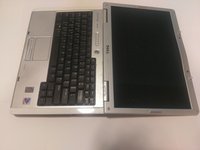
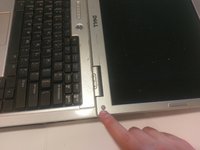
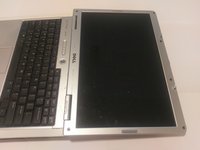
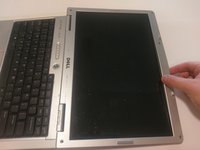
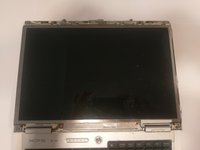
      • The plastic casing around the screen has a gray rubber circle, lining the perimeter of the casing.

      • Remove the casing by peeling them off. This will expose the screws underneath.

      crwdns2952109:0crwdne2952109:0

      crwdns2917038:0crwdne2917038:0

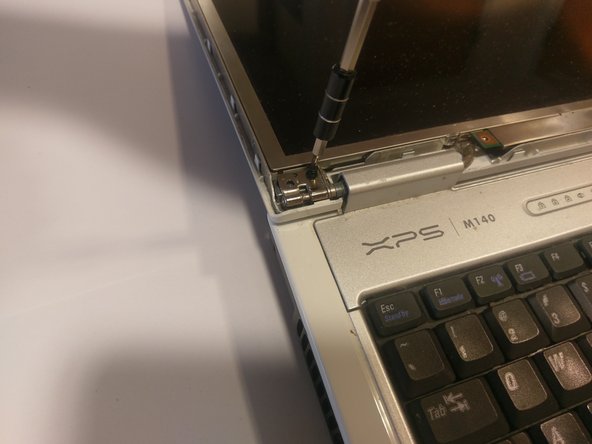
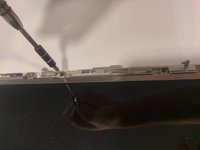
    2. Dell XPS M140 Screen Replacement: crwdns2935265:04crwdnd2935265:01crwdnd2935265:01crwdne2935265:0
      • Unscrew the screws on the casing that you just exposed.

      crwdns2952109:0crwdne2952109:0

      crwdns2917038:0crwdne2917038:0

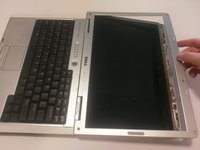
    3. Dell XPS M140 Screen Replacement: crwdns2935265:05crwdnd2935265:01crwdnd2935265:03crwdne2935265:0 Dell XPS M140 Screen Replacement: crwdns2935265:05crwdnd2935265:02crwdnd2935265:03crwdne2935265:0 Dell XPS M140 Screen Replacement: crwdns2935265:05crwdnd2935265:03crwdnd2935265:03crwdne2935265:0
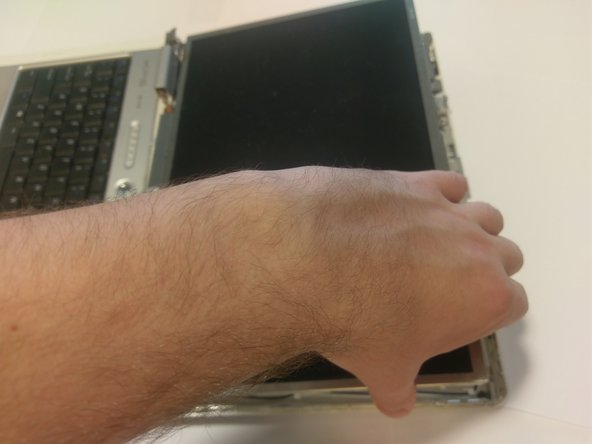
      • With care, pop off the plastic clips sourrounding the casing.

      • Run your hand, or a tool, around the perimeter, to remove the casing.

      crwdns2952109:0crwdne2952109:0

      crwdns2917038:0crwdne2917038:0

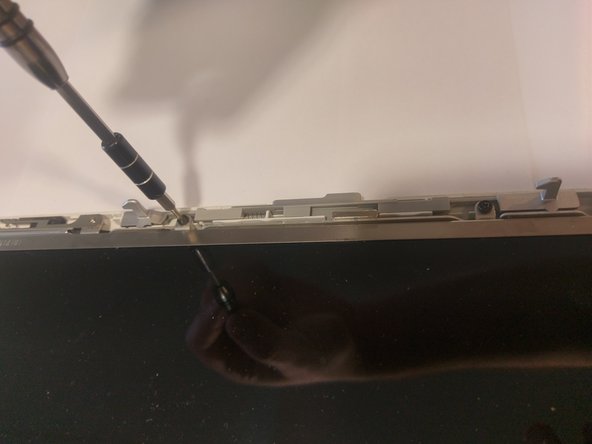
    4. Dell XPS M140 Screen Replacement: crwdns2935265:06crwdnd2935265:01crwdnd2935265:03crwdne2935265:0 Dell XPS M140 Screen Replacement: crwdns2935265:06crwdnd2935265:02crwdnd2935265:03crwdne2935265:0 Dell XPS M140 Screen Replacement: crwdns2935265:06crwdnd2935265:03crwdnd2935265:03crwdne2935265:0
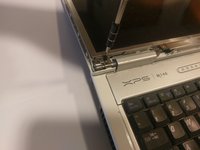
      • Once the casing is removed, more screws should be exposed.

      • Remove every screw.

      crwdns2952109:0crwdne2952109:0

      crwdns2917038:0crwdne2917038:0

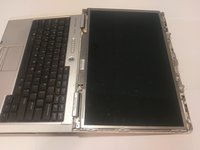
    5. Dell XPS M140 Screen Replacement: crwdns2935265:07crwdnd2935265:01crwdnd2935265:03crwdne2935265:0 Dell XPS M140 Screen Replacement: crwdns2935265:07crwdnd2935265:02crwdnd2935265:03crwdne2935265:0 Dell XPS M140 Screen Replacement: crwdns2935265:07crwdnd2935265:03crwdnd2935265:03crwdne2935265:0
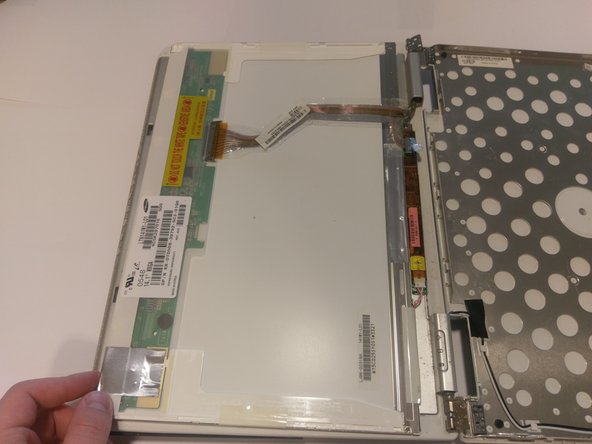
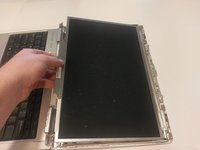
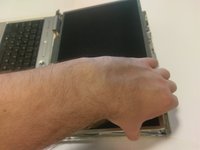
      • Once all of the screws are removed, the screen should be loose.

      • Gently pick it up and place it face down onto the keyboard.

      crwdns2952109:0crwdne2952109:0

      crwdns2917038:0crwdne2917038:0

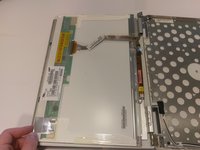
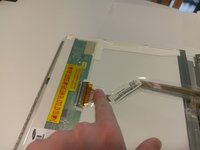
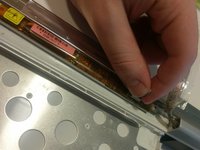
    6. Dell XPS M140 Screen Replacement: crwdns2935265:08crwdnd2935265:01crwdnd2935265:03crwdne2935265:0 Dell XPS M140 Screen Replacement: crwdns2935265:08crwdnd2935265:02crwdnd2935265:03crwdne2935265:0 Dell XPS M140 Screen Replacement: crwdns2935265:08crwdnd2935265:03crwdnd2935265:03crwdne2935265:0
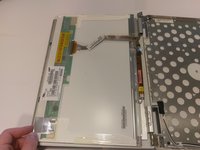
      • There should be two connections.

      • One with a blue looking handle, and one with clips.

      • To remove the connection with the clips, squeeze the two clips together and pull the ribbon cable.

      • To remove the connection with the blue handle, gently pull on the blue handle, it should come right off.

      crwdns2952109:0crwdne2952109:0

      crwdns2917038:0crwdne2917038:0

crwdns2915888:0crwdne2915888:0

To reassemble your device, follow these instructions in reverse order.

crwdns2935221:0crwdne2935221:0

Travis Morazzini

crwdns2935283:003/20/17crwdne2935283:0

207 crwdns2915208:0crwdne2915208:0

crwdns2935297:02crwdne2935297:0

crwdns2935287:0crwdne2935287:0

UMass Dartmouth, Team S9-G5, Martin Spring 2017 crwdns2935289:0UMass Dartmouth, Team S9-G5, Martin Spring 2017crwdne2935289:0

UMASSD-MARTIN-S17S9G5

crwdns2931471:04crwdne2931471:0

crwdns2935297:055crwdne2935297:0

crwdns2947412:00crwdne2947412:0

crwdns2917038:0crwdne2917038:0

crwdns2936625:0crwdne2936625:0:

crwdns2936751:024crwdne2936751:0 0

crwdns2936753:07crwdne2936753:0 9

crwdns2936753:030crwdne2936753:0 30

crwdns2942667:0crwdne2942667:0 580