crwdns2933423:0crwdne2933423:0
crwdns2947577:0crwdnd2947577:0crwdne2947577:0

Dell Photo Printer 540 Memory Card Reader Replacement

crwdns2942213:0crwdne2942213:0

  1. Dell Photo Printer 540 Memory Card Reader Replacement, Case: crwdns2935265:01crwdnd2935265:01crwdnd2935265:01crwdne2935265:0
    • Rotate the photo printer so that the bottom of the case faces upward.

    crwdns2952109:0crwdne2952109:0

    crwdns2917038:0crwdne2917038:0

  2. Dell Photo Printer 540 Memory Card Reader Replacement: crwdns2935265:02crwdnd2935265:01crwdnd2935265:01crwdne2935265:0
    • Use a Phillips #2 screwdriver to remove the three 5.65 mm screws on the bottom panel of the case in a counter-clockwise fashion.

    crwdns2952109:0crwdne2952109:0

    crwdns2917038:0crwdne2917038:0

  3. Dell Photo Printer 540 Memory Card Reader Replacement: crwdns2935265:03crwdnd2935265:01crwdnd2935265:01crwdne2935265:0
    • Rotate the device so that it is upright again. Under the LCD Panel there is a 9.62 mm screw, unscrew using a Phillips #2 screwdriver.

    crwdns2952109:0crwdne2952109:0

    crwdns2917038:0crwdne2917038:0

  4. Dell Photo Printer 540 Memory Card Reader Replacement: crwdns2935265:04crwdnd2935265:01crwdnd2935265:01crwdne2935265:0
    • Remove the back panel of the case by pulling directly back.

    • Some carefully applied force may be required to remove this part.

    crwdns2952109:0crwdne2952109:0

    crwdns2917038:0crwdne2917038:0

  5. Dell Photo Printer 540 Memory Card Reader Replacement: crwdns2935265:05crwdnd2935265:01crwdnd2935265:01crwdne2935265:0
    • Rotate the photo printer so that the bottom panel faces up once again. Now lift off the bottom panel of the case to access all internal components.

    crwdns2952109:0crwdne2952109:0

    crwdns2917038:0crwdne2917038:0

  6. Dell Photo Printer 540 Memory Card Reader Replacement: crwdns2935265:06crwdnd2935265:01crwdnd2935265:02crwdne2935265:0 Dell Photo Printer 540 Memory Card Reader Replacement: crwdns2935265:06crwdnd2935265:02crwdnd2935265:02crwdne2935265:0
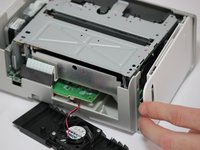
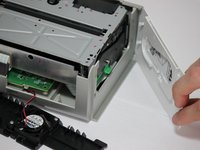
    • Finally remove the side panel with the ink-cartridge door by holding the right side and pulling backwards with the left side.

    • Caution! The side panel is held in by tabs; don't break these.

    crwdns2952109:0crwdne2952109:0

    crwdns2917038:0crwdne2917038:0

  7. Dell Photo Printer 540 Memory Card Reader Replacement, Cooling Fan: crwdns2935265:07crwdnd2935265:01crwdnd2935265:01crwdne2935265:0
    • Carefully remove the inner components of the device by lifting the inner components up and out of the casing.

    crwdns2952109:0crwdne2952109:0

    crwdns2917038:0crwdne2917038:0

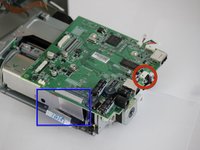
  8. Dell Photo Printer 540 Memory Card Reader Replacement: crwdns2935265:08crwdnd2935265:01crwdnd2935265:01crwdne2935265:0
    • Locate the red and black cable that is connecting the fan to the top of the logic board.

    crwdns2952109:0crwdne2952109:0

    crwdns2917038:0crwdne2917038:0

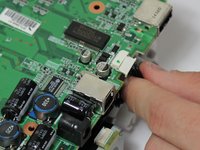
  9. Dell Photo Printer 540 Memory Card Reader Replacement: crwdns2935265:09crwdnd2935265:01crwdnd2935265:01crwdne2935265:0
    • Carefully, remove the red and black cable from the logic board by pulling gently in order to isolate the cooling fan from the device.

    crwdns2952109:0crwdne2952109:0

    crwdns2917038:0crwdne2917038:0

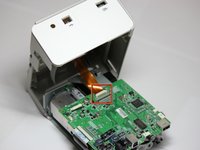
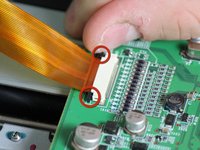
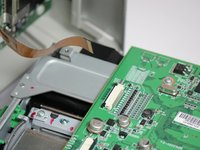
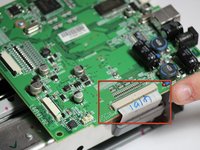
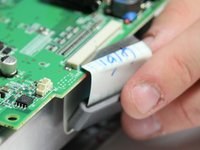
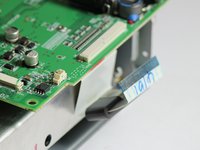
  10. Dell Photo Printer 540 Memory Card Reader Replacement, Mother Board: crwdns2935265:010crwdnd2935265:01crwdnd2935265:03crwdne2935265:0 Dell Photo Printer 540 Memory Card Reader Replacement, Mother Board: crwdns2935265:010crwdnd2935265:02crwdnd2935265:03crwdne2935265:0 Dell Photo Printer 540 Memory Card Reader Replacement, Mother Board: crwdns2935265:010crwdnd2935265:03crwdnd2935265:03crwdne2935265:0
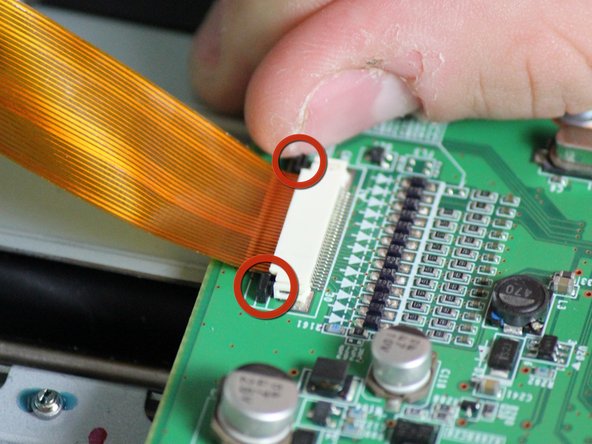
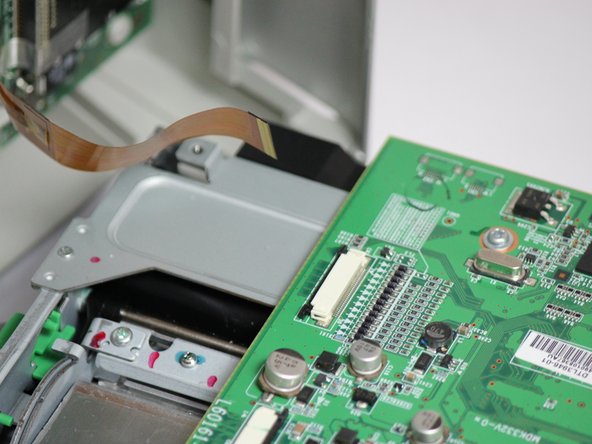
    • Locate the data ribbon that connects the LCD panel to the mother board.

    • Loosen the fasteners next to the ribbon by carefully pushing them away from the white ribbon holder.

    • Once the fasteners are loosened the ribbon should easily slide away from the motherboard.

    crwdns2952109:0crwdne2952109:0

    crwdns2917038:0crwdne2917038:0

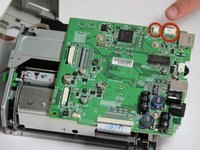
  11. Dell Photo Printer 540 Memory Card Reader Replacement: crwdns2935265:011crwdnd2935265:01crwdnd2935265:03crwdne2935265:0 Dell Photo Printer 540 Memory Card Reader Replacement: crwdns2935265:011crwdnd2935265:02crwdnd2935265:03crwdne2935265:0 Dell Photo Printer 540 Memory Card Reader Replacement: crwdns2935265:011crwdnd2935265:03crwdnd2935265:03crwdne2935265:0
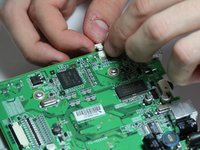
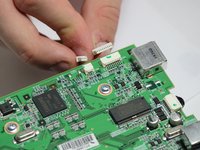
    • Locate the clips with multi-colored wires that connect the motherboard to the printing unit.

    • Disconnect both of them by gently pulling them away from the motherboard.

    crwdns2952109:0crwdne2952109:0

    crwdns2917038:0crwdne2917038:0

  12. Dell Photo Printer 540 Memory Card Reader Replacement: crwdns2935265:012crwdnd2935265:01crwdnd2935265:03crwdne2935265:0 Dell Photo Printer 540 Memory Card Reader Replacement: crwdns2935265:012crwdnd2935265:02crwdnd2935265:03crwdne2935265:0 Dell Photo Printer 540 Memory Card Reader Replacement: crwdns2935265:012crwdnd2935265:03crwdnd2935265:03crwdne2935265:0
    • Locate the white ribbon that connects the motherboard to the printing feed.

    • Disconnect the ribbon by gently pulling the ribbon away from the motherboard.

    crwdns2952109:0crwdne2952109:0

    crwdns2917038:0crwdne2917038:0

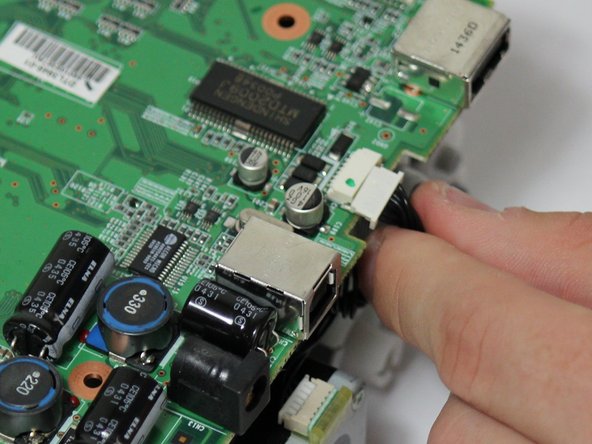
  13. Dell Photo Printer 540 Memory Card Reader Replacement: crwdns2935265:013crwdnd2935265:01crwdnd2935265:02crwdne2935265:0 Dell Photo Printer 540 Memory Card Reader Replacement: crwdns2935265:013crwdnd2935265:02crwdnd2935265:02crwdne2935265:0
    • The mother board has changed orientation. Notice the new orientation based on the white data ribbon we removed in the previous step.

    • Locate the black data ribbon that connects the mother board to the printing motors.

    • Disconnect it from the logic board, by gently pulling the wire away from the mother board.

    crwdns2952109:0crwdne2952109:0

    crwdns2917038:0crwdne2917038:0

  14. Dell Photo Printer 540 Memory Card Reader Replacement: crwdns2935265:014crwdnd2935265:01crwdnd2935265:01crwdne2935265:0
    • Now unscrew the three screws 7.89mm (counter-clockwise) using a Phillips #1 screwdriver.

    crwdns2952109:0crwdne2952109:0

    crwdns2917038:0crwdne2917038:0

  15. Dell Photo Printer 540 Memory Card Reader Replacement: crwdns2935265:015crwdnd2935265:01crwdnd2935265:01crwdne2935265:0
    • Once screws and ribbons are disconnected, you can pull mother board away from the printing unit.

    crwdns2952109:0crwdne2952109:0

    crwdns2917038:0crwdne2917038:0

  16. Dell Photo Printer 540 Memory Card Reader Replacement, Removal of the Control Panel Motherboard: crwdns2935265:016crwdnd2935265:01crwdnd2935265:01crwdne2935265:0
    • Gain access to the bottom of the top case with a thin horizontal control panel motherboard attached to the bottom.

    • Remove the front panel.

    • The dell top casing should now only have two sides.

    crwdns2952109:0crwdne2952109:0

    crwdns2917038:0crwdne2917038:0

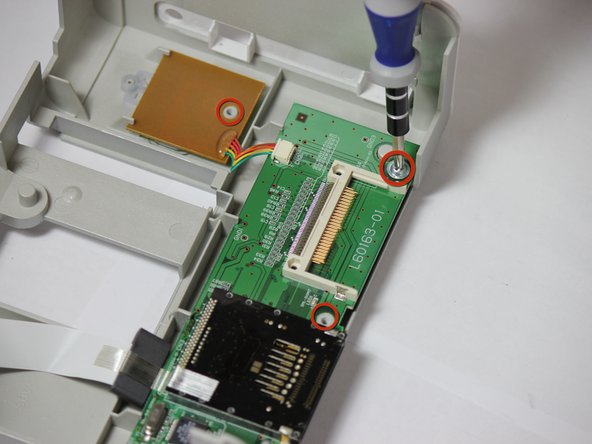
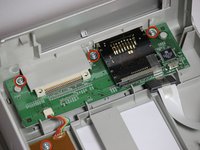
  17. Dell Photo Printer 540 Memory Card Reader Replacement: crwdns2935265:017crwdnd2935265:01crwdnd2935265:02crwdne2935265:0 Dell Photo Printer 540 Memory Card Reader Replacement: crwdns2935265:017crwdnd2935265:02crwdnd2935265:02crwdne2935265:0
    • Locate the four 7.85 mm screws attaching the control panel motherboard to the top face casing.

    • Use a Phillips Head #1 screw driver to remove the four highlighted screws.

    • NOTE: Make sure removal of front face plate is completed.

    crwdns2952109:0crwdne2952109:0

    crwdns2917038:0crwdne2917038:0

  18. Dell Photo Printer 540 Memory Card Reader Replacement: crwdns2935265:018crwdnd2935265:01crwdnd2935265:01crwdne2935265:0
    • Gently lift the horizontal control panel motherboard and square power switch board.

    • Completely detach the motherboard from the face casing.

    • NOTE: Leave the power switch control attached to the main control panel motherboard.

    crwdns2952109:0crwdne2952109:0

    crwdns2917038:0crwdne2917038:0

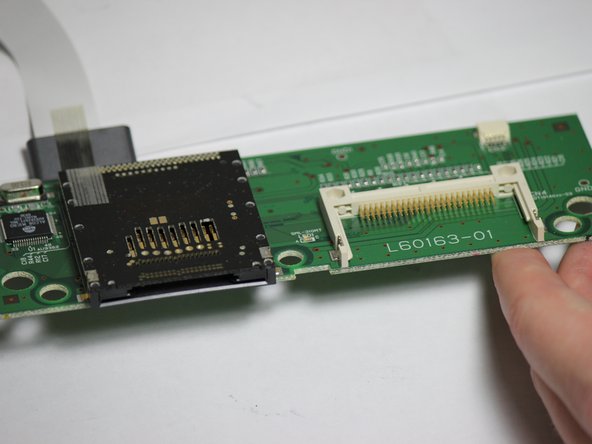
  19. Dell Photo Printer 540 Memory Card Reader Replacement, Memory Card Reader: crwdns2935265:019crwdnd2935265:01crwdnd2935265:02crwdne2935265:0 Dell Photo Printer 540 Memory Card Reader Replacement, Memory Card Reader: crwdns2935265:019crwdnd2935265:02crwdnd2935265:02crwdne2935265:0
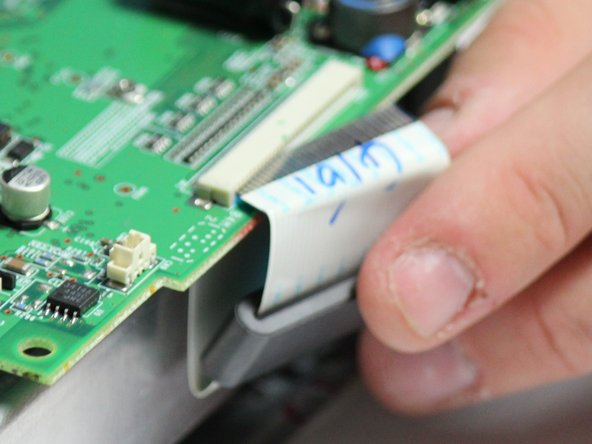
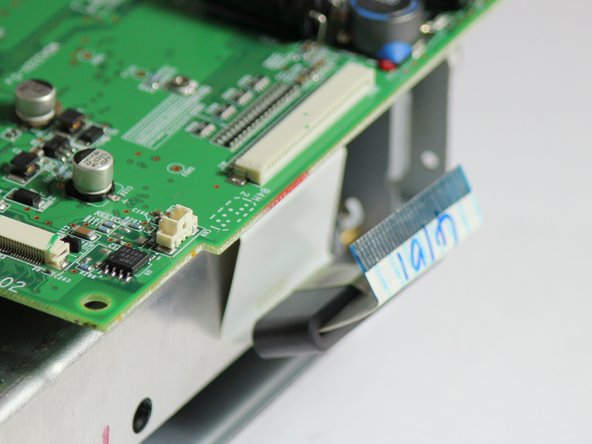
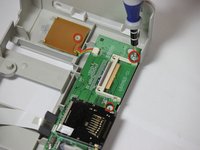
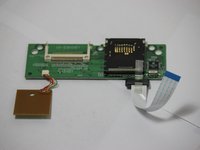
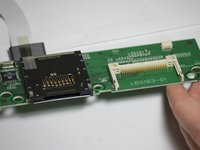
    • Locate the clear data ribbon with a blue tip that connects the memory card reader to the control panel motherboard

    • Disconnect the data ribbon and the memory card reader is now separated.

    crwdns2952109:0crwdne2952109:0

    crwdns2917038:0crwdne2917038:0

crwdns2915888:0crwdne2915888:0

To reassemble your device, follow these instructions in reverse order.

crwdns2935221:0crwdne2935221:0

Jonathan Mintz

crwdns2935283:004/04/12crwdne2935283:0

11 crwdns2915208:0crwdne2915208:0

crwdns2935297:03crwdne2935297:0

crwdns2935287:0crwdne2935287:0

Cal Poly, Team 14-7, Forte Spring 2012 crwdns2935289:0Cal Poly, Team 14-7, Forte Spring 2012crwdne2935289:0

CPSU-FORTE-S12S14G7

crwdns2931471:04crwdne2931471:0

crwdns2935297:012crwdne2935297:0

crwdns2947412:00crwdne2947412:0

crwdns2917038:0crwdne2917038:0

crwdns2936625:0crwdne2936625:0:

crwdns2936751:024crwdne2936751:0 2

crwdns2936753:07crwdne2936753:0 6

crwdns2936753:030crwdne2936753:0 29

crwdns2942667:0crwdne2942667:0 1,194