
Dell Inspiron 1521 RAM Replacement

crwdns2959932:0crwdnd2959932:0Nikolaus Powellcrwdnd2959932:0crwdnd2959932:0crwdnd2959932:03crwdnd2959932:0crwdne2959932:0
crwdns2959936:0Sun 28, 2014crwdne2959936:0
crwdns2869540:0crwdne2869540:0: 3,8 B
crwdns2959988:0crwdne2959988:0
- crwdns2959990:0crwdne2959990:0
- 4
- crwdns2959992:0crwdne2959992:0
- 23
- crwdns2959994:0crwdne2959994:0
- 94
- crwdns2959996:0crwdne2959996:0
- 3.847
crwdns2955950:0crwdne2955950:0: 0
crwdns2959998:0crwdne2959998:0
crwdns2960000:0crwdne2960000:0crwdns2959984:0crwdne2959984:0: 1 2
crwdns2959972:01crwdne2959972:0
crwdns2959970:02crwdne2959970:0
crwdns2959986:0crwdne2959986:0: 3 4
crwdns2959982:03crwdne2959982:0
crwdns2959978:04crwdne2959978:0
crwdns2869444:0crwdne2869444:0
crwdns2869445:0crwdne2869445:0
crwdns2862611:0crwdne2862611:0
crwdns2862612:0crwdne2862612:0
crwdns2915892:0crwdne2915892:0
crwdns2959928:0crwdne2959928:0 ↓This guide will show you how to remove the RAM in your laptop.
crwdns2959930:0crwdne2959930:0
crwdns2943213:0crwdne2943213:0


crwdns2943215:0crwdne2943215:0


-
-
-
Rotate the laptop so its bottom is facing up.
 crwdns2952109:0crwdne2952109:0
-
-
-
Identify the lock mechanisms holding the battery in place.
-
Slide each button outward with your fingers to disengage the battery.
-
Pull the battery off with your hand to separate it from the laptop.
-
-
-
-
-
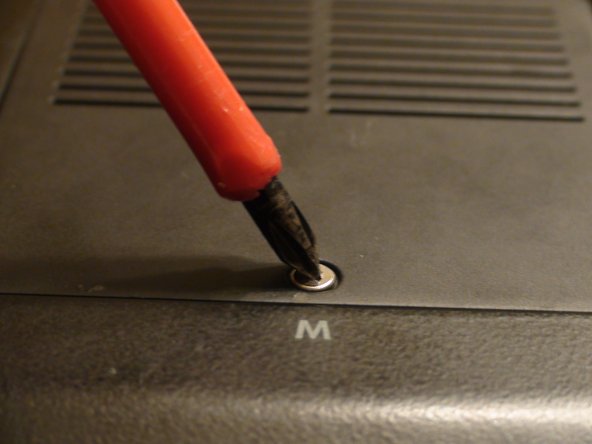
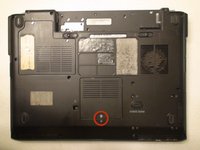
Locate the Phillips #1 screw securing panel M.
-
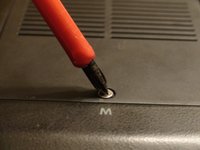
Remove the screw from panel M with a Phillips #1 screwdriver.
-
-
-
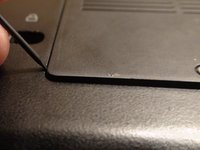
Pry the panel open with the plastic opening tool.
-
Gently pull with your fingers to remove the panel.
-
-
-
-
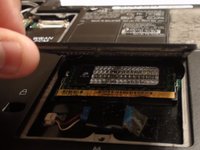
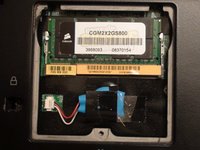
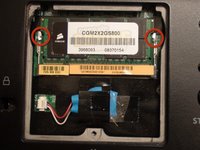
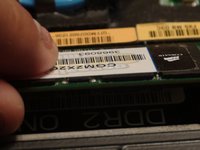
Identify the metal tabs holding the RAM in place.
-
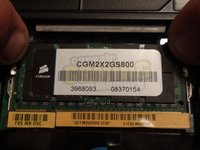
Gently press outward on the tabs at the same time with your fingers to release the RAM.
-
Gently pull the RAM outward with your fingers to remove it.
-
-






To reassemble your device, follow these instructions in reverse order.
crwdns2935221:0crwdne2935221:0
crwdns2935227:0crwdne2935227:0

crwdns2935287:0crwdne2935287:0

Cal Poly, Team 15-47, Forte Fall 2012 crwdns2935289:0Cal Poly, Team 15-47, Forte Fall 2012crwdne2935289:0
CPSU-FORTE-F12S15G47
crwdns2931471:05crwdne2931471:0
crwdns2935297:0108crwdne2935297:0
