
DeWalt DW660 Power Switch Replacement

crwdns2959932:0crwdnd2959932:0Joseph Pacittocrwdnd2959932:0crwdnd2959932:0crwdnd2959932:03crwdnd2959932:0crwdne2959932:0
crwdns2959936:0Mud 19, 2016crwdne2959936:0
crwdns2869540:0crwdne2869540:0: 836
crwdns2959988:0crwdne2959988:0
- crwdns2959990:0crwdne2959990:0
- 4
- crwdns2959992:0crwdne2959992:0
- 25
- crwdns2959994:0crwdne2959994:0
- 94
- crwdns2959996:0crwdne2959996:0
- 836
crwdns2955950:0crwdne2955950:0: 0
crwdns2959998:0crwdne2959998:0
crwdns2960000:0crwdne2960000:0crwdns2959984:0crwdne2959984:0: 0 1
crwdns2959956:0crwdne2959956:0
crwdns2959968:01crwdne2959968:0
crwdns2959986:0crwdne2959986:0: 0 1
crwdns2959958:0crwdne2959958:0
crwdns2959976:01crwdne2959976:0
crwdns2915892:0crwdne2915892:0
crwdns2959928:0crwdne2959928:0 ↓The DeWalt DW660 has an amazing dynamic power switch that makes operating the device extremely easy. The bump off feature of the switch allows for an easy shut off with minimal effort.
crwdns2959930:0crwdne2959930:0
crwdns2943215:0crwdne2943215:0

-
-
-
Remove the four 19mm T20 Torx screws at the rear of the device.
 crwdns2952109:0crwdne2952109:0
-
-
-
-
Remove the cover to expose the inside of the tool.
-
-
-
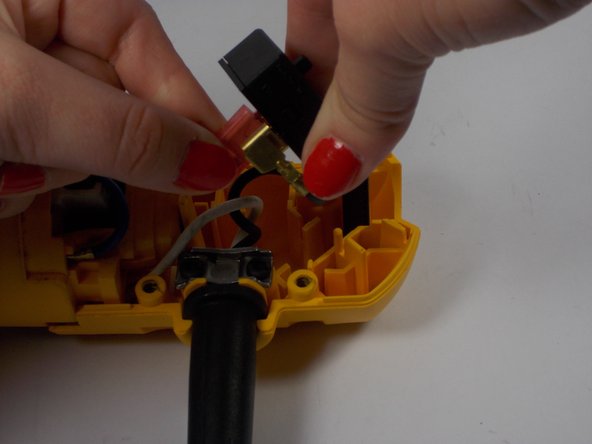
Pick up the switch from the device with the wires still attached.
-
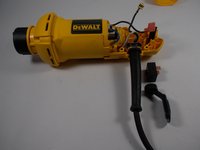
Remove the actuator from the switch.
-
Pull the two wires from the switch.
-
-



To reassemble your device, follow these instructions in reverse order.

crwdns2935287:0crwdne2935287:0

UMass Dartmouth, Team 2-7, Isaacson Spring 2016 crwdns2935289:0UMass Dartmouth, Team 2-7, Isaacson Spring 2016crwdne2935289:0
UMASSD-ISAACSON-S16S2G7
crwdns2931471:03crwdne2931471:0
crwdns2935297:060crwdne2935297:0
