crwdns2933423:0crwdne2933423:0
crwdns2947577:0crwdnd2947577:0crwdne2947577:0

DYMO LabelPOINT 100 Keypad Replacement

crwdns2942213:0crwdne2942213:0

  1. crwdns2952109:0crwdne2952109:0
  2. DYMO LabelPOINT 100 Keypad Replacement, Remove Screws To The Access Panel: crwdns2935265:02crwdnd2935265:01crwdnd2935265:02crwdne2935265:0 DYMO LabelPOINT 100 Keypad Replacement, Remove Screws To The Access Panel: crwdns2935265:02crwdnd2935265:02crwdnd2935265:02crwdne2935265:0
    • Use Phillips #00 Screwdriver to remove the three screws that hold the upper portion of the access panel.

    • Remove the blade cutter assembly.

    • Use Phillips #00 Screwdriver to remove the last two screws located in the battery panel that holds the bottom portion of the access panel.

    crwdns2952109:0crwdne2952109:0
  3. DYMO LabelPOINT 100 Keypad Replacement, Remove Access Panel: crwdns2935265:03crwdnd2935265:01crwdnd2935265:01crwdne2935265:0
    • Gently remove the access panel from the right side of the device.

    • Some electrical wiring will be exposed and will not detach. Be careful not to damage any electrical wiring when removing access panel.

    crwdns2952109:0crwdne2952109:0
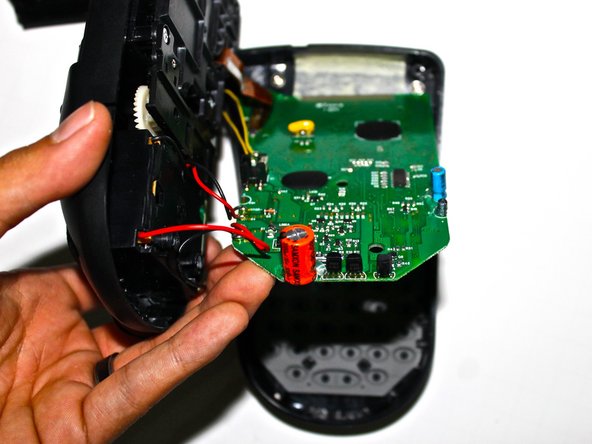
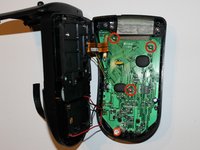
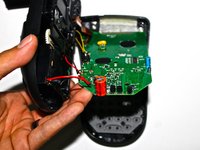
  4. DYMO LabelPOINT 100 Keypad Replacement, Removing Circuit Board: crwdns2935265:04crwdnd2935265:01crwdnd2935265:02crwdne2935265:0 DYMO LabelPOINT 100 Keypad Replacement, Removing Circuit Board: crwdns2935265:04crwdnd2935265:02crwdnd2935265:02crwdne2935265:0
    • Use Phillips #00 Screwdriver to remove three screws that hold down the circuit board.

    • Gently lift the bottom of the circuit board, revealing the keypad.

    • Be careful not to damage any components on the circuit board when disassembling.

    crwdns2952109:0crwdne2952109:0
  5. DYMO LabelPOINT 100 Keypad Replacement, Remove Keypad: crwdns2935265:05crwdnd2935265:01crwdnd2935265:01crwdne2935265:0
    • Remove the keypad from the front facing cover

    • When installing the new keypad, make sure all buttons are correctly set in each hole so that each button can be pressed.

    crwdns2952109:0crwdne2952109:0
crwdns2915888:0crwdne2915888:0

To reassemble your device, follow these instructions in reverse order.

Mike Dam

crwdns2935283:009/25/14crwdne2935283:0

201 crwdns2915208:0crwdne2915208:0

crwdns2935297:02crwdne2935297:0

crwdns2935287:0crwdne2935287:0

USF Tampa, Team 5-2, Mcgee Fall 2014 crwdns2935289:0USF Tampa, Team 5-2, Mcgee Fall 2014crwdne2935289:0

USFT-MCGEE-F14S5G2

crwdns2931471:04crwdne2931471:0

crwdns2935297:06crwdne2935297:0

crwdns2947412:00crwdne2947412:0

crwdns2917038:0crwdne2917038:0

crwdns2936625:0crwdne2936625:0:

crwdns2936751:024crwdne2936751:0 0

crwdns2936753:07crwdne2936753:0 2

crwdns2936753:030crwdne2936753:0 36

crwdns2942667:0crwdne2942667:0 1,469