crwdns2933423:0crwdne2933423:0
crwdns2947577:0crwdnd2947577:0crwdne2947577:0

DBPOWER RD-810 Lens Replacement

crwdns2942213:0crwdne2942213:0

    1. DBPOWER RD-810 Lens Replacement, Top Cover: crwdns2935265:01crwdnd2935265:01crwdnd2935265:02crwdne2935265:0 DBPOWER RD-810 Lens Replacement, Top Cover: crwdns2935265:01crwdnd2935265:02crwdnd2935265:02crwdne2935265:0
      • Make sure the projector is unplugged before starting

      • Place the projector upside down to access the screws on the bottom.

      • Remove the five 7mm long screws using a #3 Phillips screwdriver at least 2 inches long.

      crwdns2952109:0crwdne2952109:0

      crwdns2917038:0crwdne2917038:0

    2. DBPOWER RD-810 Lens Replacement: crwdns2935265:02crwdnd2935265:01crwdnd2935265:01crwdne2935265:0
      • Flip the projector over and then remove the cover by lifting it up.

      crwdns2952109:0crwdne2952109:0

      crwdns2917038:0crwdne2917038:0

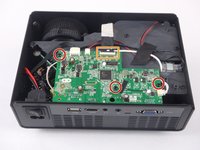
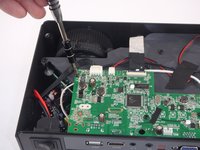
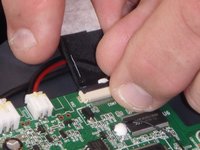
    1. DBPOWER RD-810 Lens Replacement, Motherboard and LED Bulb: crwdns2935265:03crwdnd2935265:01crwdnd2935265:03crwdne2935265:0 DBPOWER RD-810 Lens Replacement, Motherboard and LED Bulb: crwdns2935265:03crwdnd2935265:02crwdnd2935265:03crwdne2935265:0 DBPOWER RD-810 Lens Replacement, Motherboard and LED Bulb: crwdns2935265:03crwdnd2935265:03crwdnd2935265:03crwdne2935265:0
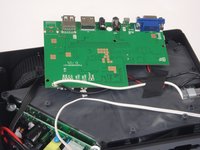
      • Remove the three 6mm PH2 phillips head screws.

      • Disconnect the ribbon cable by flipping up the latch on the connector and then pull the ribbon out.

      crwdns2952109:0crwdne2952109:0

      crwdns2917038:0crwdne2917038:0

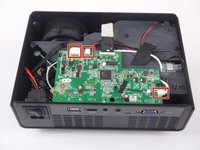
    2. DBPOWER RD-810 Lens Replacement: crwdns2935265:04crwdnd2935265:01crwdnd2935265:03crwdne2935265:0 DBPOWER RD-810 Lens Replacement: crwdns2935265:04crwdnd2935265:02crwdnd2935265:03crwdne2935265:0 DBPOWER RD-810 Lens Replacement: crwdns2935265:04crwdnd2935265:03crwdnd2935265:03crwdne2935265:0
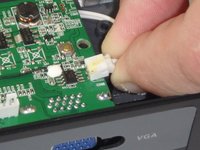
      • Disconnect the three wire connectors. Grasp both sides of the connector and pull apart.

      • Keep the connector parallel to the mother board to avoid breaking the solder connection.

      • Lift the motherboard up and place it out of the way.

      crwdns2952109:0crwdne2952109:0

      crwdns2917038:0crwdne2917038:0

    3. DBPOWER RD-810 Lens Replacement: crwdns2935265:05crwdnd2935265:01crwdnd2935265:03crwdne2935265:0 DBPOWER RD-810 Lens Replacement: crwdns2935265:05crwdnd2935265:02crwdnd2935265:03crwdne2935265:0 DBPOWER RD-810 Lens Replacement: crwdns2935265:05crwdnd2935265:03crwdnd2935265:03crwdne2935265:0
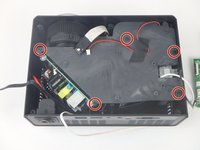
      • Remove the five 7mm PH2 phillips head screws on the black plate and lift the plate out.

      • Lift the aluminum heat sink up to remove it from the projector.

      • The motherboard is already removed in this step.

      crwdns2952109:0crwdne2952109:0

      crwdns2917038:0crwdne2917038:0

    1. DBPOWER RD-810 Lens Replacement, Power Supply Circuit: crwdns2935265:06crwdnd2935265:01crwdnd2935265:03crwdne2935265:0 DBPOWER RD-810 Lens Replacement, Power Supply Circuit: crwdns2935265:06crwdnd2935265:02crwdnd2935265:03crwdne2935265:0 DBPOWER RD-810 Lens Replacement, Power Supply Circuit: crwdns2935265:06crwdnd2935265:03crwdnd2935265:03crwdne2935265:0
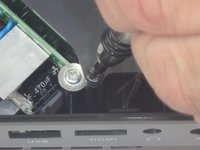
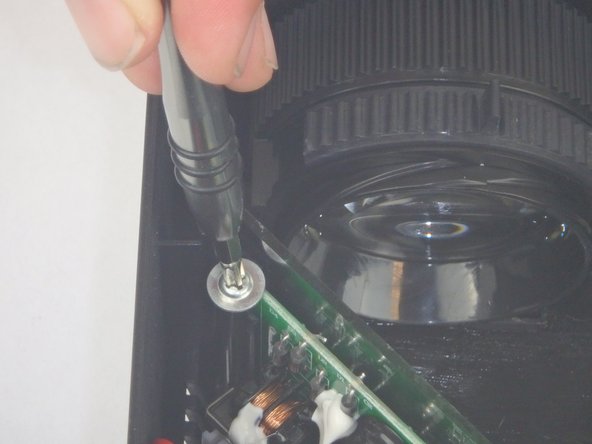
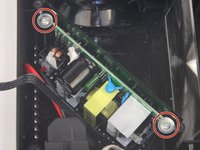
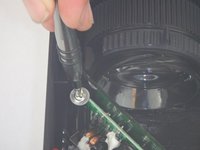
      • Remove the two 9mm PH2 phillips head screws.

      • Lift the mirror behind the power supply circuit out to gain access to the circuit board.

      crwdns2952109:0crwdne2952109:0

      crwdns2917038:0crwdne2917038:0

    2. DBPOWER RD-810 Lens Replacement: crwdns2935265:07crwdnd2935265:01crwdnd2935265:02crwdne2935265:0 DBPOWER RD-810 Lens Replacement: crwdns2935265:07crwdnd2935265:02crwdnd2935265:02crwdne2935265:0
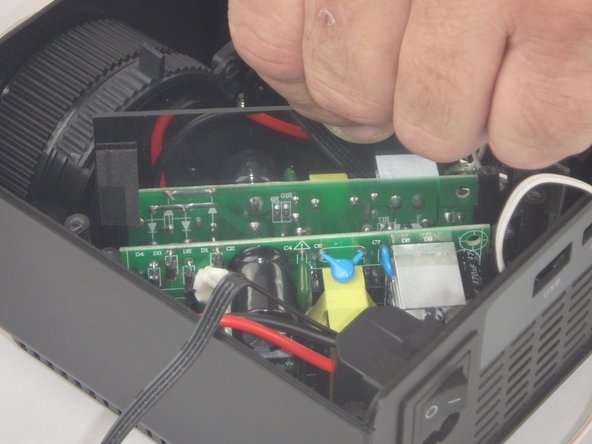
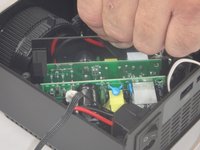
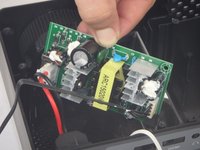
      • Lift the power supply circuit board out of the projector.

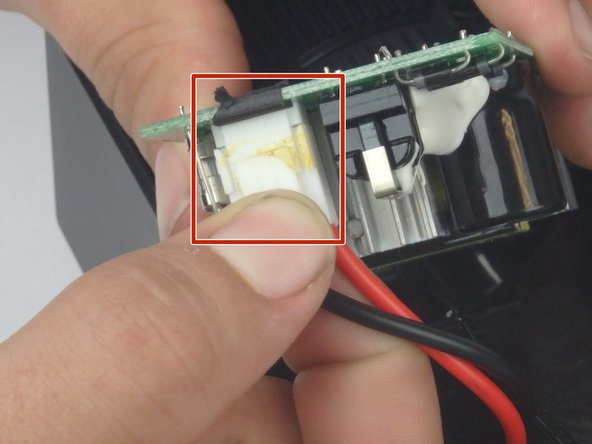
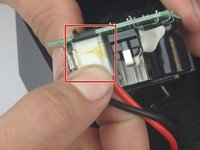
      • Disconnect the cable connector by pulling the two sides of the connector apart.

      • Keep the connector parallel to the circuit board to avoid breaking the solder connection.

      crwdns2952109:0crwdne2952109:0

      crwdns2917038:0crwdne2917038:0

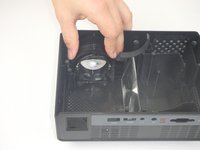
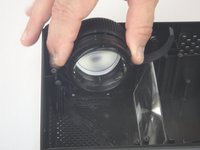
    1. DBPOWER RD-810 Lens Replacement, Lens: crwdns2935265:08crwdnd2935265:01crwdnd2935265:03crwdne2935265:0 DBPOWER RD-810 Lens Replacement, Lens: crwdns2935265:08crwdnd2935265:02crwdnd2935265:03crwdne2935265:0 DBPOWER RD-810 Lens Replacement, Lens: crwdns2935265:08crwdnd2935265:03crwdnd2935265:03crwdne2935265:0
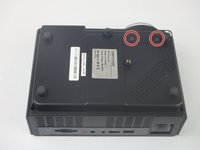
      • Flip the projector over and remove the two 6mm PH2 phillips head screws.

      • Flip the projector over so that the opening is facing up.

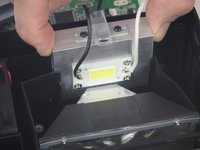
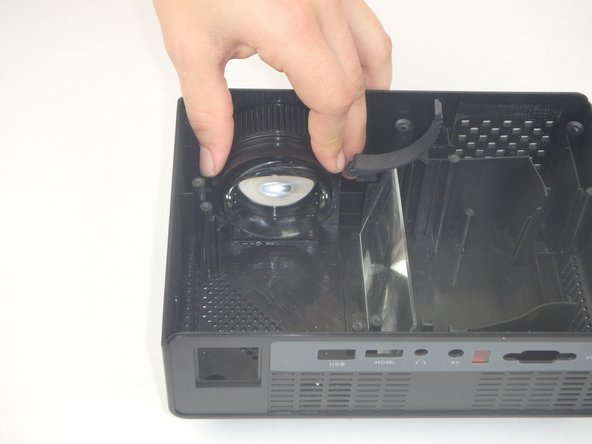
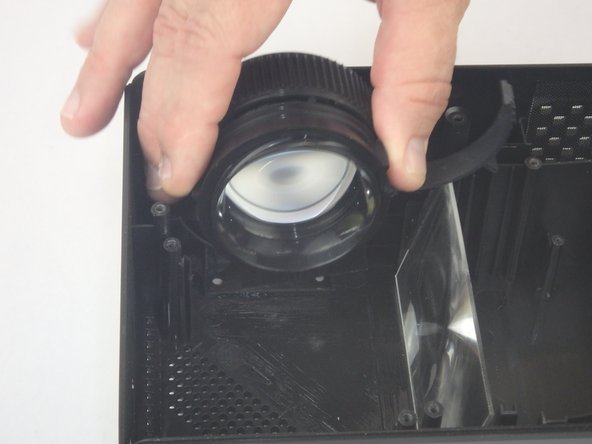
      • Lift the lens up slightly and then move it towards the interior of the projector before lifting it up and out of the way.

      crwdns2952109:0crwdne2952109:0

      crwdns2917038:0crwdne2917038:0

crwdns2915888:0crwdne2915888:0

To reassemble your device, follow these instructions in reverse order.

crwdns2935221:0crwdne2935221:0

crwdns2935227:0crwdne2935227:0

John Russell

crwdns2935283:002/14/18crwdne2935283:0

941 crwdns2915208:0crwdne2915208:0

crwdns2935297:09crwdne2935297:0

crwdns2935287:0crwdne2935287:0

USF Tampa, Team S5-G3, Eyestone Spring 2018 crwdns2935289:0USF Tampa, Team S5-G3, Eyestone Spring 2018crwdne2935289:0

USFT-EYESTONE-S18S5G3

crwdns2931471:03crwdne2931471:0

crwdns2935297:0108crwdne2935297:0

crwdns2947412:00crwdne2947412:0

crwdns2917038:0crwdne2917038:0

crwdns2936625:0crwdne2936625:0:

crwdns2936751:024crwdne2936751:0 0

crwdns2936753:07crwdne2936753:0 9

crwdns2936753:030crwdne2936753:0 24

crwdns2942667:0crwdne2942667:0 930