
Creative Ziio 7" Left Speaker Replacement

crwdns2959932:0crwdnd2959932:0Kylecrwdnd2959932:0crwdnd2959932:0crwdnd2959932:05crwdnd2959932:0crwdne2959932:0
crwdns2959936:0Sun 28, 2014crwdne2959936:0
crwdns2869540:0crwdne2869540:0: 773
crwdns2959988:0crwdne2959988:0
- crwdns2959990:0crwdne2959990:0
- 3
- crwdns2959992:0crwdne2959992:0
- 24
- crwdns2959994:0crwdne2959994:0
- 95
- crwdns2959996:0crwdne2959996:0
- 773
crwdns2955950:0crwdne2955950:0: 0
crwdns2959998:0crwdne2959998:0
crwdns2960000:0crwdne2960000:0crwdns2959984:0crwdne2959984:0: 1 2
crwdns2959972:01crwdne2959972:0
crwdns2959970:02crwdne2959970:0
crwdns2959986:0crwdne2959986:0: 0 1
crwdns2959958:0crwdne2959958:0
crwdns2959976:01crwdne2959976:0
crwdns2862633:0crwdne2862633:0
crwdns2862634:0crwdne2862634:0
crwdns2959930:0crwdne2959930:0
crwdns2943215:0crwdne2943215:0


-
-
-
Remove the back panel by using the plastic opening tool to carefully pry around the panel's edges.
 crwdns2952109:0crwdne2952109:0
-
-
-
-
-
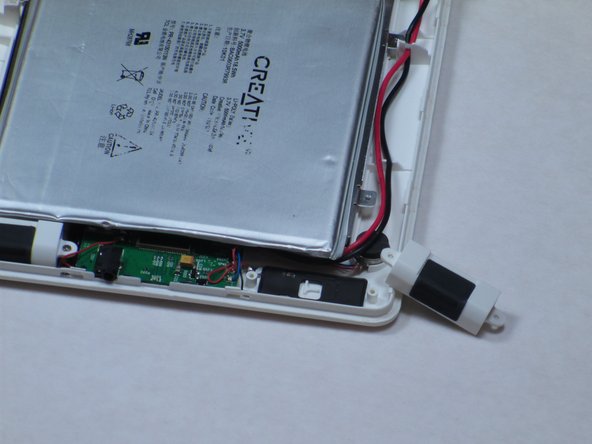
The left speaker is directly below the battery and on the side with the main red and black wires.
-
Unscrew the two 4mm Philips #00 screws using a Philips Screwdriver.
-
-
-
-
Once the screws are removed, discard the broken speaker.
-
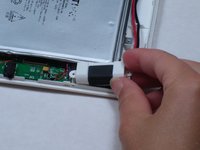
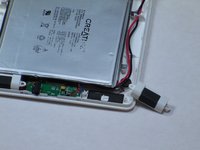
Replace the broken speaker with new left speaker.
-
-


To reassemble your device, follow these instructions in reverse order.
crwdns2935221:0crwdne2935221:0
crwdns2935227:0crwdne2935227:0

crwdns2935287:0crwdne2935287:0

Cal Poly, Team 14-10, Maness Spring 2013 crwdns2935289:0Cal Poly, Team 14-10, Maness Spring 2013crwdne2935289:0
CPSU-MANESS-S13S14G10
crwdns2931471:04crwdne2931471:0
crwdns2935297:084crwdne2935297:0
