crwdns2933423:0crwdne2933423:0
crwdns2947577:0crwdnd2947577:0crwdne2947577:0

Corsair Katar Scroll Wheel Sensor

crwdns2942213:0crwdne2942213:0

  1. Corsair Katar Scroll Wheel Sensor, Corsair Katar Disassembly: crwdns2935265:01crwdnd2935265:01crwdnd2935265:02crwdne2935265:0 Corsair Katar Scroll Wheel Sensor, Corsair Katar Disassembly: crwdns2935265:01crwdnd2935265:02crwdnd2935265:02crwdne2935265:0
    • Unplug your mouse before starting.

    • Flip the mouse over so the bottom is facing up.

    crwdns2952109:0crwdne2952109:0
  2. Corsair Katar Scroll Wheel Sensor: crwdns2935265:02crwdnd2935265:01crwdnd2935265:01crwdne2935265:0
    • Remove the three skates on the bottom of the mouse using the plastic opening tools.

    • Skates will be very sticky.

    crwdns2952109:0crwdne2952109:0
  3. Corsair Katar Scroll Wheel Sensor: crwdns2935265:03crwdnd2935265:01crwdnd2935265:02crwdne2935265:0 Corsair Katar Scroll Wheel Sensor: crwdns2935265:03crwdnd2935265:02crwdnd2935265:02crwdne2935265:0
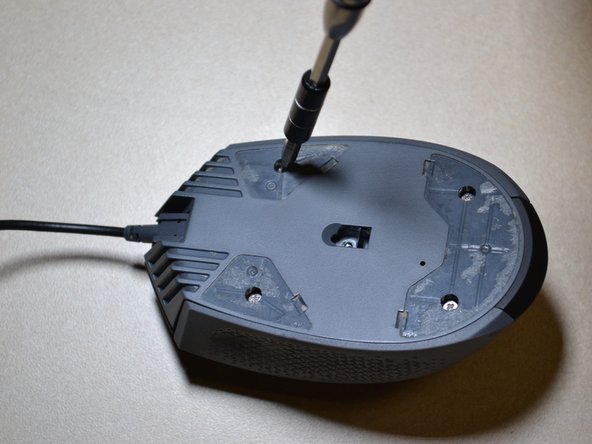
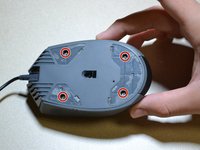
    • Use the JIS 0 screwdriver to remove the four 5 mm screws on the bottom of the mouse.

    crwdns2952109:0crwdne2952109:0
  4. Corsair Katar Scroll Wheel Sensor: crwdns2935265:04crwdnd2935265:01crwdnd2935265:01crwdne2935265:0
    • Detach the bottom of the mouse from the upper shell.

    • Remove the shell slowly so as not to damage the white DPI cable inside the mouse.

    • Use the plastic opening tool to detach the white DPI sensor cable from its port.

    • Alternatively, you can use your hand to remove the DPI sensor cable by wiggling it out of the port.

    crwdns2952109:0crwdne2952109:0
  5. Corsair Katar Scroll Wheel Sensor, Scroll Wheel: crwdns2935265:05crwdnd2935265:01crwdnd2935265:02crwdne2935265:0 Corsair Katar Scroll Wheel Sensor, Scroll Wheel: crwdns2935265:05crwdnd2935265:02crwdnd2935265:02crwdne2935265:0
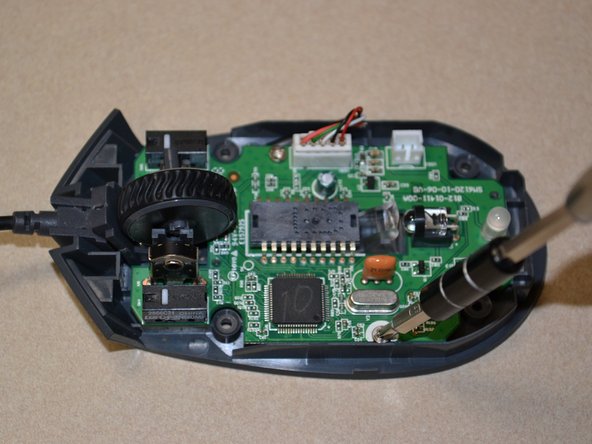
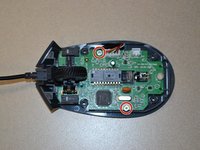
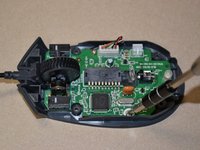
    • Use the JIS 0 screwdriver to remove the two 5mm screws on the motherboard.

    crwdns2952109:0crwdne2952109:0
  6. Corsair Katar Scroll Wheel Sensor: crwdns2935265:06crwdnd2935265:01crwdnd2935265:01crwdne2935265:0
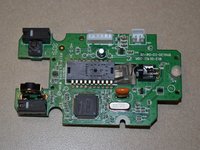
    • Use the plastic opening tool to pry the white cable jack away from the motherboard.

    • Lift the motherboard away from the bottom of the mouse.

    crwdns2952109:0crwdne2952109:0
  7. Corsair Katar Scroll Wheel Sensor: crwdns2935265:07crwdnd2935265:01crwdnd2935265:01crwdne2935265:0
    • Push the scroll wheel to the right side of the motherboard as shown, then pull it away from the board to remove.

    crwdns2952109:0crwdne2952109:0
  8. Corsair Katar Scroll Wheel Sensor, Scroll Wheel Sensor: crwdns2935265:08crwdnd2935265:01crwdnd2935265:02crwdne2935265:0 Corsair Katar Scroll Wheel Sensor, Scroll Wheel Sensor: crwdns2935265:08crwdnd2935265:02crwdnd2935265:02crwdne2935265:0
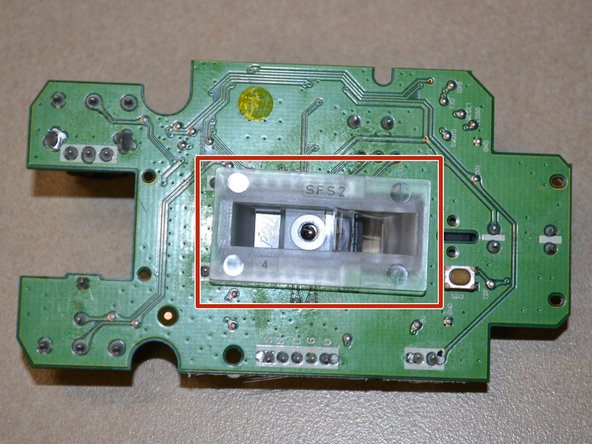
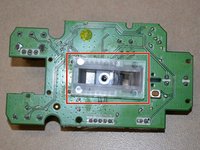
    • Flip the motherboard over and remove the clear plastic cover from the bottom of the board.

    crwdns2952109:0crwdne2952109:0
  9. Corsair Katar Scroll Wheel Sensor: crwdns2935265:09crwdnd2935265:01crwdnd2935265:02crwdne2935265:0 Corsair Katar Scroll Wheel Sensor: crwdns2935265:09crwdnd2935265:02crwdnd2935265:02crwdne2935265:0
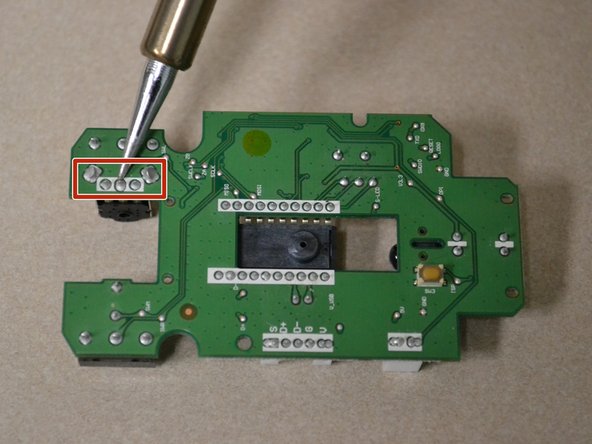
    • Desolder the 5 connecting pins to remove the scroll wheel sensor from the motherboard.

    crwdns2952109:0crwdne2952109:0
crwdns2915888:0crwdne2915888:0

To reassemble your device, follow these instructions in reverse order.

crwdns2935229:02crwdne2935229:0

Margaret Loughren

crwdns2935283:007/12/18crwdne2935283:0

594 crwdns2915208:0crwdne2915208:0

crwdns2935297:05crwdne2935297:0

crwdns2935287:0crwdne2935287:0

UW Tacoma, Team S1-G3, Cardinal Summer 2018 crwdns2935289:0UW Tacoma, Team S1-G3, Cardinal Summer 2018crwdne2935289:0

UWT-CARDINAL-SU18S1G3

crwdns2931471:03crwdne2931471:0

crwdns2935297:013crwdne2935297:0

crwdns2947412:02crwdne2947412:0

bonsoir moi ma molette tourne dans le vide rien ne accroche merci

Tara - crwdns2934203:0crwdne2934203:0 crwdns2950251:0crwdne2950251:0

Do I need new pads when I take out the old ones or will the same one stick?

Ishaan Patel - crwdns2934203:0crwdne2934203:0 crwdns2950251:0crwdne2950251:0

crwdns2917038:0crwdne2917038:0

crwdns2936625:0crwdne2936625:0:

crwdns2936751:024crwdne2936751:0 2

crwdns2936753:07crwdne2936753:0 9

crwdns2936753:030crwdne2936753:0 66

crwdns2942667:0crwdne2942667:0 2,192