crwdns2933423:0crwdne2933423:0
crwdns2947577:0crwdnd2947577:0crwdne2947577:0

Cirago M9030 Button Module Replacement

crwdns2942213:0crwdne2942213:0

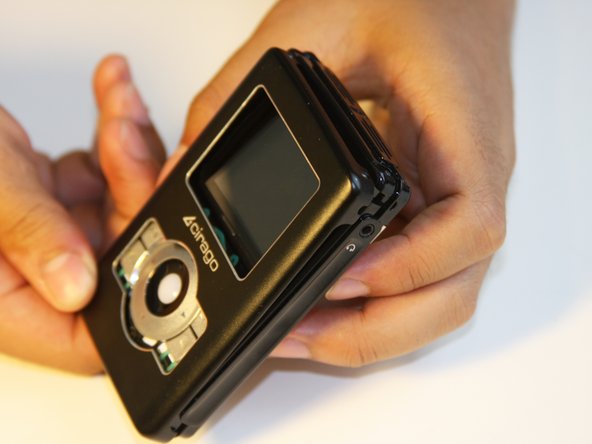
    1. Cirago M9030 Button Module Replacement, Cover: crwdns2935265:01crwdnd2935265:01crwdnd2935265:01crwdne2935265:0
      • Use a Phillips #00 screwdriver to unscrew the four 1.1mm long screws on each corner located at the top of the cover.

      crwdns2952109:0crwdne2952109:0

      crwdns2917038:0crwdne2917038:0

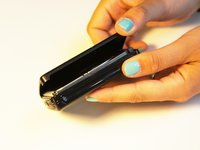
    2. Cirago M9030 Button Module Replacement: crwdns2935265:02crwdnd2935265:01crwdnd2935265:01crwdne2935265:0
      • Similar to the last step, flip the cover over and use a Phillips #00 screwdriver to unscrew the four 1.1mm long screws on each corner located at the bottom of the cover.

      • Remove the warranty sticker across the bottom.

      crwdns2952109:0crwdne2952109:0

      crwdns2917038:0crwdne2917038:0

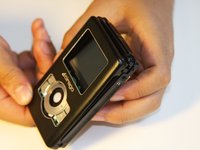
    3. Cirago M9030 Button Module Replacement: crwdns2935265:03crwdnd2935265:01crwdnd2935265:02crwdne2935265:0 Cirago M9030 Button Module Replacement: crwdns2935265:03crwdnd2935265:02crwdnd2935265:02crwdne2935265:0
      • Gently take the cover apart using your hands separating the top and bottom.

      • The outer shell is expected to easily come apart.

      crwdns2952109:0crwdne2952109:0

      crwdns2917038:0crwdne2917038:0

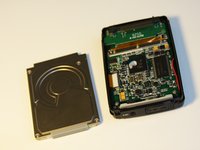
    1. Cirago M9030 Button Module Replacement, Hard Drive: crwdns2935265:04crwdnd2935265:01crwdnd2935265:01crwdne2935265:0
      • Make sure that the screen of the device is facing down.

      crwdns2952109:0crwdne2952109:0

      crwdns2917038:0crwdne2917038:0

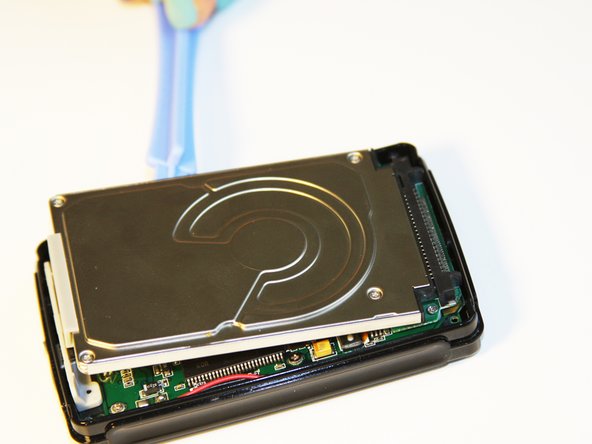
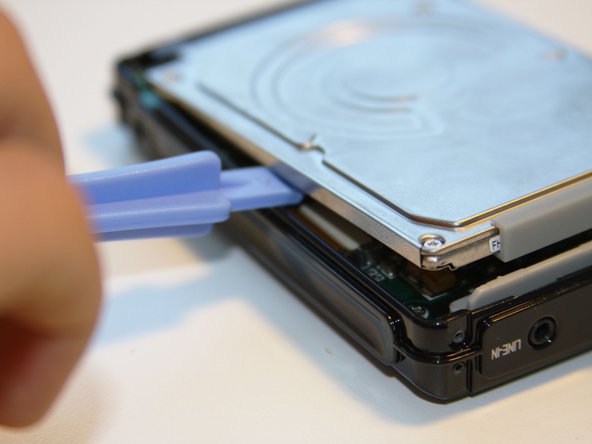
    2. Cirago M9030 Button Module Replacement: crwdns2935265:05crwdnd2935265:01crwdnd2935265:03crwdne2935265:0 Cirago M9030 Button Module Replacement: crwdns2935265:05crwdnd2935265:02crwdnd2935265:03crwdne2935265:0 Cirago M9030 Button Module Replacement: crwdns2935265:05crwdnd2935265:03crwdnd2935265:03crwdne2935265:0
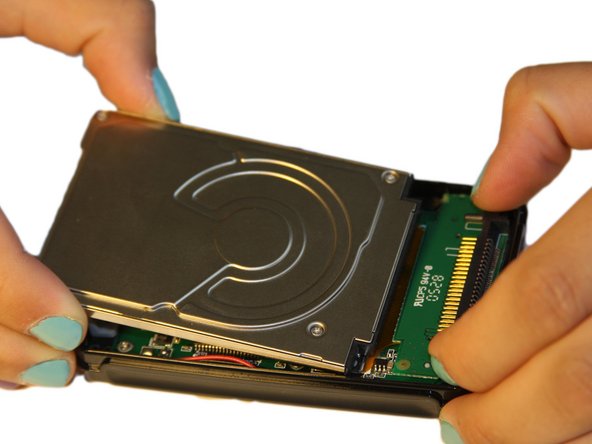
      • Using the plastic opening tool, wedge the tool underneath the bottom left edge of the hard drive.

      • Raise the bottom edge of the hard drive 15 degrees up from the device.

      crwdns2952109:0crwdne2952109:0

      crwdns2917038:0crwdne2917038:0

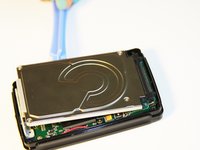
    3. Cirago M9030 Button Module Replacement: crwdns2935265:06crwdnd2935265:01crwdnd2935265:03crwdne2935265:0 Cirago M9030 Button Module Replacement: crwdns2935265:06crwdnd2935265:02crwdnd2935265:03crwdne2935265:0 Cirago M9030 Button Module Replacement: crwdns2935265:06crwdnd2935265:03crwdnd2935265:03crwdne2935265:0
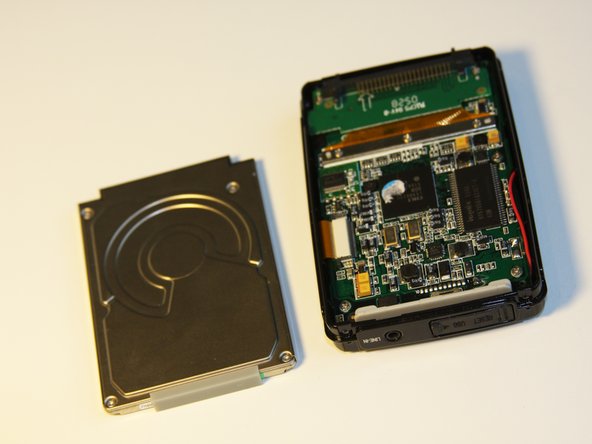
      • Place fingers on the IDE connectors gently picking up and sliding the hard drive out from the IDE module.

      crwdns2952109:0crwdne2952109:0

      crwdns2917038:0crwdne2917038:0

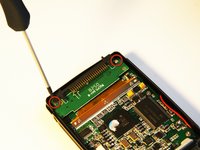
    1. Cirago M9030 Button Module Replacement, IDE Connector: crwdns2935265:07crwdnd2935265:01crwdnd2935265:02crwdne2935265:0 Cirago M9030 Button Module Replacement, IDE Connector: crwdns2935265:07crwdnd2935265:02crwdnd2935265:02crwdne2935265:0
      • Using the Phillips #00 screwdriver, unscrew the two 1.5mm long screws holding the IDE connector to the motherboard located at the top.

      crwdns2952109:0crwdne2952109:0

      crwdns2917038:0crwdne2917038:0

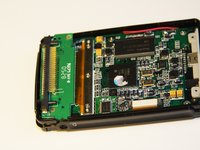
    2. Cirago M9030 Button Module Replacement: crwdns2935265:08crwdnd2935265:01crwdnd2935265:01crwdne2935265:0
      • Using the Phillips #00 screwdriver, unscrew the three 1.5mm long screws on the metal bracket.

      crwdns2952109:0crwdne2952109:0

      crwdns2917038:0crwdne2917038:0

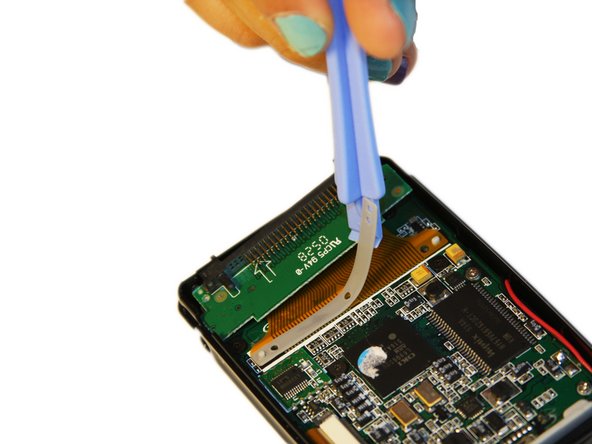
    3. Cirago M9030 Button Module Replacement: crwdns2935265:09crwdnd2935265:01crwdnd2935265:02crwdne2935265:0 Cirago M9030 Button Module Replacement: crwdns2935265:09crwdnd2935265:02crwdnd2935265:02crwdne2935265:0
      • Using the plastic opening tool, completely lift the metal bracket off of the motherboard.

      • Using the plastic opening tool, completely lift the rubber insulator off of the motherboard.

      crwdns2952109:0crwdne2952109:0

      crwdns2917038:0crwdne2917038:0

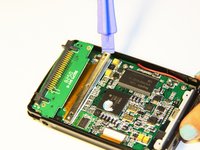
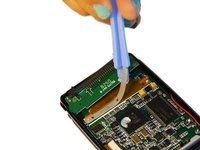
    4. Cirago M9030 Button Module Replacement: crwdns2935265:010crwdnd2935265:01crwdnd2935265:01crwdne2935265:0
      • Using the plastic opening tool, completely lift the ribbon off of the motherboard.

      crwdns2952109:0crwdne2952109:0

      crwdns2917038:0crwdne2917038:0

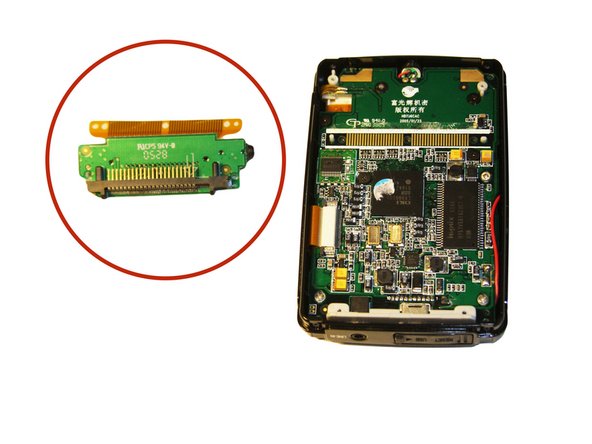
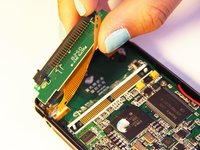
    5. Cirago M9030 Button Module Replacement: crwdns2935265:011crwdnd2935265:01crwdnd2935265:02crwdne2935265:0 Cirago M9030 Button Module Replacement: crwdns2935265:011crwdnd2935265:02crwdnd2935265:02crwdne2935265:0
      • The audio jack is attached to the IDE connector. Pull at a 45 degree angle from the audio jack.

      • Completely remove the IDE connector from the device.

      crwdns2952109:0crwdne2952109:0

      crwdns2917038:0crwdne2917038:0

    1. Cirago M9030 Button Module Replacement, Motherboard: crwdns2935265:012crwdnd2935265:01crwdnd2935265:02crwdne2935265:0 Cirago M9030 Button Module Replacement, Motherboard: crwdns2935265:012crwdnd2935265:02crwdnd2935265:02crwdne2935265:0
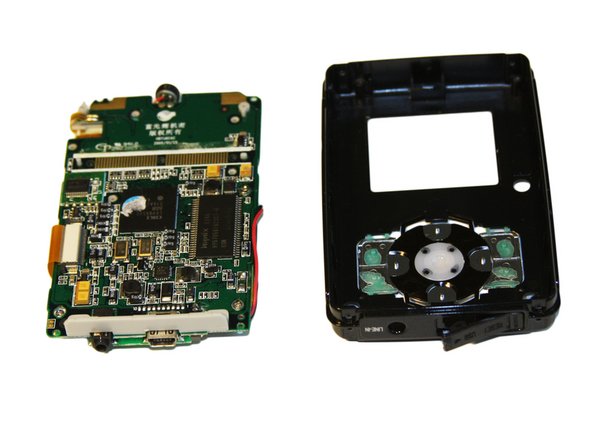
      • Using the plastic opening tool, wedge the tool underneath the top edge of the motherboard.

      • Completely remove the motherboard.

      • The motherboard should slide out easily.

      crwdns2952109:0crwdne2952109:0

      crwdns2917038:0crwdne2917038:0

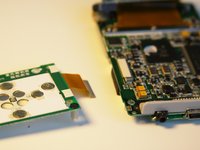
    1. Cirago M9030 Button Module Replacement, Button Module: crwdns2935265:013crwdnd2935265:01crwdnd2935265:01crwdne2935265:0
      • Set aside the front cover.

      • Flip over the motherboard.

      • Using the Philips #00 screwdriver, remove the three 4mm long screws holding down the button module.

      crwdns2952109:0crwdne2952109:0

      crwdns2917038:0crwdne2917038:0

    2. Cirago M9030 Button Module Replacement: crwdns2935265:014crwdnd2935265:01crwdnd2935265:03crwdne2935265:0 Cirago M9030 Button Module Replacement: crwdns2935265:014crwdnd2935265:02crwdnd2935265:03crwdne2935265:0 Cirago M9030 Button Module Replacement: crwdns2935265:014crwdnd2935265:03crwdnd2935265:03crwdne2935265:0
      crwdns2935267:0crwdne2935267:0
      Tweezers
      $4.99
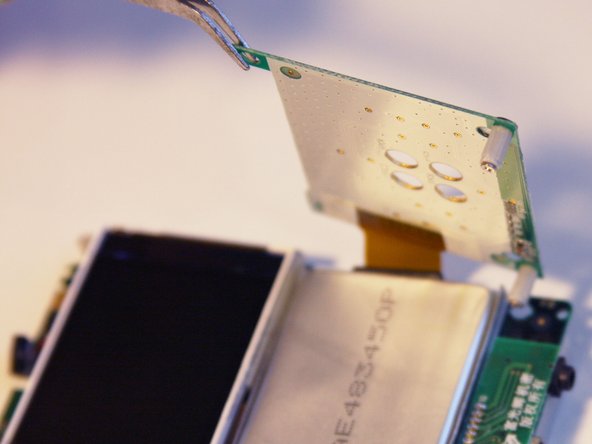
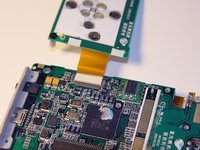
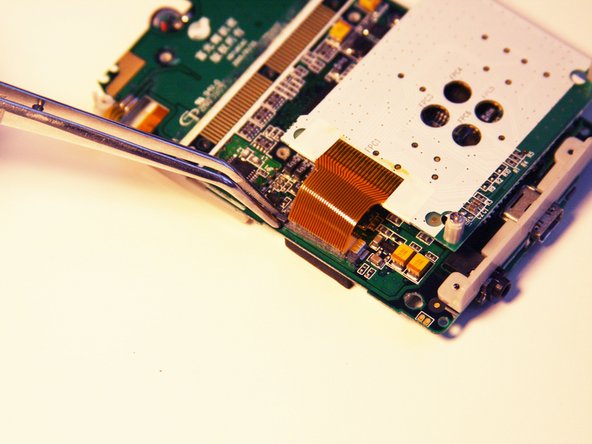
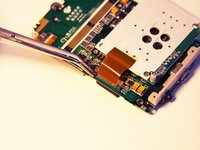
      • Using the tweezers, lift up the button module to a 180 degree angle.

      • Leave the button module attached by the ribbon.

      • Flip over the motherboard with the button module still attached.

      crwdns2952109:0crwdne2952109:0

      crwdns2917038:0crwdne2917038:0

    3. Cirago M9030 Button Module Replacement: crwdns2935265:015crwdnd2935265:01crwdnd2935265:03crwdne2935265:0 Cirago M9030 Button Module Replacement: crwdns2935265:015crwdnd2935265:02crwdnd2935265:03crwdne2935265:0 Cirago M9030 Button Module Replacement: crwdns2935265:015crwdnd2935265:03crwdnd2935265:03crwdne2935265:0
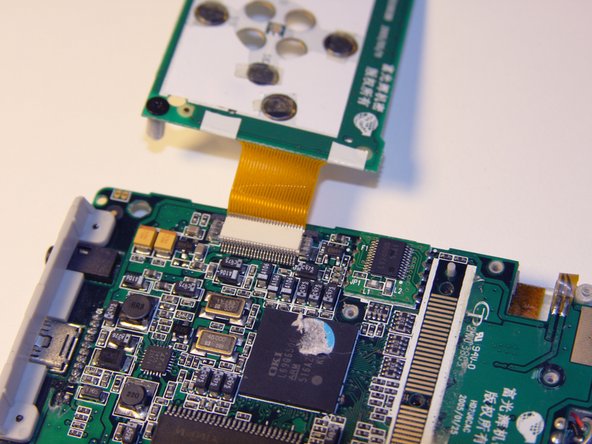
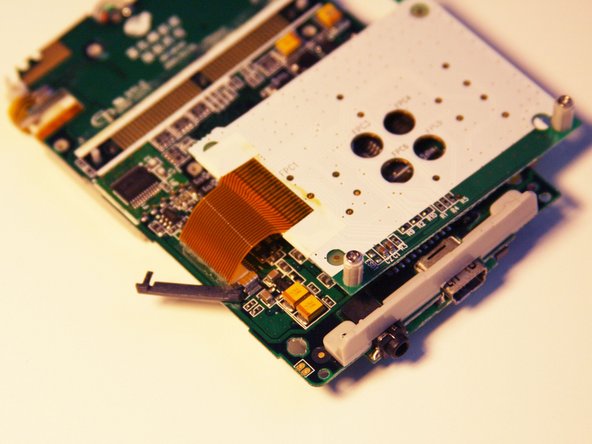
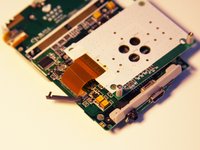
      • Fold the button module over the motherboard.

      • Using the tweezers, remove the ribbon pin.

      • The ribbon pin should snap completely off of the motherboard.

      crwdns2952109:0crwdne2952109:0

      crwdns2917038:0crwdne2917038:0

    4. Cirago M9030 Button Module Replacement: crwdns2935265:016crwdnd2935265:01crwdnd2935265:02crwdne2935265:0 Cirago M9030 Button Module Replacement: crwdns2935265:016crwdnd2935265:02crwdnd2935265:02crwdne2935265:0
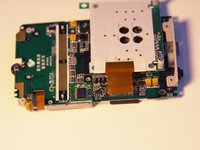
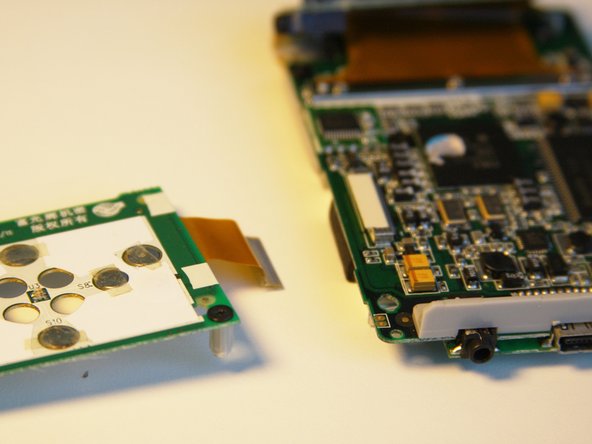
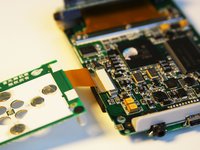
      • The ribbon should easily detach from the motherboard.

      crwdns2952109:0crwdne2952109:0

      crwdns2917038:0crwdne2917038:0

crwdns2915888:0crwdne2915888:0

To reassemble your device, follow these instructions in reverse order.

crwdns2935221:0crwdne2935221:0

Ryan Sutardji

crwdns2935283:006/29/12crwdne2935283:0

171 crwdns2915208:0crwdne2915208:0

crwdns2935297:07crwdne2935297:0

crwdns2935287:0crwdne2935287:0

Cal Poly, Team 1-4, Regan SU 2012 crwdns2935289:0Cal Poly, Team 1-4, Regan SU 2012crwdne2935289:0

CPSU-REGAN-SU12S1G4

crwdns2931471:04crwdne2931471:0

crwdns2935297:084crwdne2935297:0

crwdns2947412:00crwdne2947412:0

crwdns2917038:0crwdne2917038:0

crwdns2936625:0crwdne2936625:0:

crwdns2936751:024crwdne2936751:0 2

crwdns2936753:07crwdne2936753:0 30

crwdns2936753:030crwdne2936753:0 52

crwdns2942667:0crwdne2942667:0 1,417