crwdns2933423:0crwdne2933423:0
crwdns2947577:0crwdnd2947577:0crwdne2947577:0

Cineyo BT-03 Device Page Button Replacement

crwdns2942213:0crwdne2942213:0

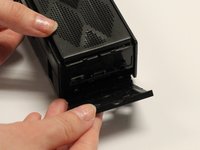
    1. Cineyo BT-03 Device Page Button Replacement, Cineyo BT-03 Device Disassembly: crwdns2935265:01crwdnd2935265:01crwdnd2935265:03crwdne2935265:0 Cineyo BT-03 Device Page Button Replacement, Cineyo BT-03 Device Disassembly: crwdns2935265:01crwdnd2935265:02crwdnd2935265:03crwdne2935265:0 Cineyo BT-03 Device Page Button Replacement, Cineyo BT-03 Device Disassembly: crwdns2935265:01crwdnd2935265:03crwdnd2935265:03crwdne2935265:0
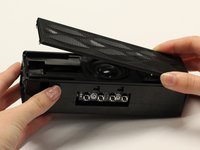
      • Remove the top (button side) rubber cover using your hands.

      crwdns2952109:0crwdne2952109:0

      crwdns2917038:0crwdne2917038:0

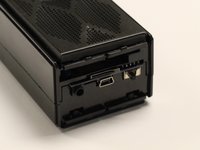
    2. Cineyo BT-03 Device Page Button Replacement: crwdns2935265:02crwdnd2935265:01crwdnd2935265:02crwdne2935265:0 Cineyo BT-03 Device Page Button Replacement: crwdns2935265:02crwdnd2935265:02crwdnd2935265:02crwdne2935265:0
      • Flip over the device and remove the bottom rubber cover using your hands.

      crwdns2952109:0crwdne2952109:0

      crwdns2917038:0crwdne2917038:0

    3. Cineyo BT-03 Device Page Button Replacement: crwdns2935265:03crwdnd2935265:01crwdnd2935265:03crwdne2935265:0 Cineyo BT-03 Device Page Button Replacement: crwdns2935265:03crwdnd2935265:02crwdnd2935265:03crwdne2935265:0 Cineyo BT-03 Device Page Button Replacement: crwdns2935265:03crwdnd2935265:03crwdnd2935265:03crwdne2935265:0
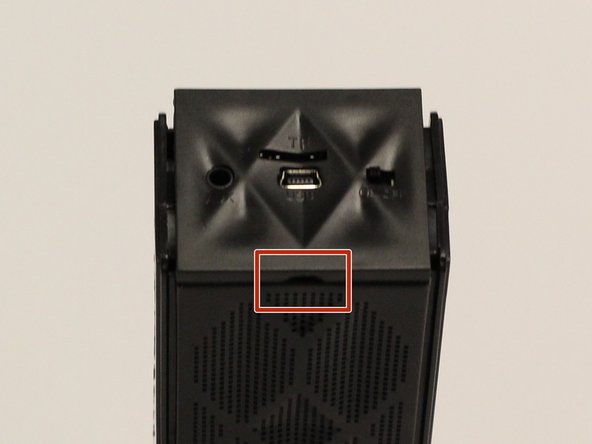
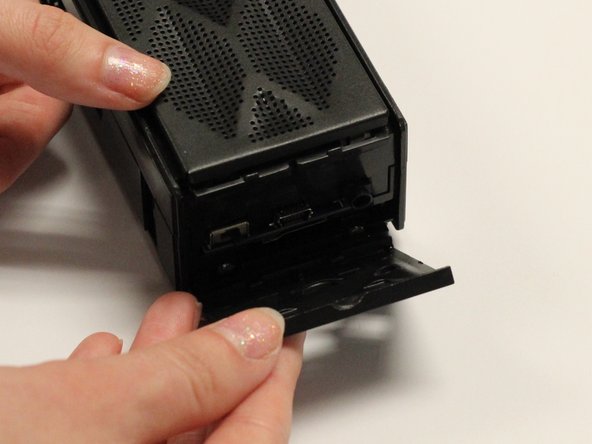
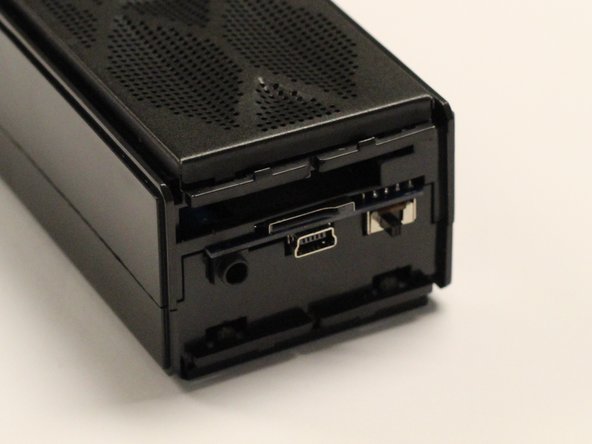
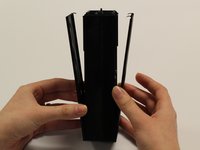
      • Using your hands, pull off the plastic side cover (on the side with the audio jack) using the indented tab. The indented tab has been highlighted in the picture.

      crwdns2952109:0crwdne2952109:0

      crwdns2917038:0crwdne2917038:0

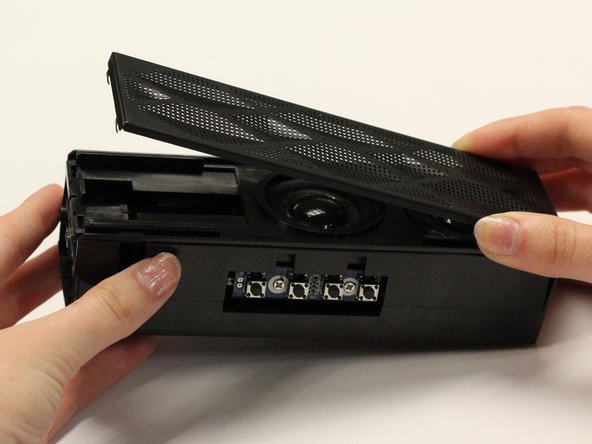
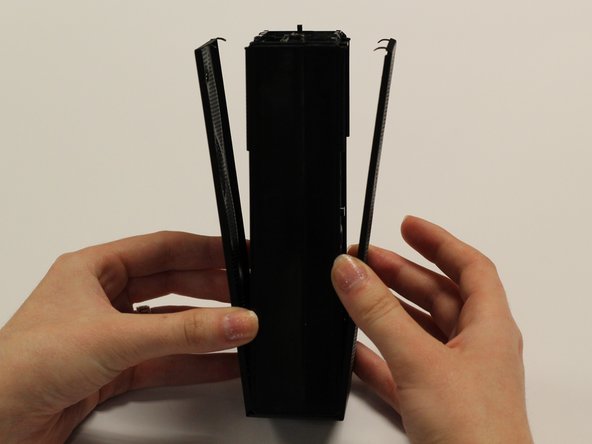
    4. Cineyo BT-03 Device Page Button Replacement: crwdns2935265:04crwdnd2935265:01crwdnd2935265:03crwdne2935265:0 Cineyo BT-03 Device Page Button Replacement: crwdns2935265:04crwdnd2935265:02crwdnd2935265:03crwdne2935265:0 Cineyo BT-03 Device Page Button Replacement: crwdns2935265:04crwdnd2935265:03crwdnd2935265:03crwdne2935265:0
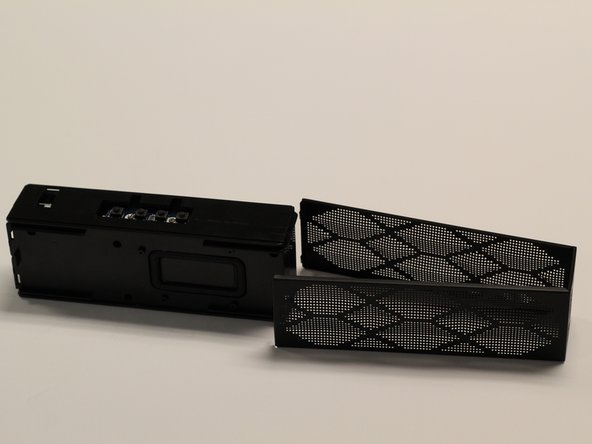
      • Detach the plastic speaker cover on both the front and back sides. Then slide the cover off of the device.

      • The cover should remain as one solid piece.

      crwdns2952109:0crwdne2952109:0

      crwdns2917038:0crwdne2917038:0

    5. Cineyo BT-03 Device Page Button Replacement: crwdns2935265:05crwdnd2935265:01crwdnd2935265:01crwdne2935265:0
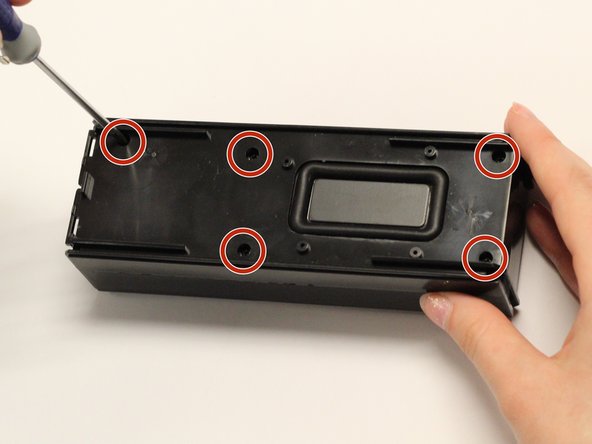
      • Remove the five 1 cm screws on the back side (opposite of the speakers) of the device using a Phillips #1 screwdriver.

      crwdns2952109:0crwdne2952109:0

      crwdns2917038:0crwdne2917038:0

    6. Cineyo BT-03 Device Page Button Replacement: crwdns2935265:06crwdnd2935265:01crwdnd2935265:01crwdne2935265:0
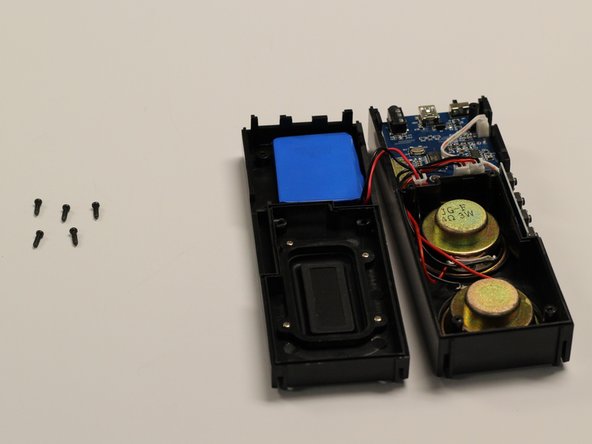
      • Gently pull apart the two sections of the device.

      crwdns2952109:0crwdne2952109:0

      crwdns2917038:0crwdne2917038:0

    1. Cineyo BT-03 Device Page Button Replacement, Button: crwdns2935265:07crwdnd2935265:01crwdnd2935265:02crwdne2935265:0 Cineyo BT-03 Device Page Button Replacement, Button: crwdns2935265:07crwdnd2935265:02crwdnd2935265:02crwdne2935265:0
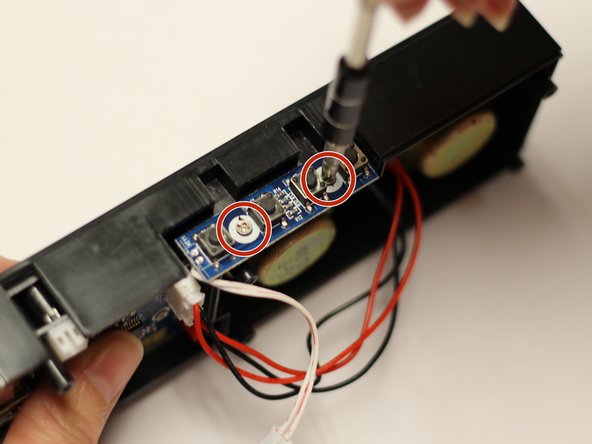
      • With a Phillips #1 screwdriver, remove the two 5mm screws which attach the button mount to the plastic casing of the device.

      crwdns2952109:0crwdne2952109:0

      crwdns2917038:0crwdne2917038:0

    2. Cineyo BT-03 Device Page Button Replacement: crwdns2935265:08crwdnd2935265:01crwdnd2935265:02crwdne2935265:0 Cineyo BT-03 Device Page Button Replacement: crwdns2935265:08crwdnd2935265:02crwdnd2935265:02crwdne2935265:0
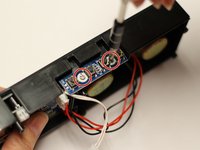
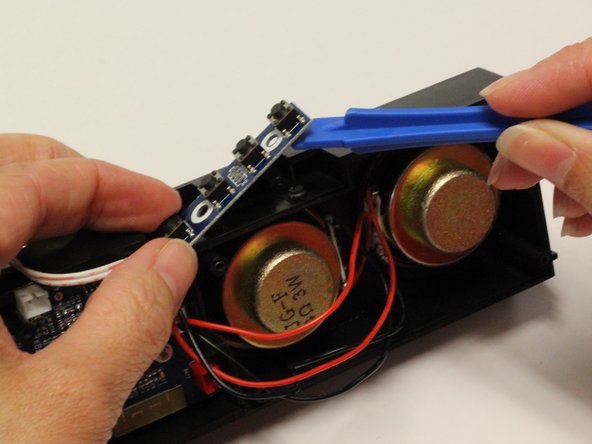
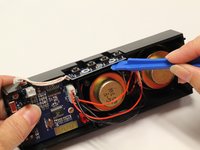
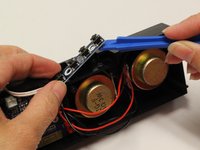
      • Using a plastic opening tool, pry the button mount off of the plastic casing of the device.

      crwdns2952109:0crwdne2952109:0

      crwdns2917038:0crwdne2917038:0

    3. Cineyo BT-03 Device Page Button Replacement: crwdns2935265:09crwdnd2935265:01crwdnd2935265:02crwdne2935265:0 Cineyo BT-03 Device Page Button Replacement: crwdns2935265:09crwdnd2935265:02crwdnd2935265:02crwdne2935265:0
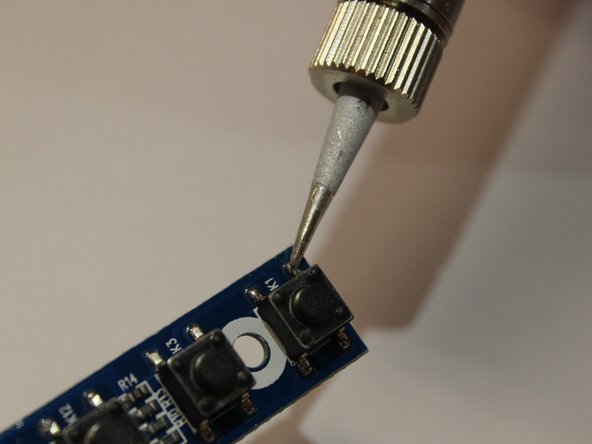
      • Using a soldering iron and iFixit’s Soldering Guide, remove the individual buttons.

      crwdns2952109:0crwdne2952109:0

      crwdns2917038:0crwdne2917038:0

crwdns2915888:0crwdne2915888:0

To reassemble your device, follow these instructions in reverse order.

crwdns2935221:0crwdne2935221:0

Rene Klopf

crwdns2935283:001/30/17crwdne2935283:0

487 crwdns2915208:0crwdne2915208:0

crwdns2935297:04crwdne2935297:0

crwdns2935287:0crwdne2935287:0

Baylor, Team 8-3, Whitney Spring 2017 crwdns2935289:0Baylor, Team 8-3, Whitney Spring 2017crwdne2935289:0

BU-WHITNEY-S17S8G3

crwdns2931471:05crwdne2931471:0

crwdns2935297:015crwdne2935297:0

crwdns2947412:00crwdne2947412:0

crwdns2917038:0crwdne2917038:0

crwdns2936625:0crwdne2936625:0:

crwdns2936751:024crwdne2936751:0 0

crwdns2936753:07crwdne2936753:0 10

crwdns2936753:030crwdne2936753:0 21

crwdns2942667:0crwdne2942667:0 381