crwdns2933423:0crwdne2933423:0
crwdns2947577:0crwdnd2947577:0crwdne2947577:0

Chromo Noria Touch Screen Replacement

crwdns2942213:0crwdne2942213:0

    1. Chromo Noria Touch Screen Replacement, Back Panel: crwdns2935265:01crwdnd2935265:01crwdnd2935265:03crwdne2935265:0 Chromo Noria Touch Screen Replacement, Back Panel: crwdns2935265:01crwdnd2935265:02crwdnd2935265:03crwdne2935265:0 Chromo Noria Touch Screen Replacement, Back Panel: crwdns2935265:01crwdnd2935265:03crwdnd2935265:03crwdne2935265:0
      • Insert your Plastic Opening Tool into the crease between the front panel and back panel.

      • Slide the Opening Tool around the entire device. As you progress, you should see the device open.

      crwdns2952109:0crwdne2952109:0

      crwdns2917038:0crwdne2917038:0

    2. Chromo Noria Touch Screen Replacement: crwdns2935265:02crwdnd2935265:01crwdnd2935265:01crwdne2935265:0
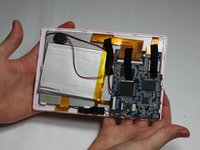
      • Carefully turn the device over.

      • Lay the back panel aside so you can see the device's parts.

      crwdns2952109:0crwdne2952109:0

      crwdns2917038:0crwdne2917038:0

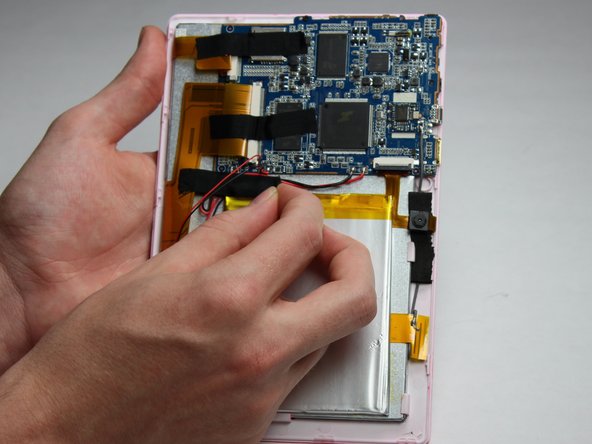
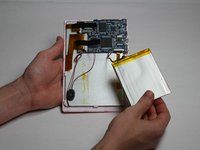
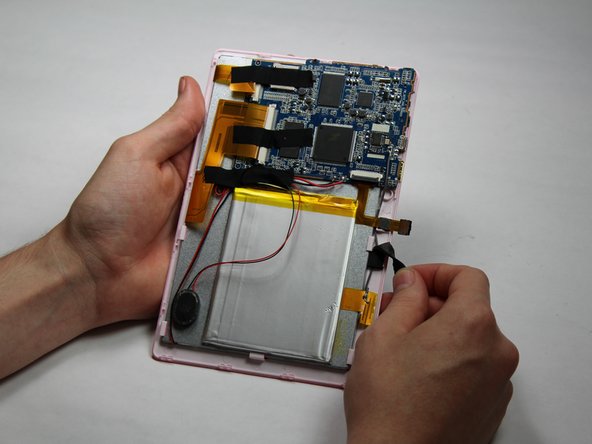
    1. Chromo Noria Touch Screen Replacement, Battery: crwdns2935265:03crwdnd2935265:01crwdnd2935265:03crwdne2935265:0 Chromo Noria Touch Screen Replacement, Battery: crwdns2935265:03crwdnd2935265:02crwdnd2935265:03crwdne2935265:0 Chromo Noria Touch Screen Replacement, Battery: crwdns2935265:03crwdnd2935265:03crwdnd2935265:03crwdne2935265:0
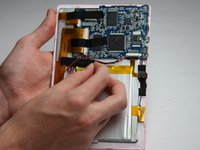
      • Place your finger at the end of the tape closest to the battery.

      • Peel the tape towards the flex cables to free the battery wires.

      crwdns2952109:0crwdne2952109:0

      crwdns2917038:0crwdne2917038:0

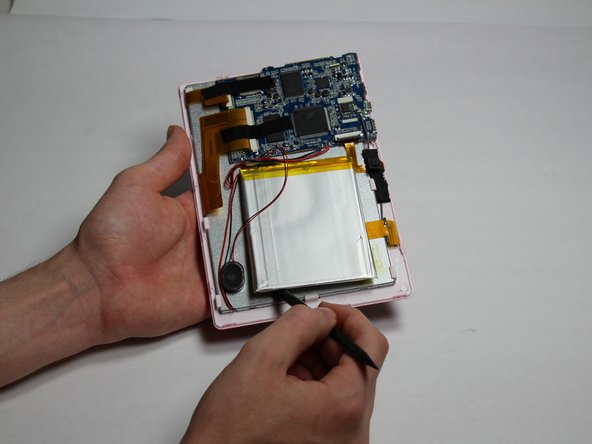
    2. Chromo Noria Touch Screen Replacement: crwdns2935265:04crwdnd2935265:01crwdnd2935265:03crwdne2935265:0 Chromo Noria Touch Screen Replacement: crwdns2935265:04crwdnd2935265:02crwdnd2935265:03crwdne2935265:0 Chromo Noria Touch Screen Replacement: crwdns2935265:04crwdnd2935265:03crwdnd2935265:03crwdne2935265:0
      • Using the spudger tool, place the tool along an edge of the battery.

      • Be careful not to bend or break the battery! Batteries contain hazards materials.

      • Move the spudger around the edges of the battery to detach it from the tablet.

      crwdns2952109:0crwdne2952109:0

      crwdns2917038:0crwdne2917038:0

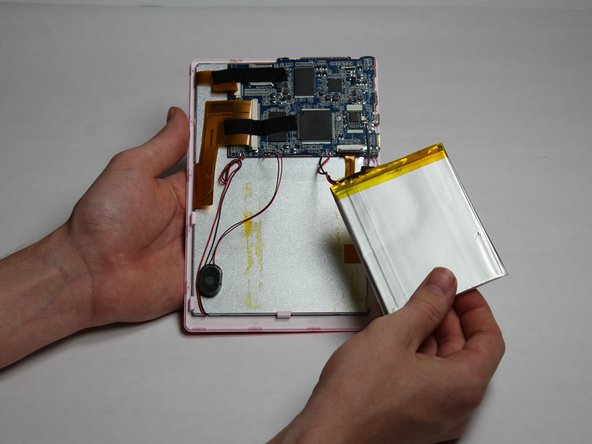
    3. Chromo Noria Touch Screen Replacement: crwdns2935265:05crwdnd2935265:01crwdnd2935265:01crwdne2935265:0
      • Soldering irons get very hot! Be careful when handling one. If you'd like a tutorial on how to use one, click here.

      • Using a soldering iron, desolder both of the battery wires. The battery's wires are located to the left of the camera's flex cable.

      • Remove the battery.

      crwdns2952109:0crwdne2952109:0

      crwdns2917038:0crwdne2917038:0

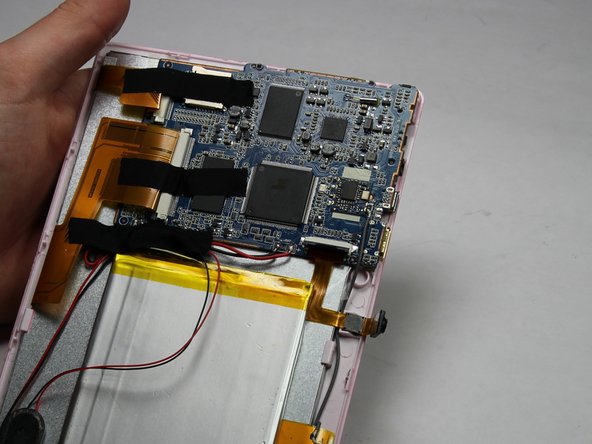
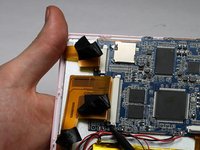
    1. Chromo Noria Touch Screen Replacement, Camera: crwdns2935265:06crwdnd2935265:01crwdnd2935265:02crwdne2935265:0 Chromo Noria Touch Screen Replacement, Camera: crwdns2935265:06crwdnd2935265:02crwdnd2935265:02crwdne2935265:0
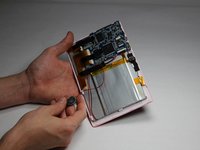
      • Carefully detach one side of the black tape from the board.

      crwdns2952109:0crwdne2952109:0

      crwdns2917038:0crwdne2917038:0

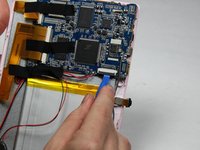
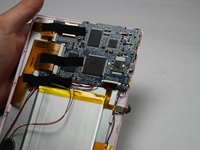
    2. Chromo Noria Touch Screen Replacement: crwdns2935265:07crwdnd2935265:01crwdnd2935265:02crwdne2935265:0 Chromo Noria Touch Screen Replacement: crwdns2935265:07crwdnd2935265:02crwdnd2935265:02crwdne2935265:0
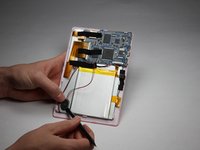
      • Using a small plastic opening tool, flip the black connector up until it makes "tick" sound.

      • Now, the flexing cable is ready to be removed.

      crwdns2952109:0crwdne2952109:0

      crwdns2917038:0crwdne2917038:0

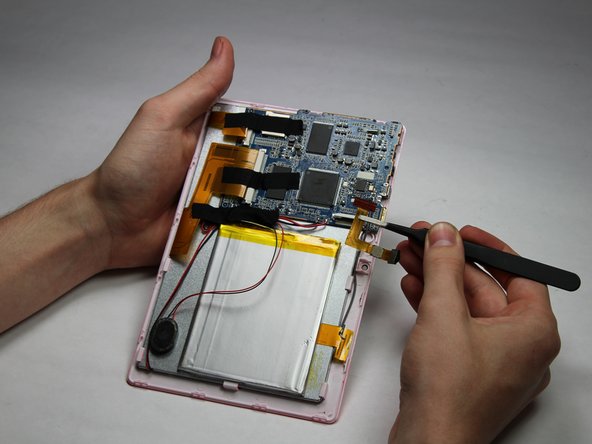
    3. Chromo Noria Touch Screen Replacement: crwdns2935265:08crwdnd2935265:01crwdnd2935265:02crwdne2935265:0 Chromo Noria Touch Screen Replacement: crwdns2935265:08crwdnd2935265:02crwdnd2935265:02crwdne2935265:0
      crwdns2935267:0crwdne2935267:0
      Tweezers
      $4.99
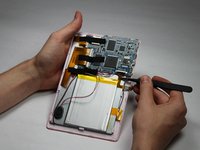
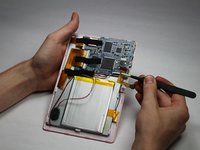
      • Using a pair of tweezers, hold the flexing cable right below the black connector.

      • Gently pull the flexing cable out of the connector while balancing the other side of the device with another hand.

      crwdns2952109:0crwdne2952109:0

      crwdns2917038:0crwdne2917038:0

    1. Chromo Noria Touch Screen Replacement, Speaker: crwdns2935265:09crwdnd2935265:01crwdnd2935265:01crwdne2935265:0
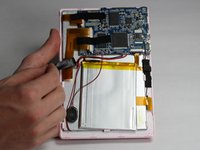
      • Using your spudger tool, remove speaker from the backboard.

      crwdns2952109:0crwdne2952109:0

      crwdns2917038:0crwdne2917038:0

    2. Chromo Noria Touch Screen Replacement: crwdns2935265:010crwdnd2935265:01crwdnd2935265:02crwdne2935265:0 Chromo Noria Touch Screen Replacement: crwdns2935265:010crwdnd2935265:02crwdnd2935265:02crwdne2935265:0
      • Using the spudger tool, detach the speaker from the back of the screen.

      crwdns2952109:0crwdne2952109:0

      crwdns2917038:0crwdne2917038:0

    3. Chromo Noria Touch Screen Replacement: crwdns2935265:011crwdnd2935265:01crwdnd2935265:01crwdne2935265:0
      • Soldering irons get very hot! Be careful when handling one. If you'd like a tutorial on how to use one, click here.

      • Using a Soldering Iron, desolder both wires from the motherboard.

      crwdns2952109:0crwdne2952109:0

      crwdns2917038:0crwdne2917038:0

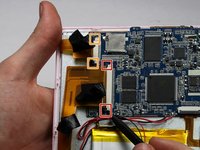
    1. Chromo Noria Touch Screen Replacement, Motherboard: crwdns2935265:012crwdnd2935265:01crwdnd2935265:02crwdne2935265:0 Chromo Noria Touch Screen Replacement, Motherboard: crwdns2935265:012crwdnd2935265:02crwdnd2935265:02crwdne2935265:0
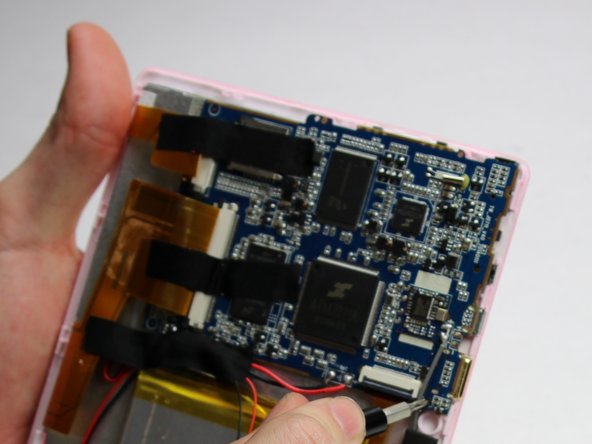
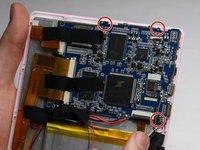
      • Using a Phillips #00 Precision Screwdriver, remove the three 3mm screws by turning the screwdriver counter-clockwise.

      crwdns2952109:0crwdne2952109:0

      crwdns2917038:0crwdne2917038:0

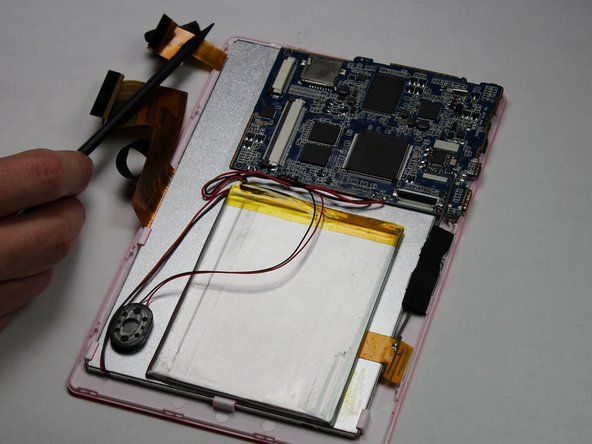
    2. Chromo Noria Touch Screen Replacement: crwdns2935265:013crwdnd2935265:01crwdnd2935265:01crwdne2935265:0
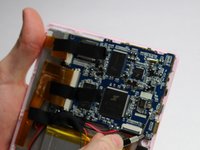
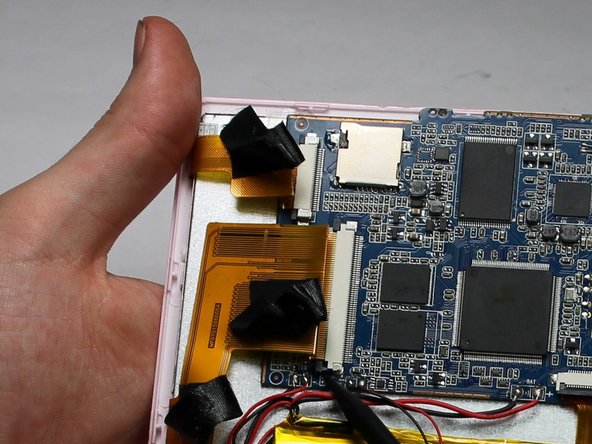
      • Remove the three pieces of tap keeping the wires in place.

      crwdns2952109:0crwdne2952109:0

      crwdns2917038:0crwdne2917038:0

    3. Chromo Noria Touch Screen Replacement: crwdns2935265:014crwdnd2935265:01crwdnd2935265:03crwdne2935265:0 Chromo Noria Touch Screen Replacement: crwdns2935265:014crwdnd2935265:02crwdnd2935265:03crwdne2935265:0 Chromo Noria Touch Screen Replacement: crwdns2935265:014crwdnd2935265:03crwdnd2935265:03crwdne2935265:0
      • Place a spudger on the small black pins on either side of the flex cables.

      • Gently push the spudger towards the back of flex cables to unlock the flex cable.

      • Remove the flex cables from their insert.

      crwdns2952109:0crwdne2952109:0

      crwdns2917038:0crwdne2917038:0

    4. Chromo Noria Touch Screen Replacement: crwdns2935265:015crwdnd2935265:01crwdnd2935265:01crwdne2935265:0
      • Soldering irons get very hot! Be careful when handling one. If you'd like a tutorial on how to use one, click here.

      • Desolder the eight connections.

      crwdns2952109:0crwdne2952109:0

      crwdns2917038:0crwdne2917038:0

    5. Chromo Noria Touch Screen Replacement: crwdns2935265:016crwdnd2935265:01crwdnd2935265:01crwdne2935265:0
      • Lift the motherboard to remove.

      crwdns2952109:0crwdne2952109:0

      crwdns2917038:0crwdne2917038:0

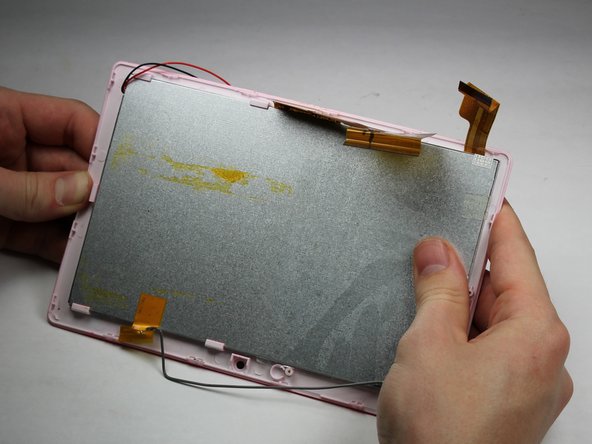
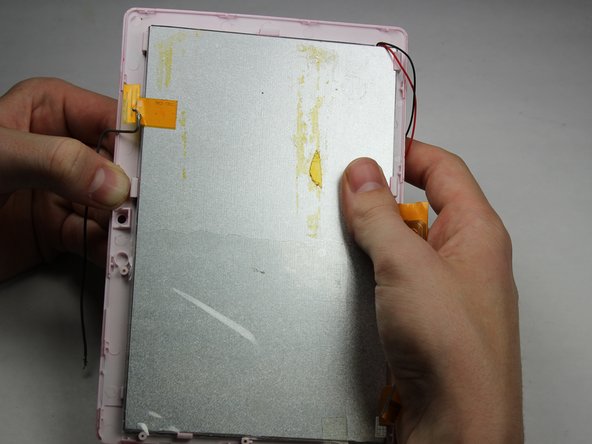
    1. Chromo Noria Touch Screen Replacement, Touch Screen: crwdns2935265:017crwdnd2935265:01crwdnd2935265:03crwdne2935265:0 Chromo Noria Touch Screen Replacement, Touch Screen: crwdns2935265:017crwdnd2935265:02crwdnd2935265:03crwdne2935265:0 Chromo Noria Touch Screen Replacement, Touch Screen: crwdns2935265:017crwdnd2935265:03crwdnd2935265:03crwdne2935265:0
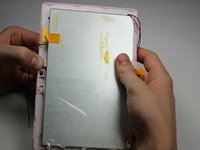
      • Apply downward pressure to each of the clips that hold the touchscreen to the plastic surround.

      • Careful to not apply so much pressure as to break the device! These hinges should move easily.

      • Work your way around the device in a clockwise motion as you progress.

      crwdns2952109:0crwdne2952109:0

      crwdns2917038:0crwdne2917038:0

crwdns2915888:0crwdne2915888:0

To reassemble your device, follow these instructions in reverse order.

crwdns2935221:0crwdne2935221:0

crwdns2935227:0crwdne2935227:0

Nick Rohn

crwdns2935283:010/30/16crwdne2935283:0

475 crwdns2915208:0crwdne2915208:0

crwdns2935297:03crwdne2935297:0

crwdns2935287:0crwdne2935287:0

Baylor, Team 5-6, Williams Fall 2016 crwdns2935289:0Baylor, Team 5-6, Williams Fall 2016crwdne2935289:0

BU-WILLIAMS-F16S5G6

crwdns2931471:03crwdne2931471:0

crwdns2935297:072crwdne2935297:0

crwdns2947412:00crwdne2947412:0

crwdns2917038:0crwdne2917038:0

crwdns2936625:0crwdne2936625:0:

crwdns2936751:024crwdne2936751:0 4

crwdns2936753:07crwdne2936753:0 6

crwdns2936753:030crwdne2936753:0 33

crwdns2942667:0crwdne2942667:0 631