
Casio LK-170 Display Replacement

crwdns2959932:0crwdnd2959932:0Samantha Bakercrwdnd2959932:0crwdnd2959932:0crwdnd2959932:03crwdnd2959932:0crwdne2959932:0
crwdns2959936:0Kul 30, 2017crwdne2959936:0
crwdns2869540:0crwdne2869540:0: 1153
crwdns2959988:0crwdne2959988:0
- crwdns2959990:0crwdne2959990:0
- 4
- crwdns2959992:0crwdne2959992:0
- 20
- crwdns2959994:0crwdne2959994:0
- 92
- crwdns2959996:0crwdne2959996:0
- 1,153
crwdns2955950:0crwdne2955950:0: 1
crwdns2960006:01crwdne2960006:0
crwdns2960000:0crwdne2960000:0crwdns2959984:0crwdne2959984:0: 0 1
crwdns2959956:0crwdne2959956:0
crwdns2959968:01crwdne2959968:0
crwdns2959986:0crwdne2959986:0: 0 1
crwdns2959958:0crwdne2959958:0
crwdns2959976:01crwdne2959976:0
crwdns2915892:0crwdne2915892:0
crwdns2959928:0crwdne2959928:0 ↓To see the notes you are playing, replace the screen by removing screws and opening up the keyboard to find a green panel with the display.
crwdns2959930:0crwdne2959930:0
crwdns2943215:0crwdne2943215:0


-
-
-
Using JIS-1 screwdriver, remove the seven 11mm screws located on the back of the keyboard.
 crwdns2952109:0crwdne2952109:0
-
-
-
Once all the screws are out, flip the keyboard over and gently pull the middle panel out.
-
Flip this panel up so that the component board can be seen.
-
-
-
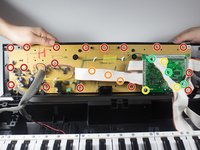
First, you must use the PH-1 bit to remove the 17 8mm screws, circled in red.
-
Second, using the same PH-1 bit, you will remove the three 8mm screws hidden under the white wire. These screws are circled in orange.
-
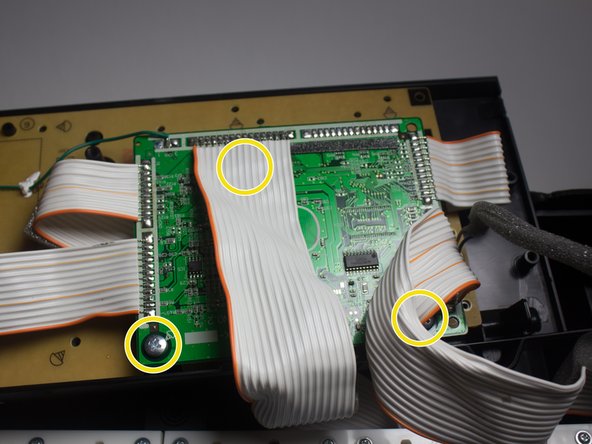
Third, using the JIS-1 bit, remove the three 7mm screws on the circuit board.
-
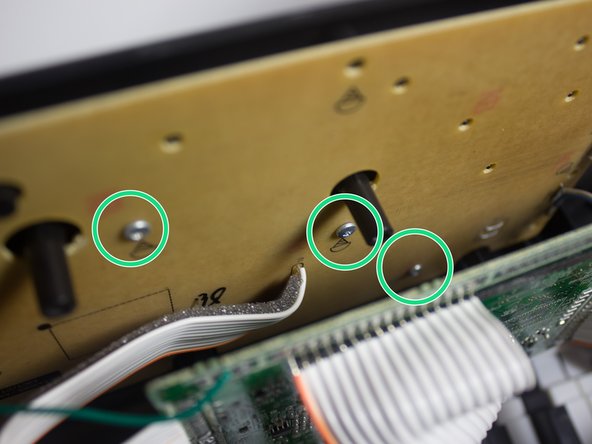
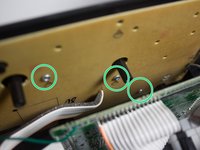
Using the PH-1 bit, remove the last three 8mm screws, circled in green.
-
-
-
Once all the screws have been removed, lift the component board and place it face down on the keys.
-
-
-
-
Flip over the component board to reveal the display that is currently connected to a green panel.
-
-
-
Remove the display by carefully picking it up with your fingers from the green panel.
-
-




To reassemble your device, follow these instructions in reverse order.

crwdns2935287:0crwdne2935287:0

Cal Poly, Team 13-2, Banghart Winter 2017 crwdns2935289:0Cal Poly, Team 13-2, Banghart Winter 2017crwdne2935289:0
CPSU-BANGHART-W17S13G2
crwdns2931471:03crwdne2931471:0
crwdns2935297:060crwdne2935297:0
crwdns2947410:01crwdne2947410:0
Hey, where do you find a replacement lcd?
Albert istvab - crwdns2934203:0crwdne2934203:0 crwdns2950251:0crwdne2950251:0
