crwdns2933423:0crwdne2933423:0
crwdns2947577:0crwdnd2947577:0crwdne2947577:0

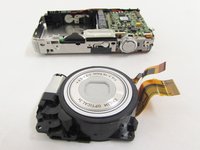
Casio Exilim EX-Z80 Lens Replacement

crwdns2869540:0crwdne2869540:0: 2,4 тыс.

crwdns2959988:0crwdne2959988:0

crwdns2959990:0crwdne2959990:0
5
crwdns2959992:0crwdne2959992:0
45
crwdns2959994:0crwdne2959994:0
133
crwdns2959996:0crwdne2959996:0
2 377
crwdns2955950:0crwdne2955950:0: 0

crwdns2959998:0crwdne2959998:0

crwdns2960000:0crwdne2960000:0
crwdns2959984:0crwdne2959984:0: 0

crwdns2959956:0crwdne2959956:0

crwdns2959986:0crwdne2959986:0: 0

crwdns2959958:0crwdne2959958:0

crwdns2955944:0crwdne2955944:0: crwdns2931283:050crwdne2931283:0 - crwdns2931287:04crwdne2931287:0
crwdns2955970:0crwdne2955970:0: crwdns2937801:0crwdne2937801:0
Casio Exilim EX-Z80 Lens Replacement

crwdns2915892:0crwdne2915892:0

crwdns2959928:0crwdne2959928:0 ↓

This guide will show you how to properly remove and replace the Casio Exilim EX-Z80 camera lens in the case that the lens has been broken or scratched. It will require the use of the Casio Exilim EX-Z80 Back and Front Cover Replacement Guide.

crwdns2959930:0crwdne2959930:0

crwdns2943215:0crwdne2943215:0

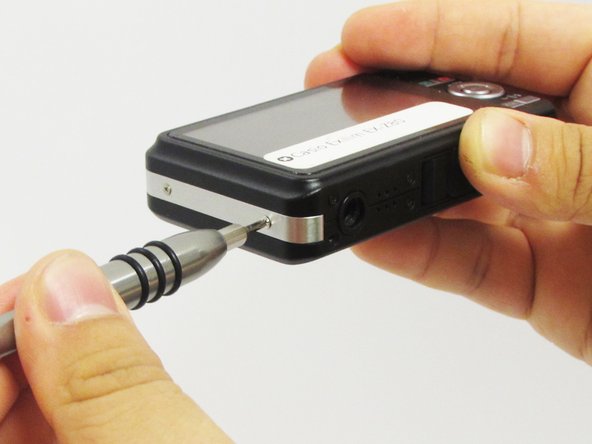
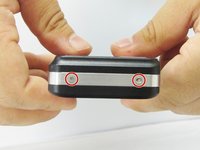
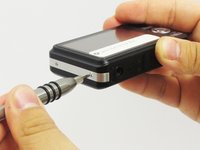
    1. Casio Exilim EX-Z80 Lens Replacement, Back and Front Cover: crwdns2935265:01crwdnd2935265:01crwdnd2935265:03crwdne2935265:0 Casio Exilim EX-Z80 Lens Replacement, Back and Front Cover: crwdns2935265:01crwdnd2935265:02crwdnd2935265:03crwdne2935265:0 Casio Exilim EX-Z80 Lens Replacement, Back and Front Cover: crwdns2935265:01crwdnd2935265:03crwdnd2935265:03crwdne2935265:0
      • Remove the four 3 mm black screws from the bottom of the camera using a Phillips #000 screwdriver.

      • Open the battery compartment with your thumb or index finger.

      • Remove the single 2 mm silver screw that is now exposed using a Phillips #000 screwdriver.

      crwdns2952109:0crwdne2952109:0

      crwdns2917038:0crwdne2917038:0

    2. Casio Exilim EX-Z80 Lens Replacement: crwdns2935265:02crwdnd2935265:01crwdnd2935265:03crwdne2935265:0 Casio Exilim EX-Z80 Lens Replacement: crwdns2935265:02crwdnd2935265:02crwdnd2935265:03crwdne2935265:0 Casio Exilim EX-Z80 Lens Replacement: crwdns2935265:02crwdnd2935265:03crwdnd2935265:03crwdne2935265:0
      • Open the USB port tab.

      • Remove the single 2 mm silver screw using a Phillips #000 screwdriver.

      crwdns2952109:0crwdne2952109:0

      crwdns2917038:0crwdne2917038:0

    3. Casio Exilim EX-Z80 Lens Replacement: crwdns2935265:03crwdnd2935265:01crwdnd2935265:02crwdne2935265:0 Casio Exilim EX-Z80 Lens Replacement: crwdns2935265:03crwdnd2935265:02crwdnd2935265:02crwdne2935265:0
      • Remove the two 2 mm silver screws using a Phillips #000 screwdriver.

      crwdns2952109:0crwdne2952109:0

      crwdns2917038:0crwdne2917038:0

    4. Casio Exilim EX-Z80 Lens Replacement: crwdns2935265:04crwdnd2935265:01crwdnd2935265:02crwdne2935265:0 Casio Exilim EX-Z80 Lens Replacement: crwdns2935265:04crwdnd2935265:02crwdnd2935265:02crwdne2935265:0
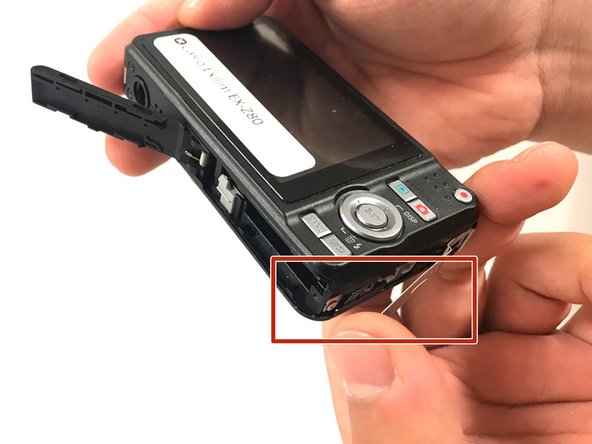
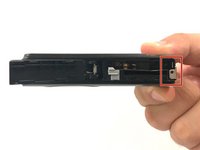
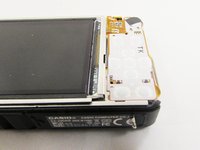
      • Carefully remove the silver strip from left side. Open the battery cover and remove the metal strip with fingers by sliding it to the left.

      crwdns2952109:0crwdne2952109:0

      crwdns2917038:0crwdne2917038:0

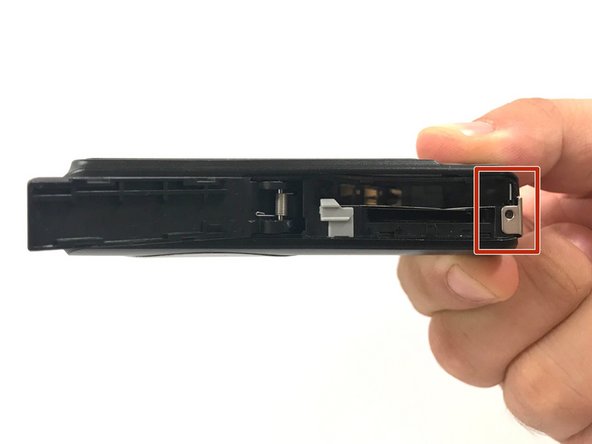
    5. Casio Exilim EX-Z80 Lens Replacement: crwdns2935265:05crwdnd2935265:01crwdnd2935265:02crwdne2935265:0 Casio Exilim EX-Z80 Lens Replacement: crwdns2935265:05crwdnd2935265:02crwdnd2935265:02crwdne2935265:0
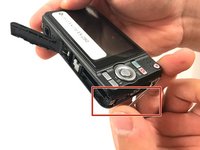
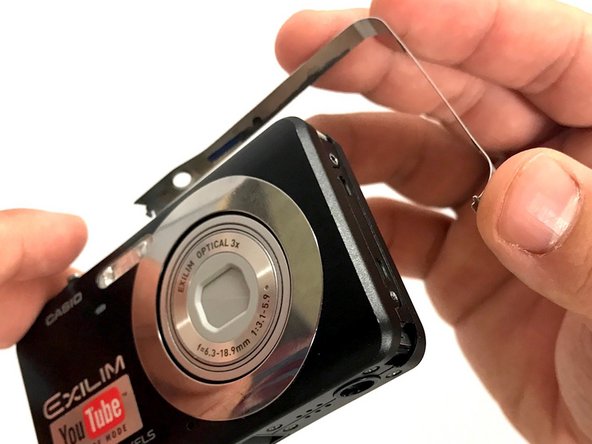
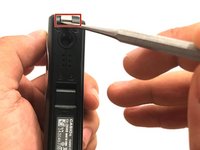
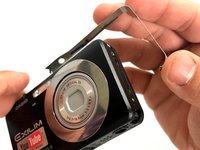
      • With the metal spudger, pry out the edge of the silver strip at the bottom right side of the camera.

      • Carefully remove the remaining part of the metal strip.

      crwdns2952109:0crwdne2952109:0

      crwdns2917038:0crwdne2917038:0

    6. Casio Exilim EX-Z80 Lens Replacement: crwdns2935265:06crwdnd2935265:01crwdnd2935265:02crwdne2935265:0 Casio Exilim EX-Z80 Lens Replacement: crwdns2935265:06crwdnd2935265:02crwdnd2935265:02crwdne2935265:0
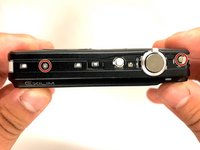
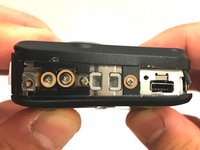
      • Remove the two 2 mm silver screws from the top corners of the camera using a Phillips #000 screwdriver.

      • Remove the three 2 mm screws from the left side using a Phillips #000 screwdriver.

      crwdns2952109:0crwdne2952109:0

      crwdns2917038:0crwdne2917038:0

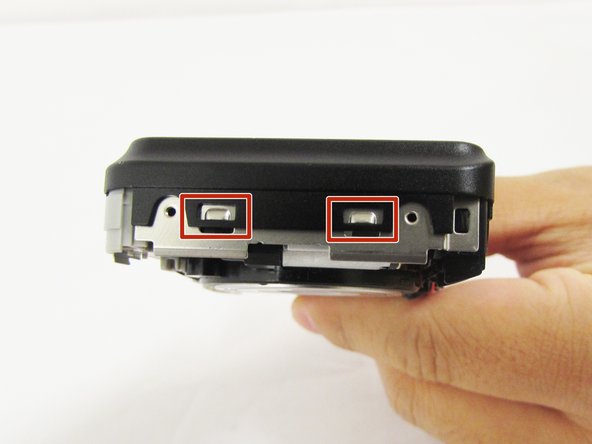
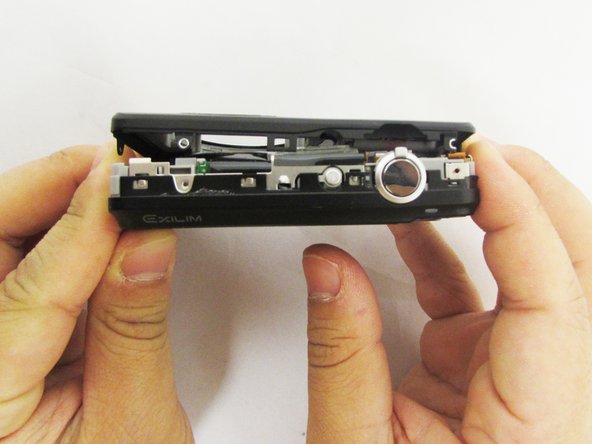
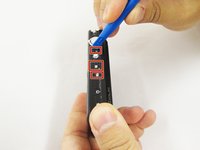
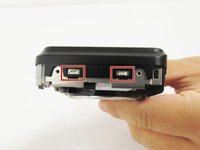
    7. Casio Exilim EX-Z80 Lens Replacement: crwdns2935265:07crwdnd2935265:01crwdnd2935265:03crwdne2935265:0 Casio Exilim EX-Z80 Lens Replacement: crwdns2935265:07crwdnd2935265:02crwdnd2935265:03crwdne2935265:0 Casio Exilim EX-Z80 Lens Replacement: crwdns2935265:07crwdnd2935265:03crwdnd2935265:03crwdne2935265:0
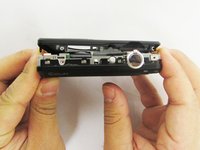
      • Using a small opening tool carefully release all lock tabs at the top and on the side of the camera from their locked position.

      • Using your hands, carefully separate the front and back panel from the camera.

      crwdns2952109:0crwdne2952109:0

      crwdns2917038:0crwdne2917038:0

    1. Casio Exilim EX-Z80 Lens Replacement, LCD Screen: crwdns2935265:08crwdnd2935265:01crwdnd2935265:03crwdne2935265:0 Casio Exilim EX-Z80 Lens Replacement, LCD Screen: crwdns2935265:08crwdnd2935265:02crwdnd2935265:03crwdne2935265:0 Casio Exilim EX-Z80 Lens Replacement, LCD Screen: crwdns2935265:08crwdnd2935265:03crwdnd2935265:03crwdne2935265:0
      crwdns2935267:0crwdne2935267:0
      Tweezers
      $4.99
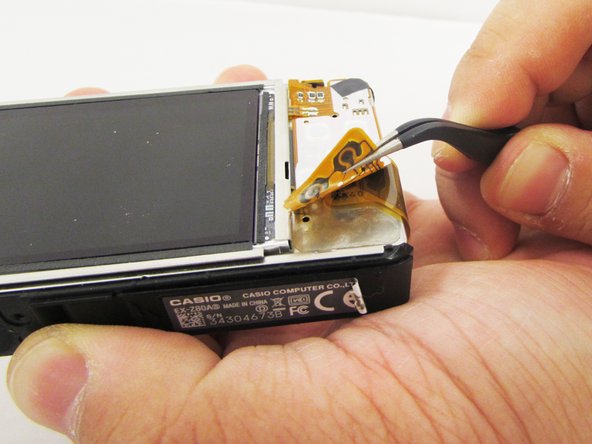
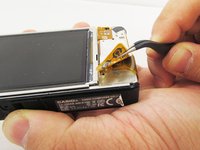
      • Gently flip the wide button cable up from the display cable.

      • Lift the brown retention flap on the display cable ZIF connector with tweezers or an ESD-safe tool.

      • Carefully pull the display cable from its connector.

      crwdns2952109:0crwdne2952109:0

      crwdns2917038:0crwdne2917038:0

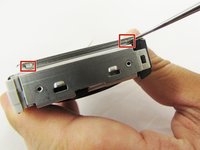
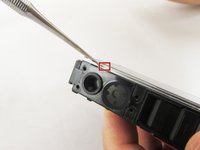
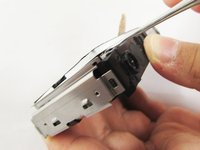
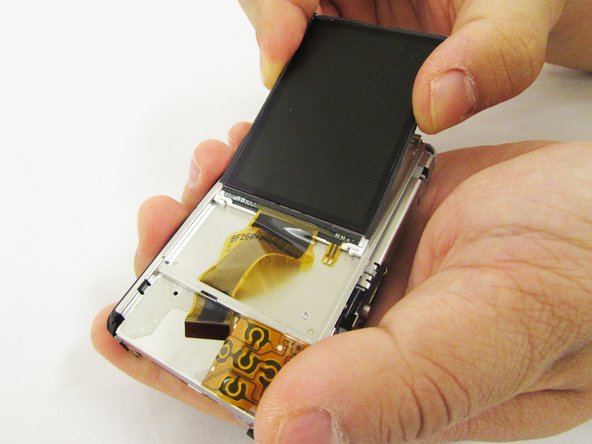
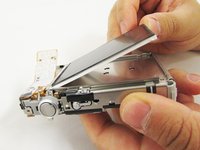
    2. Casio Exilim EX-Z80 Lens Replacement: crwdns2935265:09crwdnd2935265:01crwdnd2935265:03crwdne2935265:0 Casio Exilim EX-Z80 Lens Replacement: crwdns2935265:09crwdnd2935265:02crwdnd2935265:03crwdne2935265:0 Casio Exilim EX-Z80 Lens Replacement: crwdns2935265:09crwdnd2935265:03crwdnd2935265:03crwdne2935265:0
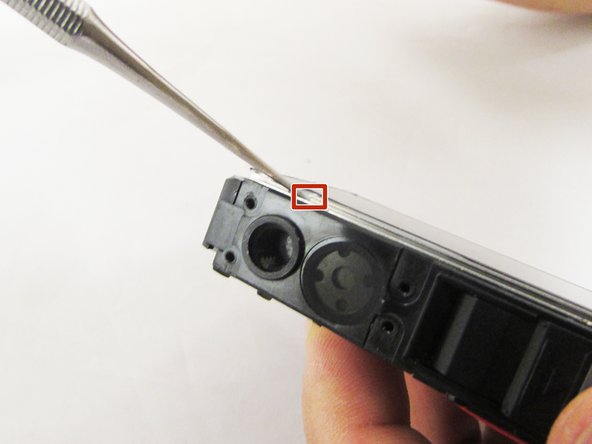
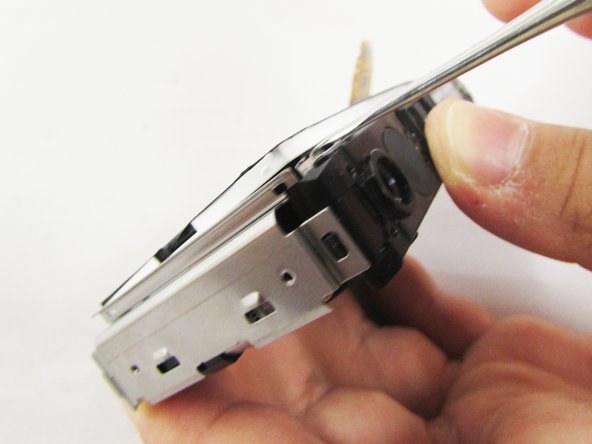
      • Pry the square holes that hold the LCD screen up with a metal spudger until you see the raised tabs in the metal holes.

      • Repeat the process with the holes around the four edges of the camera.

      • Insert the metal spudger into the gap of the metal case and pry up the LCD screen.

      crwdns2952109:0crwdne2952109:0

      crwdns2917038:0crwdne2917038:0

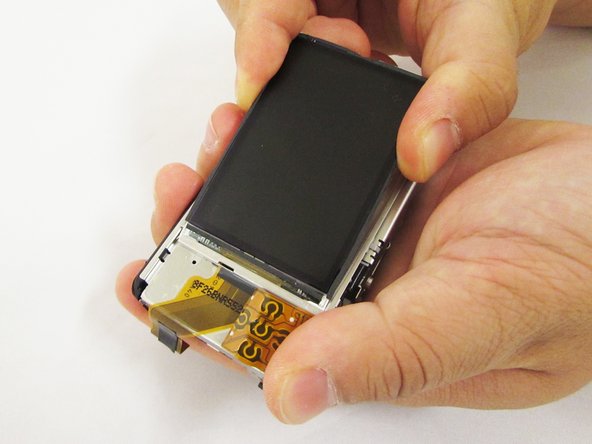
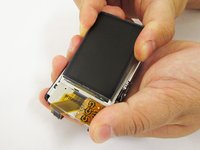
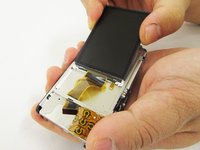
    3. Casio Exilim EX-Z80 Lens Replacement: crwdns2935265:010crwdnd2935265:01crwdnd2935265:03crwdne2935265:0 Casio Exilim EX-Z80 Lens Replacement: crwdns2935265:010crwdnd2935265:02crwdnd2935265:03crwdne2935265:0 Casio Exilim EX-Z80 Lens Replacement: crwdns2935265:010crwdnd2935265:03crwdnd2935265:03crwdne2935265:0
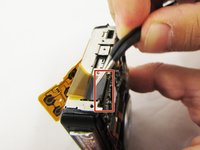
      • Hold up the LCD screen in one hand and hold back the button cable with the other.

      • Don't let the LCD screen to fall back into the metal case and make sure the button cable does not get stuck on the display cable.

      • Pull on the LCD screen until the yellow display cable is fully out of the metal case.

      crwdns2952109:0crwdne2952109:0

      crwdns2917038:0crwdne2917038:0

    1. Casio Exilim EX-Z80 Lens Replacement, Lens: crwdns2935265:011crwdnd2935265:01crwdnd2935265:03crwdne2935265:0 Casio Exilim EX-Z80 Lens Replacement, Lens: crwdns2935265:011crwdnd2935265:02crwdnd2935265:03crwdne2935265:0 Casio Exilim EX-Z80 Lens Replacement, Lens: crwdns2935265:011crwdnd2935265:03crwdnd2935265:03crwdne2935265:0
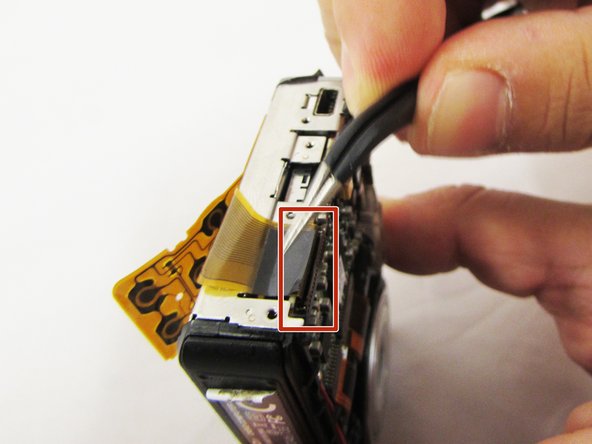
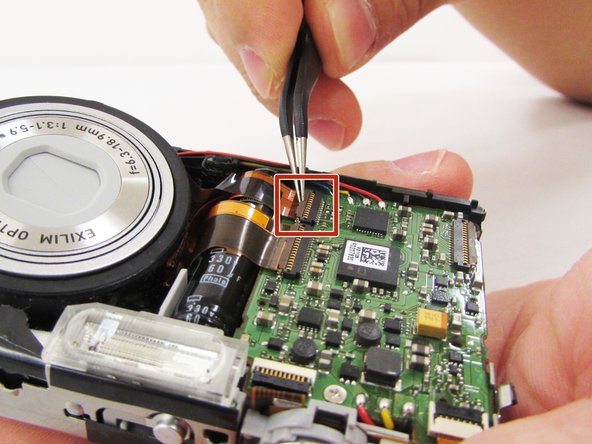
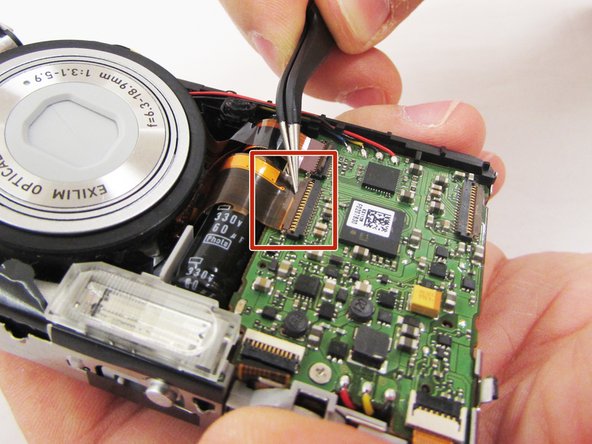
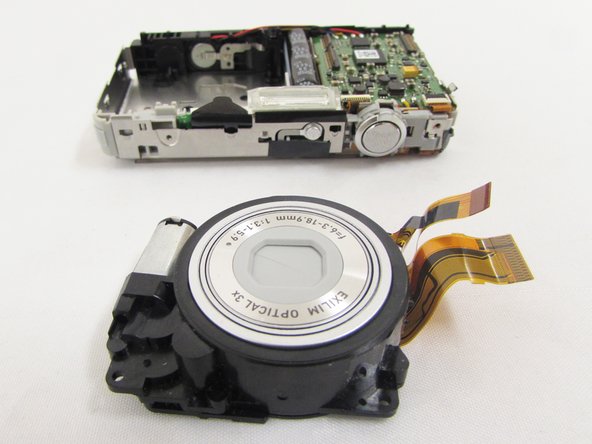
      • Lift the retaining flaps on the two ZIF connectors that secure the the lens ribbon cables to the motherboard.

      • Carefully pull the two ribbon cables from their sockets on the motherboard.

      crwdns2952109:0crwdne2952109:0

      crwdns2917038:0crwdne2917038:0

    2. Casio Exilim EX-Z80 Lens Replacement: crwdns2935265:012crwdnd2935265:01crwdnd2935265:03crwdne2935265:0 Casio Exilim EX-Z80 Lens Replacement: crwdns2935265:012crwdnd2935265:02crwdnd2935265:03crwdne2935265:0 Casio Exilim EX-Z80 Lens Replacement: crwdns2935265:012crwdnd2935265:03crwdnd2935265:03crwdne2935265:0
      crwdns2935267:0crwdne2935267:0
      Heavy-Duty Spudger
      $4.99
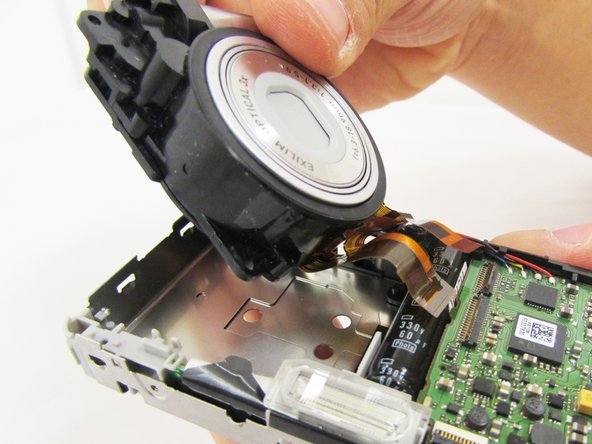
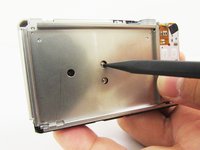
      • Turn the camera around and locate the holes on the metal panel.

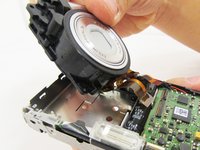
      • With a heavy duty spudger, gently poke through the holes, releasing the lens from the main portion of the camera.

      • With your index finger and thumb gently pull the full lens out.

      crwdns2952109:0crwdne2952109:0

      crwdns2917038:0crwdne2917038:0

crwdns2915888:0crwdne2915888:0

To reassemble your device, follow these instructions in reverse order.

crwdns2935221:0crwdne2935221:0

Caroline Villasenor

crwdns2935283:004/11/17crwdne2935283:0

331 crwdns2915208:0crwdne2915208:0

crwdns2935297:03crwdne2935297:0

crwdns2935287:0crwdne2935287:0

Eastern Washington University, Team S1-G5, Crane Spring 2017 crwdns2935289:0Eastern Washington University, Team S1-G5, Crane Spring 2017crwdne2935289:0

EWU-CRANE-S17S1G5

crwdns2931471:03crwdne2931471:0

crwdns2935297:060crwdne2935297:0

crwdns2947412:00crwdne2947412:0

crwdns2917038:0crwdne2917038:0

crwdns2936625:0crwdne2936625:0:

crwdns2936751:024crwdne2936751:0 5

crwdns2936753:07crwdne2936753:0 45

crwdns2936753:030crwdne2936753:0 133

crwdns2959996:0crwdne2959996:0 2,377