crwdns2933423:0crwdne2933423:0
crwdns2947577:0crwdnd2947577:0crwdne2947577:0

Casio Exilim EX Z55 LCD Screen Replacement

crwdns2942213:0crwdne2942213:0

  1. Casio Exilim EX Z55 LCD Screen Replacement, Front Case: crwdns2935265:01crwdnd2935265:01crwdnd2935265:03crwdne2935265:0 Casio Exilim EX Z55 LCD Screen Replacement, Front Case: crwdns2935265:01crwdnd2935265:02crwdnd2935265:03crwdne2935265:0 Casio Exilim EX Z55 LCD Screen Replacement, Front Case: crwdns2935265:01crwdnd2935265:03crwdnd2935265:03crwdne2935265:0
    • Remove eight 1.8 mm screws from the left and right sides of the camera using a Phillips #00 screwdriver

    crwdns2952109:0crwdne2952109:0
  2. Casio Exilim EX Z55 LCD Screen Replacement: crwdns2935265:02crwdnd2935265:01crwdnd2935265:01crwdne2935265:0
    • Remove the four 3.7 mm screws from the bottom of the camera using a Phillips #00 screwdriver.

    crwdns2952109:0crwdne2952109:0
  3. Casio Exilim EX Z55 LCD Screen Replacement: crwdns2935265:03crwdnd2935265:01crwdnd2935265:01crwdne2935265:0
    • Separate the front case from the body of the camera.

    crwdns2952109:0crwdne2952109:0
  4. Casio Exilim EX Z55 LCD Screen Replacement, Back Case: crwdns2935265:04crwdnd2935265:01crwdnd2935265:01crwdne2935265:0
    • Separate the back case from the body of the camera.

    crwdns2952109:0crwdne2952109:0
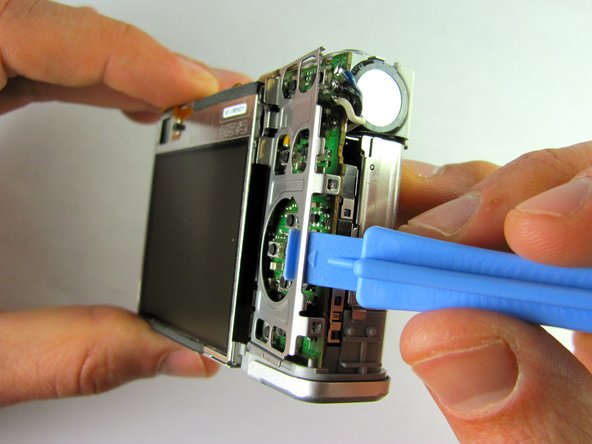
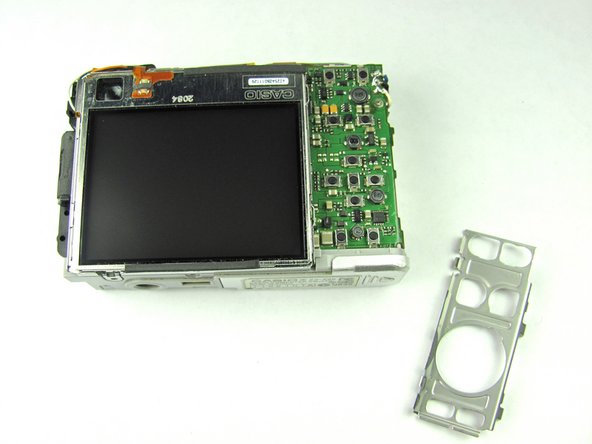
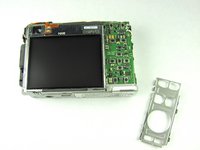
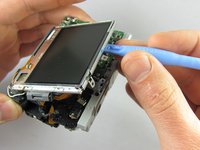
  5. Casio Exilim EX Z55 LCD Screen Replacement, LCD Screen: crwdns2935265:05crwdnd2935265:01crwdnd2935265:03crwdne2935265:0 Casio Exilim EX Z55 LCD Screen Replacement, LCD Screen: crwdns2935265:05crwdnd2935265:02crwdnd2935265:03crwdne2935265:0 Casio Exilim EX Z55 LCD Screen Replacement, LCD Screen: crwdns2935265:05crwdnd2935265:03crwdnd2935265:03crwdne2935265:0
    • Remove the metal grating located to the right of the LCD screen by inserting the plastic opening tool under the grating and pulling up.

    crwdns2952109:0crwdne2952109:0
  6. Casio Exilim EX Z55 LCD Screen Replacement: crwdns2935265:06crwdnd2935265:01crwdnd2935265:01crwdne2935265:0
    • Before removing the side metal bracket, first remove the attached strap knob by twisting it off.

    • Then, remove the side metal bracket by inserting the plastic opening tool under the bracket and pulling up.

    crwdns2952109:0crwdne2952109:0
  7. Casio Exilim EX Z55 LCD Screen Replacement: crwdns2935265:07crwdnd2935265:01crwdnd2935265:01crwdne2935265:0
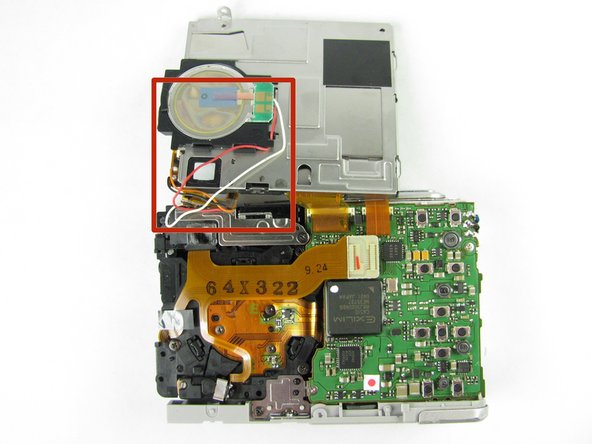
    • Using the plastic opening tool, pry up the LCD screen starting at one of the corners. Insert the tool under one of the corners and lift up.

    crwdns2952109:0crwdne2952109:0
  8. Casio Exilim EX Z55 LCD Screen Replacement: crwdns2935265:08crwdnd2935265:01crwdnd2935265:02crwdne2935265:0 Casio Exilim EX Z55 LCD Screen Replacement: crwdns2935265:08crwdnd2935265:02crwdnd2935265:02crwdne2935265:0
    • Continue to lift the LCD screen all the way up.

    • Be careful not to rip any wires connecting the LCD screen to the top of the camera.

    crwdns2952109:0crwdne2952109:0
crwdns2915888:0crwdne2915888:0

To reassemble your device, follow these instructions in reverse order.

Laura

crwdns2935283:004/19/12crwdne2935283:0

46 crwdns2915208:0crwdne2915208:0

crwdns2935297:02crwdne2935297:0

crwdns2935287:0crwdne2935287:0

Cal Poly, Team 9-45, Regan Spring 2012 crwdns2935289:0Cal Poly, Team 9-45, Regan Spring 2012crwdne2935289:0

CPSU-REGAN-S12S9G45

crwdns2931471:07crwdne2931471:0

crwdns2935297:014crwdne2935297:0

crwdns2947412:00crwdne2947412:0

crwdns2917038:0crwdne2917038:0

crwdns2936625:0crwdne2936625:0:

crwdns2936751:024crwdne2936751:0 1

crwdns2936753:07crwdne2936753:0 11

crwdns2936753:030crwdne2936753:0 73

crwdns2942667:0crwdne2942667:0 2,481