crwdns2915892:0crwdne2915892:0
The Canon PIXMA MP620B is an all-in-one inkjet printer with an LCD screen, wireless network connectivity support, and high print resolution. Although it has wireless network connectivity, connecting via USB is sometimes the better option for a faster and more secure connection. If you're experiencing issues with the USB connection, such as a weak or non-existent connection, it could be time to replace the Canon printer's USB reader.
crwdns2942213:0crwdne2942213:0
-
-
-
Locate the tabs on the top of the panel that hook down and into the black side panel.
-
Insert the Spudger in-between the black panel and the blue panel as shown and pull the two pieces apart.
 crwdns2952109:0crwdne2952109:0
-
-
-
Remove the two screws from the back right black panel using the Phillips #00 screwdriver.
-
-
-
-
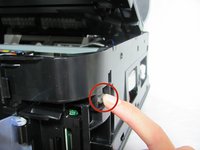
There is a tab you will have to push down to remove the part.
-
Once the tab is released, gently lift the cover away from the rest of the device to disengage the clips.
-
-
-
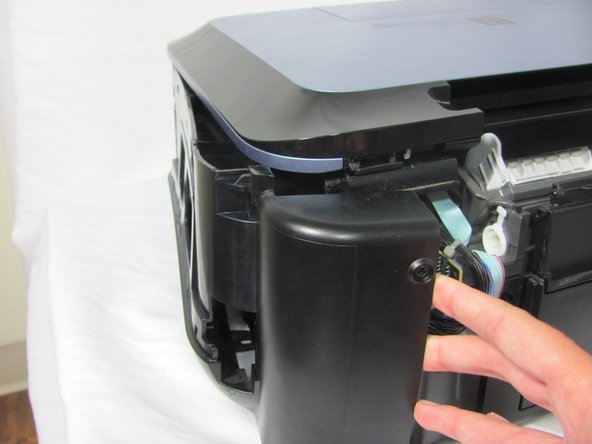
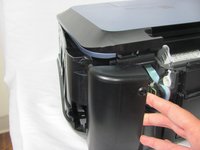
After unclipping all the hooks, pull off the black side panel to reveal the inner circuit boards.
-
-
-
Remove the two screws from the USB reader using the Phillips #00 screwdriver.
-
-
-
Disconnect the large white ribbon cable that leads to the USB reader. As you are pulling out the USB reader, carefully detach the ribbon.
-
-




To reassemble your device, follow these instructions in reverse order.
crwdns2935221:0crwdne2935221:0
crwdns2935229:04crwdne2935229:0

crwdns2935287:0crwdne2935287:0

Cal Poly, Team 6-21, Maness Fall 2014 crwdns2935289:0Cal Poly, Team 6-21, Maness Fall 2014crwdne2935289:0
CPSU-MANESS-F14S6G21
crwdns2931471:04crwdne2931471:0
crwdns2935297:060crwdne2935297:0
